

Efficiently managing and exporting payroll data is essential for accurate record-keeping and reporting. This guide explains how to export payroll data to a CSV file using RosterElf, ensuring your records are comprehensive and compatible with various payroll management systems. The CSV format allows you to import the data into systems that don’t natively support RosterElf, simplifying payroll processing.
The CSV file exported here is your processed payroll — the actual hours worked, calculated using your pay templates — not the templates themselves, which stay in RosterElf as wage-rule configuration.
Before exporting payroll data, ensure you’ve completed setup and management steps in RosterElf. For assistance, refer to the following guides:
1. Saving progress and exporting data
Saving your progress is crucial before exporting payroll. This section guides you through securing any changes, finalising reviews, and exporting the data accurately. Completing these steps ensures all adjustments are saved in the CSV export.
1.1 Save and review shifts
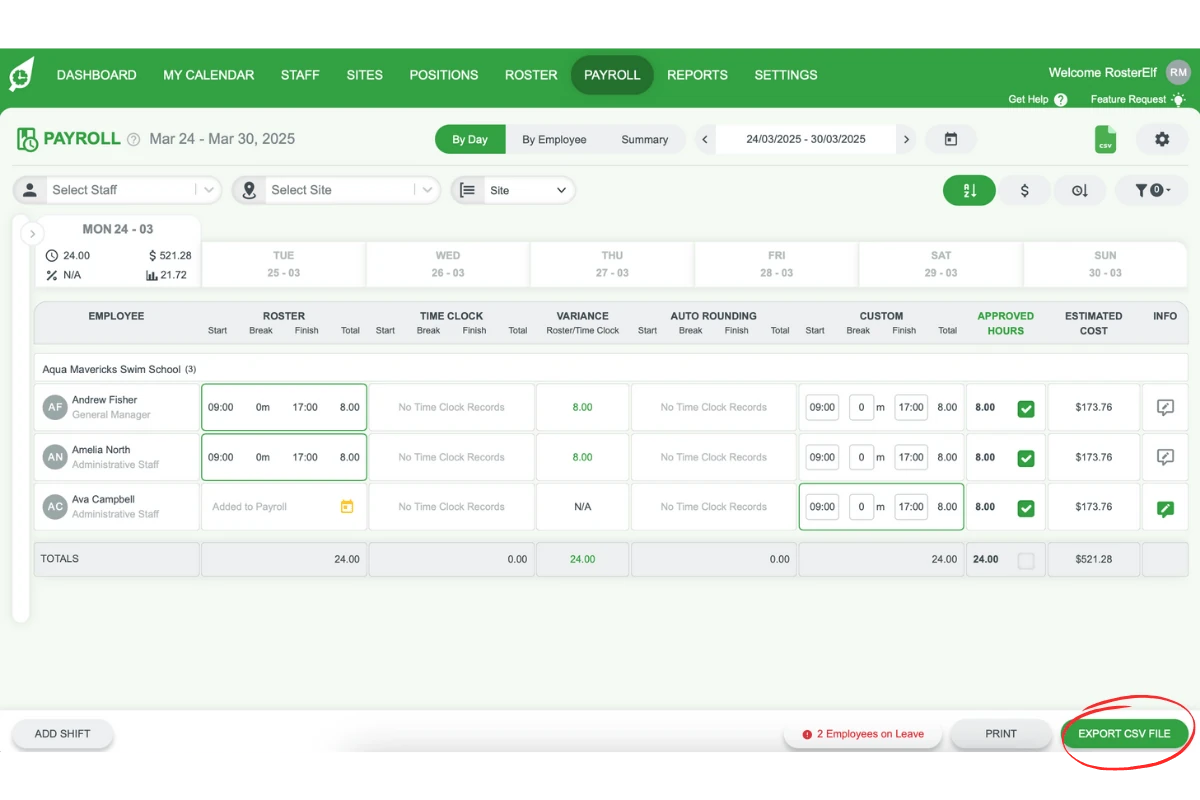
1.1.1. Save any custom shifts before leaving the payroll screen.
1.1.2. Confirm all shifts and hours are reviewed and correct.
1.2 Export the CSV file
1.2.1. After completing reviews, click Export CSV File.
2. Reviewing summary information
Before processing, reviewing the summary information allows you to verify that all data is correct. This section walks you through viewing summary details for staff, budget, and leave to ensure payroll accuracy.
2.1 View staff, budget, and leave summaries
2.1.1. A new window with summary information will appear.
2.1.2. Switch between tabs to view the Staff, Budget, and Leave summaries.
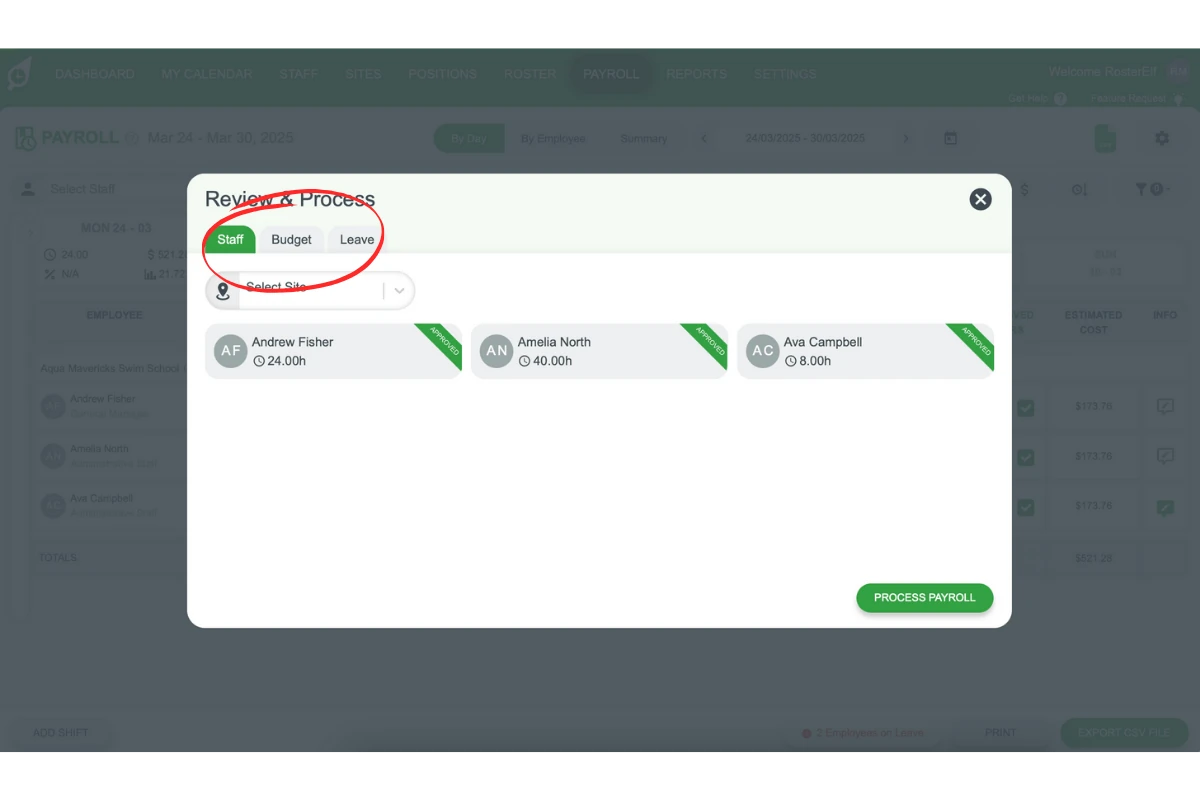
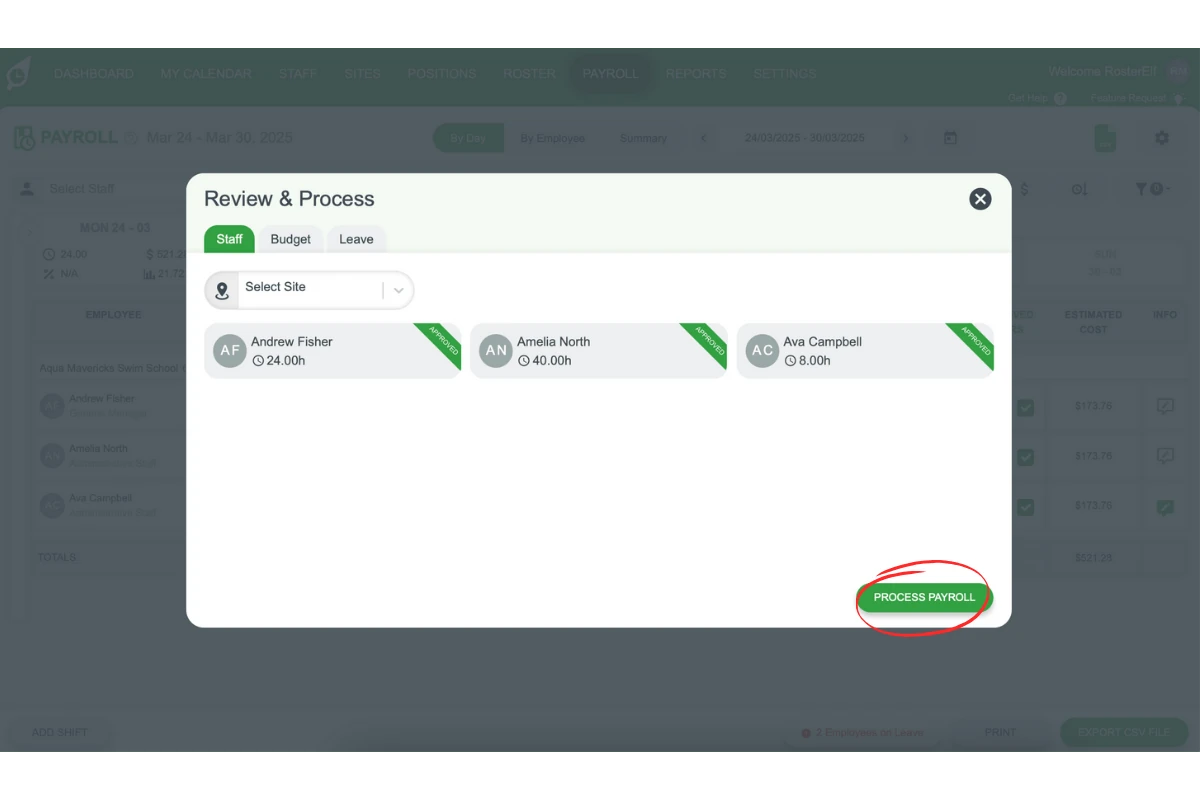
2.1.3. Confirm accuracy, then select Process Payroll to proceed.
3. Downloading the CSV file
Once payroll processing is complete, you’ll need to download the CSV file. This section shows you how to download and access the file for further use.
3.1 Download and open the CSV file
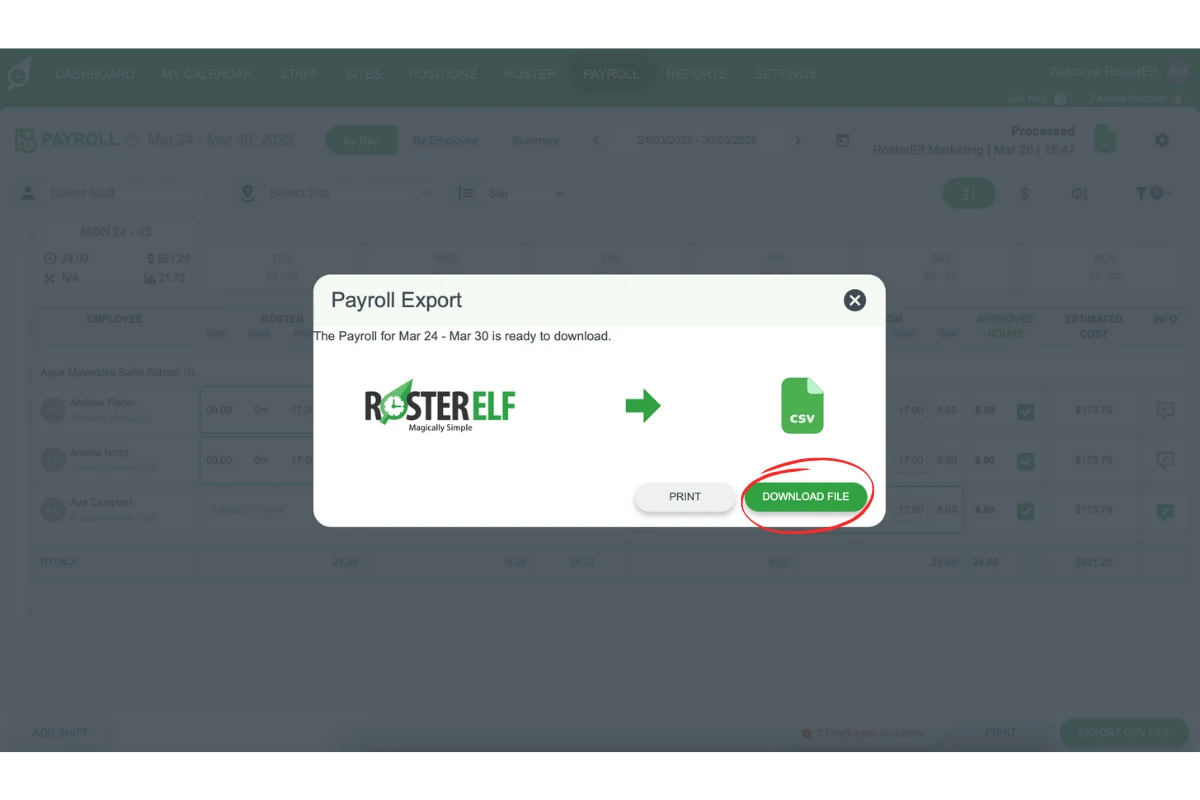
3.1.1. Click Download File to download your RosterElf CSV.
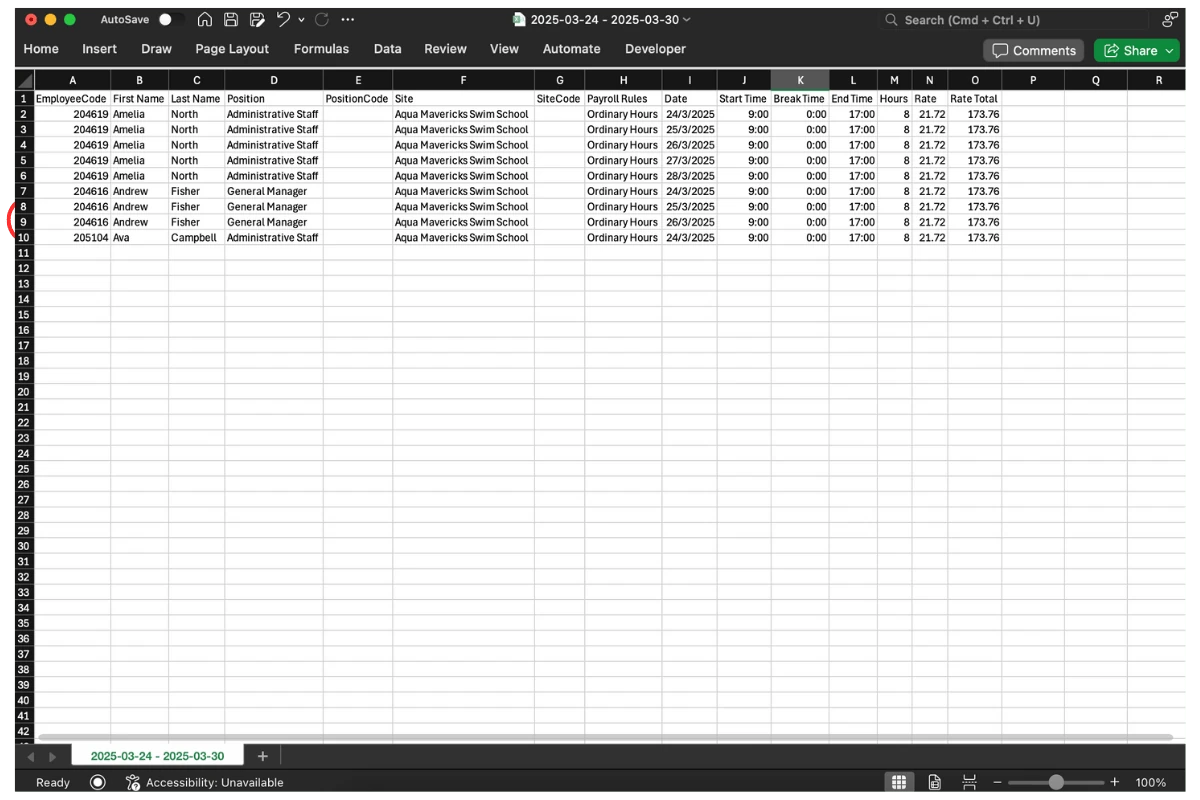
3.1.2. Open the downloaded CSV file to view your payroll data.
Frequently asked questions
1. How do I export payroll data from RosterElf?
To export payroll data in RosterElf, complete any shift reviews, save your progress, and then click the Export CSV File option. This will generate a CSV file compatible with most payroll systems for easier payroll processing.
2. Can I review payroll data before exporting it in RosterElf?
Yes, you can review summary information, including staff details, budget, and leave, before exporting. Use the summary tabs to verify data accuracy, ensuring all shifts and hours are correct before processing.
3. What should I do if I make changes before exporting payroll data?
If you make changes to shifts or hours, save your progress to update the data. Once changes are saved, proceed with exporting the CSV file to ensure accuracy in your payroll records.
4. How do I download the payroll CSV file in RosterElf?
After processing the payroll, click Download File to save the CSV file to your device. Open the downloaded file to view or import payroll data into other payroll management systems.
5. Why should I export payroll data to CSV in RosterElf?
Exporting payroll data to CSV in RosterElf allows you to maintain accurate records and import them into other payroll systems if needed. CSV files are widely compatible, streamlining payroll and ensuring comprehensive record-keeping.