
Performance management software

Reviews that actually happen, goals people can see progress on, and the shift data to back both up — because RosterElf already runs your roster, timesheets and payroll.
-
Reviews on a cycle — nobody skipped
-
Goals with visible progress, not promises
-
Backed by real attendance and shift data
What is performance management software?
A structured system for goals, reviews and development — in one place

Performance management software helps businesses run reviews, track goals, document feedback and support employee development in one place. RosterElf combines performance management with attendance and shift reliability data, giving managers a more complete picture of employee performance.
Keep performance reviews, warning letters and improvement plans securely stored as part of your digital HR records, supporting Fair Work record-keeping requirements.
Why Australian businesses choose RosterElf performance management
Most performance management software can only see what a manager types into it.
HR-only platforms
- Reviews rest on recollection at review time
- No view of lateness, swaps or no-shows
- Performance records live apart from pay and hours
- Another system for managers and staff to learn
RosterElf
- Reviews backed by real attendance and shift reliability
- Sits in the same platform as your roster, timesheets and payroll
- Stored alongside your digital HR records for Fair Work record-keeping
- One app your team already uses for shifts, leave and payslips
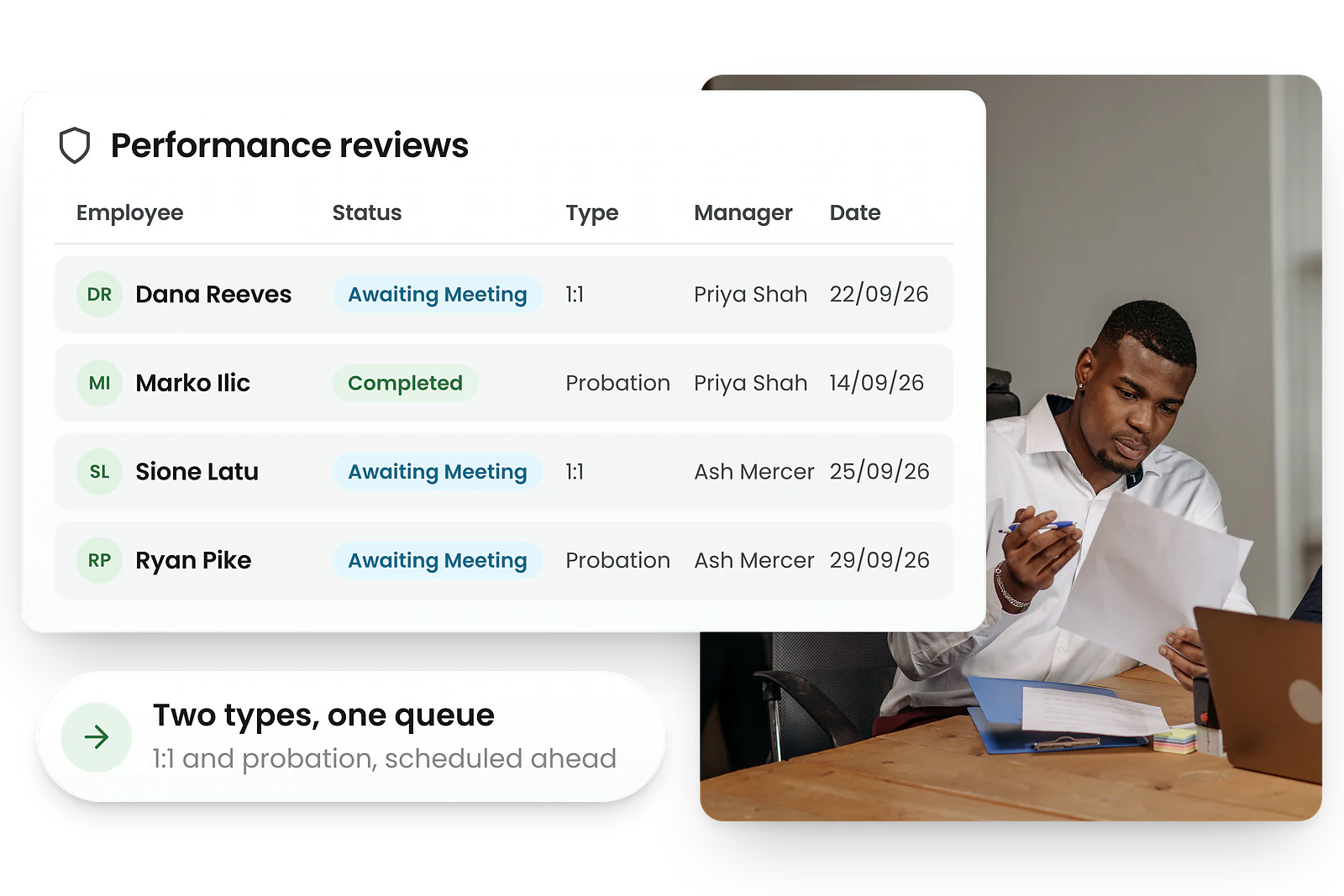
Performance reviews & 1:1 check-ins
Nobody gets quietly skipped
Reviews stop being the thing you meant to do last quarter. Put each person on a quarterly cycle or a custom date and RosterElf carries the next one forward, walks both sides through it, and closes it with sign-off from each — so the record exists before you need it.
- Review types: 1:1, probation or disciplinary
- Four steps: admin review → employee self-review → meeting → completed
- Both parties sign off with digital signatures
- Review cycle per employee: quarterly or a custom date
- Links to existing goals — or create new goals from the meeting
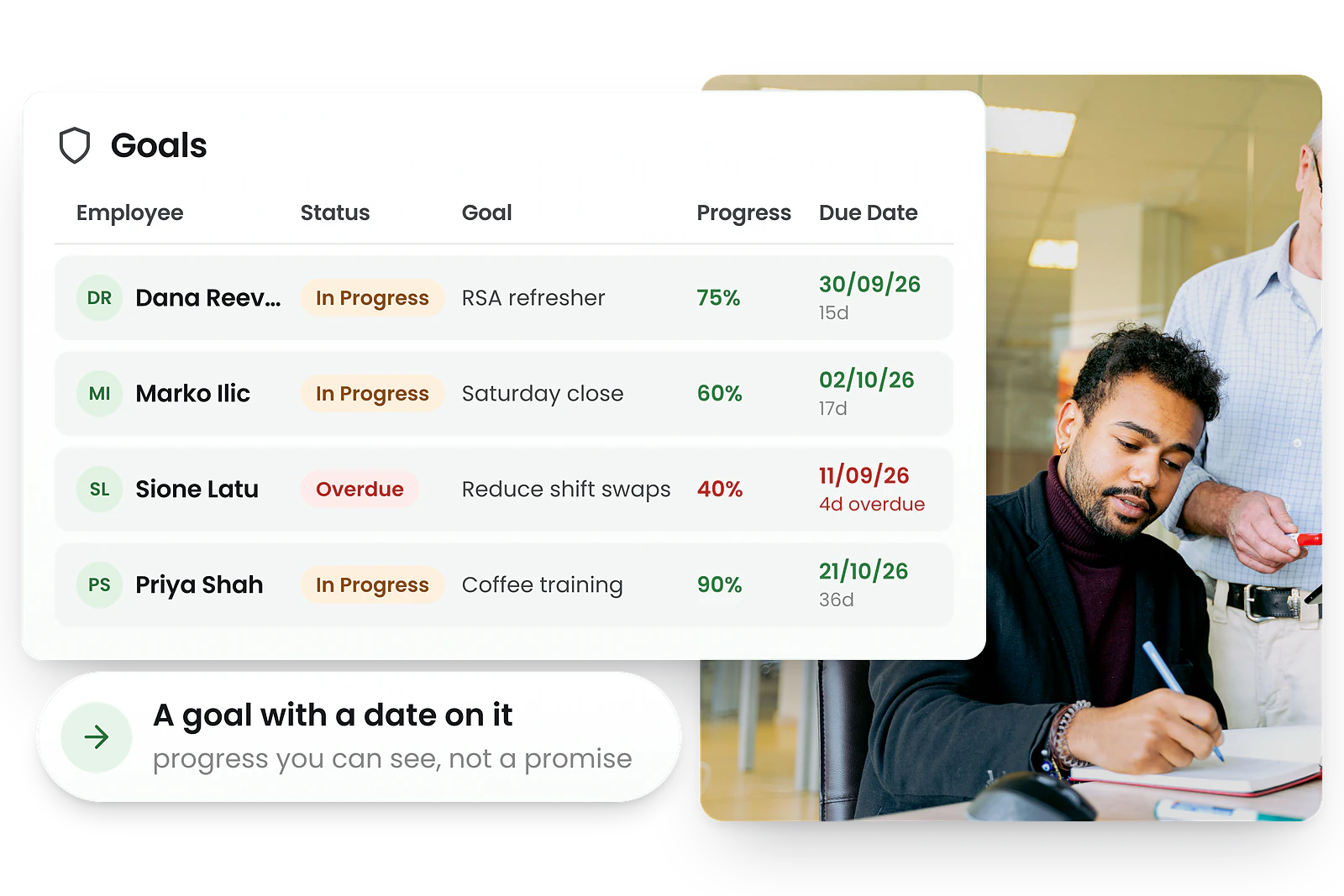
Goal setting and tracking
Goals your team can actually see progress on
A goal with no date and no visible progress is a conversation, not a target. Assign goals with due dates and action items, let staff tick them off as they go — with photo or note evidence where it matters — and watch the progress percentage move without asking anyone for an update.
- Assign goals with due dates and action items (key results)
- Employees add photo/note evidence as they complete items
- Progress % auto-calculated from completed action items
- Status at a glance: In Progress, or Overdue once the due date passes
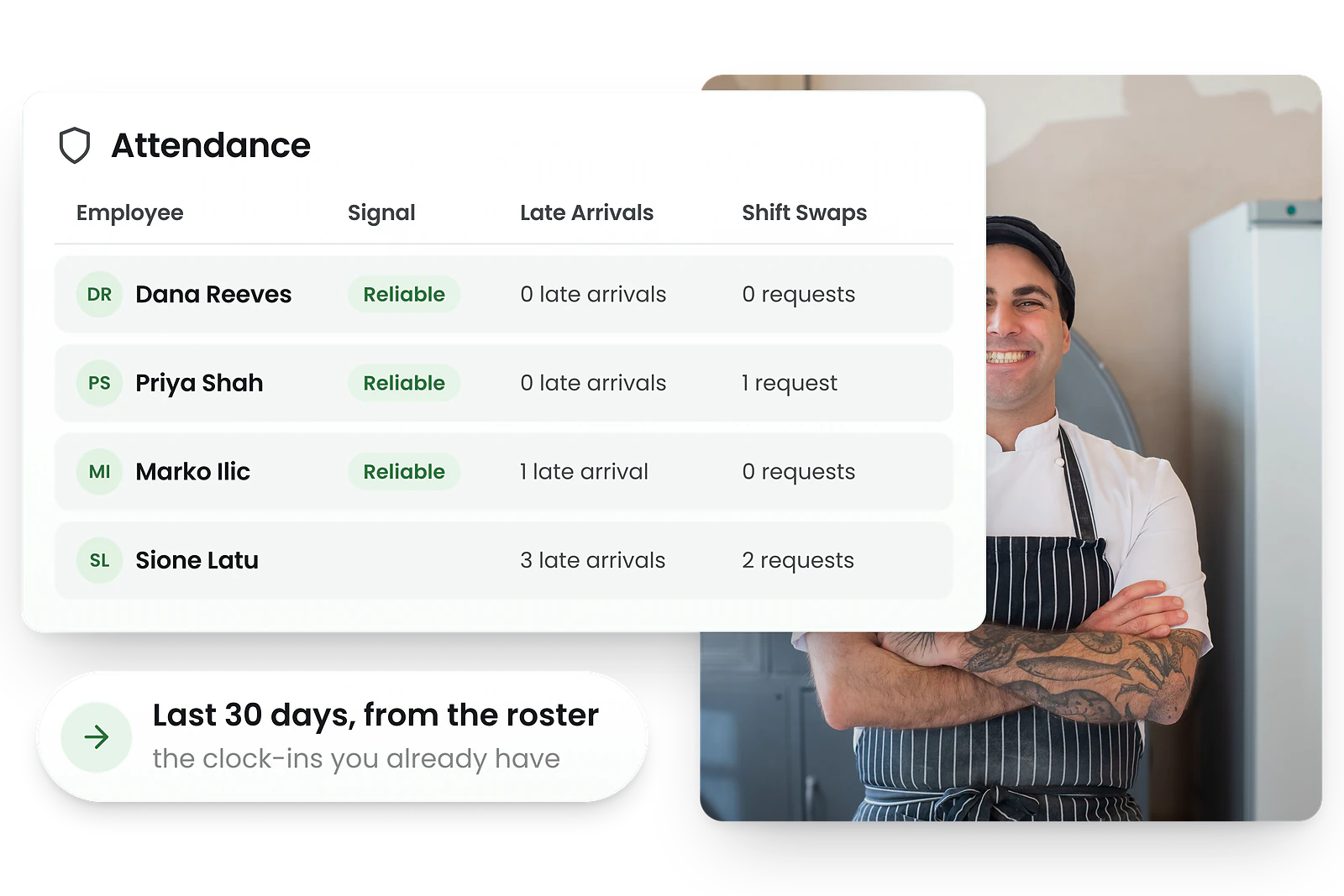
Attendance & shift reliability
The evidence HR-only tools cannot see
Walk into a review knowing what actually happened, not what either of you remembers. Because RosterElf already runs your roster and time clock, late arrivals and shift swap requests over your chosen window become a reliability signal you can point at — a conversation about lateness that starts from the roster, not from an impression.
- Tracks late arrivals (minutes + reason) and shift swap requests
- A reliability signal per employee — Reliable, Watch or Reliability risk
- Drill-down attendance history per employee
- Connects to your roster and time & attendance
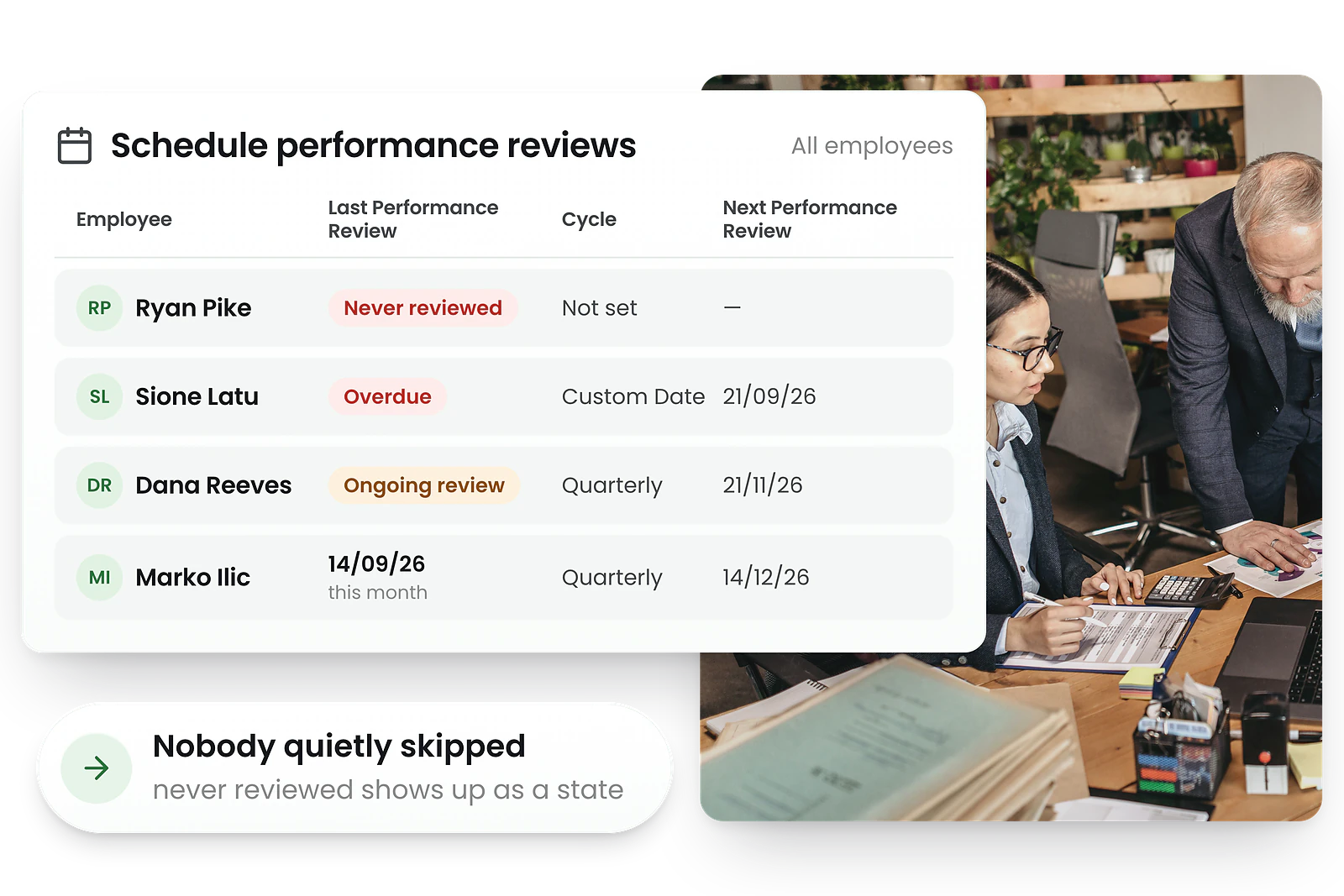
Performance summary dashboard
Know who needs attention before they resign
One screen tells you who is travelling well and who is not. Goal progress, check-in count and shift data resolve into a single status badge, and the scheduling view beside it shows every last review, cycle and next date — so the person nobody has spoken to in eight months is visible today rather than in their exit interview.
- Combined view: goal % + check-in count + reliability
- Status badges: Performing Well, At Risk or Needs Attention
- Downloadable per-employee summaries
- Five reports: Goal Completion, Overdue Goals, Reliability, Review Activity, Review Status
Performance improvement plans (PIPs)
The hard conversation, documented properly
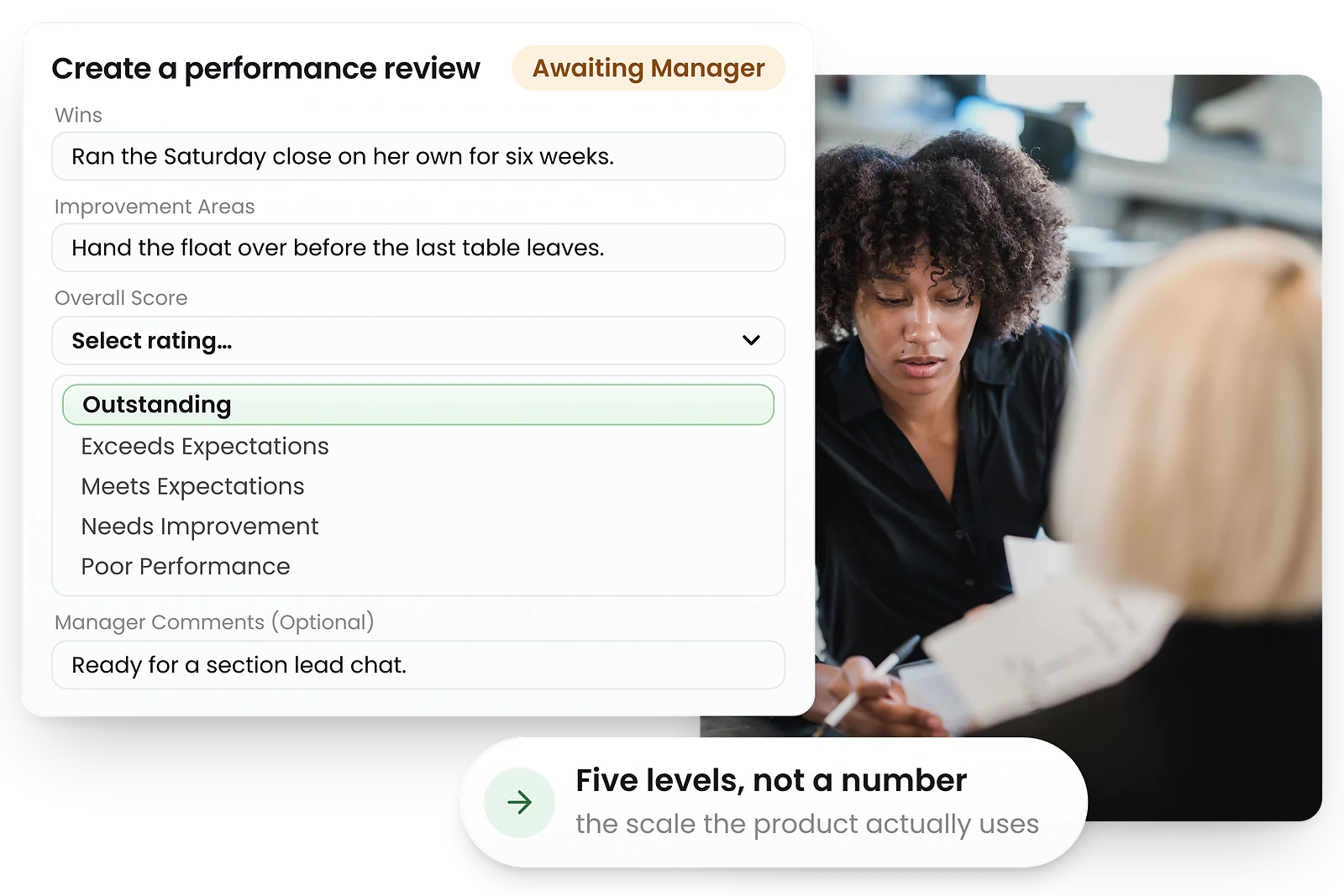
Underperformance handled badly is an unfair dismissal claim. Run a formal performance improvement plan from goals and probation check-ins together — improvement targets, review dates and outcomes in one place, each step signed off — so if it ends in termination you can show exactly what was agreed and when.
- Follow a structured performance improvement plan with goals, action items and review dates
- Run probation reviews and recurring 1:1 check-ins on a schedule
- Capture outcomes and digital sign-off at each review
- Keep a defensible record alongside employment contracts for Fair Work
Employee self-service portal
Your team does the admin for you
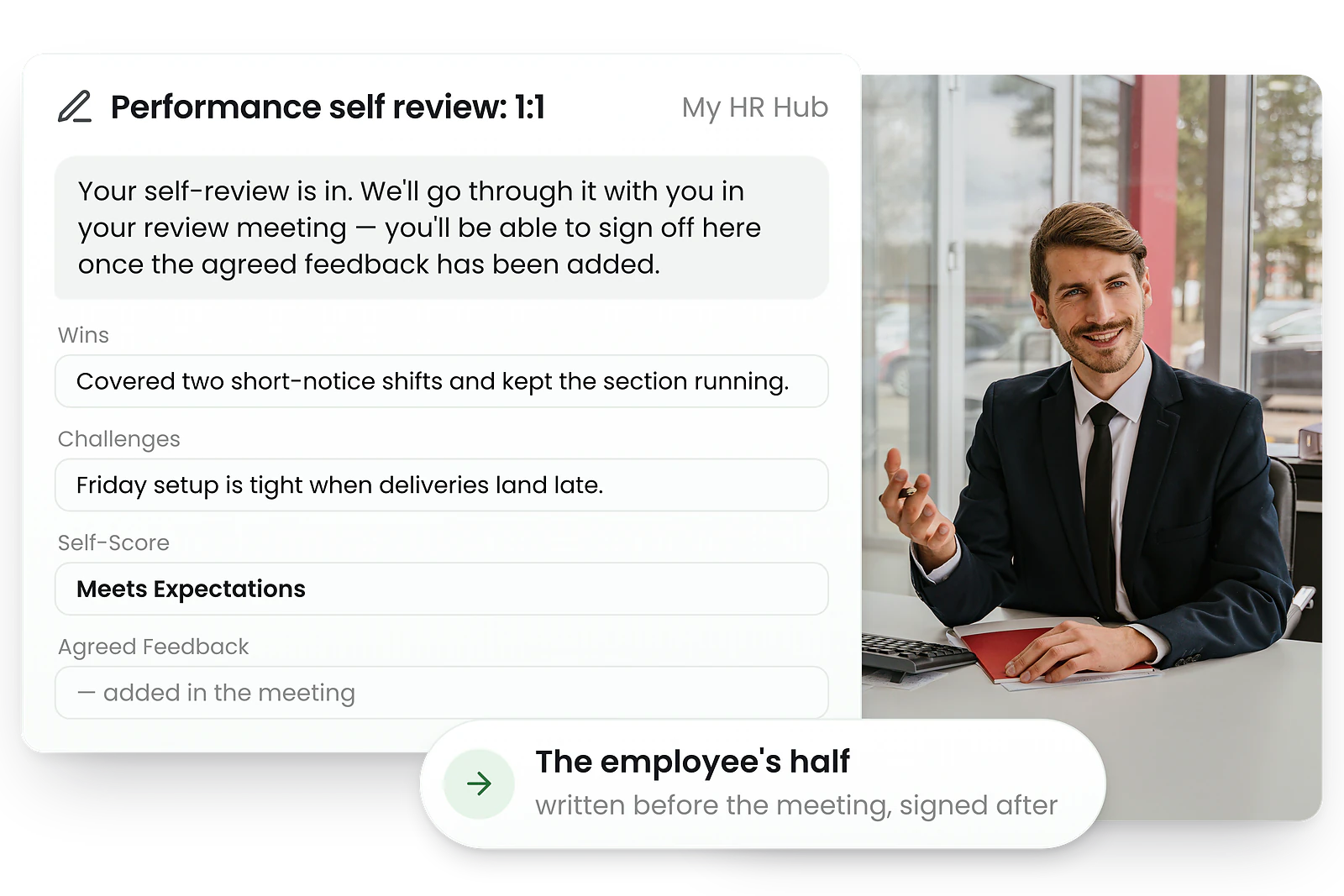
Stop chasing people for paperwork. Staff open the same HR Hub they already use for shifts and payslips, update their own goal progress, write their self-review when asked, and see their full review history — so the only thing left on your desk is the conversation.
- View assigned goals and update progress
- Complete self-reviews when requested
- See full performance review history
- Self-service from the employee portal
Why RosterElf vs traditional performance management software
Most HR tools review performance in isolation. RosterElf connects it to the roster, attendance and pay.
| Feature | RosterElf | Typical HR software |
|---|---|---|
| Performance reviews | ||
| Goals & KPIs | ||
| Attendance reliability | ||
| Rostering integration | ||
| Timesheet data | ||
| Payroll integration | Sometimes |
How performance management works in RosterElf
A typical quarterly review, end to end.
- 1 Schedule it
A manager puts Sarah on a quarterly cycle and assigns her a goal — "Complete leadership training".
- 2 The manager writes their half
Wins, improvement areas, comments, and an overall score from Outstanding through to Poor Performance.
- 3 Sarah writes hers
She opens My HR Hub and adds her own wins, challenges and self-score before the meeting.
- 4 You meet
Both scores are on the table, you agree the feedback together, and the manager finalises the notes.
- 5 Both sign off
The agreed feedback is signed in the HR Hub, and the review is closed on the record.
- 6 The next one is already set
Her quarterly cycle carries the next review date forward, so nobody is quietly skipped.
- 7 Goals move in between
Sarah ticks off her goal's action items and submits it; the manager approves, or sends it back with a new due date.
- 8 The summary reflects both
Her status reads Performing Well — goal progress, check-in count and shift data, together.
Employee performance management made simple
A steady rhythm of clear goals, honest check-ins and timely feedback — not once-a-year paperwork.
For Australian shift-based businesses, employee performance management finally reflects what happened on the floor. Reviews are backed by real attendance and shift reliability rather than memory, so a conversation about lateness starts from the roster, not a recollection.
Managers run reviews, appraisals and 1:1 check-ins from one place, and staff track their own goals and feedback in the same portal they already use for shifts, leave and payslips — so there is nothing new to learn and nothing to chase.
Because it lives in the HR Hub, reviews link to training plans and sit alongside digital HR records, while probation reviews flow straight out of onboarding. The result is simple to run, fair for your team, and documented for Fair Work — without bolting on another standalone HR tool.



Popular industries we serve
RosterElf is trusted by shift-based businesses across Australia
What to look for in performance management software
Not all performance management software suits Australian businesses. Here's what matters most when choosing a platform.
Goals tied to outcomes
Look for goals with action items and clear progress tracking, so performance connects to real results — and reviews can be built around what each person actually delivered.
Reviews backed by real data
The best platforms draw on what actually happened. RosterElf folds shift reliability and goal progress into every review, so check-ins aren't based on memory alone.
Australian compliance
Choose software built for Australia, with AUD pricing, local support, and performance records that support your Fair Work record-keeping.
Part of one platform
Performance is richer when it connects to rostering, time & attendance and payroll. An all-in-one system avoids juggling separate HR tools and duplicate data entry.
Run your first performance review this week
Performance is live in the HR Hub. Start a free trial, then follow our step-by-step setup guide to schedule a review and set your first goal — or read what's new in Performance.
Explore related features
Discover other RosterElf features that work great together
How-to guides for performance
Step-by-step guides to help you master these workflows
Start your free 15-day RosterElf trial today
Join 30,000+ workplaces using RosterElf to manage their team — with performance reviews, goals and attendance on one all-in-one platform.
Performance management guides for Australian businesses
Learn more about employee feedback, performance reviews, and workforce management best practices.

HR KPI review for better workforce decisions
Use HR KPIs to support better workforce decisions. Review turnover, retention, and compliance metrics to set improvement targets for Australian businesses.
Read article
Managing difficult conversations with staff
Learn how to approach difficult workplace conversations clearly and calmly, with practical strategies for managers handling performance or conduct issues.
Read article Using staff feedback to improve communication next year
Learn how to gather and act on staff feedback to improve workplace communication. Practical strategies for Australian businesses to reduce no-shows.
Read articleFrequently asked questions
- Managers create scheduled reviews — 1:1 check-ins or probation reviews — that move through four steps: the manager completes their assessment, the employee completes a self-review, both meet, then both sign off. Set an employee to a quarterly cycle or a custom date, and their next review date is carried forward automatically.
- Yes. You assign goals with descriptions, due dates and action items (key results). Employees tick off each item — optionally adding photo or note evidence — and progress is calculated automatically. Completed goals go to you to approve, or send back with feedback and a new due date.
- Because RosterElf also runs your roster and time clock, performance includes attendance. The Attendance tab counts late arrivals and shift swap requests over the last 30, 60 or 90 days and sets a reliability signal from them — Reliable, Watch or Reliability risk, with a full drill-down per employee.
- Each employee gets a summary combining goal progress %, check-in count and shift data into one status badge — Performing Well, At Risk or Needs Attention. A separate scheduling view lists every employee’s last review, cycle and next review date, flagging anyone overdue or never reviewed.
- Yes. Through the employee self-service portal in the HR Hub, staff view their assigned goals and update progress, complete self-reviews when their manager requests one, and see their full performance review history.
- Yes. Performance connects to your roster, time & attendance and payroll — context HR-only tools can't offer — and links to training records and onboarding. All of it becomes part of the employee's complete HR record.