
Shift checklist software
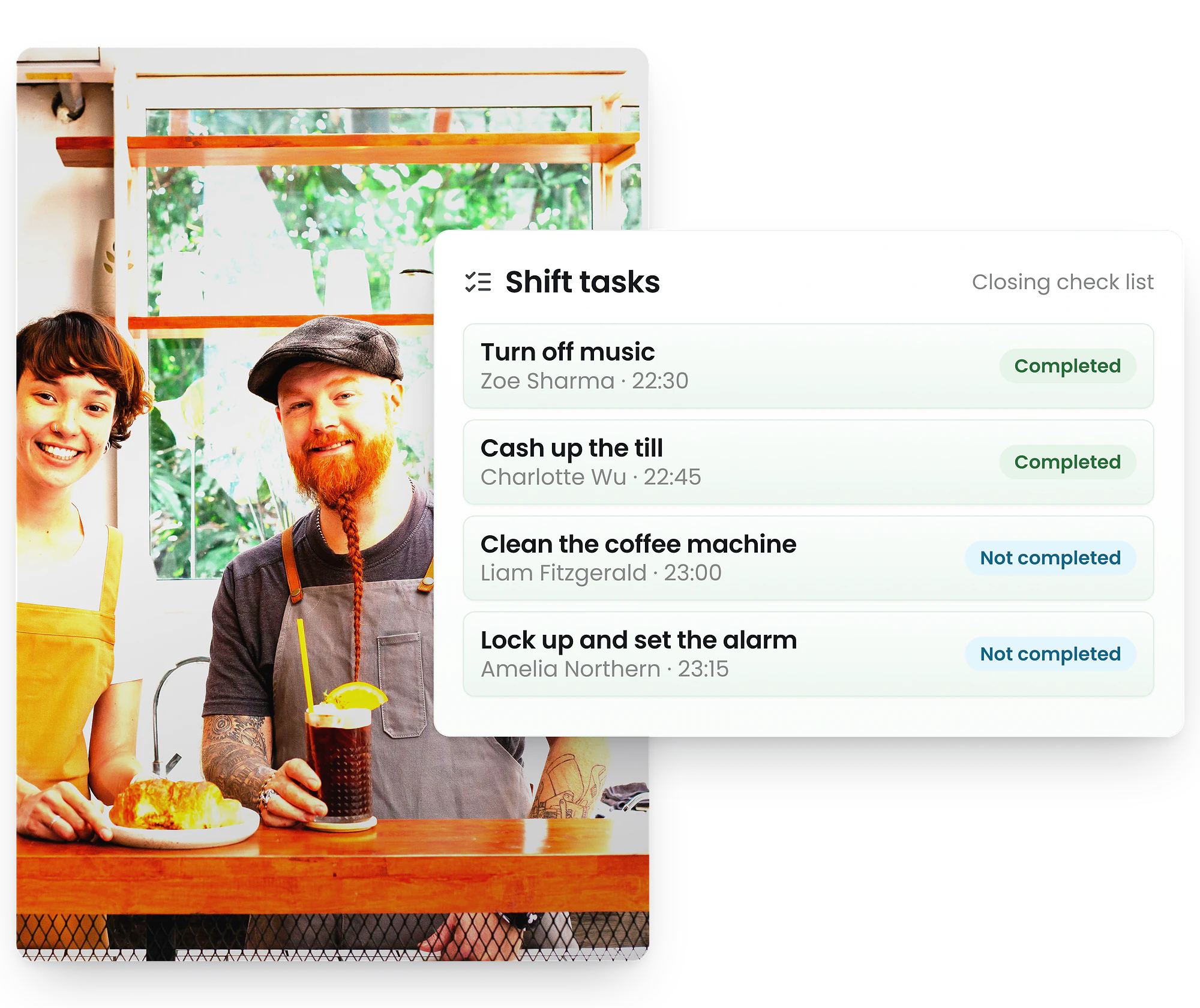
Attach a task checklist to any shift so staff know exactly what to do on site — and you get proof it got done. Opening and closing duties, compliance checks and routine jobs, handled right inside the roster your team already uses.
-
Task checklists attached to every shift
-
Photo & comment proof on any item
-
Resolves automatically at end of shift
What is shift checklist software?
Task lists attached to shifts — with proof the work got done
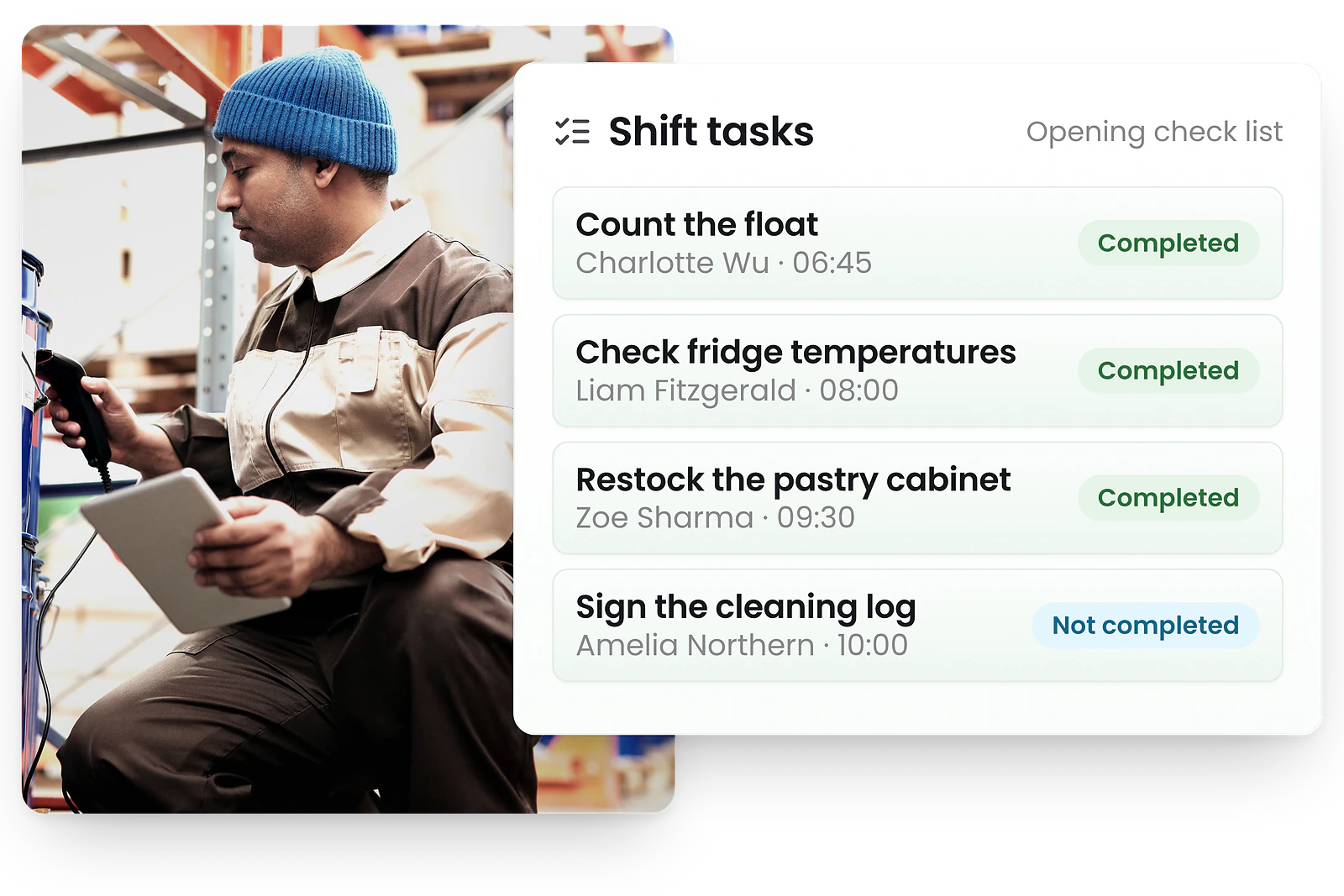
Shift checklist software lets managers attach a list of tasks to a specific shift, so staff know exactly what to do on site and managers can confirm it got done. Because the checklist is shift-bound — tied to the shift, not a free-floating to-do — it appears automatically when the shift starts and resolves when it ends. See the shift tasks launch announcement for what's new.
Capture timestamped photo and comment proof on compliance and safety checks, so routine duties leave a defensible record — stored alongside the roster and time & attendance data they relate to.
Why shift tasks belong in your roster, not a separate app
Most checklist and task-management apps create free-floating to-dos in yet another tool with its own login. RosterElf attaches tasks to the shift itself — so the work lives where it actually happens, and staff see it in the same app they already use for shifts and clock-ins.
That shift-bound design is the difference: checklists appear automatically when a shift starts, capture photo or comment proof as staff go, and resolve at the end of the shift — completed jobs archived, missed ones flagged. No extra app, no chasing, and a clear record of what got done on every shift.
Add a task checklist to any shift
Opening and closing duties live on the shift, not in someone’s head
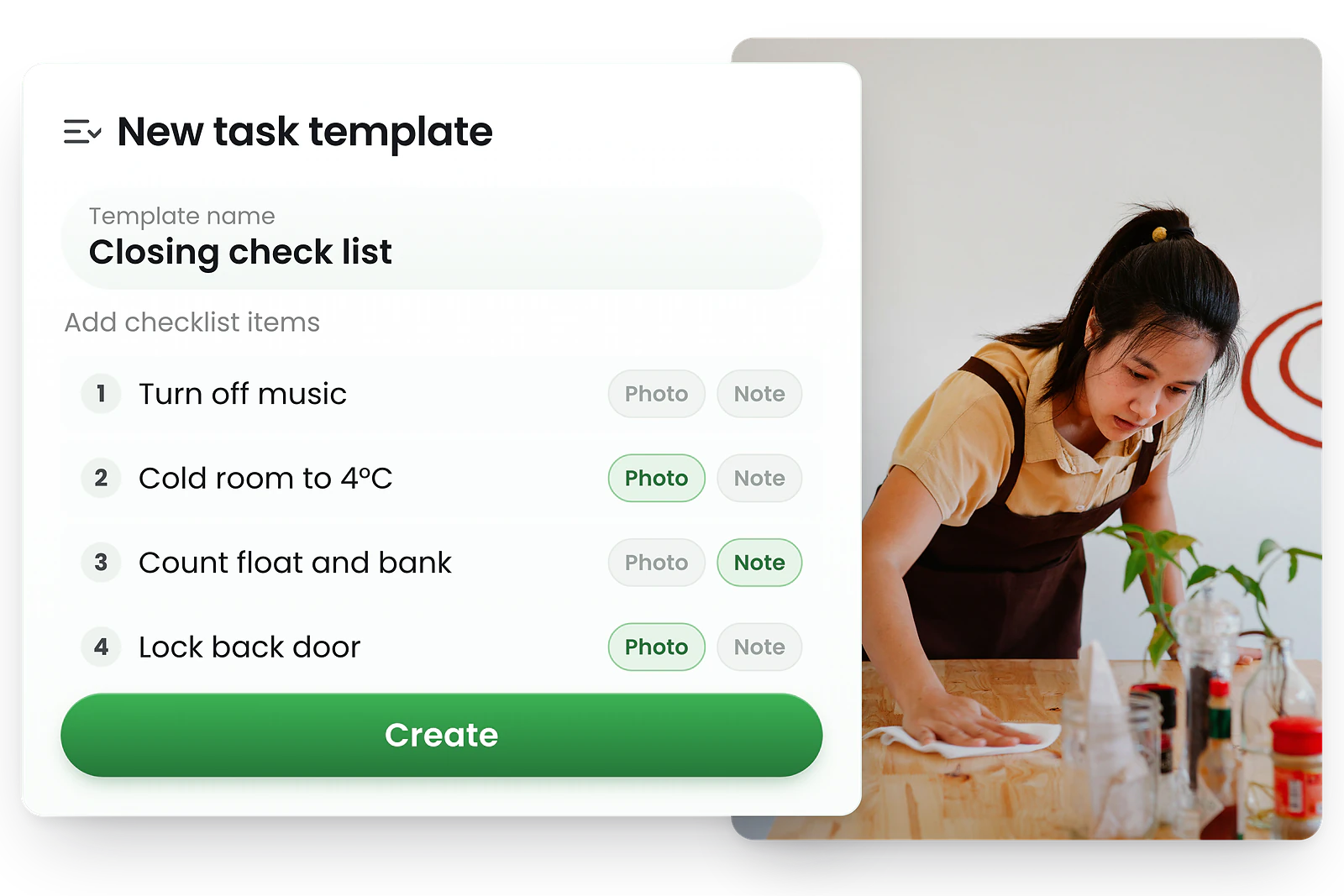
When you build or edit the roster, attach a checklist to any shift — from a reusable template or added ad hoc. Staff see exactly what needs doing the moment their shift begins, so nothing relies on memory, a handover chat, or a paper run-sheet stuck to the wall.
- Add tasks while building or editing the roster
- Apply a reusable template or add tasks ad hoc
- Tasks are shift-bound — tied to the shift, not free-floating to-dos
- Staff see the checklist the moment their shift starts

Proof every task actually happened
Evidence on the record — not a verbal assurance
Require a photo or a comment on any checklist item, so “the fridge temp was checked” comes with a photo and a timestamp, not just someone’s word. It turns routine compliance checks and safety duties into a defensible record you can review without being on site.
- Require a photo or comment on any item
- Capture timestamped evidence for compliance and safety checks
- Review proof remotely — no need to be on the floor
- Keeps a clear record of who did what, and when
Staff complete tasks on site
In the same app they already use for shifts
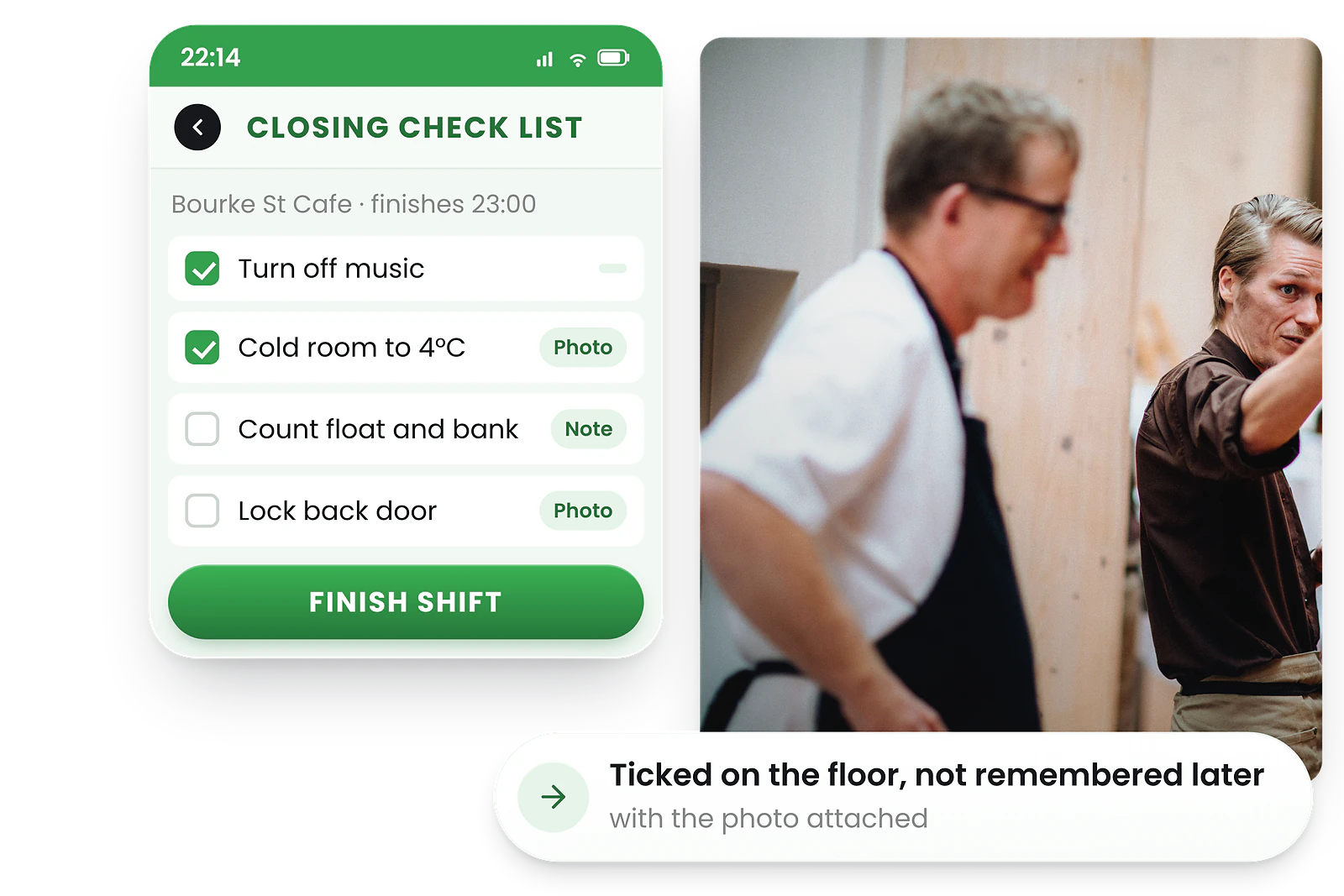
There’s no separate app and no extra login. Staff open the RosterElf mobile app they already use to view shifts and clock in, tick items off as they go, and add a comment or photo where it’s required — any time up to midnight of the shift date.
- No separate app — it’s in the mobile rostering app
- Tick items off and add a comment or photo on the go
- Complete tasks any time up to midnight of the shift date
- Works alongside clock-in and time tracking

Tasks resolve at the end of the shift
Accountability without micromanaging
At the end of each shift, tasks resolve themselves. Fully completed checklists are archived as Completed; anything left is flagged Incomplete for the manager to review. You only step in on what didn’t get finished — no manual chasing, no end-of-day spreadsheet.
- Completed checklists archive automatically
- Unfinished tasks are flagged Incomplete for review
- Managers act only on the exceptions
- No manual chasing or end-of-day reconciliation
Reusable checklist templates
Build once, apply to many shifts
Create a checklist once — an opening run-sheet, a closing routine, a cleaning schedule — and apply it across shifts, days and locations. Templates keep duties consistent for franchises and multi-site operators, so every site runs the same way every shift.
- Build opening, closing and cleaning checklists once
- Apply the same template across shifts and locations
- Keep duties consistent across every site
- Edit a template and roll changes out everywhere

See what got done — and what didn’t
Live progress and incomplete tasks in one view
Watch checklists update in real time — “2 of 5 done” — across every active shift, so you know how the floor is tracking without a phone call. Incomplete tasks are surfaced for follow-up instead of disappearing, and the whole feature can be switched on or off per account from Roster settings.
- Live progress per shift (e.g. 2 of 5 done)
- Incomplete tasks surfaced for follow-up, not lost
- Pending / Incomplete / Archived at a glance
- Turn the feature on or off per account in Roster settings
Why RosterElf vs a standalone checklist app
Generic task apps create free-floating to-dos. RosterElf ties them to the shift, with proof and automatic resolution.
| Feature | RosterElf | Standalone checklist app |
|---|---|---|
| Task checklists for staff | ||
| Reusable templates | ||
| Photo & comment proof | Sometimes | |
| Tasks attached to shifts | ||
| Automatic end-of-shift resolution | ||
| Built into the roster — no extra app |
How shift tasks work in RosterElf
A typical closing checklist, end to end.
- 1
A cafe manager builds Friday’s roster and applies the “Closing run-sheet” template to the late shift.
- 2
The checklist has five items — cash-up, clean the coffee machine, check fridge temps (photo required), lock up, set the alarm.
- 3
When Jordan starts the late shift, the checklist appears in the RosterElf mobile app they already use.
- 4
Jordan ticks items off through the shift, snaps a photo of the fridge thermometer, and adds a comment on the alarm code change.
- 5
The manager sees live progress — “4 of 5 done” — from home, without calling the store.
- 6
At midnight the shift resolves: four items archive as Completed and the one missed item is flagged Incomplete for follow-up tomorrow.
Opening and closing duties, finally handled
For shift-based teams, the job isn't just being there — it's a set of duties that must happen every shift: the open, the close, the cash-up, the temperature checks, the clean-down. Today most managers rely on memory, a paper run-sheet, a group chat, or "I told them at handover" to make sure it all gets done.
Shift task management closes that loop inside the roster you already use. Build a checklist once, attach it to the shift, and staff complete it on their phone — adding a comment or photo where proof is required. There's no separate app and no extra login, because the tasks live on the shift, where the work already is.
It's especially powerful for hospitality, retail, cleaning, security and healthcare teams — and for franchises that need every location running the same way, every shift. Pair it with time & attendance and you can see who was on, when they clocked in, and exactly what they completed.
The result is accountability without micromanaging: tasks resolve themselves at the end of the shift, and you only step in on what didn't get finished.



Popular industries we serve
RosterElf is trusted by shift-based businesses across Australia
What to look for in shift checklist software
Not every task app suits shift-based teams. Here's what matters most when choosing one.
Tasks tied to shifts
Look for checklists that attach to a shift, not free-floating to-dos. Shift-bound tasks appear when the shift starts and resolve when it ends — so duties are tied to who's actually working.
Proof, not just ticks
A tick box is easy to fake. The best tools let you require a photo or comment on critical items, so compliance and safety checks come with timestamped evidence you can review remotely.
One app for staff
Staff won't adopt yet another app. Choose checklist software built into the tool they already use for shifts and clock-ins — no extra login, no extra download.
Part of one platform
Shift tasks are most useful when they connect to rostering and time & attendance. An all-in-one system means tasks, shifts and clock-ins live together — no juggling separate tools or duplicate data.
Set up shift tasks on your roster
Shift tasks is included on the Core and Full Suite plans. Attach a checklist to a shift, staff tick it off in the app, and it resolves when the shift ends — alongside rostering, time tracking and payroll integration.
Explore related features
Discover other RosterElf features that work great together
How-to guides for task management
Step-by-step guides to help you master these workflows
Start your free 15-day RosterElf trial today
Join 30,000+ Australian workplaces using RosterElf to run their team — rosters, time tracking, shift tasks and payroll on one platform.
Rostering and task guides for Australian businesses
Learn more about roster optimisation, shift management, and team accountability.

Roster optimisation techniques that actually save money
Practical rostering techniques that reduce wage waste and improve operational efficiency for Australian businesses, from demand forecasting to shift design.
Read article Rostering transparency: reducing disputes before they start
Discover how transparent rostering reduces disputes and mistrust among staff, with practical tips for clear communication about shifts, changes, and fairness.
Read article
Shift notifications that reduce no-shows
Reduce no-shows and last-minute roster gaps with effective shift notifications. Practical strategies for Australian shift-based teams.
Read articleFrequently asked questions
- No. Shift tasks appear inside the RosterElf mobile app your team already uses to view shifts and clock in. There’s no separate app and no extra login — staff see their checklist the moment their shift starts. See how staff complete a shift task on their phone, or on a shared site Timeclock, for the step-by-step.
- Yes. You can require a photo or a comment on any checklist item. That turns a routine check — like a fridge temperature or a cleaned area — into timestamped evidence you can review remotely, rather than relying on a verbal assurance.
- Tasks resolve automatically at the end of the shift. Completed checklists are archived, and anything left unfinished is flagged Incomplete for the manager to review and follow up — so missed jobs surface instead of getting lost.
- Yes. Build a checklist once — an opening run-sheet, a closing routine, a cleaning schedule — save it as a template, and apply it across shifts, days and locations. It keeps duties consistent across every site and every shift.
- Staff can tick items off any time up to midnight of the shift date. After that, the shift’s tasks resolve — completed checklists archive and unfinished items are flagged Incomplete.
- Yes. Shift tasks can be switched on or off per account from your Roster settings, so you can roll the feature out when your team is ready.