
Pay rate builder for Australian awards
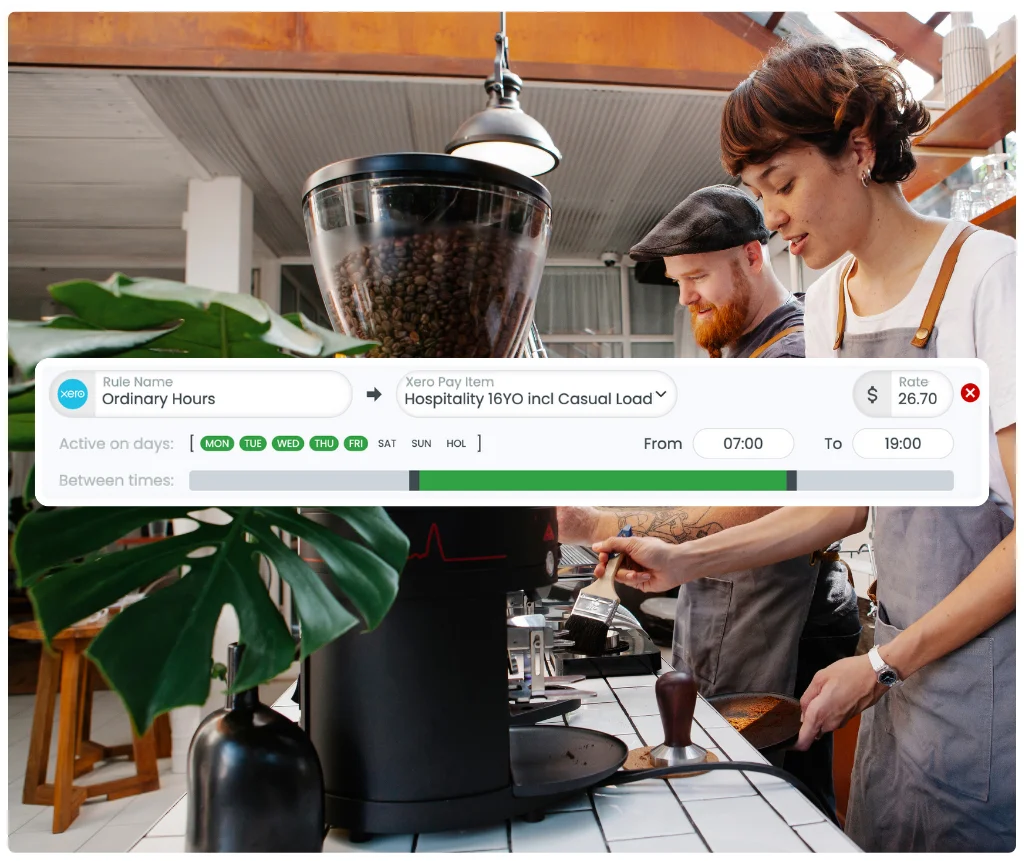
Configure your pay rates once using RosterElf's step-by-step builder. Penalty rates, overtime rules, allowances—set up your pay rules and every timesheet calculates accurately.
-
Configure any Modern Award or EBA
-
Set up penalty rates and overtime rules
-
Applies to every timesheet automatically




What is a pay rate builder?
Set up pay rates for your business
A pay rate builder is a configuration tool that lets you define your complete pay structure—base hourly rates, penalty rate multipliers, overtime thresholds, and allowances—all in one place. Not sure what your starting rates should be? Grab free award pay rate estimates before you set them up.
Once you configure your pay rules, they apply automatically to every timesheet. No more manual calculations, no more spreadsheet formulas, no more guessing which rate applies to which shift.
Configure penalty rates your way
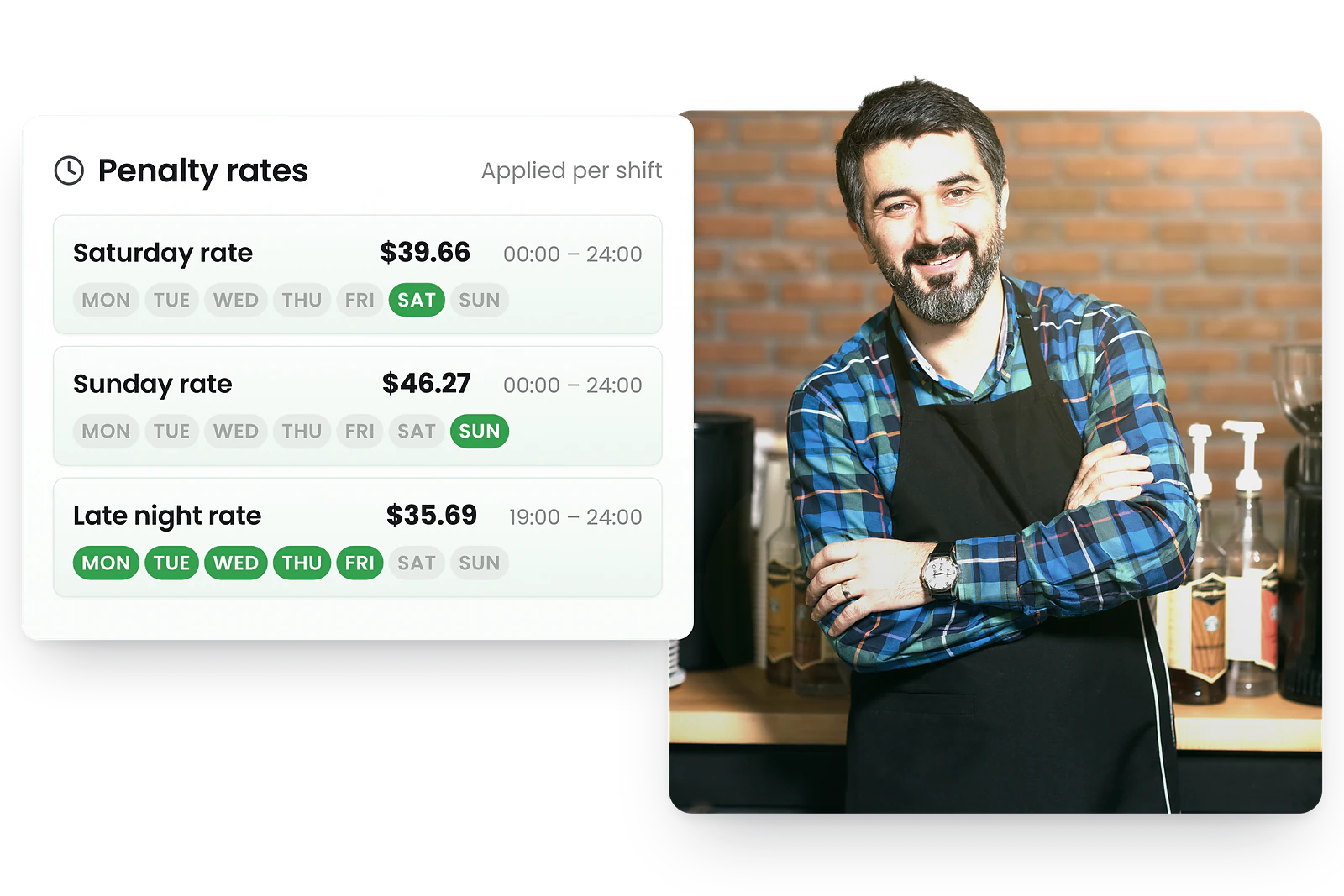
Define when penalties apply
In the pay rate builder, specify exactly when penalty rates apply—Saturdays, Sundays, public holidays, early mornings, late nights—and set the multiplier for each.
Configure different penalty structures for casual vs permanent staff, different classification levels, or different roles. Your rules, configured once, applied consistently to every shift.
Set up overtime rules
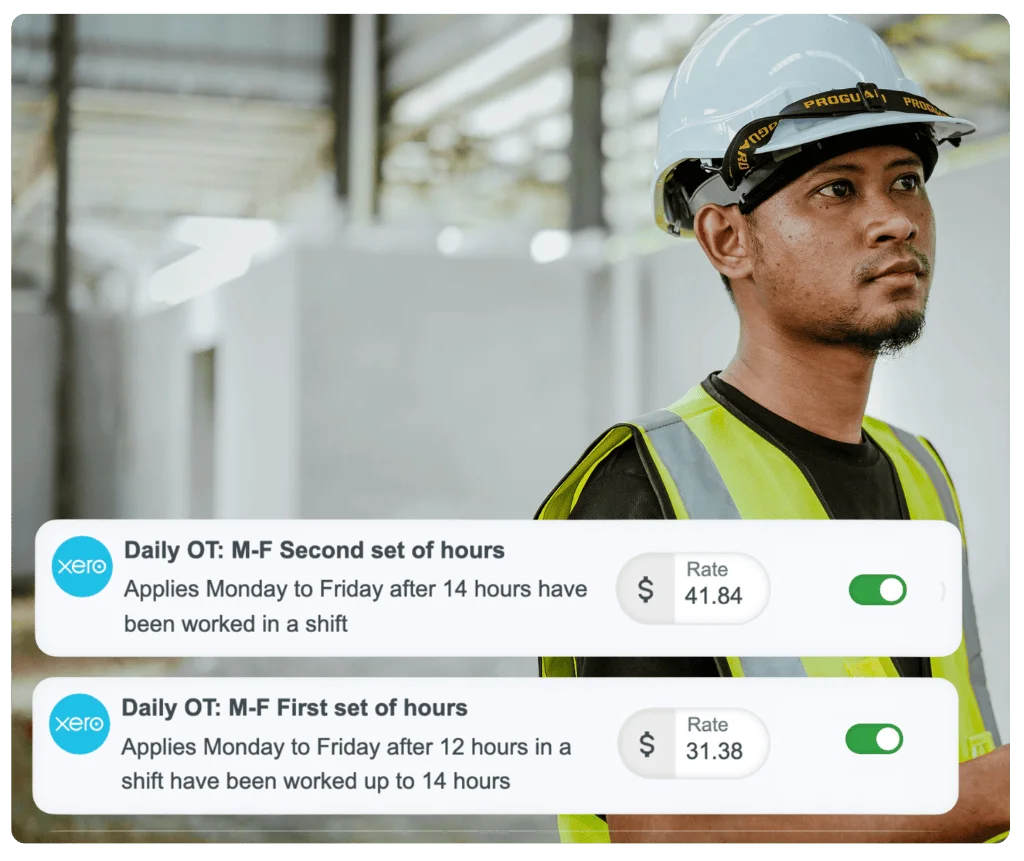
Configure overtime thresholds
Set up daily overtime thresholds (e.g., after 8 or 10 hours per day) and weekly thresholds (e.g., after 38 hours per week). Define the overtime multiplier—time and a half, double time—for each scenario.
RosterElf tracks hours against your configured thresholds and automatically categorises overtime hours at the correct rate. Split-rate shifts crossing overtime boundaries are handled automatically.
Complete pay rate control
Base hourly rates
Set rates by classification level, role, or individual employee. Support for junior rates, apprentice rates, and level-based structures.
Penalty rate multipliers
Configure Saturday, Sunday, public holiday, evening, and early morning penalties. Set as multipliers (1.5x, 2x) or fixed amounts.
Overtime thresholds
Daily and weekly overtime limits with configurable rates. Different thresholds for different employment types or awards.
Allowances
Meal allowances, travel allowances, uniform allowances, and more. Fixed amounts or calculated based on hours worked.
Casual loading
Configure casual loading as a percentage (typically 25%) applied automatically to all casual employee hours.
Public holiday rates
Set public holiday penalty rates and mark dates in the calendar. Rates apply automatically to shifts on those days.
Works with any award or agreement

Not locked into pre-built templates
Whether you operate under a Modern Award, an Enterprise Agreement, or a custom pay structure—RosterElf's pay rate builder adapts to your business, not the other way around.
Enter the exact rates and rules from your specific award or agreement. The system doesn't assume or guess. You configure what applies to your team, and it calculates accurately every time.
- ✓ Hospitality, Retail, Fast Food, Healthcare Awards
- ✓ SCHADS, Aged Care, Cleaning Awards
- ✓ Enterprise Agreements and custom structures
Why use a pay rate builder?
Manual pay calculations using spreadsheets are time-consuming and error-prone. Different penalty rates for different days, overtime thresholds that vary by award, allowances with specific conditions—the complexity leads to mistakes.
A pay rate builder is ideal for businesses that:
Configure your pay rates once in the builder, and every timesheet calculates accurately—penalties, overtime, allowances, all applied consistently.
Trusted by Australian businesses
From local cafes to national retail chains, thousands of businesses rely on RosterElf for rostering, HR and payroll.


















How-to guides
Step-by-step guides to help you master these workflows
Start your free 15-day RosterElf trial today
Join 30,000+ Australian workplaces using RosterElf to simplify rostering, payroll and HR.
Pay rate guides for Australian businesses
Learn more about configuring pay rates, penalty calculations, and award compliance.

Payroll award interpretation mistakes that cause backpay
Avoid award interpretation errors that lead to underpayments and backpay. Common mistakes include penalty rate miscalculations and overtime errors.
Read article
Overtime thresholds by award: when overtime kicks in
Understand when daily and weekly overtime triggers under Australian modern awards. Hospitality, retail, healthcare, and SCHADS overtime rules explained.
Read article
The complete guide to Australian award rates in 2025
Everything you need to know about minimum wages, penalty rates, and allowances under Fair Work Australia. Updated for 2025 award changes.
Read articlePay rate builder questions
- A pay rate builder is a configuration tool that lets you set up your business's complete pay structure—base rates, penalty rates, overtime rules, allowances, and loadings. Once you configure your pay rules, the system automatically applies them to every timesheet based on actual hours worked.
- Navigate to Pay Rates in your RosterElf account and use the step-by-step builder to configure base rates, penalty rates, overtime thresholds, and allowances for each role or employment type. The builder guides you through each rate type, and setup typically takes 20-30 minutes.
- Yes. RosterElf's pay rate builder works with any Australian Modern Award. Enter the rates from your specific award, configure when penalties apply, and the system calculates pay exactly as your award specifies. See award interpretation for automatic compliance.
- RosterElf handles Enterprise Agreements just as easily as Modern Awards. Enter your EBA rates and configure custom rules—penalty multipliers, allowances, overtime thresholds—and the system applies them consistently to every timesheet.
- Most businesses complete their pay rate setup in under 30 minutes. The step-by-step builder guides you through each rate type, and once configured, rates apply automatically to every timesheet without ongoing maintenance. To move even faster, you can activate pre-built award templates for a supported award and adjust from there.