

Adding past shifts to your roster in RosterElf is a straightforward process. This feature allows you to adjust your roster to accurately reflect any last-minute changes, ensuring correct records for payroll and compliance. In addition to adding past shifts, you can also add unrostered shifts directly in payroll if needed. This guide will show you how to add a past shift and provide resources for managing unrostered shifts during payroll.
1. Reasons to add a past shift
Adding a past shift may be necessary for several reasons. This section explains why you might need to update your roster after shifts have been worked and how it benefits your overall management and record-keeping.
1.1 importance of accurate records
1.1.1 Helps with payroll adjustments.
1.1.2 Supports compliance with employment records.
1.2 reflecting actual worked shifts
1.2.1 Allows adjustments when shifts differ from the original schedule.
1.2.2 Enables accuracy when processing payroll based on actual hours.
2. How to add a past shift
Adding a past shift in RosterElf involves accessing the roster and entering the details as if scheduling a future shift. Follow these steps to add a shift in the past accurately.
2.1 accessing the roster view
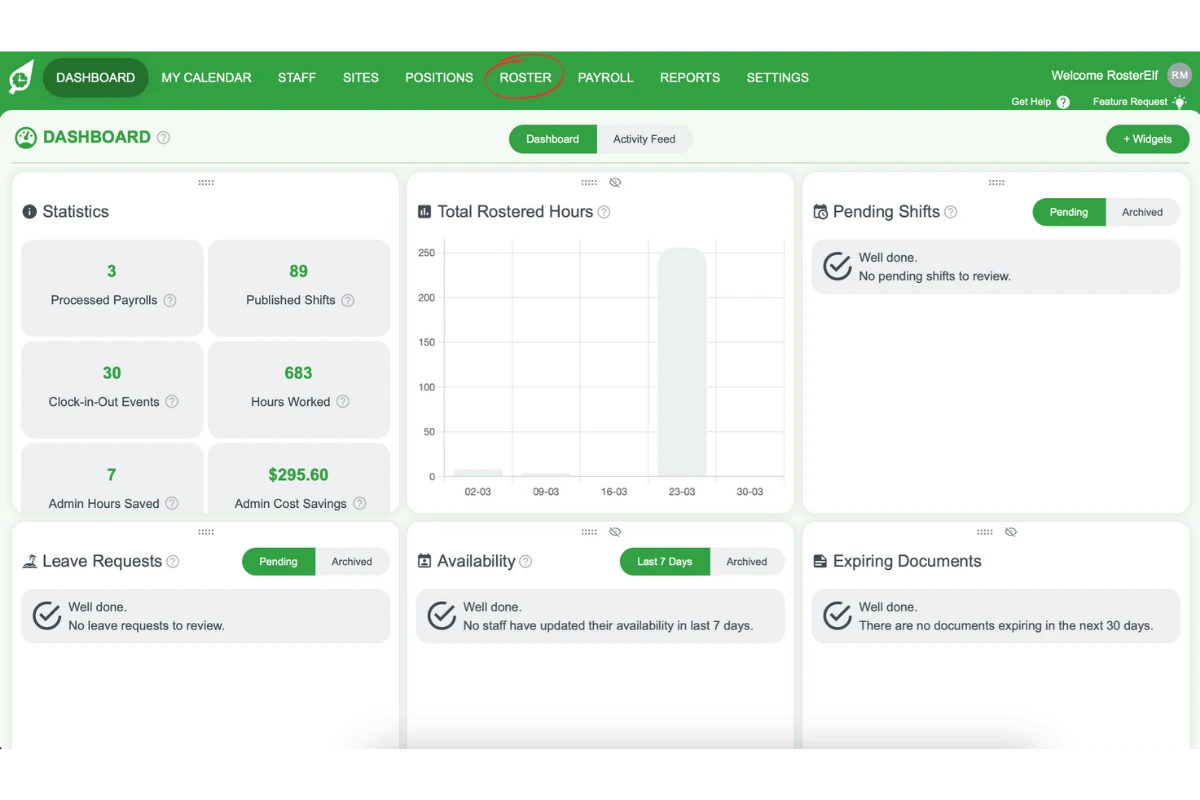
2.1.1 Go to the top menu and select Roster.
2.2 adding and publishing the shift
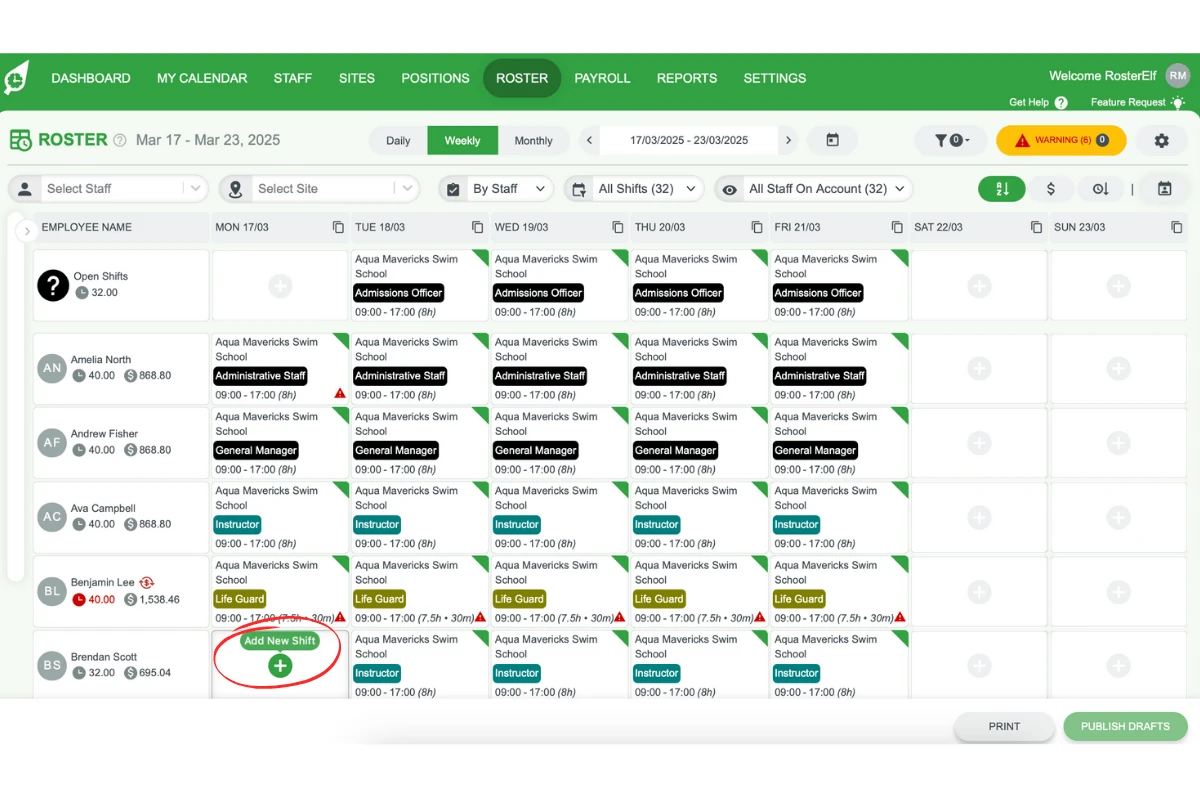
2.2.1 Click the ”+” button on the day you need to add a shift.
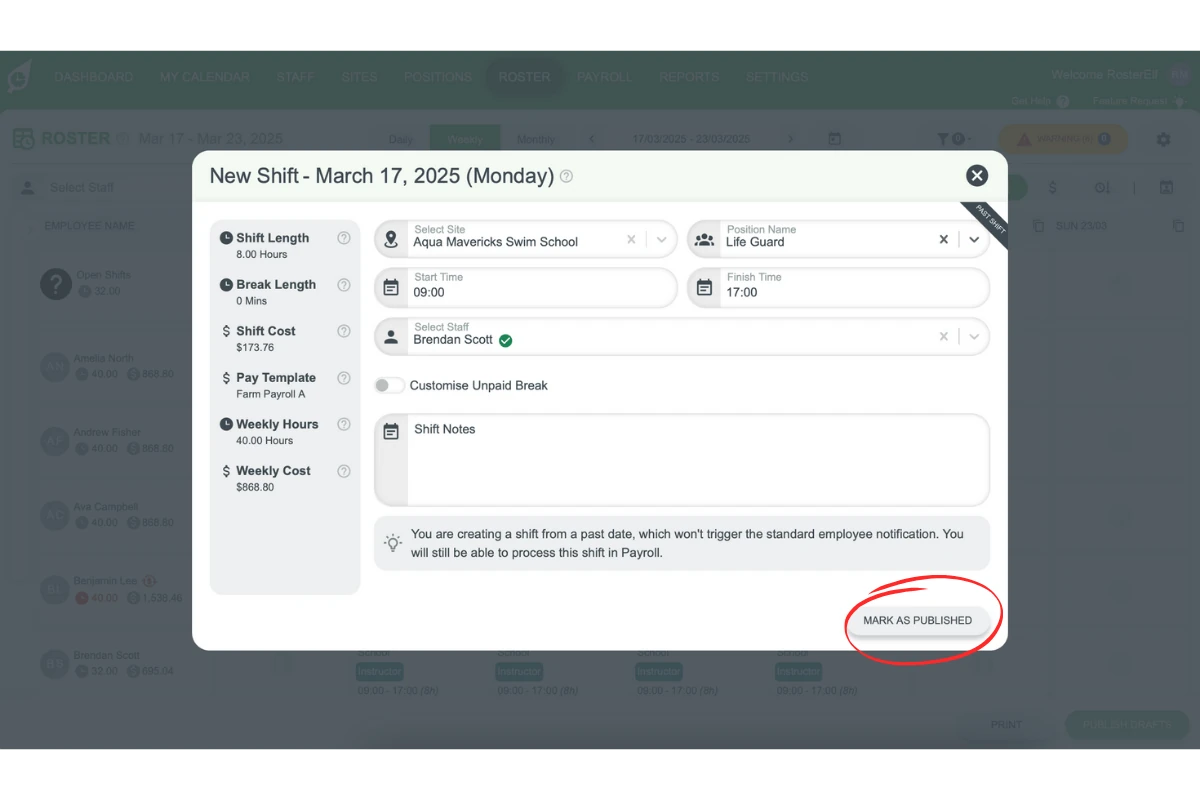
2.2.2 In the pop-up menu, enter the shift details as for a future shift.
2.2.3 Select Mark as Published to save the shift to the roster.
3. Important considerations
When adding past shifts, keep in mind how RosterElf manages notifications and records for these entries. Additionally, there are options for handling unrostered shifts directly within the payroll section.
3.1 notifications for past shifts
3.1.1 Employees won’t be notified when a past shift is added or edited.
3.2 adding unrostered shifts during payroll
3.2.1 If an unrostered shift needs to be added during payroll, use the payroll section.
3.2.2 See our guide on adding unrostered shifts on payroll for detailed steps.
Frequently asked questions
1. Why would I need to add a past shift in RosterElf?
You may need to add a past shift to ensure payroll accuracy or to adjust records if the actual hours worked differ from the scheduled hours. This helps maintain accurate employment records and supports compliance.
2. How do I add a past shift in RosterElf?
To add a past shift, go to the Roster view, click the ”+” button on the required date, enter shift details as you would for a future shift, and mark it as published to save it.
3. Will employees be notified when I add or edit a past shift?
No, employees won’t receive notifications for past shifts added or edited in RosterElf, ensuring updates don’t cause unnecessary alerts for completed shifts.
4. Can I add an unrostered shift directly during payroll?
Yes, you can add unrostered shifts directly in the payroll section if needed. For step-by-step guidance, see our guide on adding unrostered shifts on payroll.
5. How does adding a past shift help with payroll processing?
Adding a past shift ensures that payroll reflects the actual hours worked, which is critical for accurate payment and compliance with employment records.