

Find policy acknowledgement date in RosterElf HR Hub
This article explains how to find the policy acknowledgement date in RosterElf. This process allows you to view when a staff member has acknowledged a policy or procedure in the HR Hub. It is useful for tracking compliance, confirming staff awareness, and ensuring important documents have been reviewed.
Knowing when a policy was acknowledged helps you maintain accurate employee records. It also supports workplace compliance and provides clear evidence that staff have read and accepted required policies. This is especially important for audits, onboarding, and ongoing staff management.
RosterElf makes it simple to view acknowledgement dates directly from the staff profile. You can access the HR Hub, open the policies and procedures section, and quickly check when a policy was acknowledged. Following this guide ensures you can locate this information efficiently and keep your records up to date.
1. Find policy acknowledgement date in HR Hub
This section explains how to find the policy acknowledgement date in RosterElf using the HR Hub. You will learn how to open a staff profile, navigate to the HR Hub, and locate the policies and procedures section. This process allows you to confirm when a staff member acknowledged a policy or procedure.
Viewing acknowledgement dates helps you support compliance across your team. It also provides visibility into who has reviewed required documents and when they completed this step. This supports better record keeping and helps you manage staff responsibilities with confidence. You can also use the policies and procedures report to view acknowledgement data across your entire team at once.
1.1 Find policy acknowledgement date for a staff member
1.1.1 Open RosterElf.
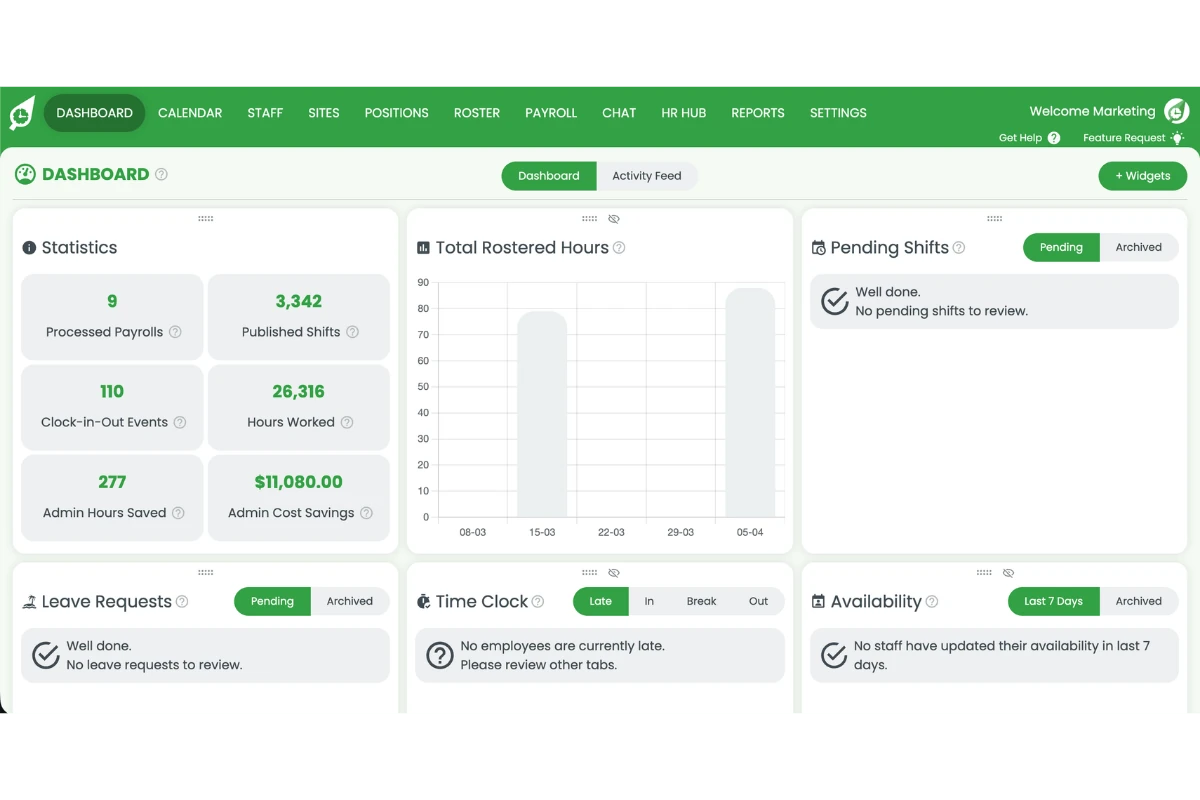
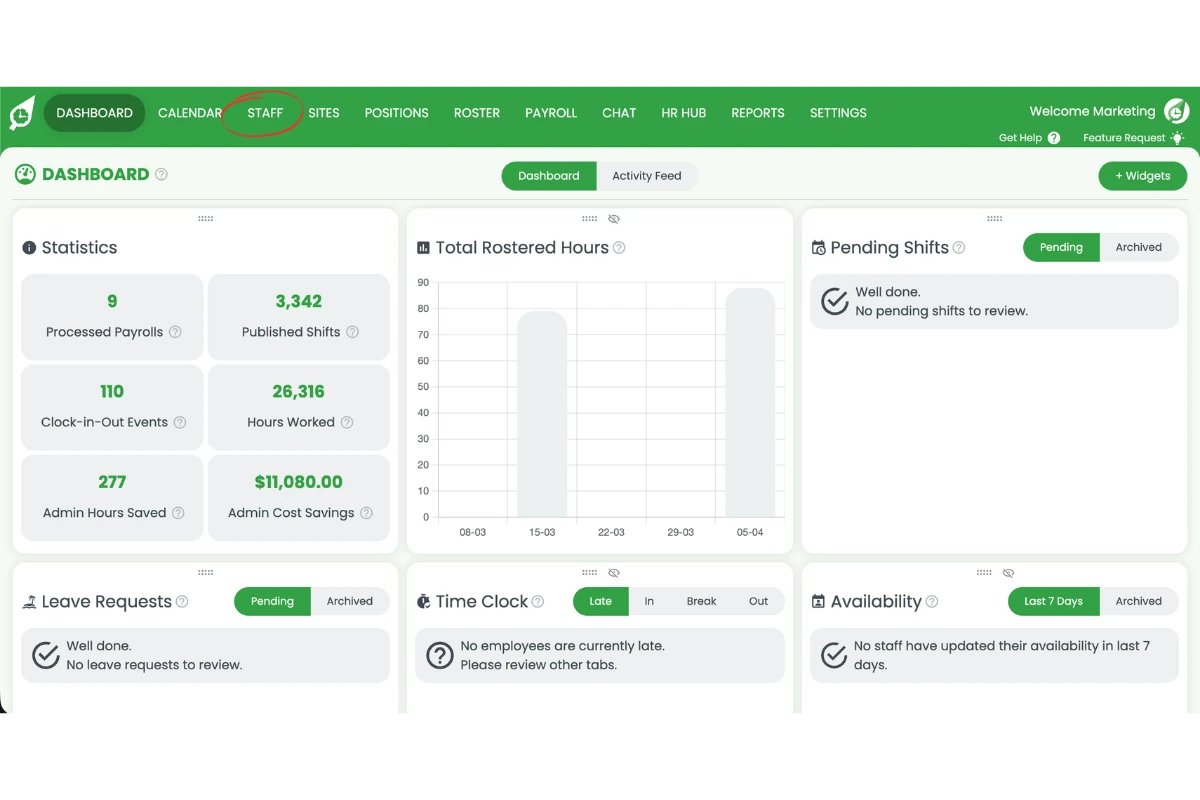
1.1.2 Press the Staff tab.
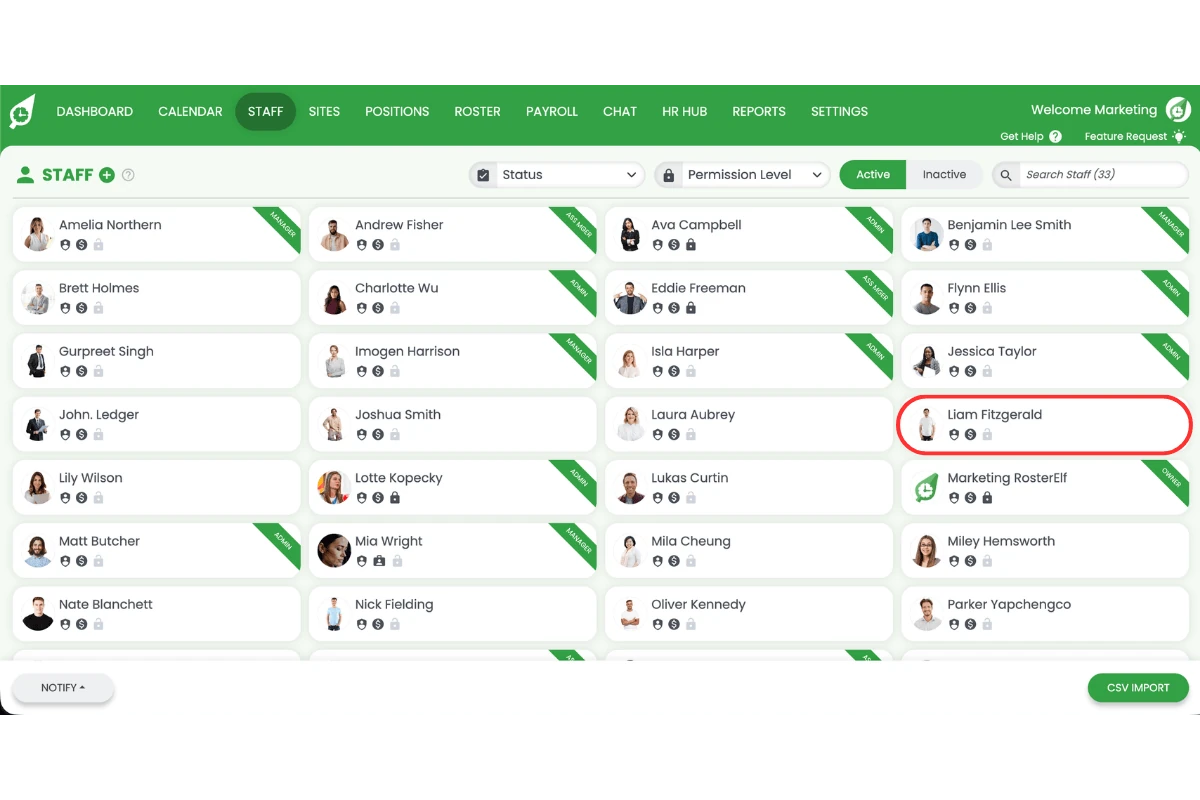
1.1.3 Select the staff member.
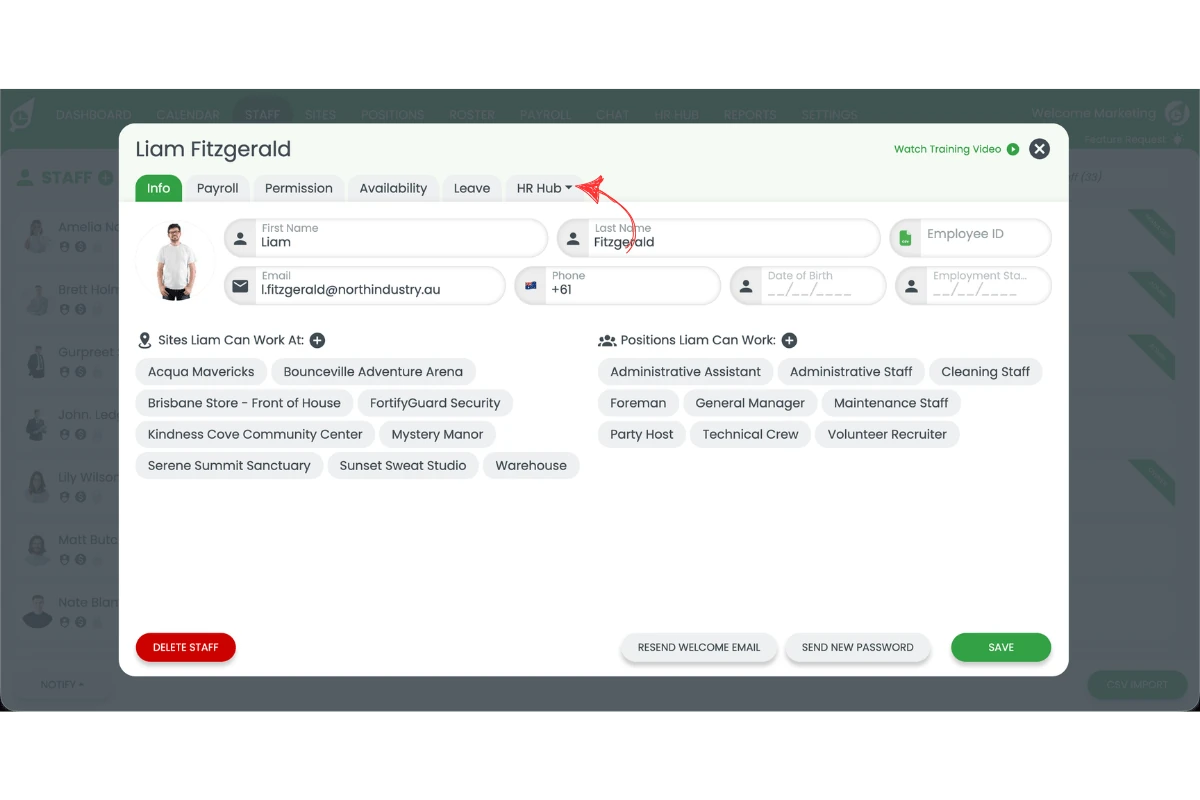
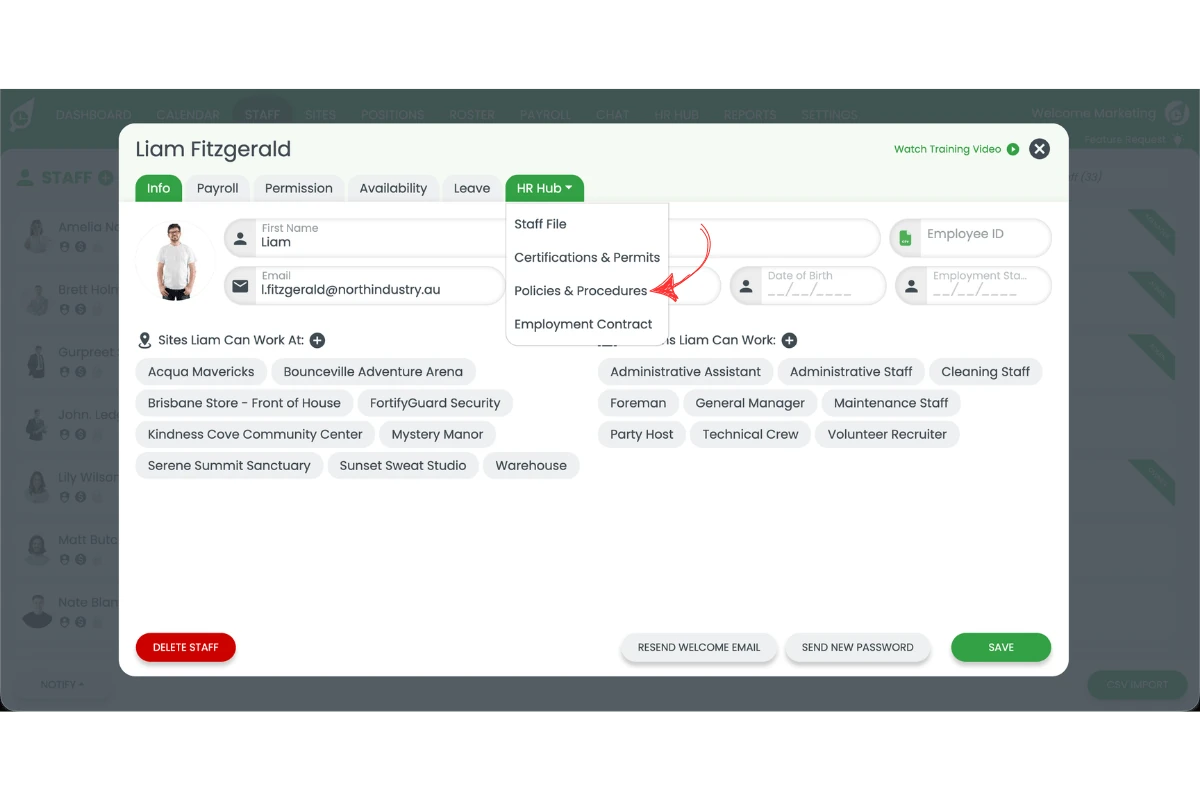
1.1.4 Press HR Hub.
1.1.5 Press Policies and Procedures.
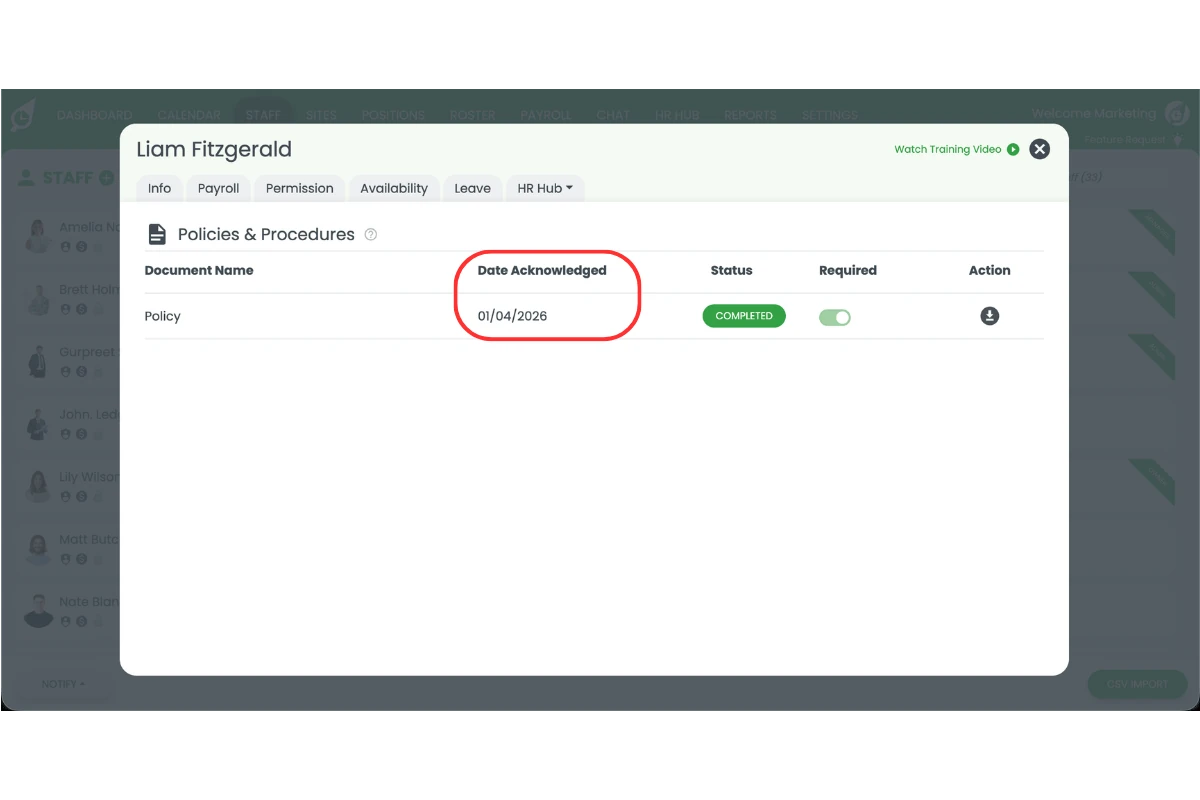
1.1.6 View the acknowledgement date. The date shown next to each policy confirms when the staff member acknowledged it. You can also view all staff HR information from the same profile for a complete overview.
Frequently asked questions
1. How do I find a policy acknowledgement date in RosterElf?
To find a policy acknowledgement date, open RosterElf and go to the Staff tab. Select the staff member, then open HR Hub. Press Policies and Procedures to view the acknowledgement date for each policy.
2. Where is the policy acknowledgement date located in RosterElf?
The acknowledgement date is located within the HR Hub under the Policies and Procedures section of a staff profile. This is where all policy interactions and confirmations are recorded.
3. Why is it important to check policy acknowledgement dates?
Checking policy acknowledgement dates helps you confirm that staff have read and accepted required policies. It supports compliance, improves record keeping, and provides evidence during audits or onboarding.
4. Can I see which staff members have not acknowledged a policy?
Yes. By reviewing the Policies and Procedures section in each staff profile, you can identify whether a policy has been acknowledged and when. If no date is shown, the policy may not yet have been acknowledged.
5. Do policy acknowledgement dates update automatically in RosterElf?
Yes. The system automatically records the acknowledgement date when a staff member confirms a policy. This ensures your records stay accurate without manual updates.