

Access the policies and procedures report in RosterElf
This guide explains how to access and run the policies and procedures report in RosterElf. This report helps you view and manage your organisation’s workplace policies and staff acknowledgements in one place. Using it ensures your team is up to date with all required documents, helping you maintain compliance and transparency across your business.
By following this guide, you’ll learn how to locate the report, apply filters, and export your data for recordkeeping or sharing with management or compliance teams.
1. Opening the policies and procedures report
This section explains how to open the policies and procedures report in RosterElf. You’ll start by navigating to the Reports tab, selecting the correct report, and applying filters to customise your view. Accessing this report helps you verify that staff have read and acknowledged your workplace policies and procedures.
1.1 locate the policies and procedures report
1.1.1 Open your RosterElf account.
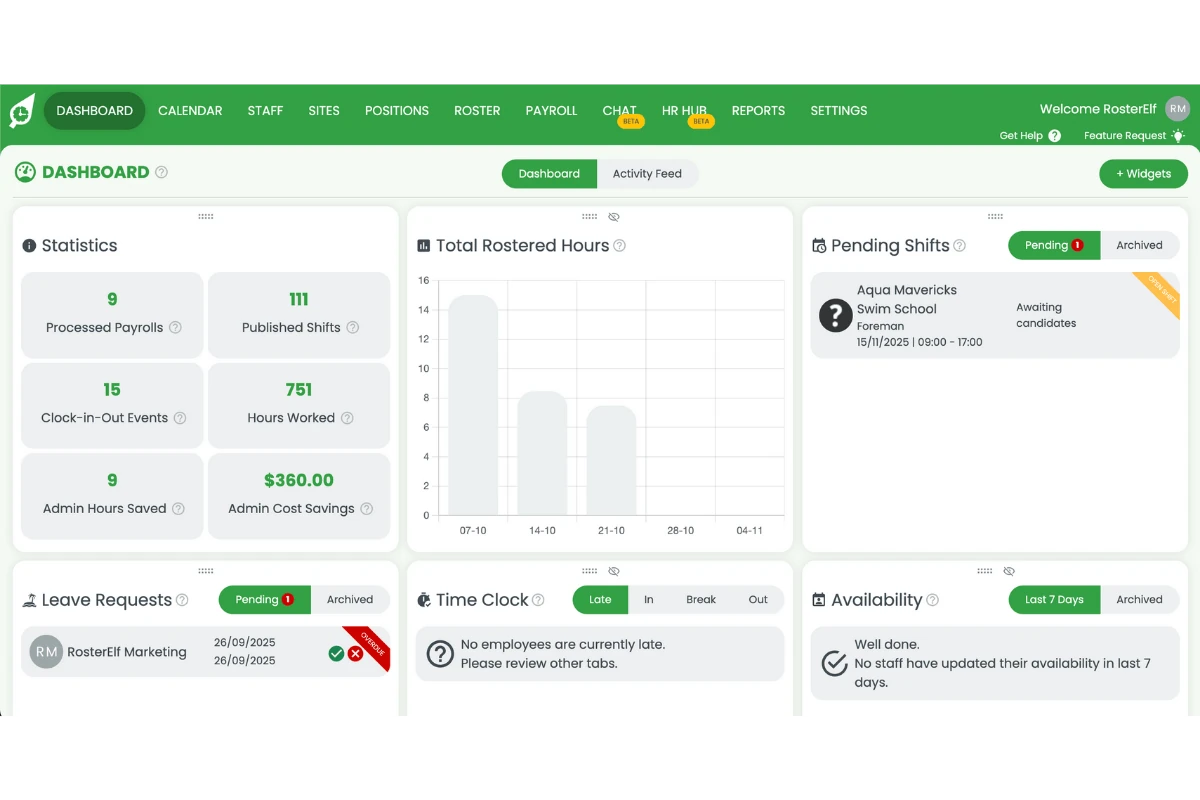
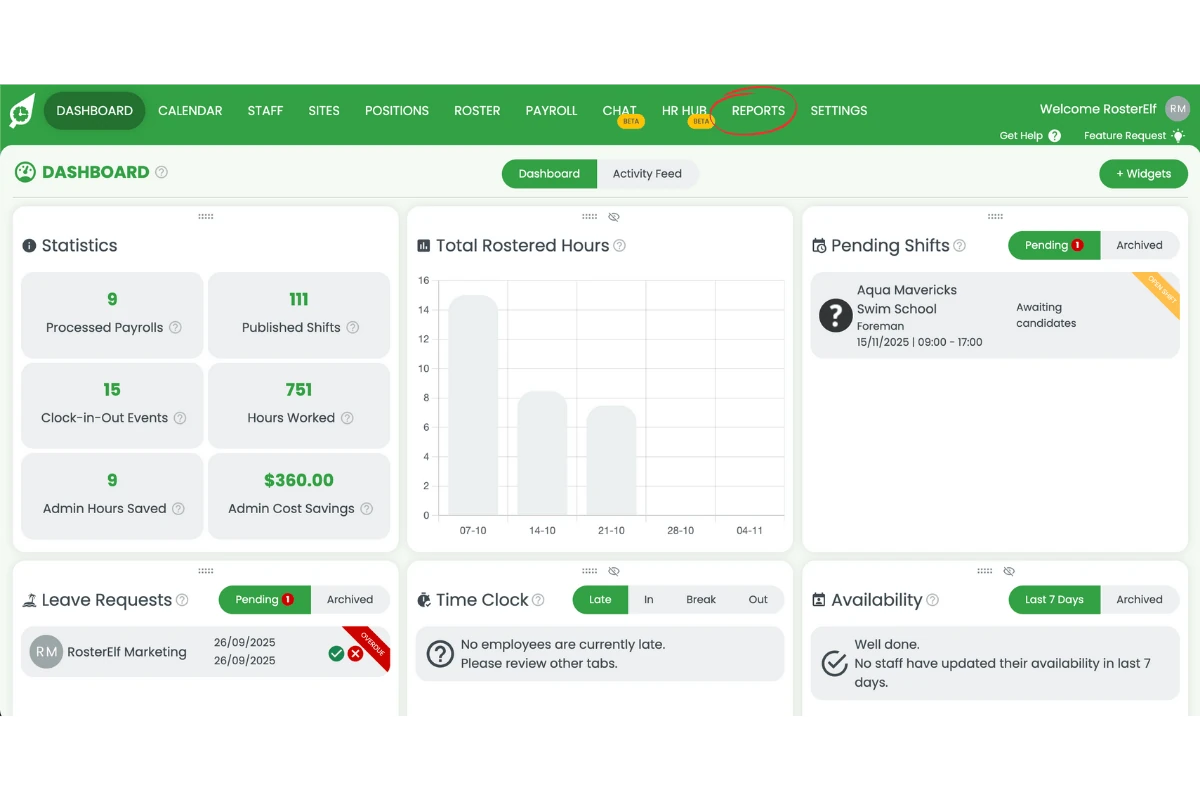
1.1.2 Click Reports from the main menu.
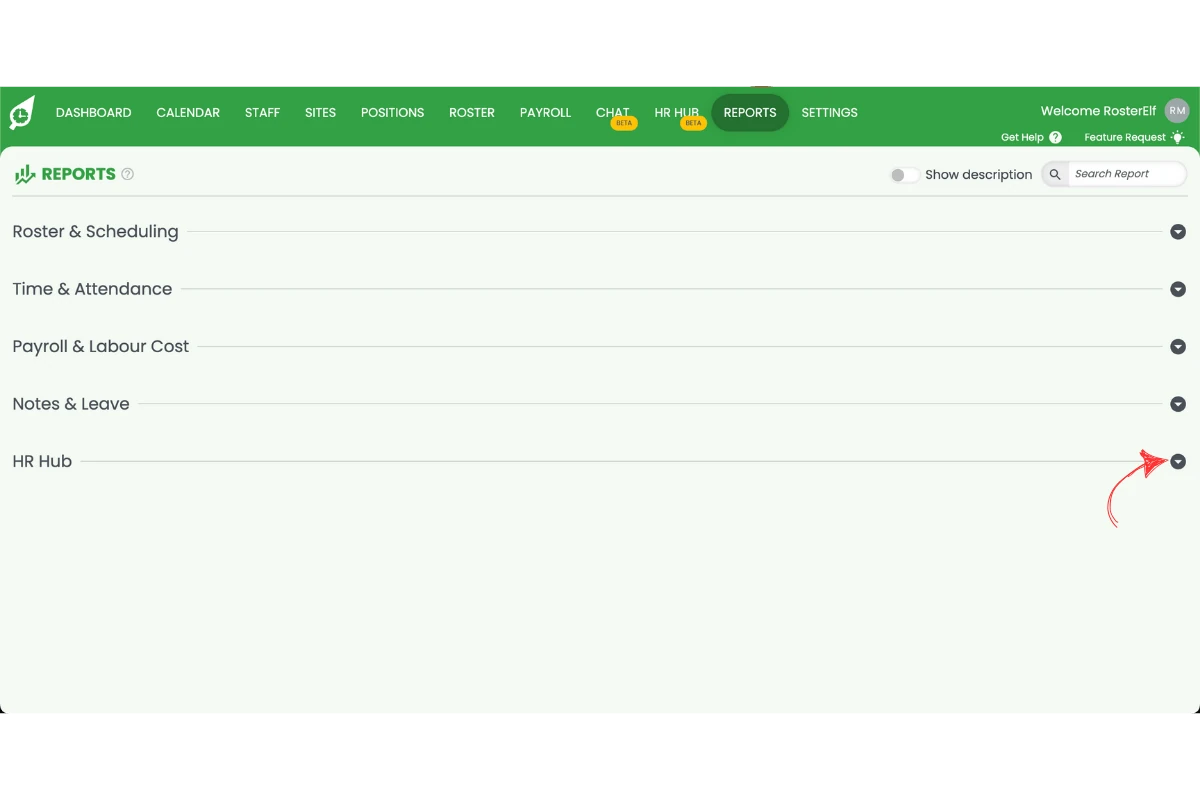
1.1.3 Search for the HR Hub category.
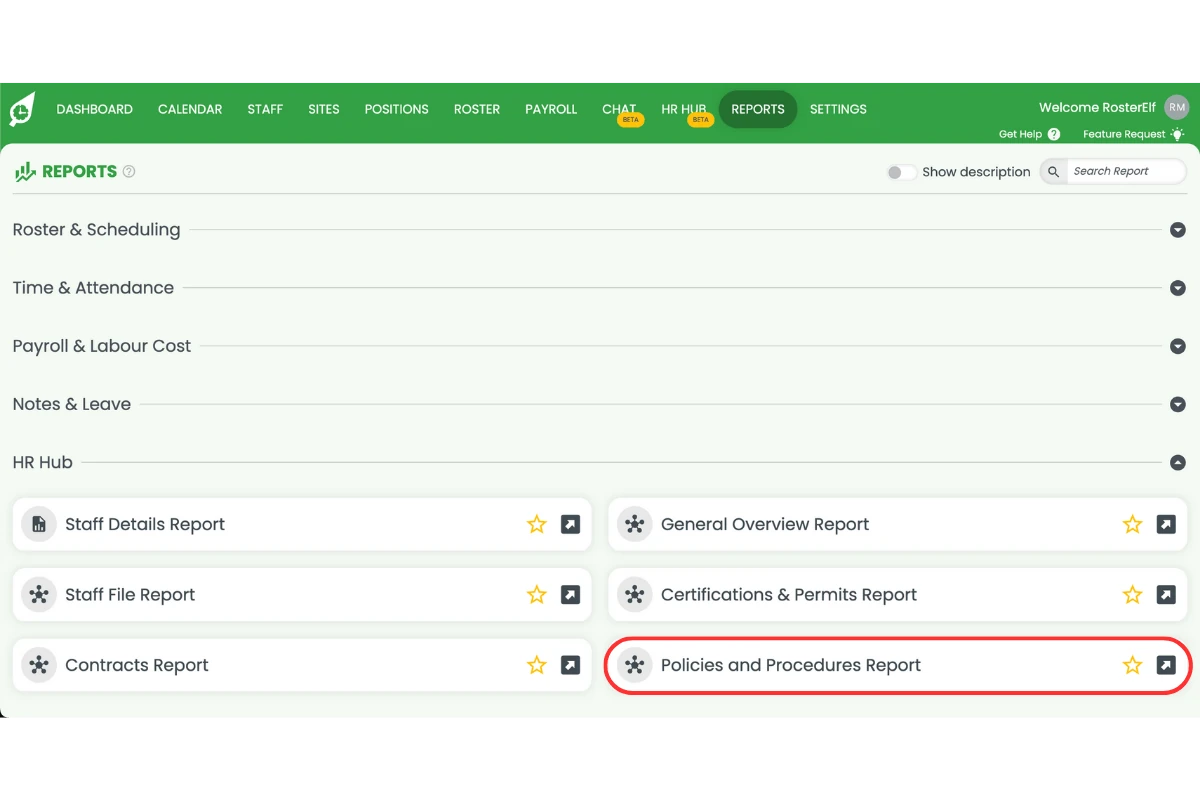
1.1.4 Select the Policies and procedures report from the list.
1.1.5 Set your desired filters.
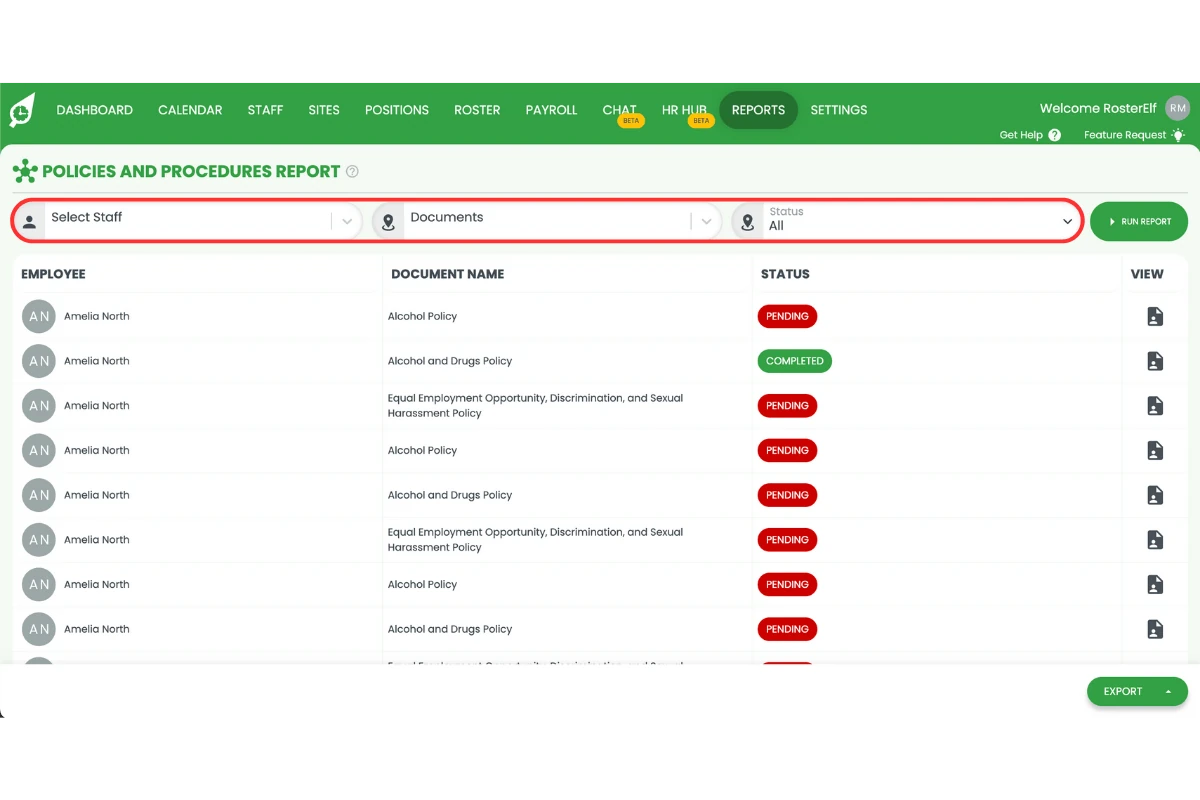
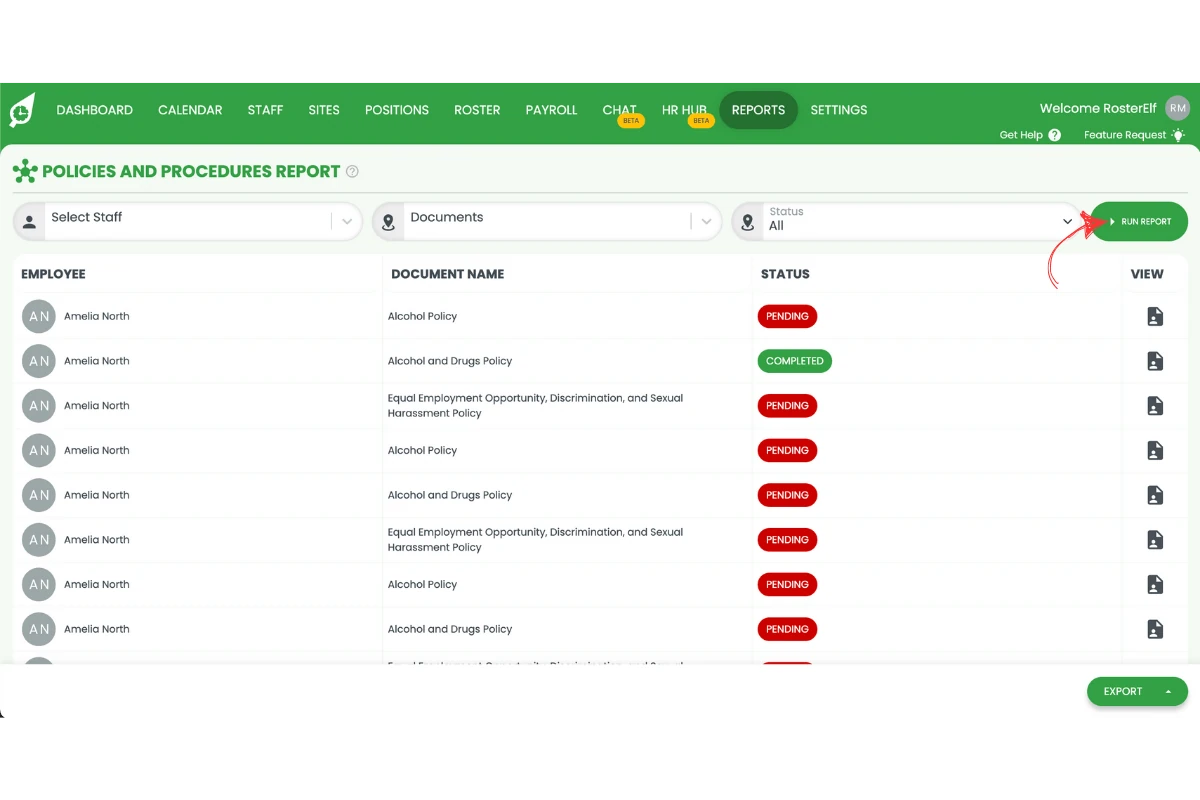
1.1.6 Click Run report to generate the results.
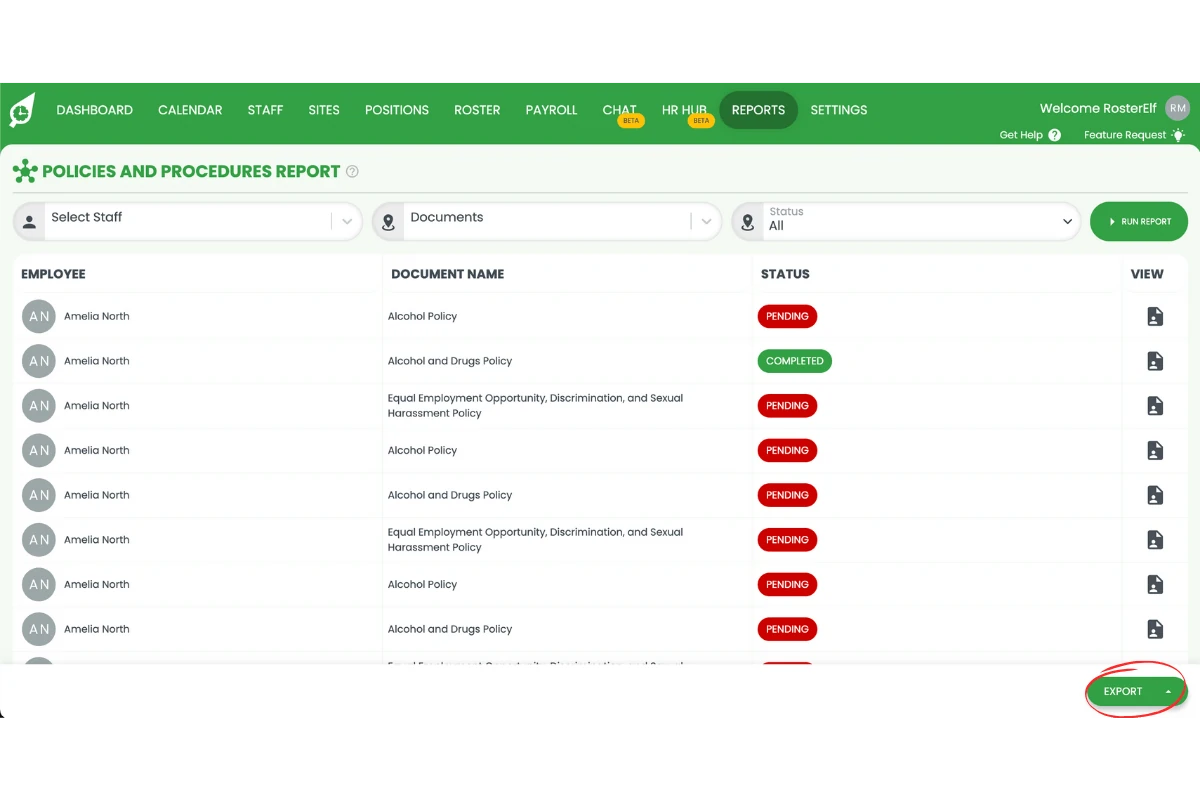
1.1.7 Click Export if you’d like to download the report for your records.
Frequently asked questions
1. What is the policies and procedures report in RosterElf?
The policies and procedures report in RosterElf helps you view and manage staff acknowledgements of workplace policies. It ensures all employees have read and confirmed the latest company policies, supporting compliance and accountability.
2. How do I access the policies and procedures report in RosterElf?
To access the report, log in to your RosterElf account and click Reports from the main menu. Type Policies and procedures in the search bar, select the report, apply filters as needed, and click Run report.
3. Can I filter the policies and procedures report by date or staff?
Yes. You can set filters to view acknowledgements for specific staff members or within certain date ranges. This allows you to track who has read and accepted policies during a particular period.
4. How can I export the policies and procedures report?
After running the report, click Export to download a copy for your records. You can save the report as a file to share with management or compliance teams for review.
5. Why is the policies and procedures report important for compliance?
This report is essential for maintaining legal and organisational compliance. It provides a clear record of which employees have acknowledged required policies, helping you demonstrate adherence to workplace regulations.