

Disable policies and procedures in staff onboarding
This article explains how to disable policies and procedures during staff onboarding in RosterElf. You may want to do this when specific policies or procedures are no longer relevant or required for new hires. Disabling them ensures only essential documents appear in the onboarding process.
With this guide, you’ll learn how to access the HR Hub, locate your Policies and Procedures list, and toggle off any unnecessary sections. Following these steps helps streamline onboarding and reduce confusion for staff members completing setup.
1. Disabling policies and procedures
This section explains how to disable policies and procedures in the RosterElf web app. Use this when you want to turn off policies that don’t apply to all team members. The process is quick and ensures your onboarding remains clean and focused.
1.1 Open the HR Hub
1.1.1 Log in to your RosterElf account.
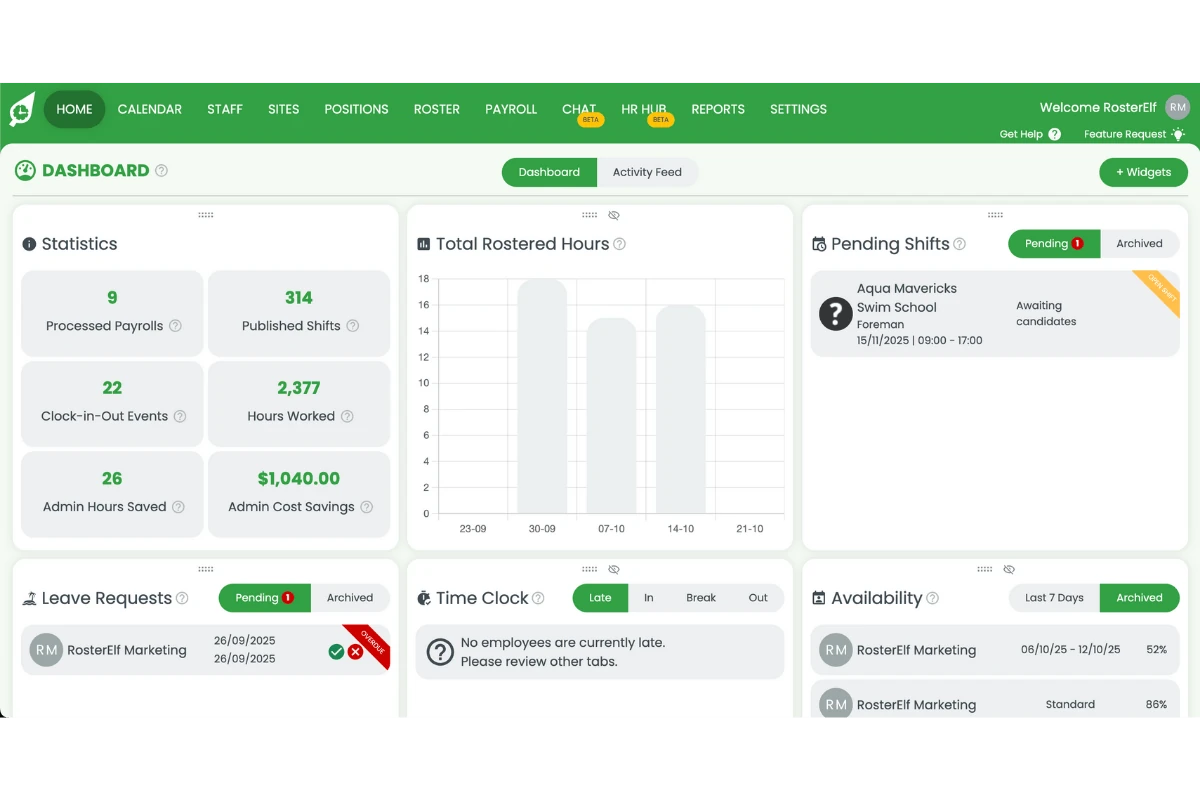
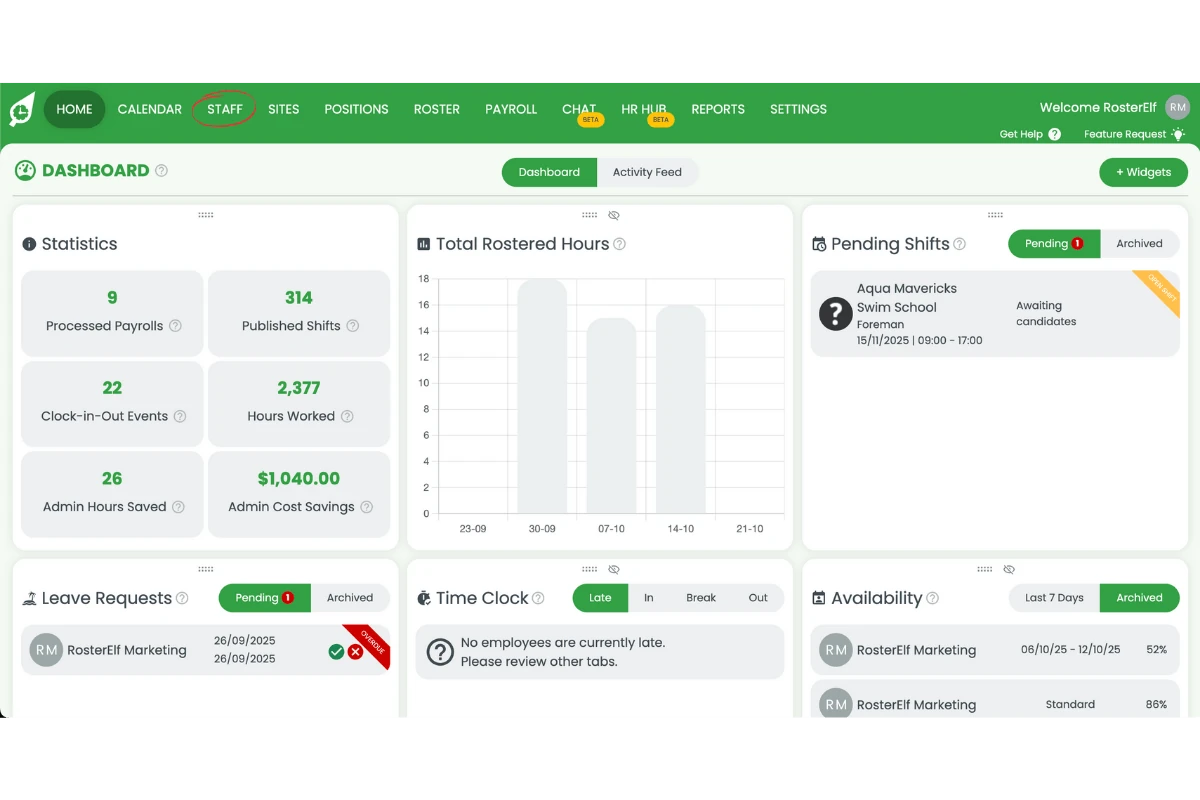
1.1.2 Click the Staff tab from the top menu.
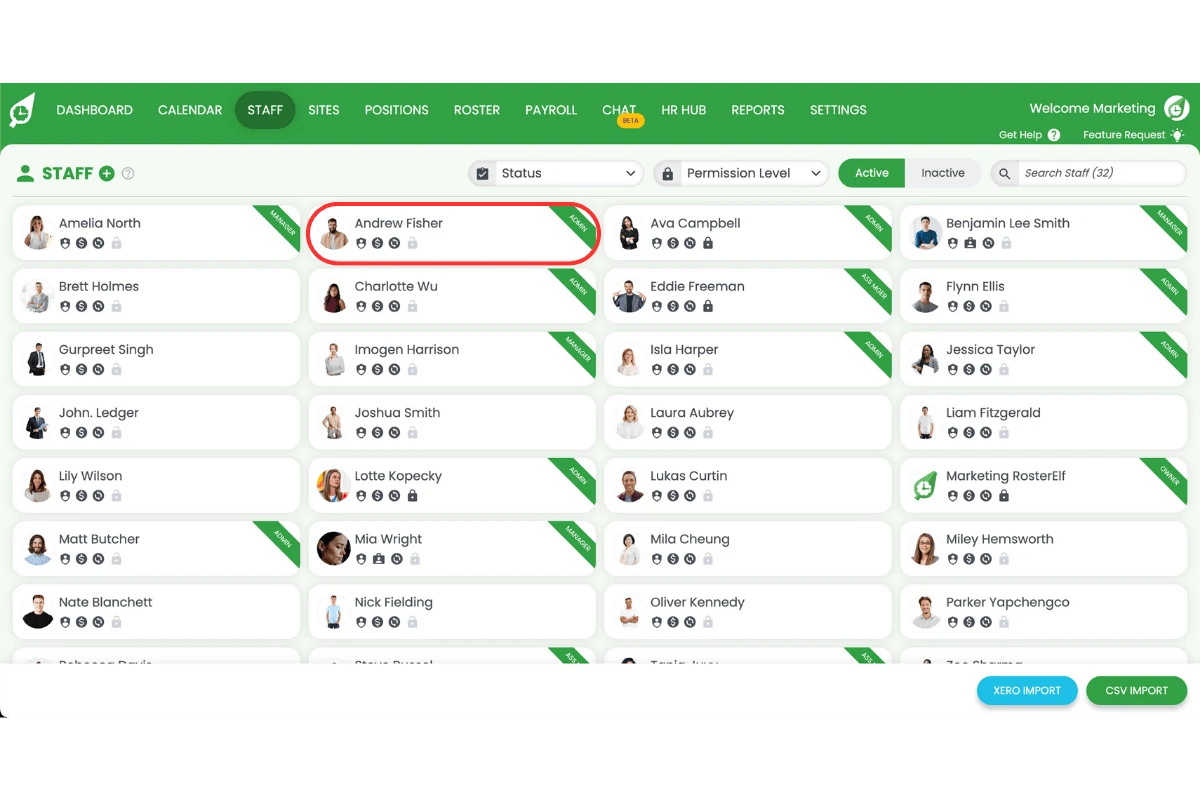
1.1.3 Select the staff member.
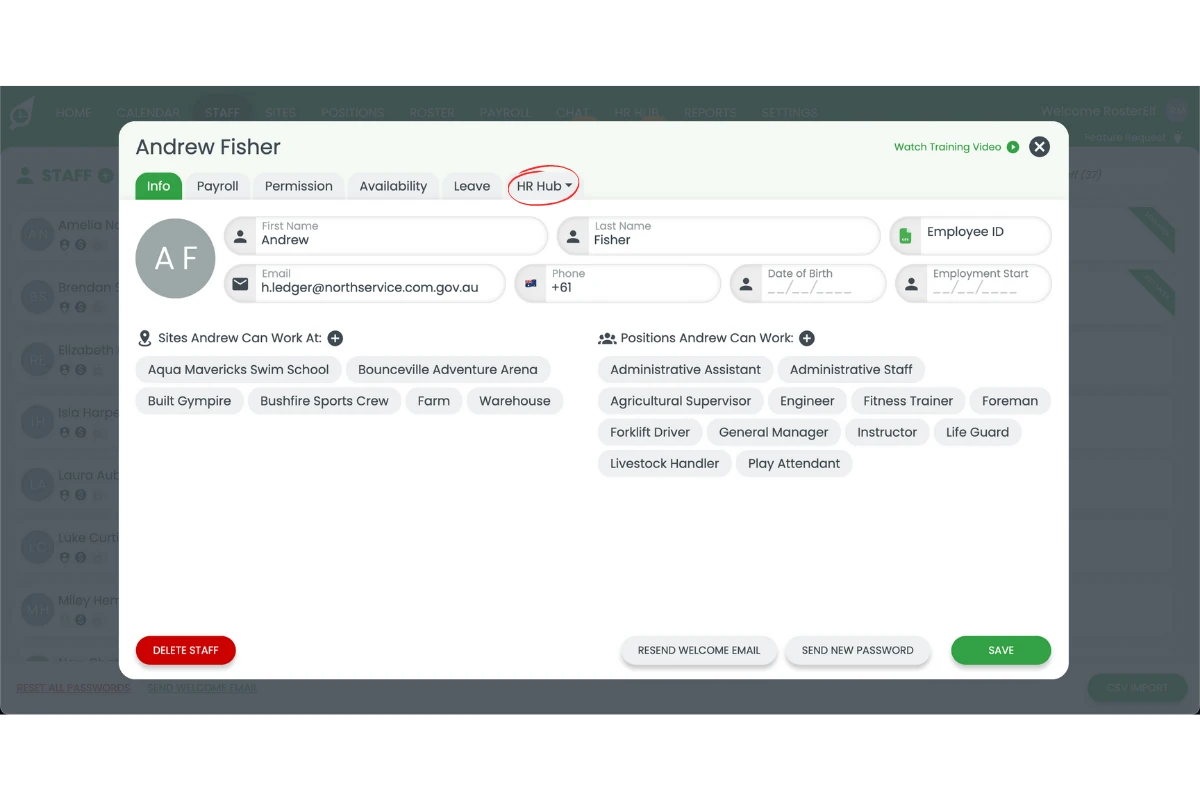
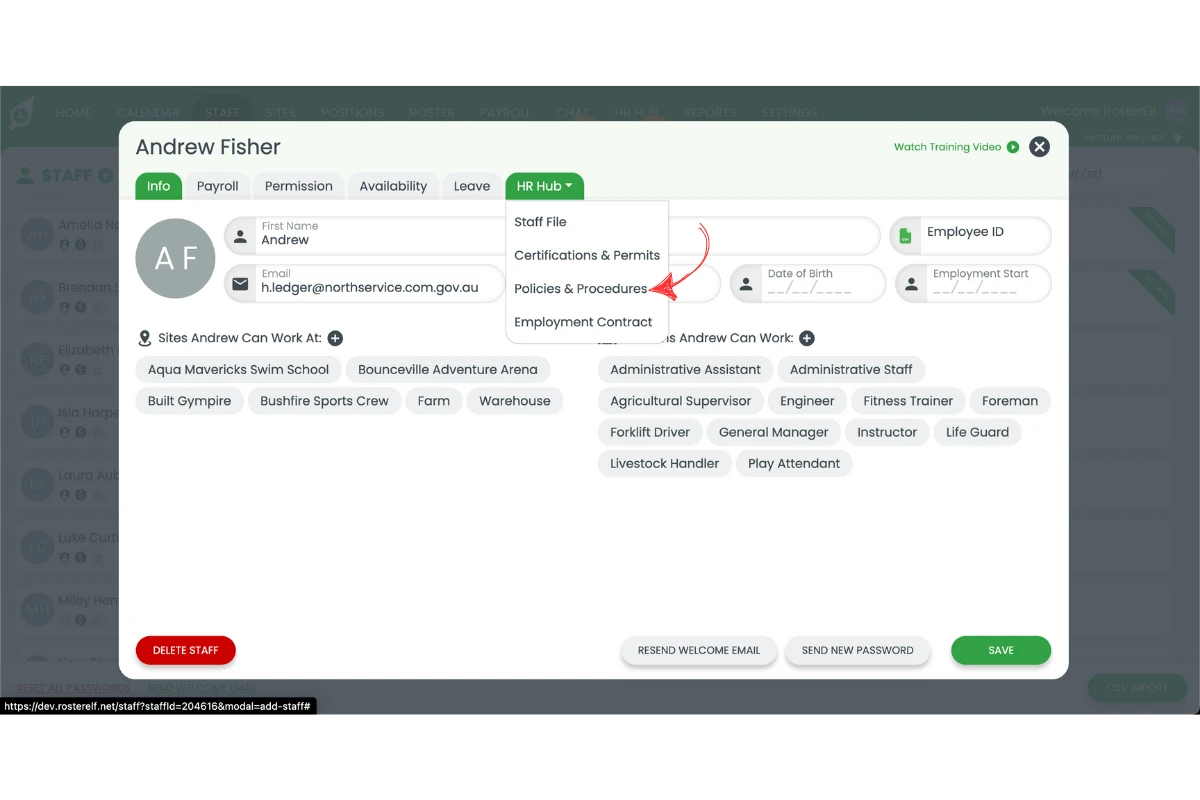
1.1.4 Select HR Hub from the dropdown options.
1.2 Disable policies and procedures
1.2.1 Click Policies and Procedures.
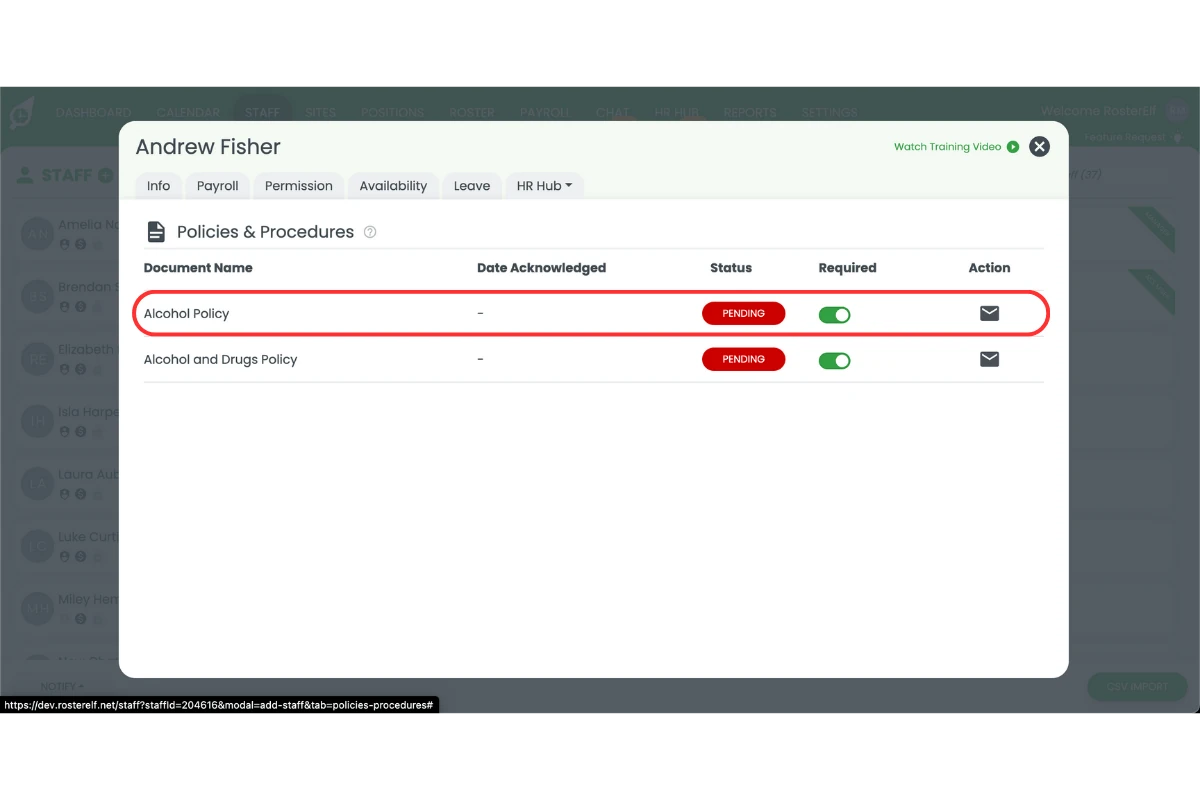
1.2.2 Locate the Policies and Procedures you no longer require.
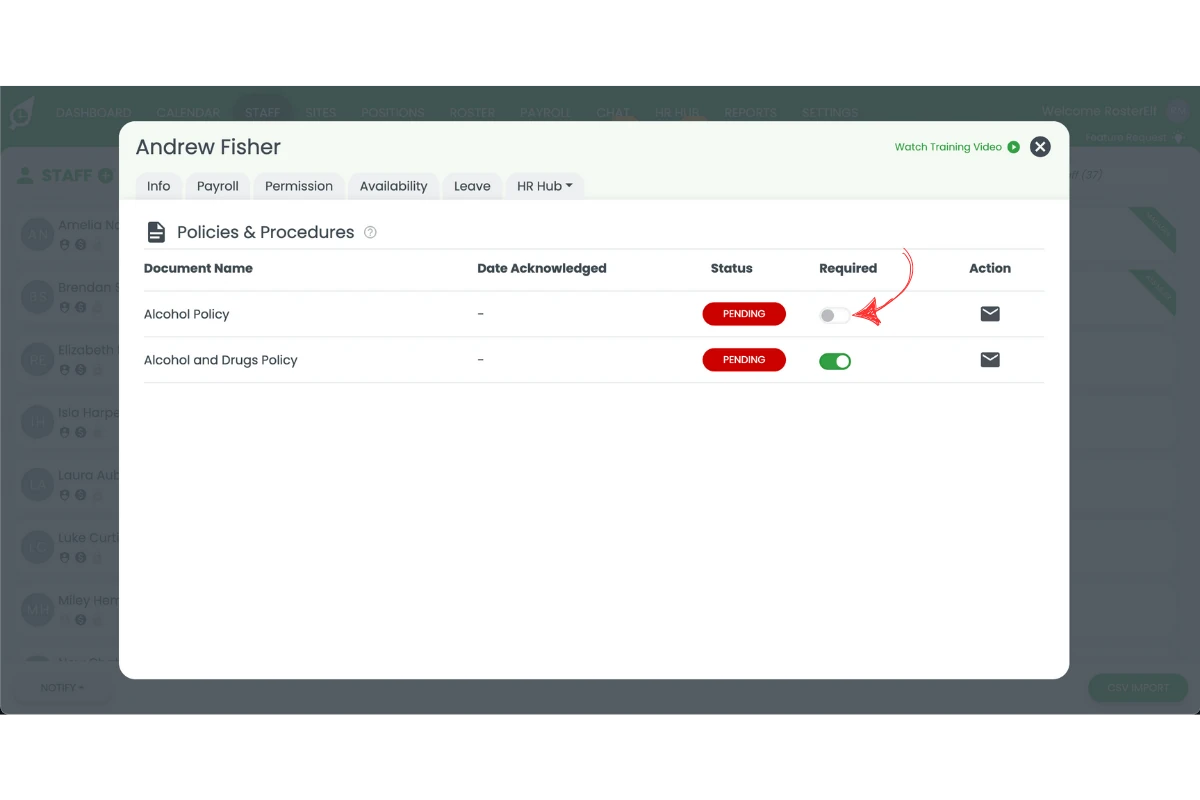
1.2.3 Toggle off the section to disable it.
Frequently asked questions
1. What happens when I disable a permit or policy in RosterElf?
When you disable a permit or policy, it’s removed from the onboarding checklist for new staff. Existing employees who have already completed the requirement will remain unaffected. This helps simplify onboarding and keeps only relevant documents active.
2. Can I re-enable a permit or policy after disabling it?
Yes. You can re-enable any permit or policy at any time by returning to the HR Hub and toggling it back on. Once re-enabled, it will automatically appear for future onboarding staff.
3. Will disabling a policy delete it permanently?
No. Disabling a policy only hides it from staff onboarding. The policy remains stored in your HR Hub and can be edited, updated, or reactivated later.
4. Who can disable permits and policies in RosterElf?
Only Admins and Managers with HR permissions can disable or modify onboarding policies and permits. Regular staff members do not have access to this setting.
5. Why should I disable permits or policies during onboarding?
Disabling outdated or unnecessary permits ensures new staff only see relevant information. It streamlines onboarding, reduces confusion, and keeps your compliance requirements accurate and up to date.