

Managing policies in the HR Hub
The HR Hub in RosterElf allows you to create, manage, and track company policies and procedures. By using the HR Hub, you can ensure employees review and acknowledge important documents during onboarding, helping your business maintain compliance and keep accurate records.
This guide walks you through creating a new policy step-by-step. For information on managing employee acknowledgments and tracking policy compliance, refer to Control HR onboarding policies and permits.
1. Navigate to HR Hub policies
1.1 From the top navigation menu, click HR Hub, then select Policies from the dropdown menu.
2. Create a new policy
2.1 Click the green plus button located in the top left corner of the screen to open the policy editor.
3. Add policy content
3.1 You’ll see the policy editor with two view options: Simple View (visual editor) and Advanced View (HTML editor). Choose your preferred editing mode.
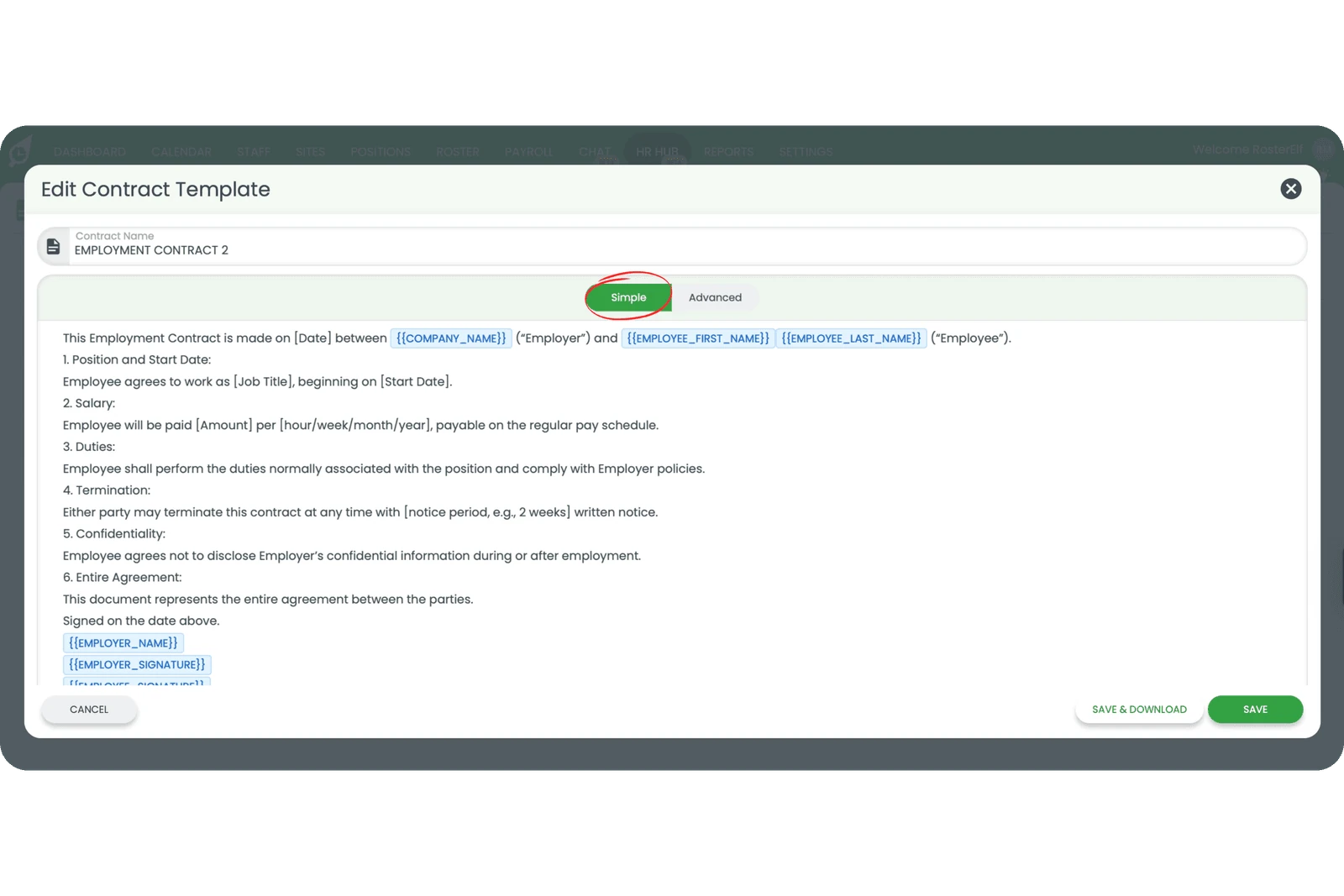
3.2 Copy and paste your policy text from your existing document (Word, PDF, etc.) into the editor, or type it directly.
3.3 Use the formatting toolbar to add headings, bold text, bullet points, and other formatting as needed.
Important
Policies are text-based only. You cannot upload PDF files directly. To add policy content, copy and paste from your existing documents into the text editor. If you need to reference external files, include a link within the policy text.
4. Save your policy
4.1 Add a title and description for your policy in the fields provided.
4.2 Click Save to make the policy available for staff to review in their My HR Hub section.
Note
The HR Hub is available as an add-on to your RosterElf subscription. Contact your account manager or visit the RosterElf website to learn more about adding the HR Hub to your plan.
Frequently asked questions
1. How do I create a new policy in the HR Hub?
To create a new policy, go to HR Hub > Policies from the top menu. Click the green plus button in the top left corner, paste or type your policy content in the text editor, add a title and description, then save. The policy will be available for staff to review in My HR Hub.
2. Can I upload a PDF as a policy document?
No. Policies in HR Hub are text-based only. You can copy and paste your policy content from a Word document or PDF into the text editor. If you need to link to an external PDF, you can paste a link to a cloud storage location (Google Drive, Dropbox, etc.) within the policy text.
3. Can I edit an existing policy in RosterElf?
Yes. Go to HR Hub > Policies from the top menu, select the policy you want to modify, make your changes in the text editor, and save. All updates will apply to current and future staff who need to review the policy.
4. Who can create and manage policies in RosterElf?
Only Admins have the permission to create, edit, and manage policies in the HR Hub. This ensures that company policies remain controlled and compliant.
5. How do employees view policies during onboarding?
Employees access policies through their onboarding link or via the My HR Hub section in the RosterElf app. They must review and acknowledge each policy before completing onboarding.
6. Can I track which employees have acknowledged policies?
Yes. You can view acknowledgment status by navigating to a staff member’s profile and checking the HR Hub > Policies and Procedures section. This shows which policies have been reviewed and acknowledged.