

Add superannuation details in staff onboarding
Adding superannuation details during staff onboarding supports compliance with Australian regulations and simplifies payroll processing. This guide explains how to add superannuation information to the onboarding link. By following these steps, you will streamline the onboarding process for new employees and ensure all necessary details are collected. Make sure to review how onboarding works by following the guide on Customising Employee Onboarding before starting.
1. Accessing onboarding settings
This section covers how to access the Onboarding settings to enable superannuation details in your onboarding process.
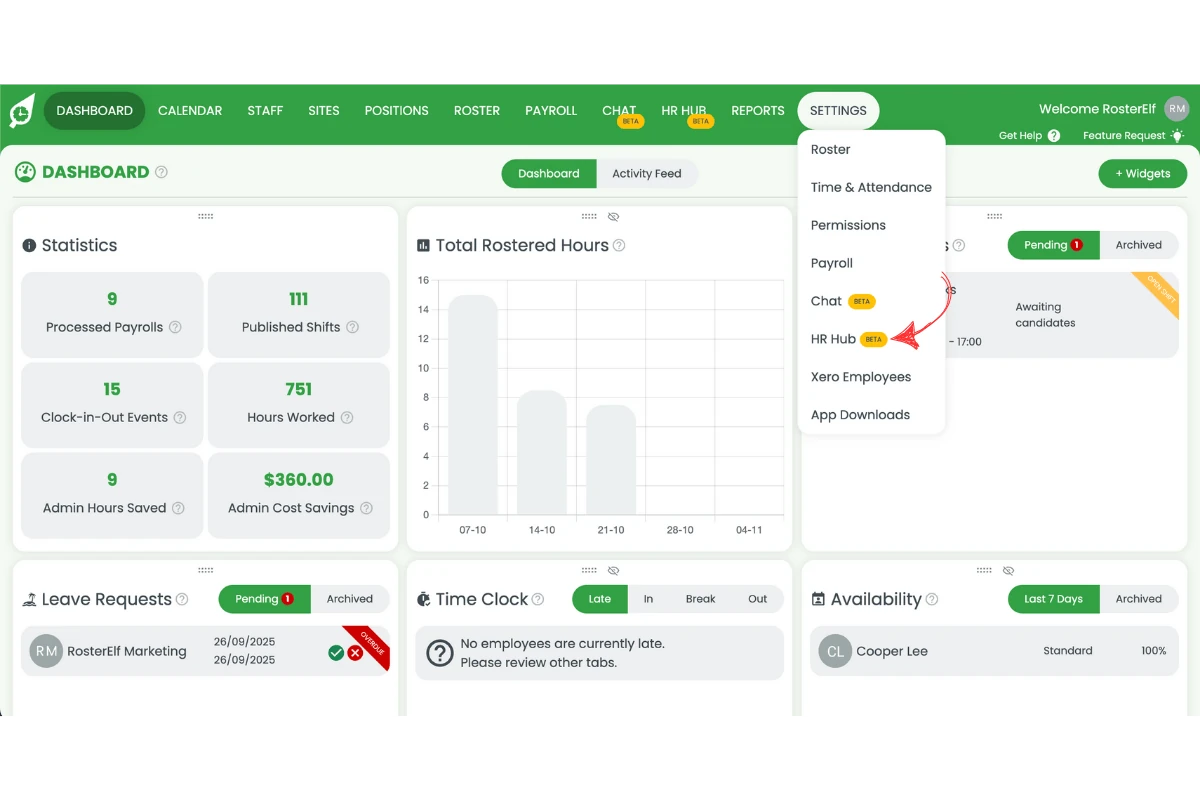
1.1 Open the top menu.
1.2 Click on Settings.
1.3 Select HR Hub from the dropdown menu.
2. Activating superannuation field
Follow these steps to activate the superannuation field for staff to fill out.
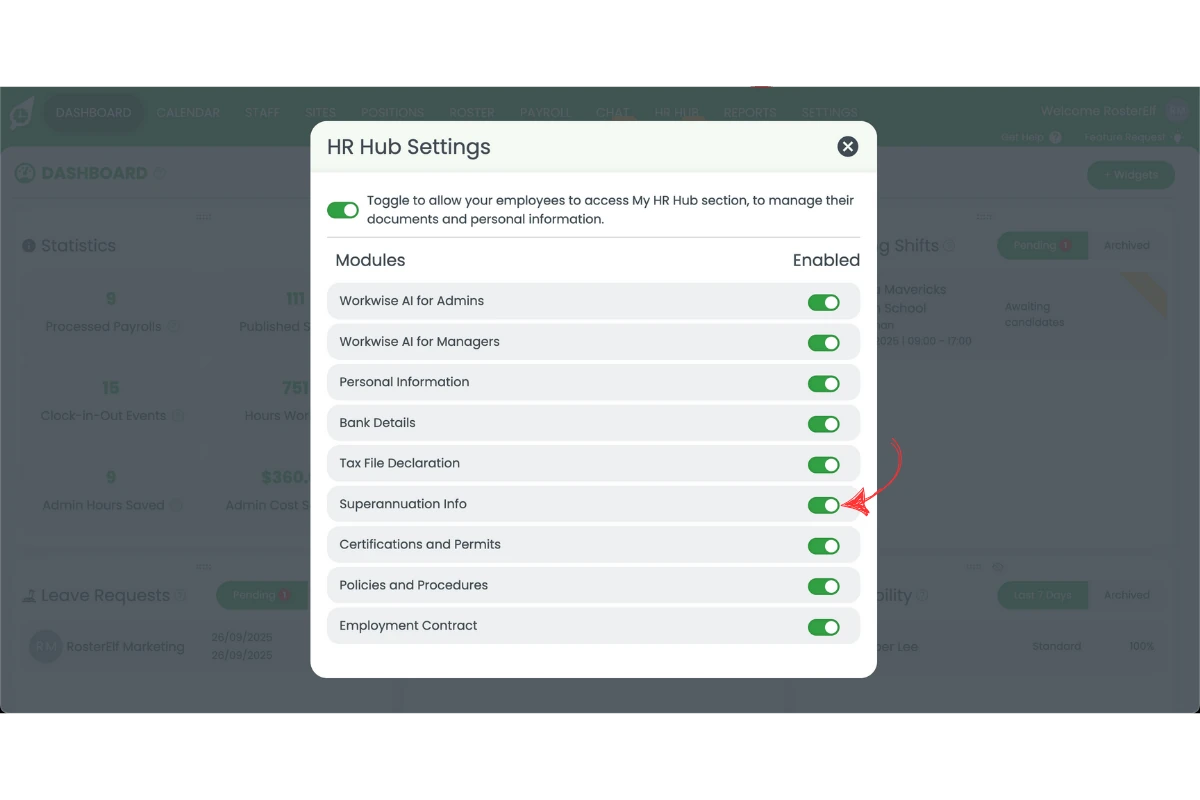
2.1 Toggle on Superannuation Info on the pop-up page.
3. Providing onboarding link to staff
3.1 Once the setup is complete, provide the onboarding link to staff so they can fill out their superannuation details.
3.2 Staff will receive a link with all necessary onboarding information, including the superannuation details to be filled out.
Note
Once the superannuation field is activated, it becomes a mandatory field for all staff completing onboarding. Ensure staff have their superannuation information ready before starting the process.
Frequently asked questions
1. How do I access the HR Hub settings to add superannuation details?
To access the HR Hub settings, open the top menu and click on Settings. Then, select HR Hub from the dropdown menu.
2. Can I make the superannuation field mandatory for staff?
Once the superannuation field is turned on in the HR Hub settings, it will be mandatory for staff to complete during onboarding.
3. How do I upload the superannuation form to the onboarding process?
Once the digital form is completed by staff, the superannuation details will be automatically added to the staff file for that staff member.
4. How do I send the onboarding link to staff for superannuation details?
Once the setup is complete, send the onboarding link to staff. They will receive all necessary information, including the superannuation details section to complete.
5. Is the HR Hub available on all RosterElf plans?
No, you will need to have the HR Hub add-on as part of your subscription to access superannuation collection features.