

Access the HR Hub on a smartphone
This guide explains how to access the HR Hub on your smartphone using the RosterElf mobile app. The HR Hub is where staff can review and complete important employment tasks, such as contracts, certificates, licences, and personal details. Using the HR Hub on your phone helps you stay updated and manage your information without needing a computer.
By following this guide, you’ll learn how to open the app, navigate to the correct menu, and select the HR Hub. Each step is simple and designed to help you find and complete your HR items quickly. Once you know where to go, you can review required documents, update your details, and support your compliance efforts with your workplace requirements.
1. Accessing the HR Hub on your smartphone
This section explains how to find the HR Hub from the main menu in the RosterElf mobile app. You’ll start by opening the app, then navigating to the More menu where the HR Hub is located. These steps help you access your personal HR information quickly and ensure you can complete any outstanding tasks your employer requires.
1.1 locate the HR Hub in the App
1.1.1 Open the RosterElf smartphone app.

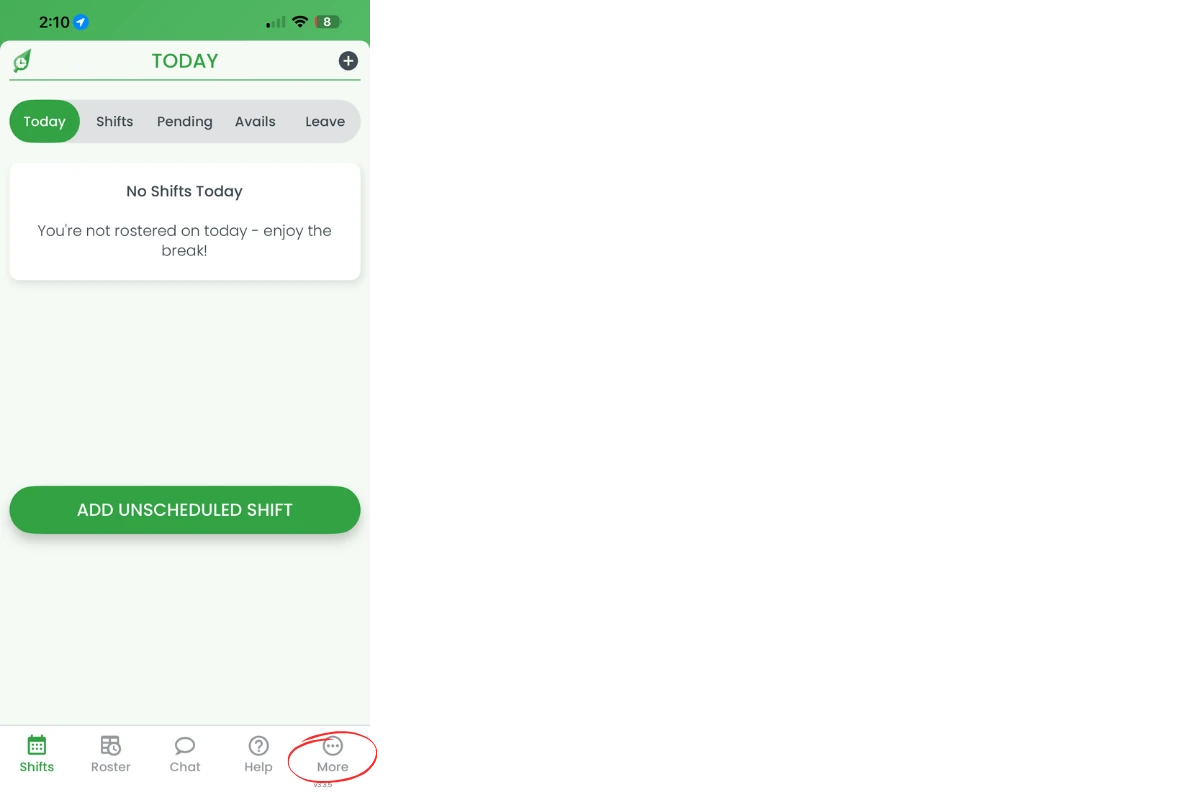
1.1.2 Press More on the bottom menu.
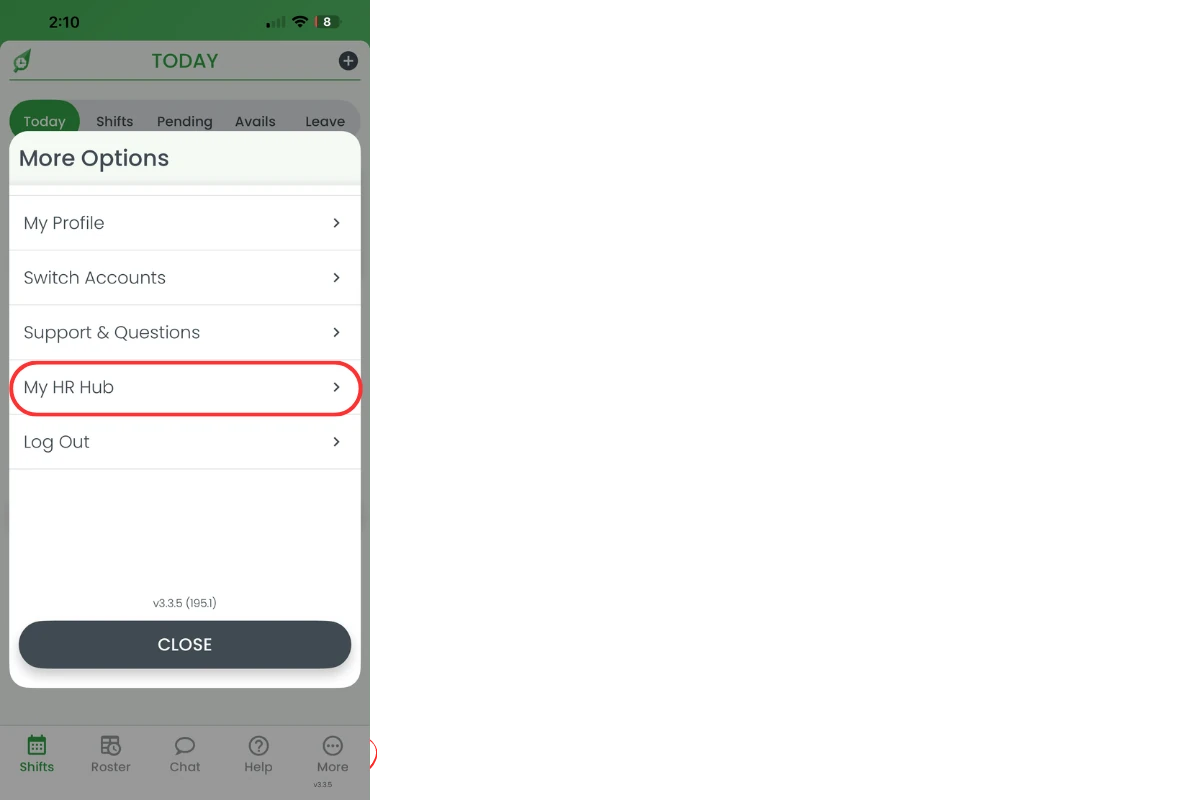
1.1.3 Select My HR Hub.
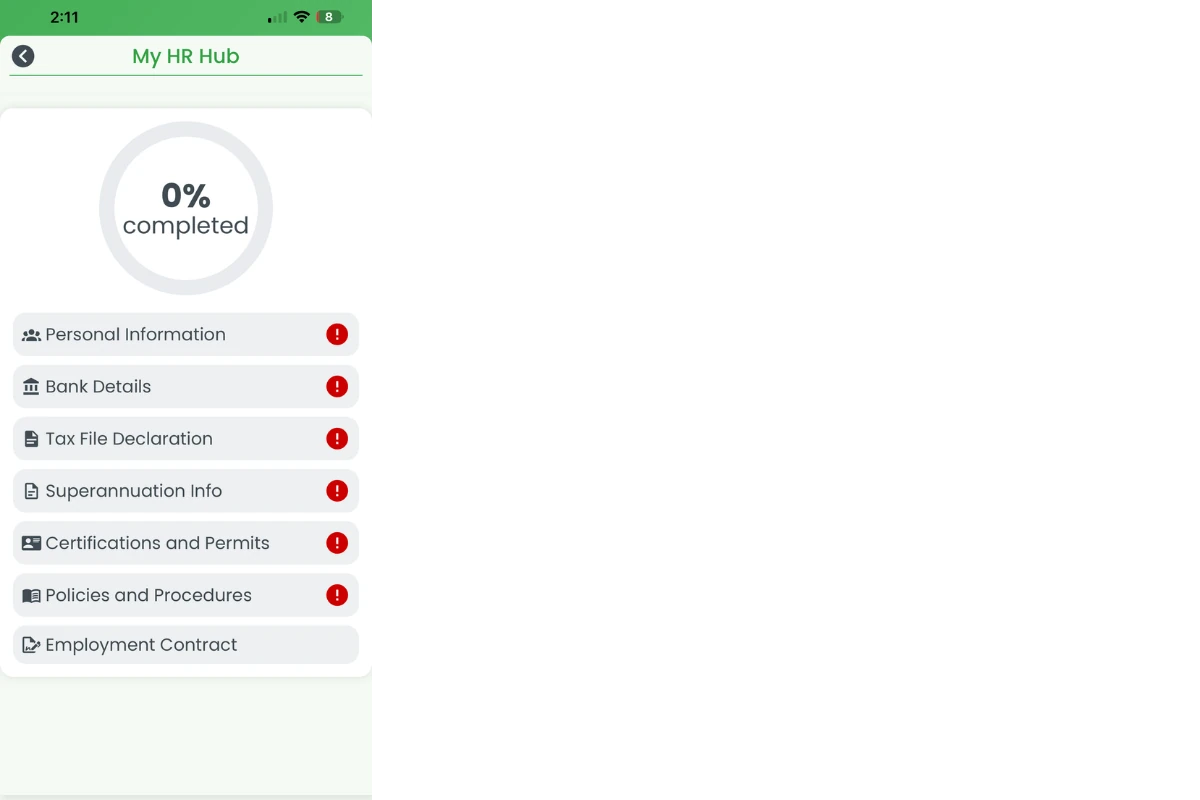
1.1.4 Choose a section to review or complete, then hit Save.
2. Uploading a certificate or licence
This section covers uploading a certificate, licence, or permit from your phone — for example an RSA certificate, White Card, First Aid certificate, or Working with Children Check (Blue Card). Your employer sets up which certifications apply to your role; once one appears in your HR Hub, you can supply your own details for it directly from the app.
2.1 upload your document
2.1.1 Open My HR Hub and select the certificate, licence, or permit item, such as Working with Children Check.
2.1.2 Photograph or upload the document from your phone.
2.1.3 Add the expiry date if the item requires one.
2.1.4 Submit the item for your manager’s approval.
Frequently asked questions
1. How do I access the HR Hub on my smartphone?
Open the RosterElf mobile app, press More on the bottom menu, and select My HR Hub. From there, choose any section you want to review or complete.
2. What can I do in the HR Hub on the RosterElf app?
The HR Hub lets you review and complete key employment tasks such as contracts, certificates, licences, personal details, and other required HR items, including assigned training courses. It helps you support your compliance efforts and keep your information updated.
3. Do I need a computer to complete my HR tasks in RosterElf?
No, you can complete all required HR tasks directly from your smartphone using the RosterElf app. The HR Hub is designed to make your HR information easy to manage on the go.
4. Why can't I find the HR Hub in the app menu?
If you can’t find the HR Hub, check that your app is updated to the latest version. Then open the app, press More on the bottom menu, and look for My HR Hub. If it still doesn’t appear, your employer may not have enabled it yet.
5. Can I update my personal details in the HR Hub?
Yes, you can update personal details such as contact information, licences, certificates, and other required records directly within the HR Hub on your smartphone.
6. How do I upload my Working with Children Check (Blue Card) in the app?
Open My HR Hub, select the Certificates & Permits item your employer has set up for it (for example, Working with Children Check), then photograph or upload the document, add the expiry date if required, and submit it for approval. Your manager will need to have added Working with Children Check as a certification first — see manage certificates and permits in HR Hub for how they set that up.