

Complete culture survey in RosterElf steps
This article explains how to complete a culture survey in RosterElf using both the web app and the smartphone app. Culture surveys allow you to share feedback about your workplace in a simple and structured way. Your responses help managers understand how staff feel across key areas such as communication, leadership, and engagement.
Completing a culture survey is quick and easy. You can access your assigned surveys, answer the questions, and submit your responses in just a few steps. Some surveys may also allow you to leave comments. This helps you provide more context and explain your answers clearly.
Providing honest feedback supports positive workplace change. It ensures your voice is heard and contributes to meaningful insights for your business. By following this guide, you will learn how to complete a culture survey on both the web app and the smartphone app with confidence.
This article covers two methods: Section 1 covers completing the survey on the web app (accessed via a desktop or laptop browser). Section 2 covers completing the survey on the smartphone app (iOS or Android). Follow the section that matches how you access RosterElf.
1. Complete culture survey on web app
Platform: Web app (desktop or laptop browser)
The steps in this section apply to the RosterElf web app accessed through a desktop or laptop web browser.
This section explains how to complete a culture survey using the RosterElf web app. You will learn how to access your survey, answer the questions, and submit your responses. Completing your survey through the web app ensures your feedback is recorded correctly and contributes to overall results.
Using the web app gives you a clear view of your assigned surveys and allows you to complete them in a structured format. You can also leave additional comments where required. Following these steps will help you complete your survey quickly and accurately.
1.1 Complete culture survey web app steps
1.1.1 Log into RosterElf.
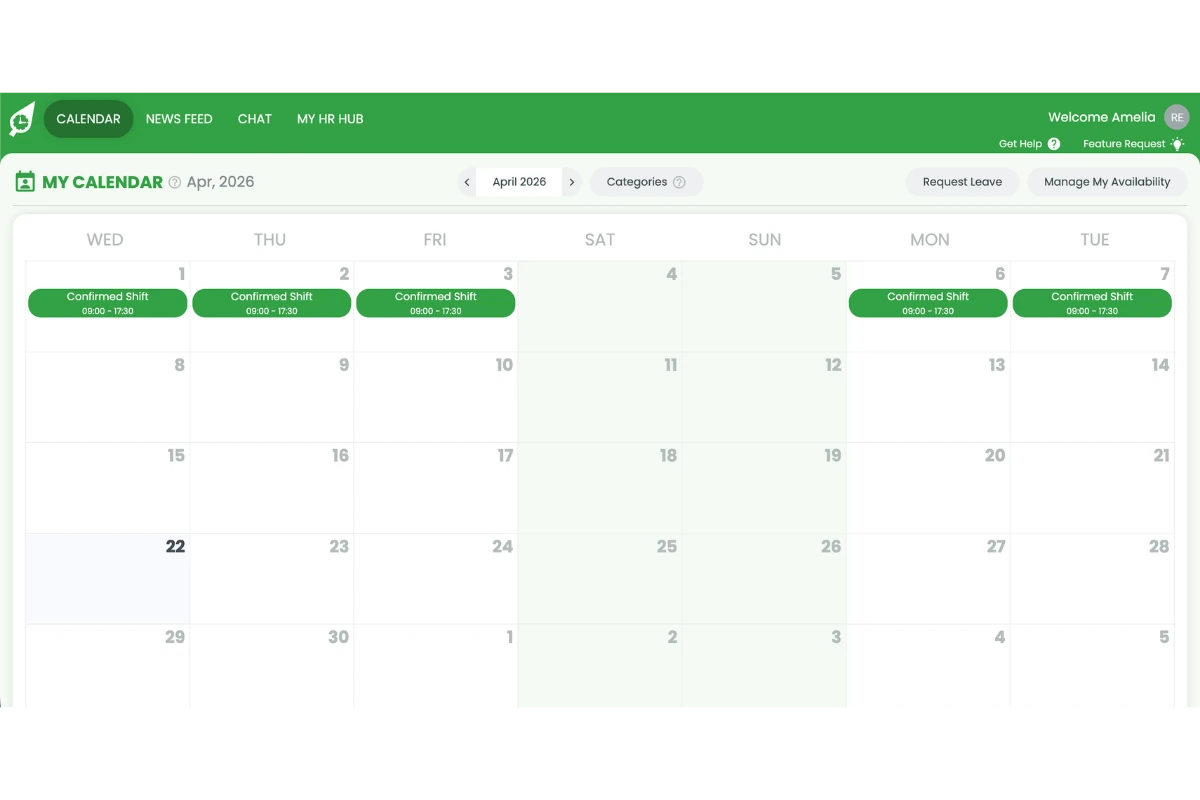
1.1.2 Click My HR Hub.
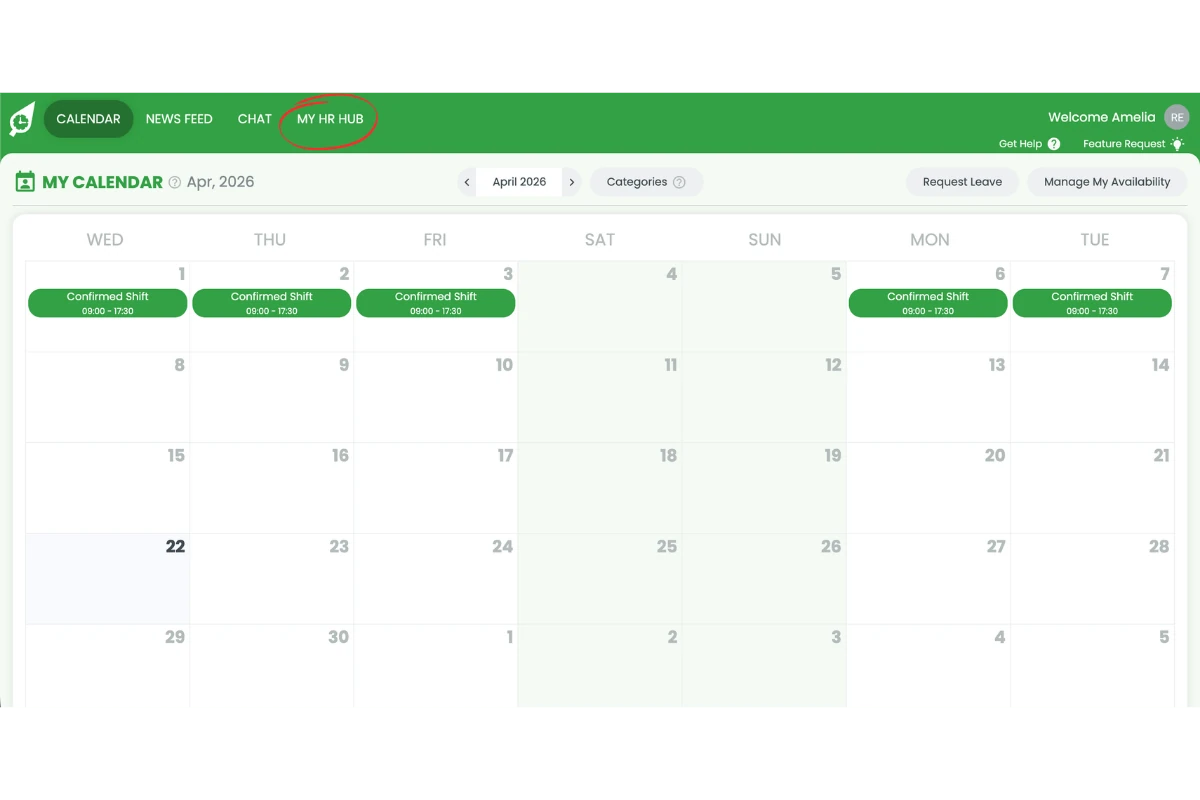
1.1.3 Select Culture surveys.
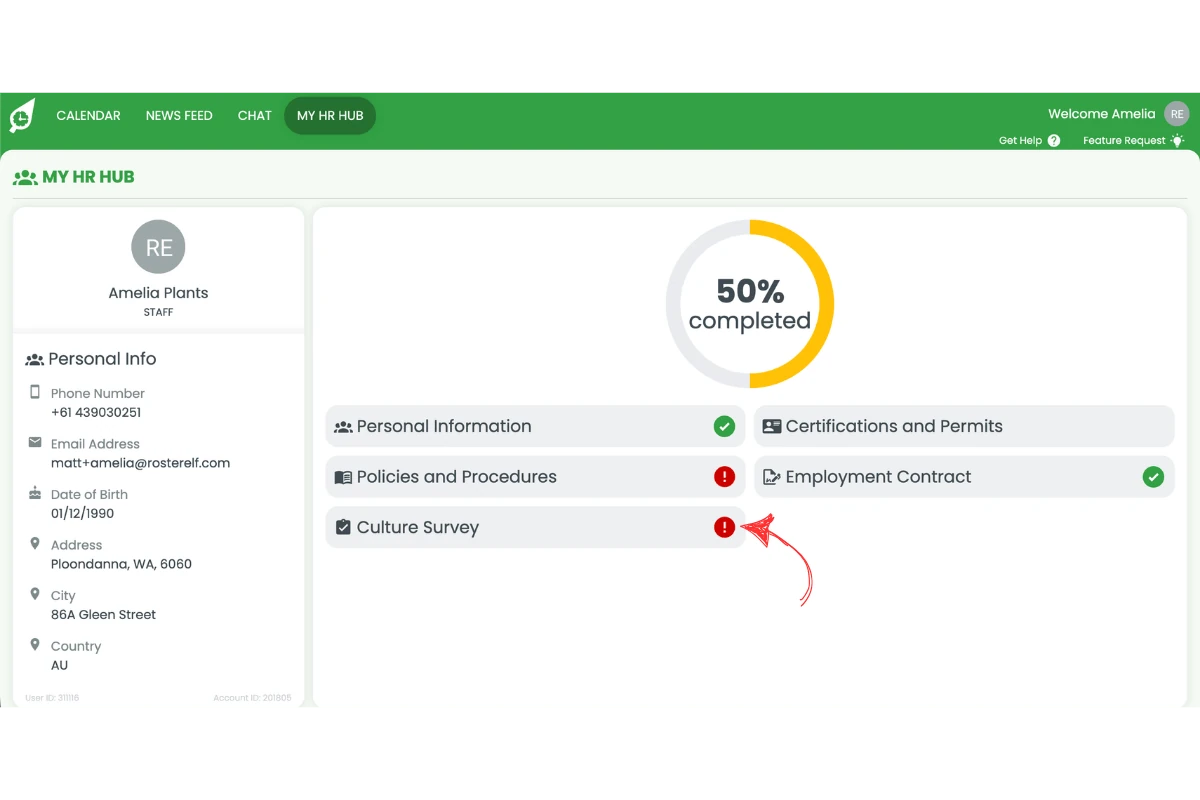
1.1.4 Open and complete the survey questions.
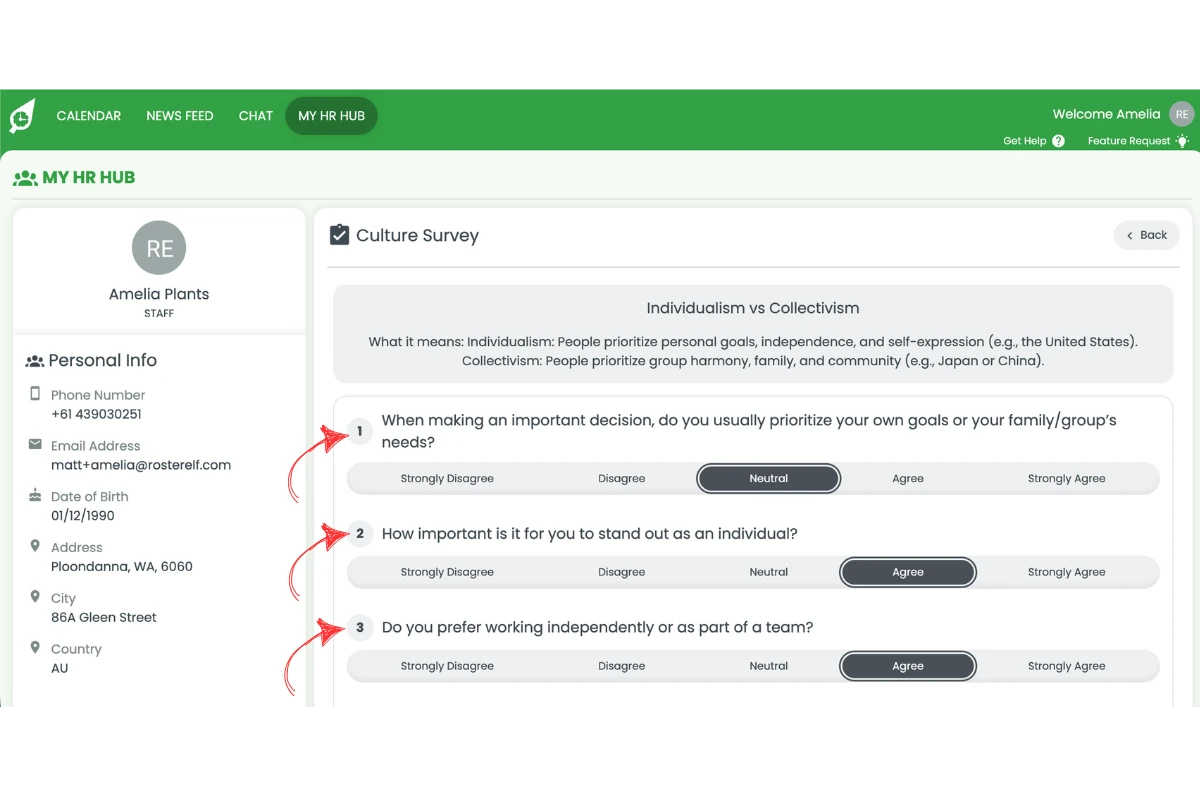
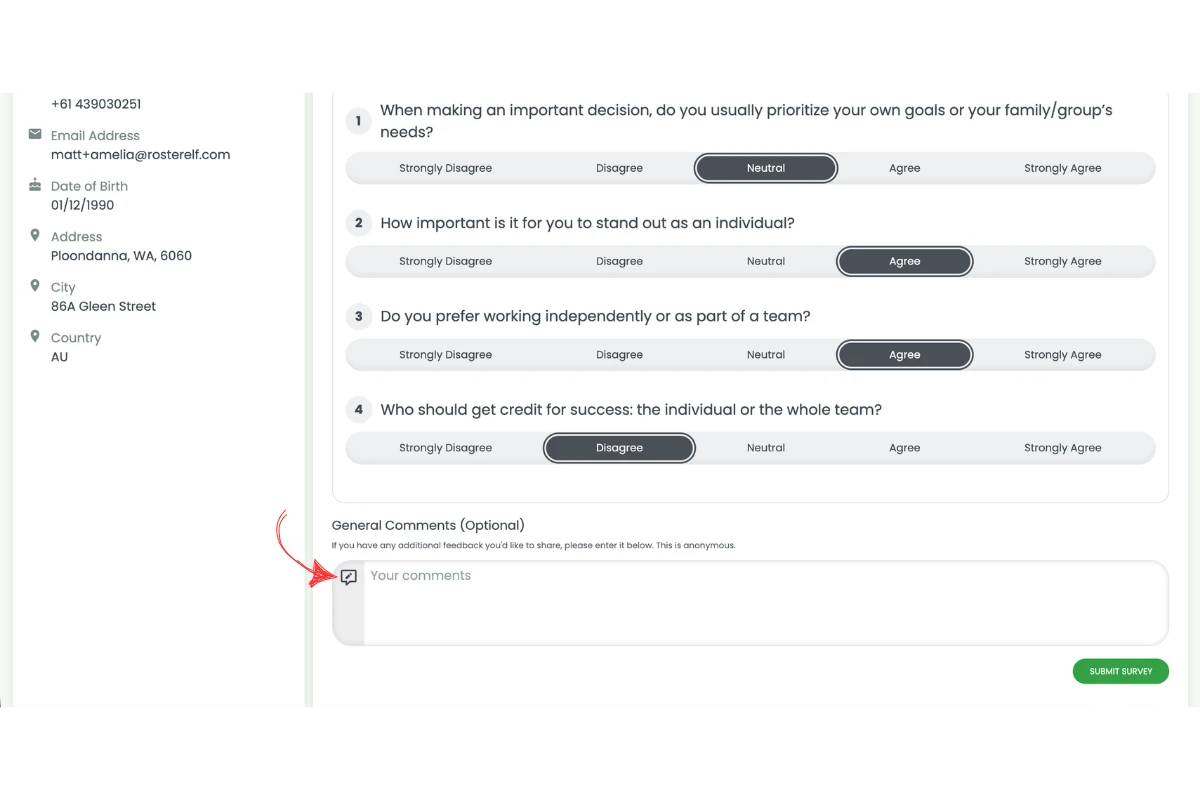
1.1.5 Leave a comment if required (optional).
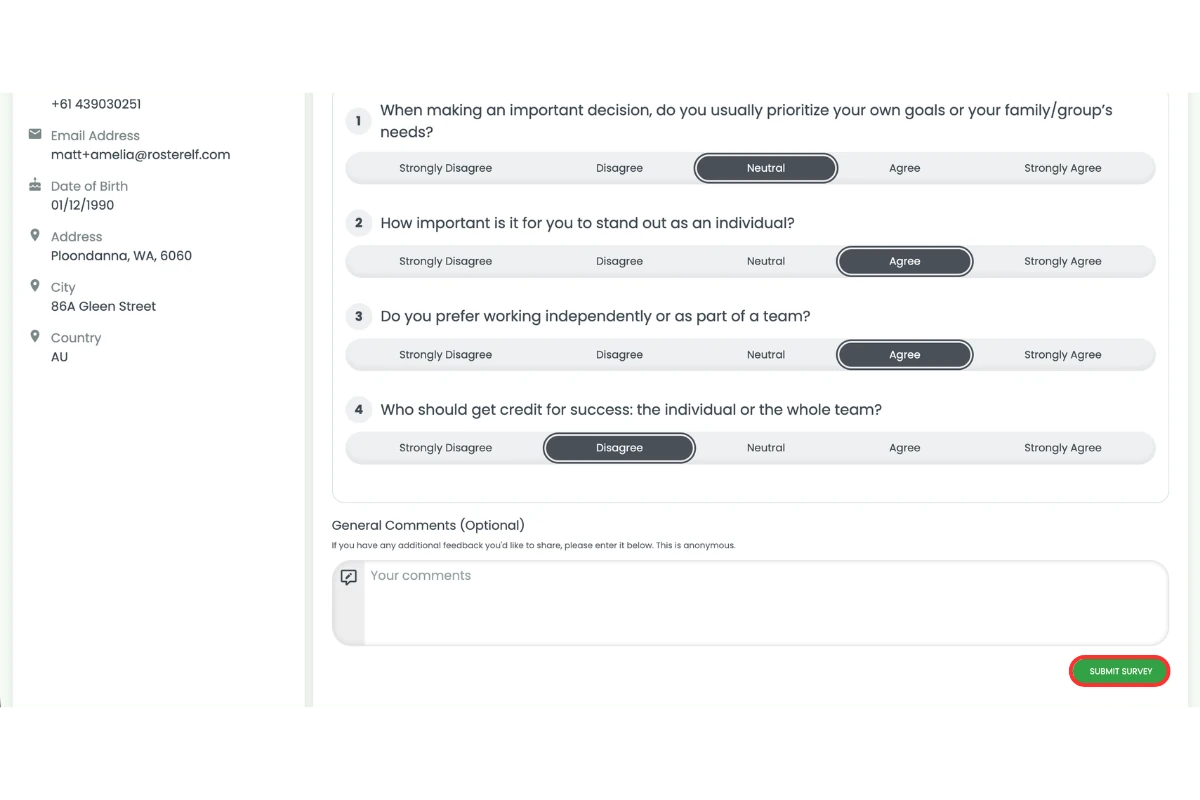
1.1.6 Click Submit survey.
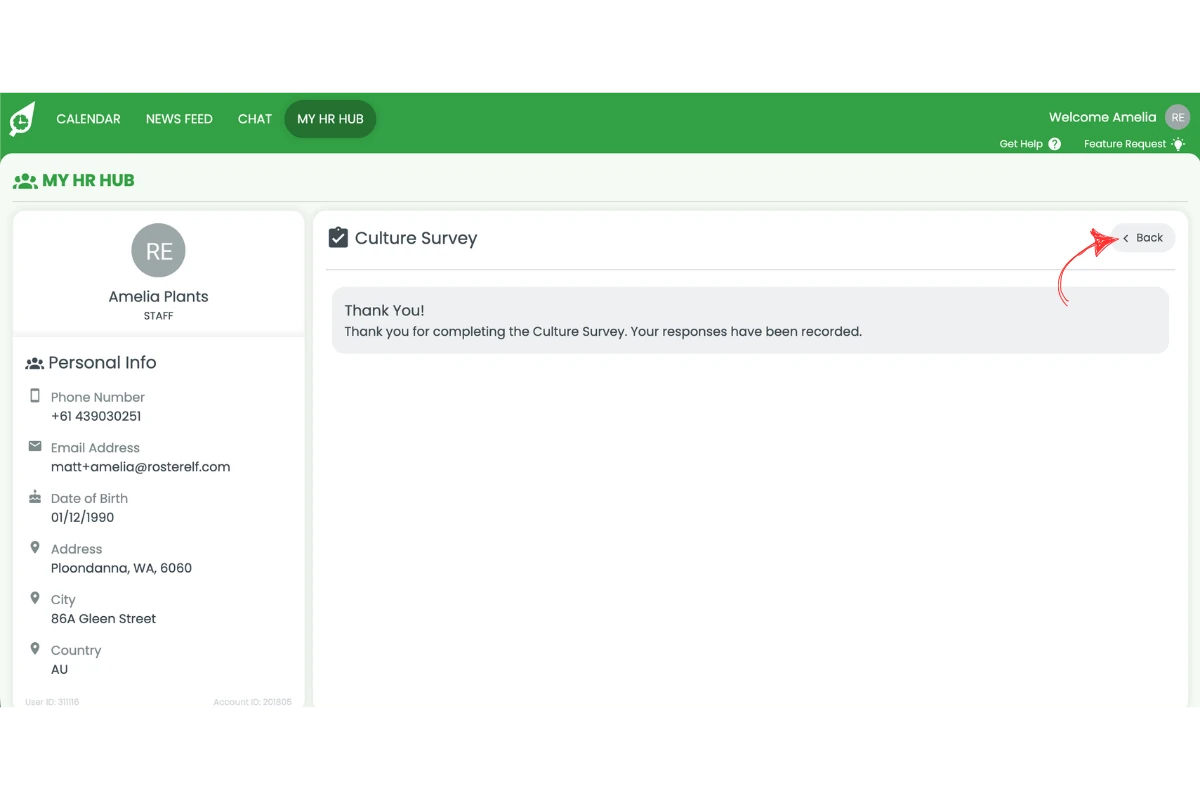
1.1.7 Click Back if required.
2. Complete culture survey on smartphone app
Platform: Smartphone app (iOS and Android)
The steps in this section apply to the RosterElf smartphone app on iOS and Android devices.
This section explains how to complete a culture survey using the RosterElf smartphone app. You will learn how to navigate to your survey, complete the questions, and submit your responses. Completing surveys on the smartphone app allows you to provide feedback anytime and anywhere.
The smartphone app is designed to be simple and easy to use. You can quickly access your HR Hub, find your assigned surveys, and submit your responses in just a few taps. Following these steps ensures your feedback is submitted correctly and on time.
2.1 Complete culture survey smartphone app steps
2.1.1 Open the smartphone app.
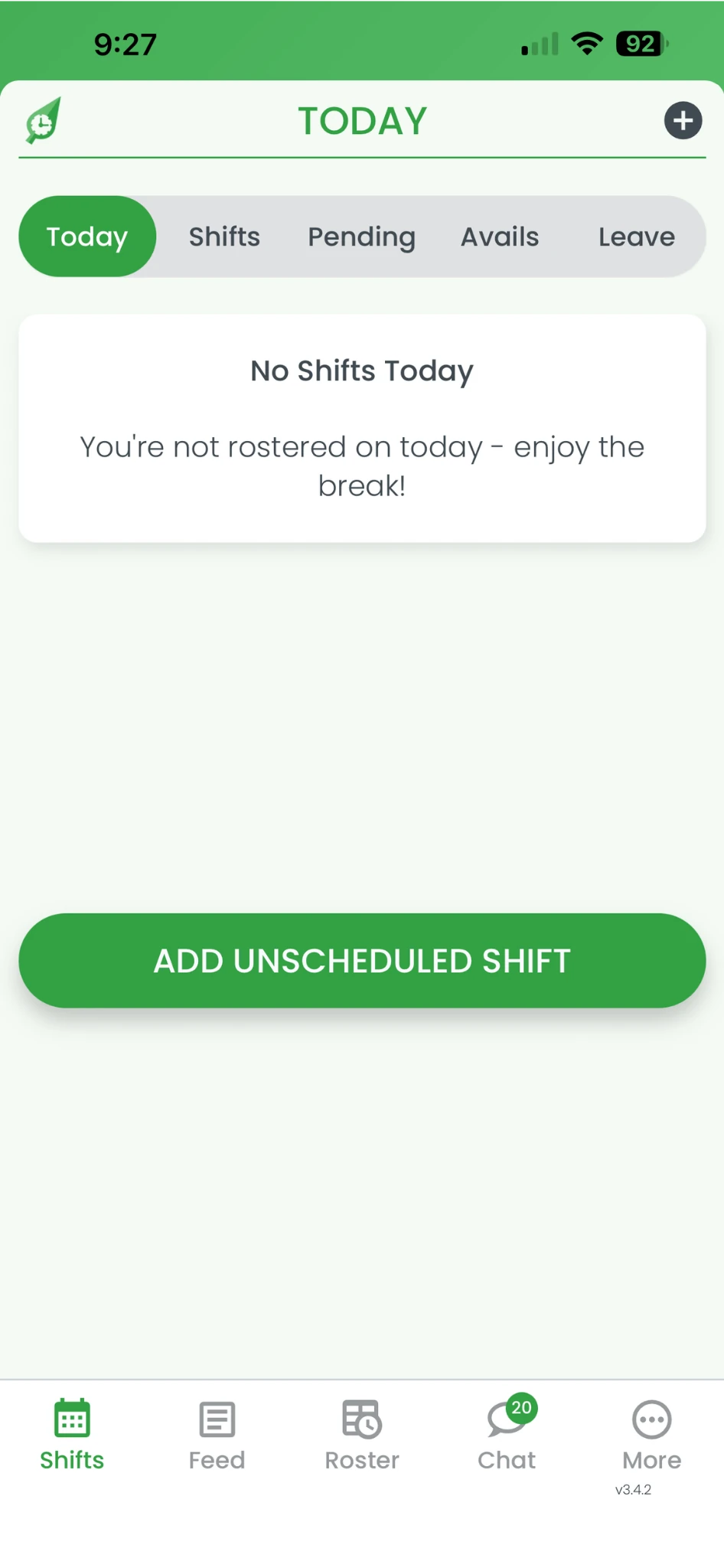
2.1.2 Click More.
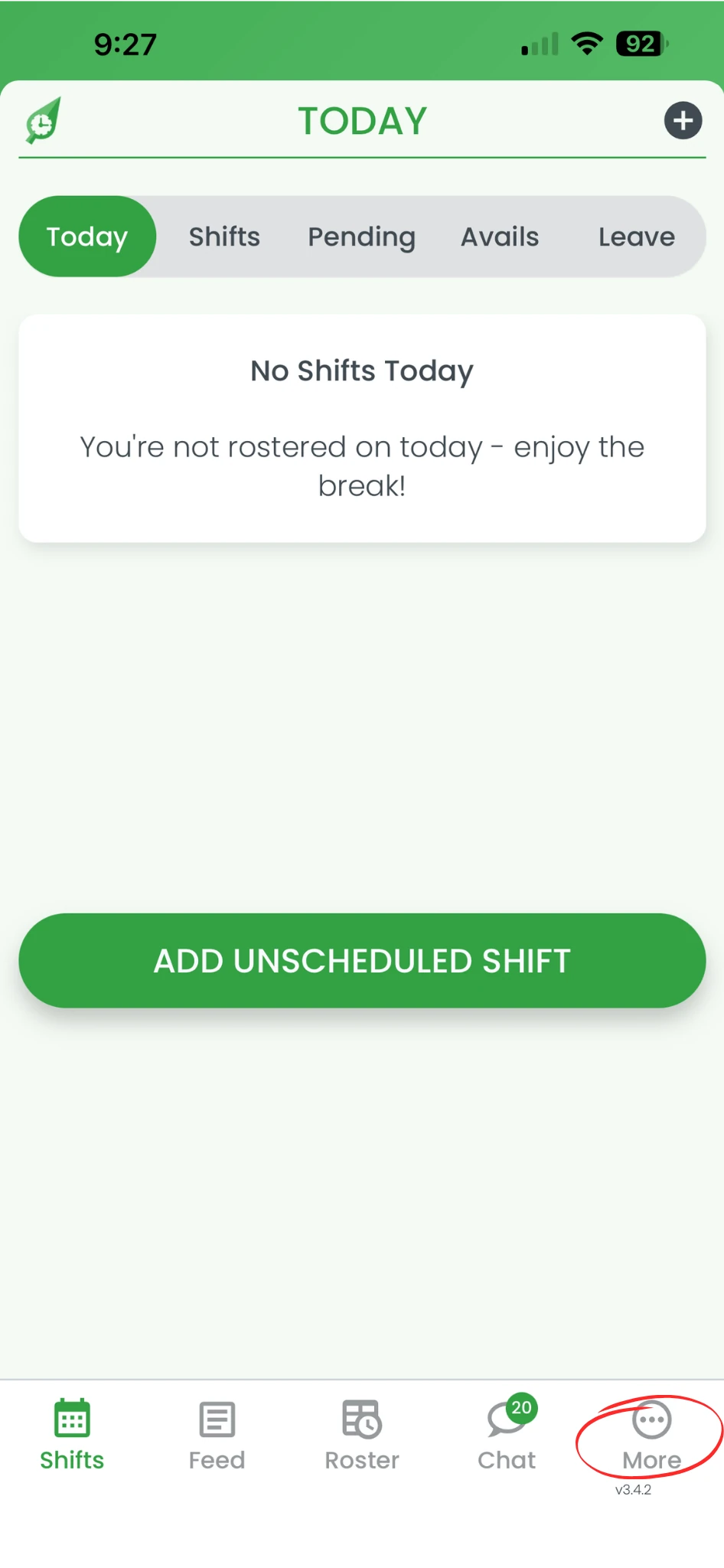
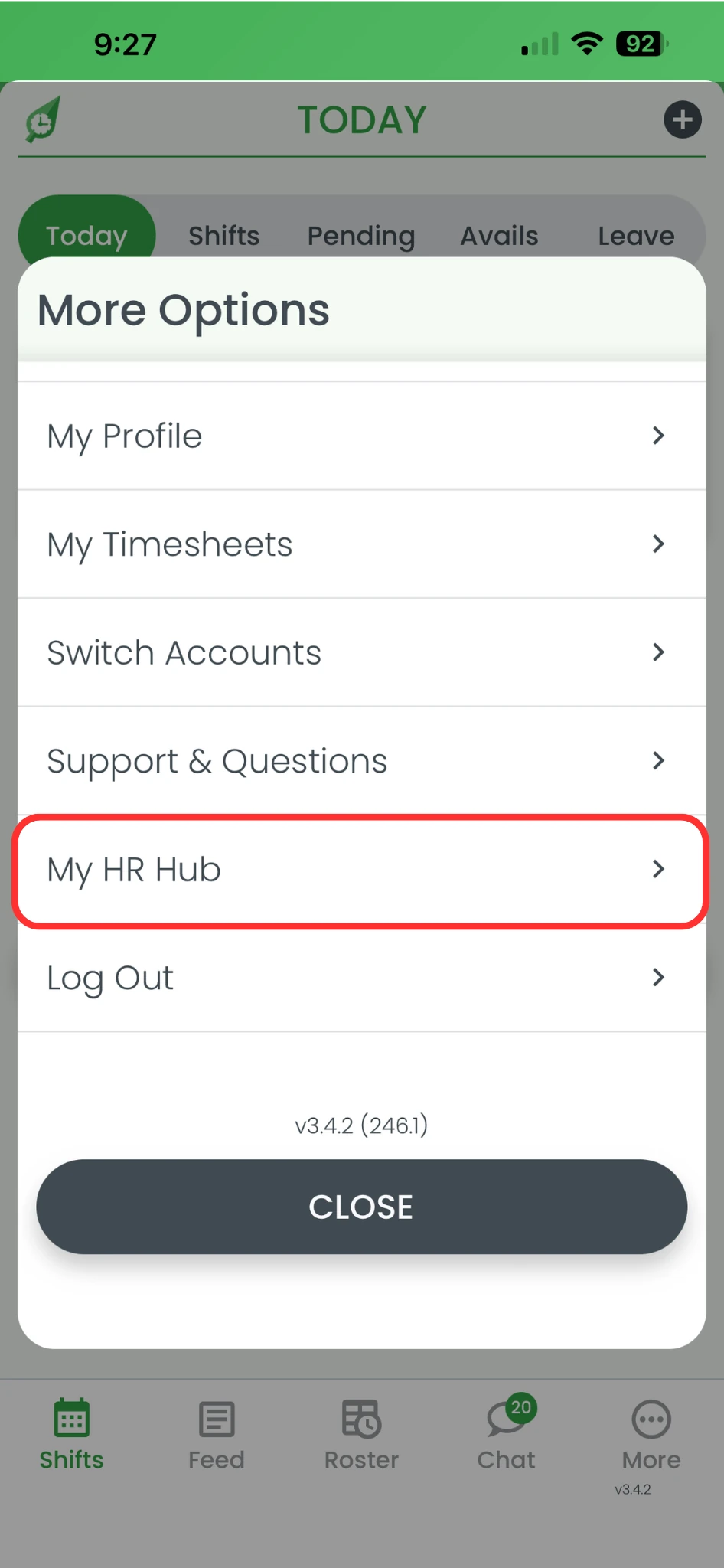
2.1.3 Click My HR Hub.
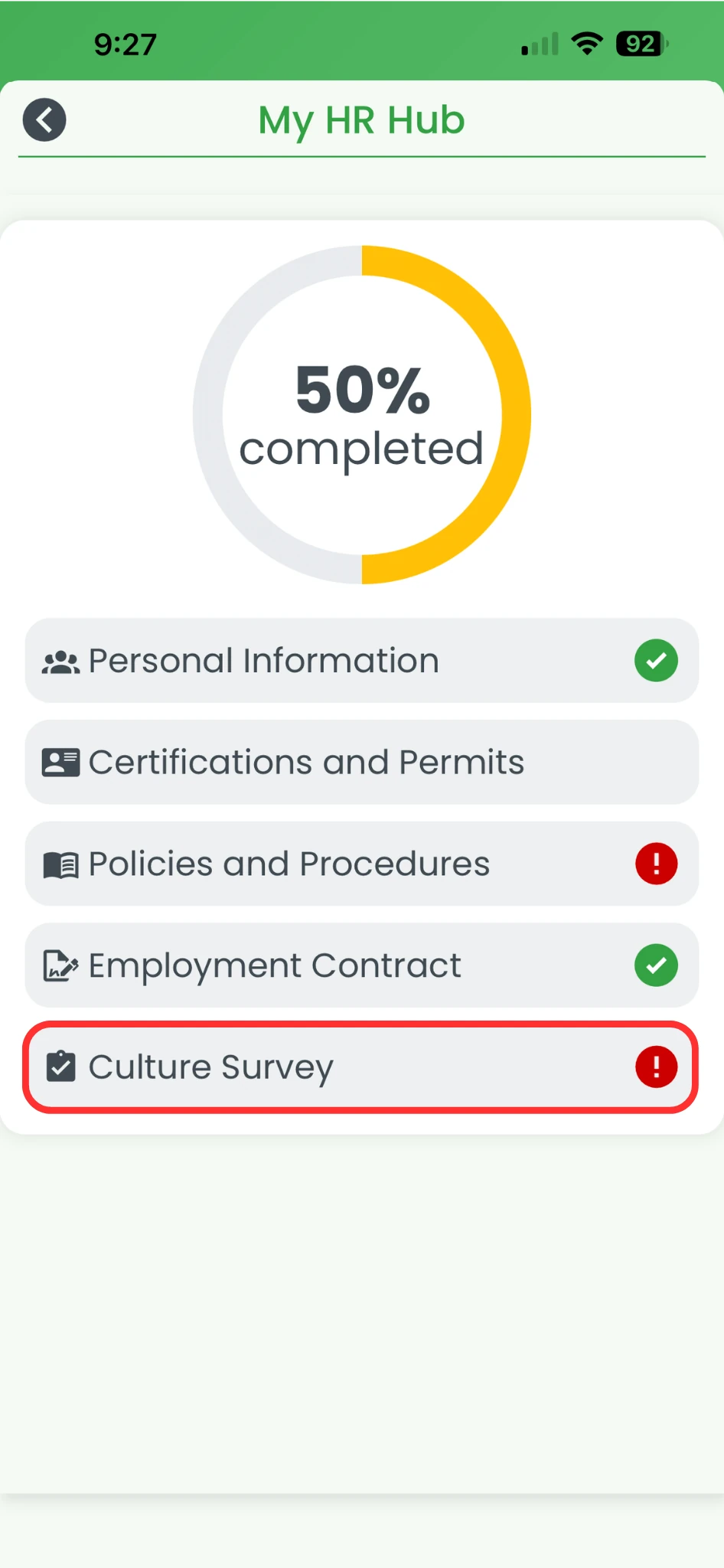
2.1.4 Click Culture surveys.
2.1.5 Open and complete the survey questions.
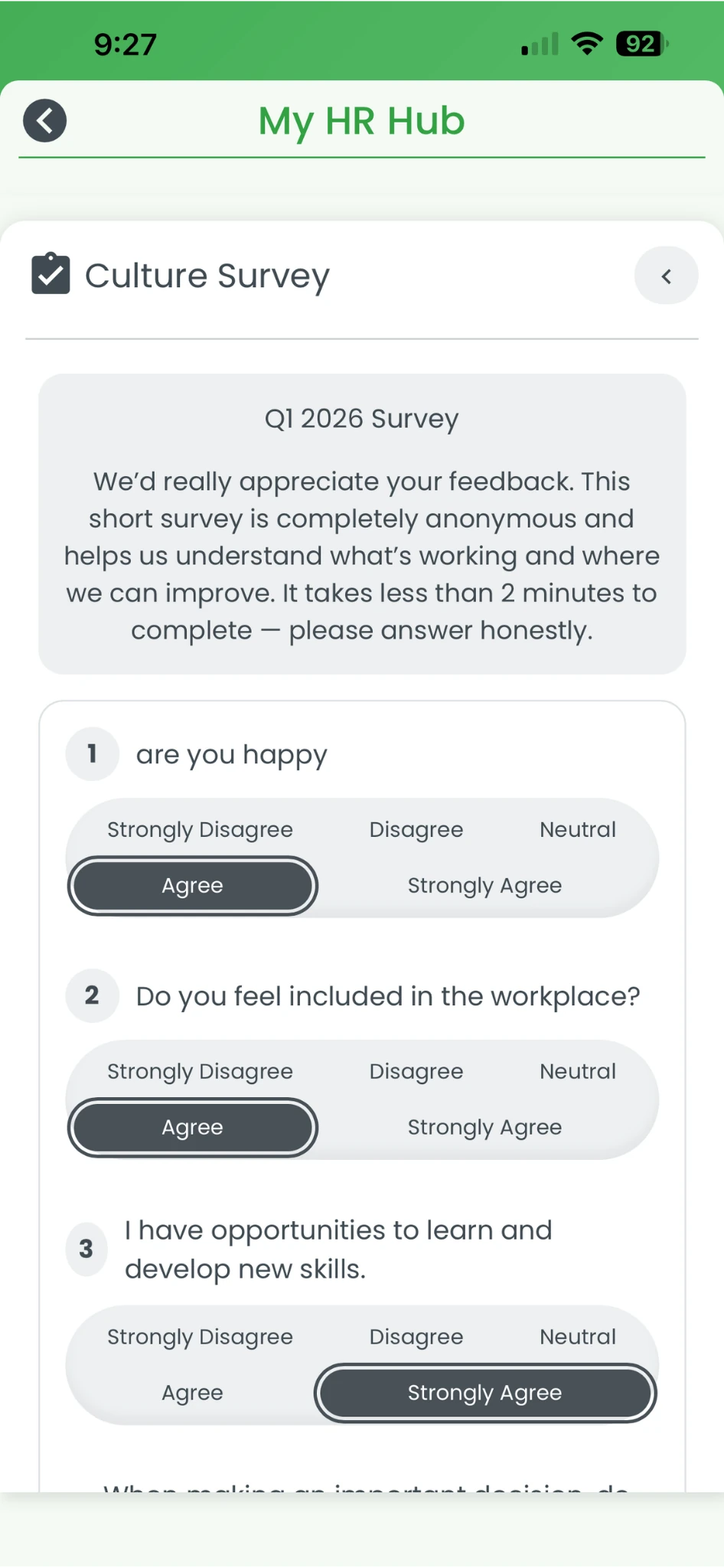
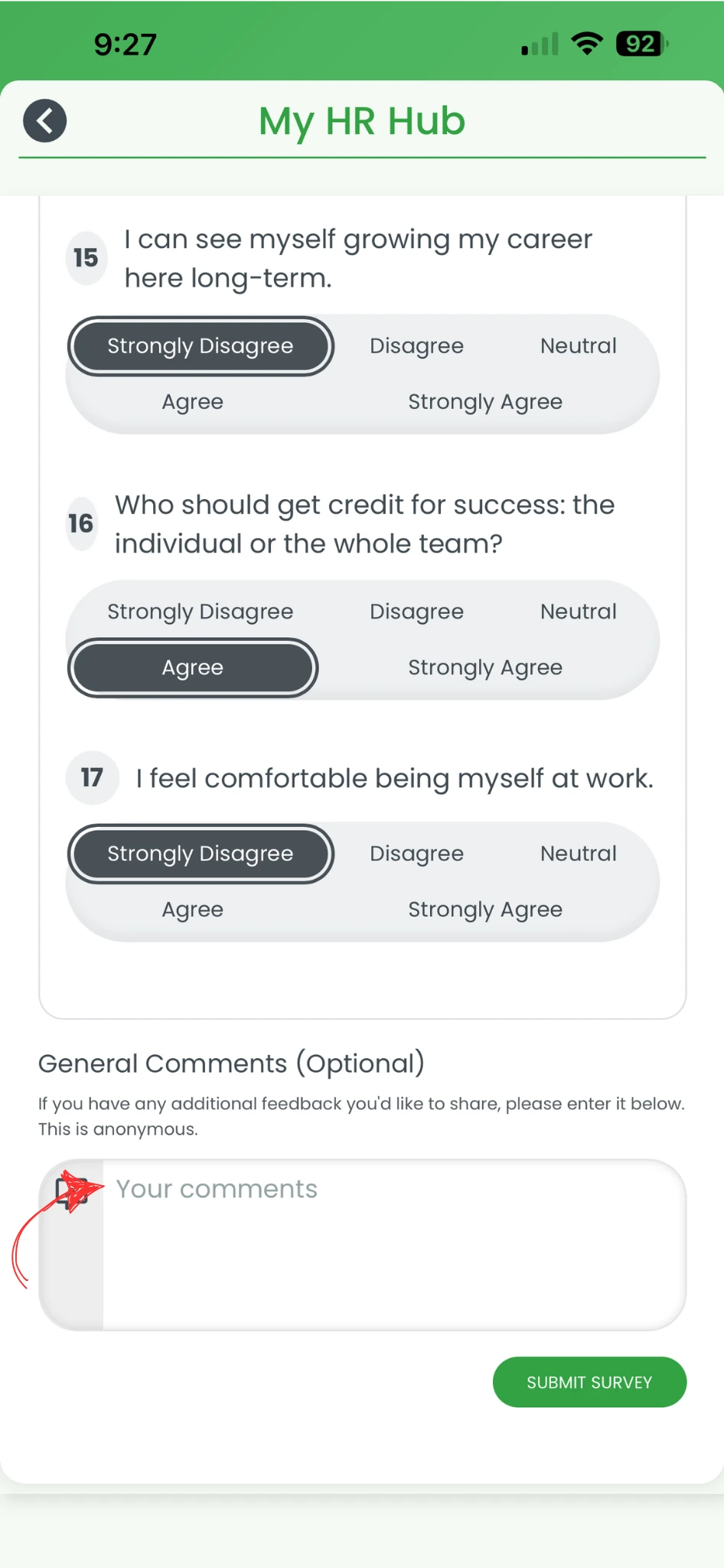
2.1.6 Leave a comment if required (optional).
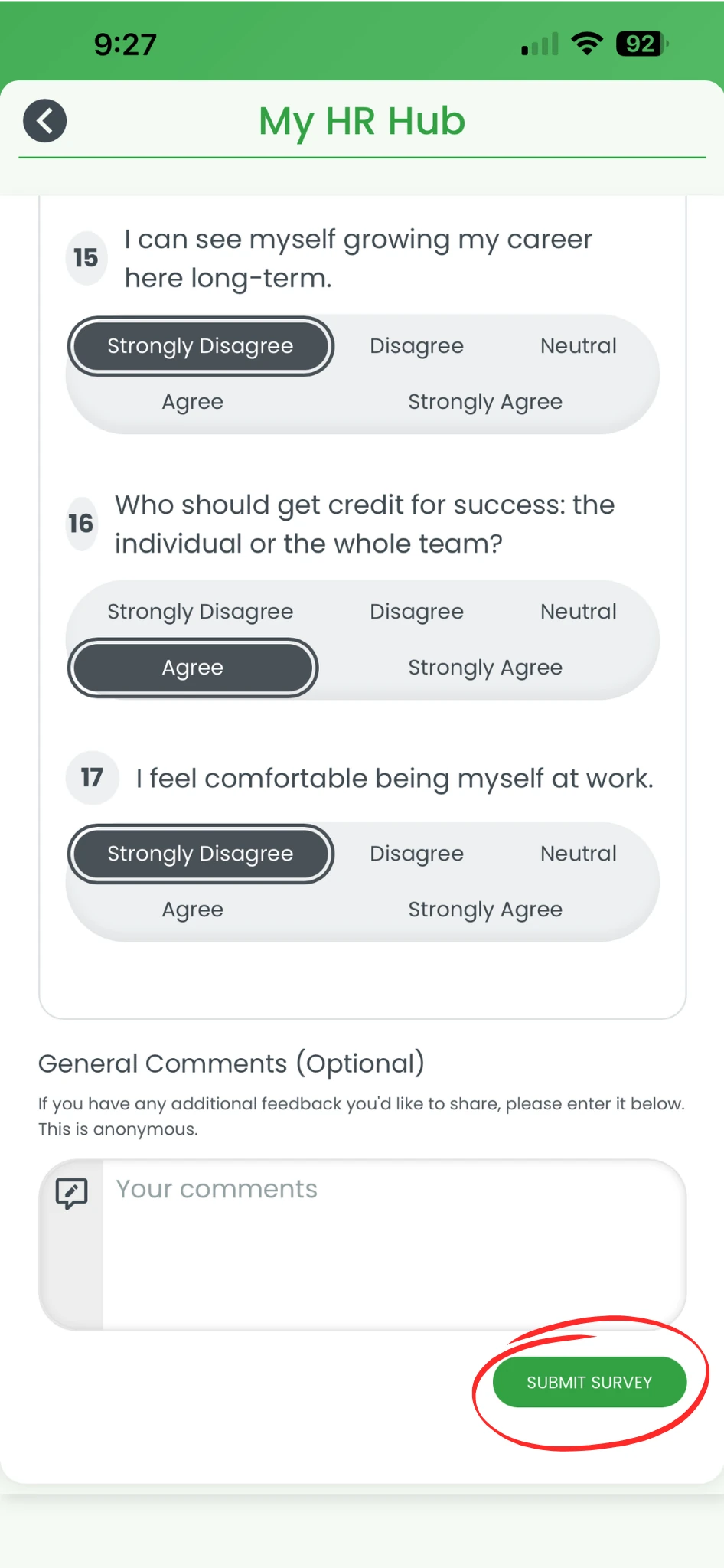
2.1.7 Click Submit survey.
2.1.8 Click Back if required.
Frequently asked questions
1. How do I complete a culture survey in RosterElf?
You can complete a culture survey in RosterElf by accessing My HR Hub on either the web app or smartphone app. Select Culture surveys, open your assigned survey, answer the questions, and press Submit survey. You can also leave a comment if required before submitting your responses.
2. Can I complete a culture survey on my phone?
Yes, you can complete a culture survey using the RosterElf smartphone app. Open the app, press More, go to My HR Hub, and select Culture surveys. From there, you can complete and submit your survey in just a few steps.
3. Where do I find my assigned culture surveys in RosterElf?
You can find your assigned culture surveys in My HR Hub. Once you open My HR Hub, select Culture surveys to view and access any surveys assigned to you.
4. Can I add comments to my culture survey responses?
Yes, some culture surveys allow you to leave a comment. This is optional and helps you provide more context or explain your answers in more detail before submitting your survey.
5. Why should I complete a culture survey in RosterElf?
Completing a culture survey helps your business understand staff feedback across key areas such as communication, leadership, and engagement. Your responses support better decision-making and help improve workplace culture.