

This article explains how to process payroll by employee in RosterElf. Processing payroll by employee gives you more control and flexibility when sending data to Xero. Instead of running payroll for all staff at once, you can select individual employees and process them one at a time.
This method is useful when an employee’s timesheet is ready before others or if you need to resolve payroll issues on a case-by-case basis. By using this feature, you can ensure accuracy, reduce errors, and avoid delays in paying staff. Following the steps in this guide will help you send individual employee timesheets to Xero quickly and correctly.
1. Start payroll by employee
This section explains how to begin payroll by employee. Starting payroll in this way lets you review timesheets on an individual level. This ensures you only send completed and correct timesheets to Xero.
1.1 open payroll
1.1.1 Log in to RosterElf.
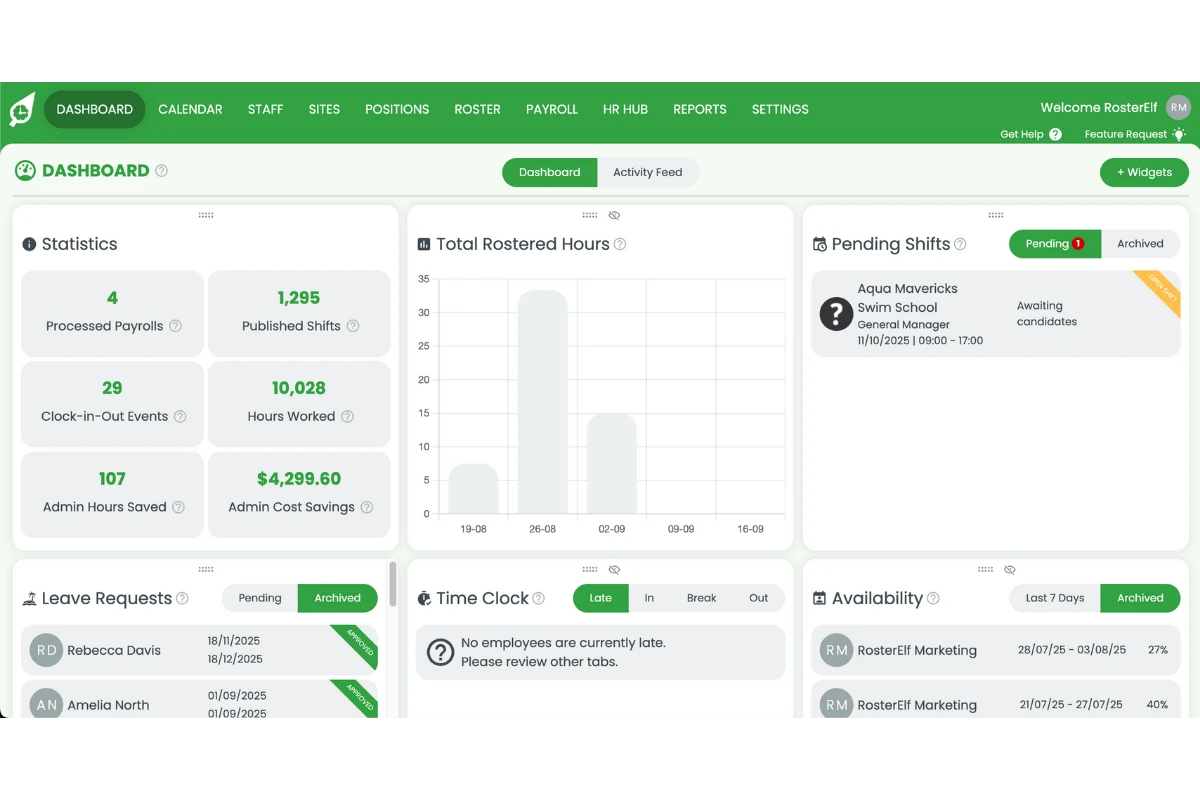
1.1.2 Head to Payroll.
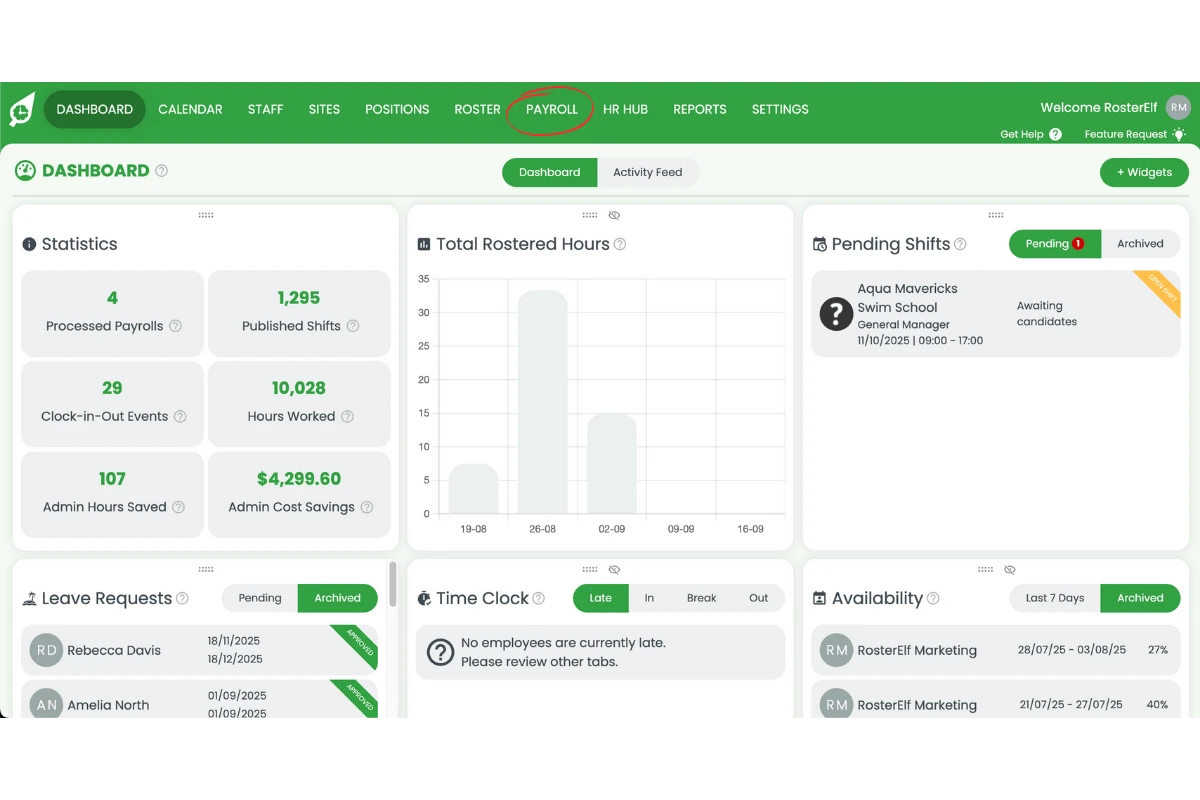
1.1.3 Select your payroll date.
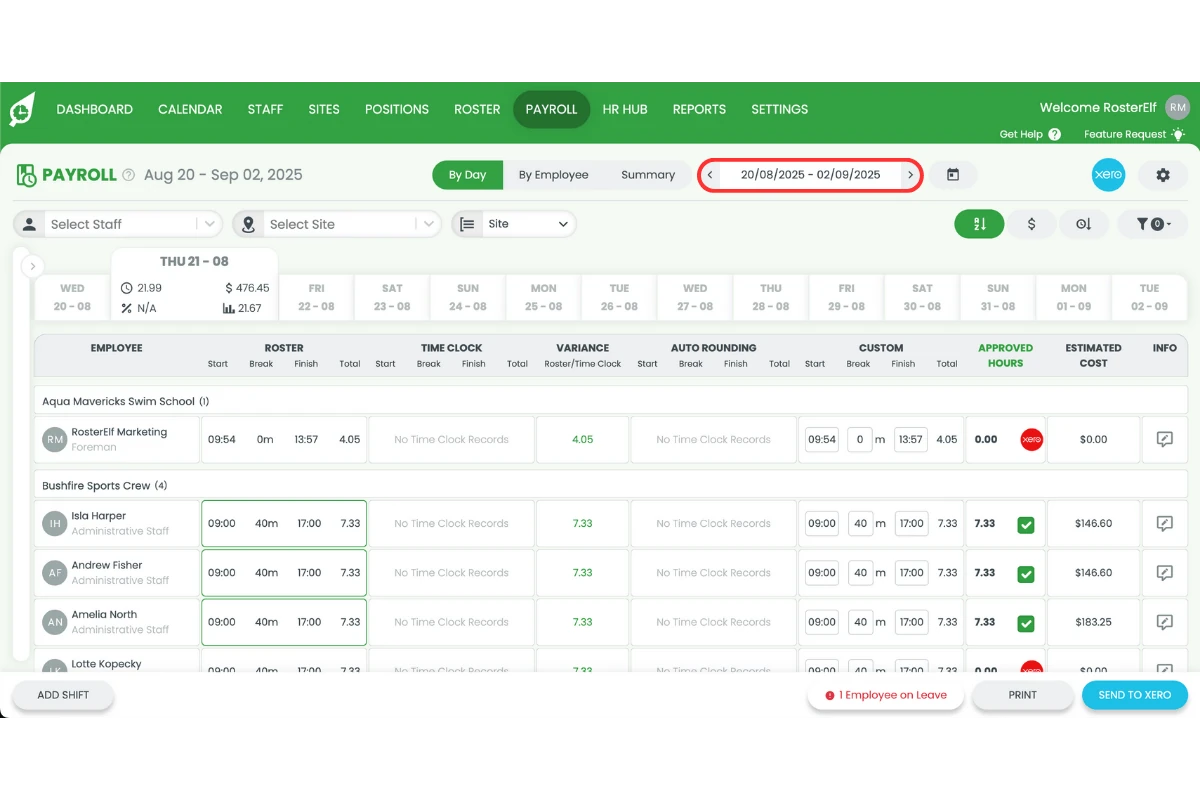
1.2 process payroll by employee
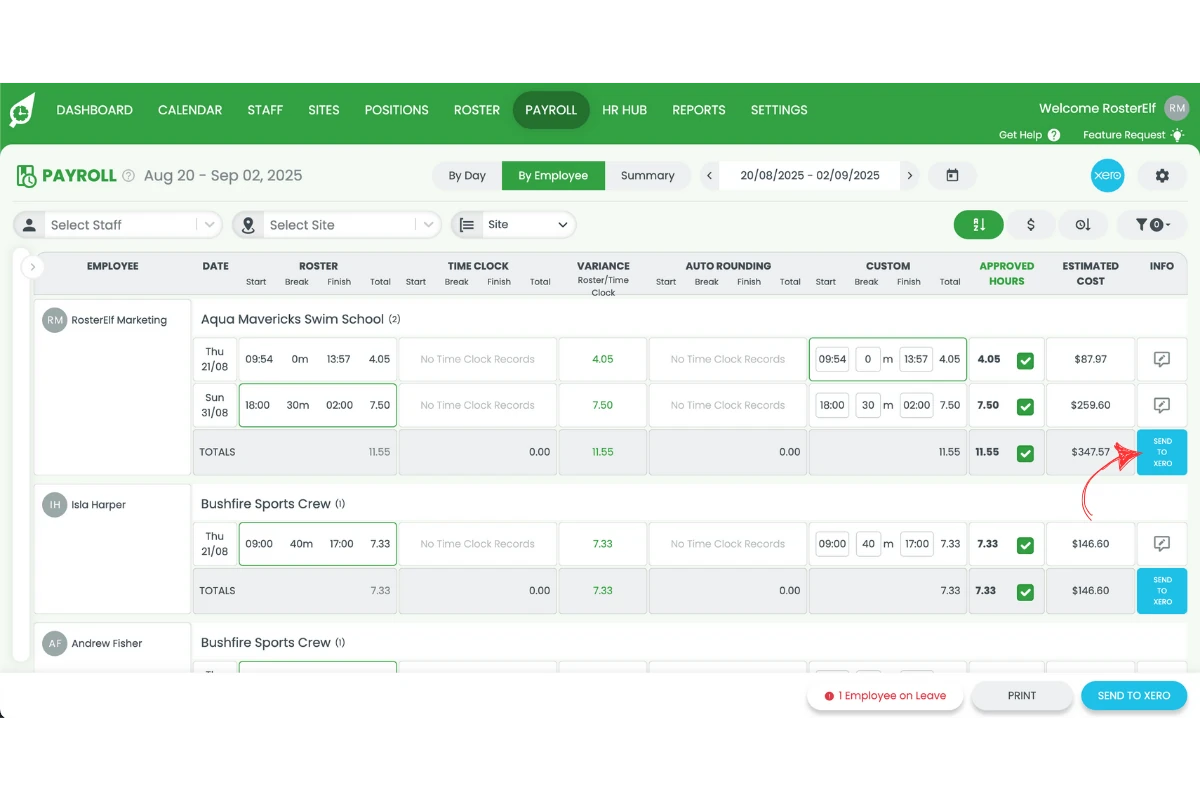
1.2.1 Press By Employee.
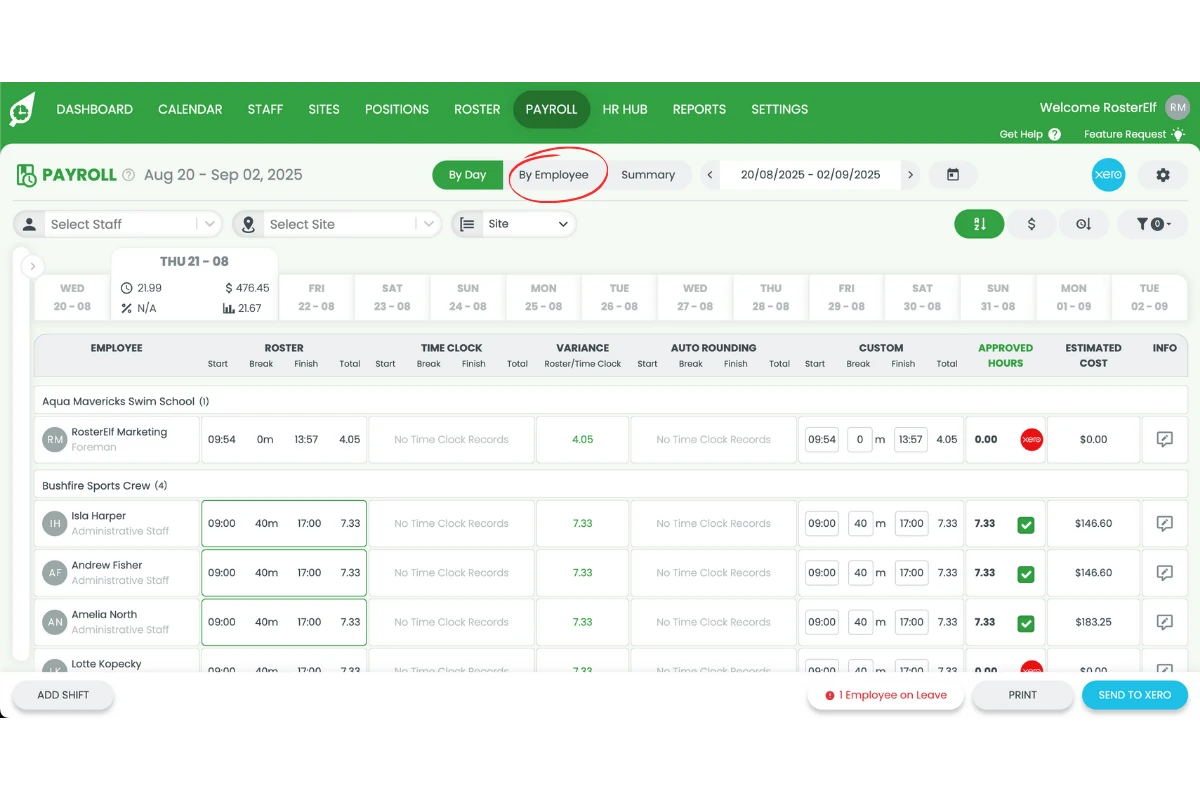
1.2.2 Press Send to Xero to submit the individual timesheet.
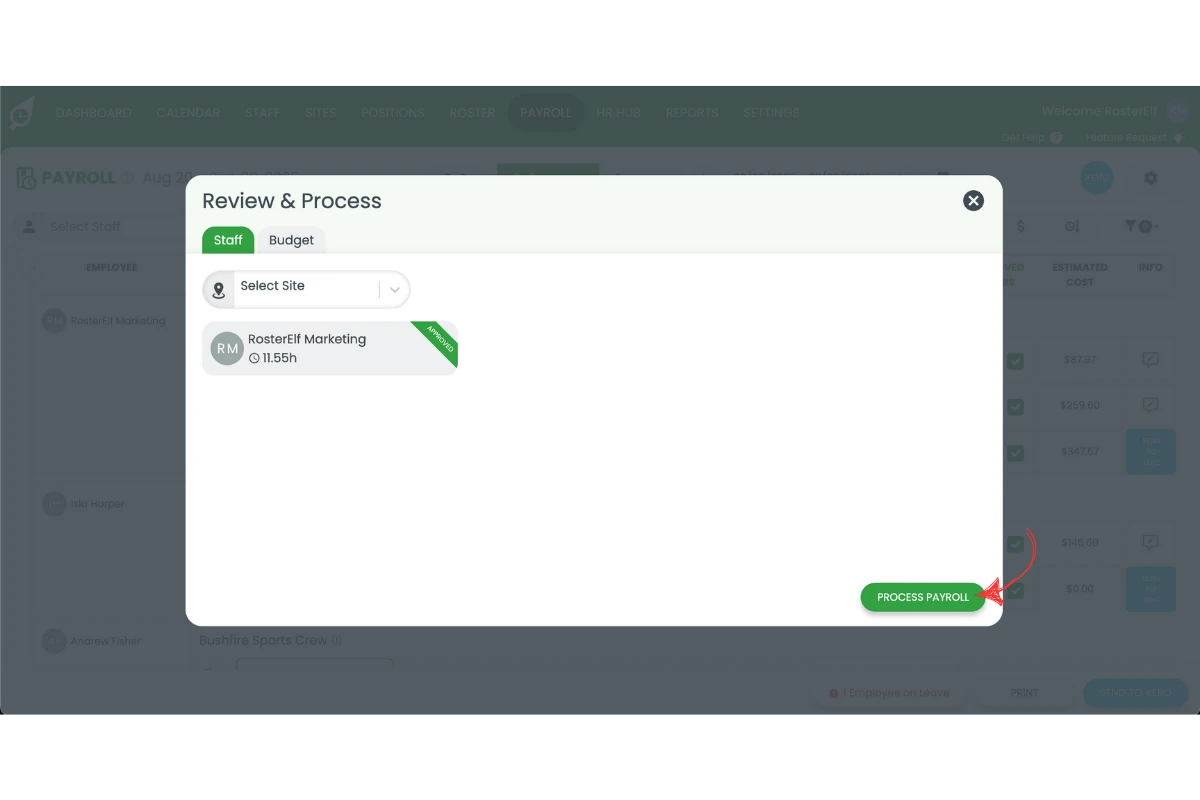
1.2.3 Press Process Payroll.
Frequently asked questions
1. What does processing payroll by employee mean in RosterElf?
Processing payroll by employee means you can send timesheets for individual staff members to Xero instead of running payroll for all employees at once. This gives you more control, reduces errors, and ensures accuracy. Learn more about Xero payroll integration.
2. Why should I process payroll by employee instead of all staff at once?
You should process payroll by employee when an individual timesheet is ready before others or if you need to resolve payroll issues separately. It avoids delays and ensures staff are paid on time.
3. How do I start payroll by employee in RosterElf?
To start payroll by employee, log in to RosterElf, head to Payroll, select your payroll date, and press By Employee. You can then choose an employee and review their timesheet.
4. How do I send an individual employee's timesheet to Xero?
After selecting an employee in payroll, review their timesheet carefully. Once confirmed, press Send to Xero to submit the timesheet directly for payroll processing.
5. Can I process some employees by employee and others together in payroll?
Yes. You can process some employees one at a time and run the rest together later. This flexibility helps you manage payroll based on staff readiness and timesheet accuracy.