

Update personal info in RosterElf app
This article explains how to update personal info on the RosterElf smartphone app, covering iPhone and Android. You will learn where to find the My Profile screen, how to edit email, mobile number, password and date of birth and why keeping data current matters. Clear steps, screenshots and links ensure every employee can manage contact details in seconds. Staying accurate guarantees you receive roster changes, shift alerts and payroll messages without delay. Follow the guide and enjoy a smoother, trouble-free experience every time you log in.
1. Why keep personal info updated
Current contact details let managers reach you instantly, prevent missed notifications and keep payroll records clean. Out-of-date info can block password resets, cause roster confusion and delay wage payments. By reviewing and adjusting your profile whenever circumstances change, you safeguard your shifts, pay and team communication. This section outlines the core benefits so you know exactly why a quick check-in is worth the effort.
2. Access My Profile on mobile
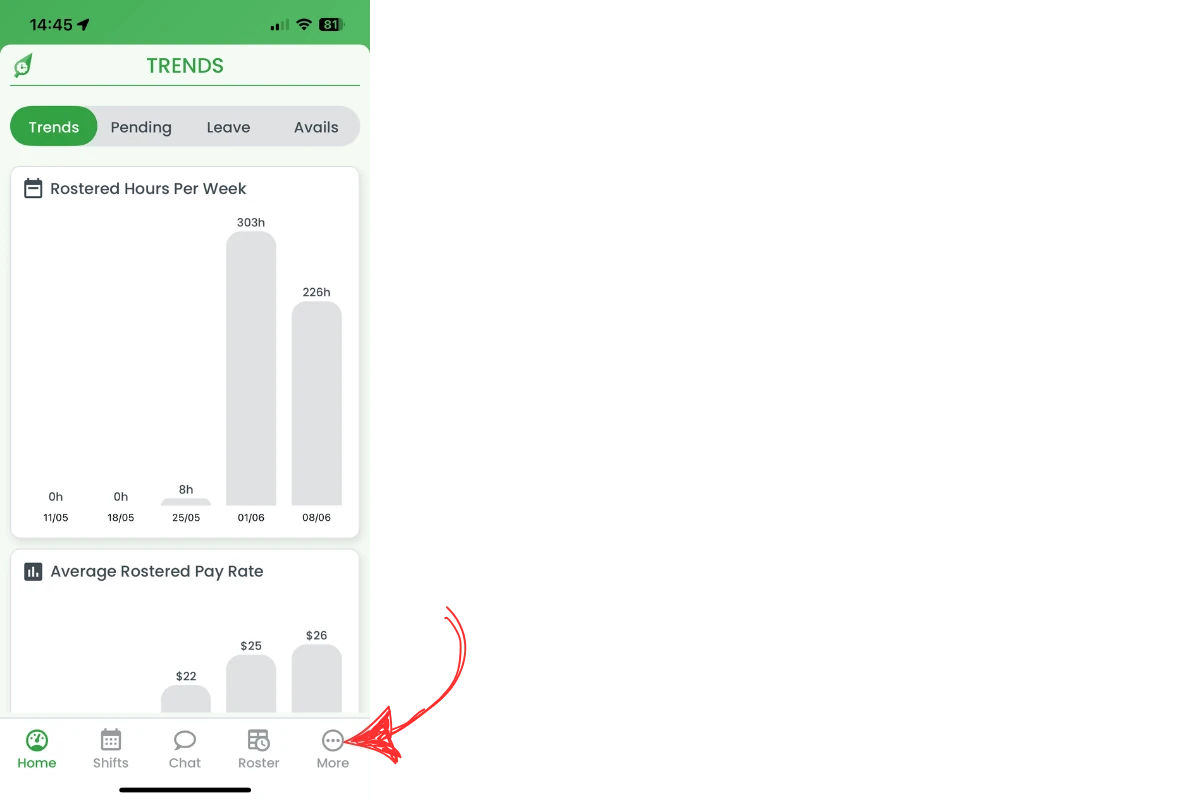
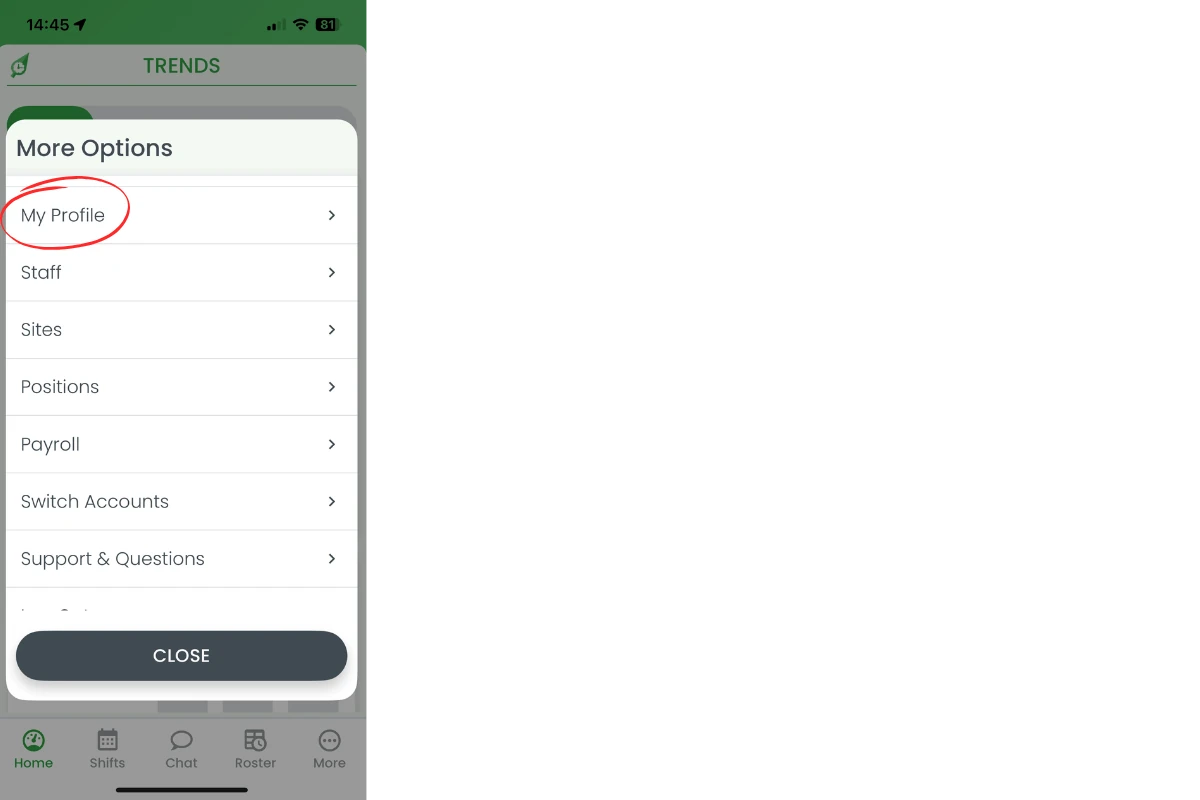
This section shows every tap needed to reach the My Profile screen in the RosterElf app. You will open the More menu, select the profile option and view the editable fields. Screenshots highlight each icon so you cannot miss it. After finishing you will know the exact pathway to update any field in under a minute.
2.1 Open the More menu
2.1.1 Tap the More icon on the bottom-right of the screen.
2.2 Select My Profile
2.2.1 Choose My Profile from the menu list.
2.3 Edit personal info fields
2.3.1 Tap the detail you want to change: Profile Picture, Name, Email, Mobile, Date of Birth, Password or Notifications. Newer versions of the app also list a TimeClock PIN row.
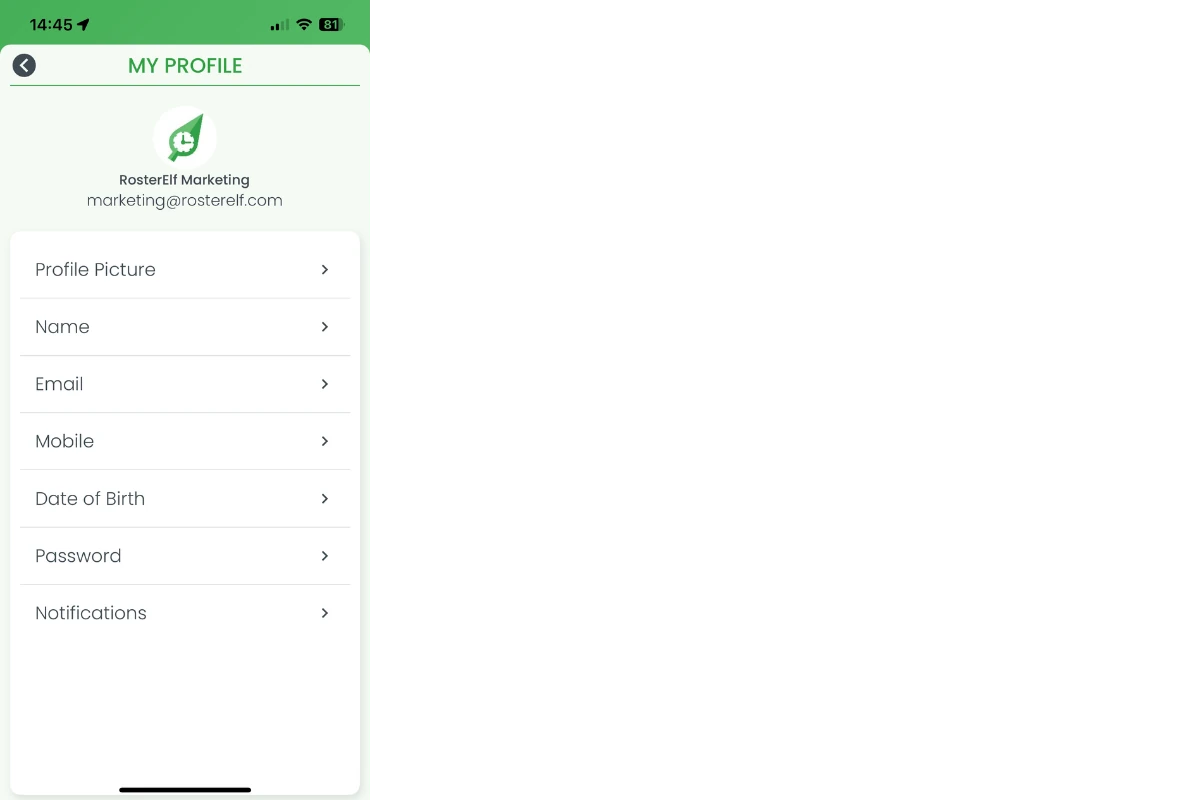
2.3.2 Each detail opens its own window. Enter the new details and tap SAVE, or CLOSE to cancel. Changing Mobile also asks you to confirm your password.
2.3.3 Your Profile Picture is yours to set, and the same goes for your staff: managers can’t set a profile picture for anyone else. Each person adds their own from My Profile, and until they do, their icon shows their initials.
Frequently asked questions
1. How do I open My Profile on the app?
Tap More bottom-right, then select My Profile to view editable fields.
2. Can I set a profile picture for my staff?
No. Profile pictures can only be set by each staff member, from My Profile in their own RosterElf account. Until they add one, their icon shows their initials. See change your profile picture.
3. Can I change my email address in RosterElf?
Yes. Tap Email in My Profile, enter the new address and tap SAVE. Future notifications go to that inbox.
4. What if I forget my password?
Use Forgotten Password on the login screen or ask a manager to reset it via the dashboard.
5. Why keep personal info updated?
Correct details stop missed roster alerts, speed up payroll and simplify password recovery.
6. Can I edit my date of birth?
Yes. Tap Date of Birth in My Profile, update it and tap SAVE.