

Switch RosterElf accounts on mobile
Managing more than one business or venue in RosterElf? If those accounts share the same email address, you can move between them in seconds without signing out. This article shows you how the Switch Accounts feature works on the iPhone and Android apps. You will learn where to find the option, how to recognise each account in the list and what to do if an account is missing. Mastering this process keeps your data separate, prevents accidental edits in the wrong company and saves time on every roster check. Follow the short guide, then switch with confidence whenever you need to review staff, shifts or payroll in another organisation.
1. Switch RosterElf accounts step-by-step
This section guides you through each tap required to swap accounts on the mobile app. You will open the More menu, select Switch Accounts and pick the correct company from the list. Clear screenshots accompany every move, so you always land in the right workplace profile. After finishing you can move between unlimited organisations without logging out or re-entering passwords.
1.1 use switch accounts on mobile
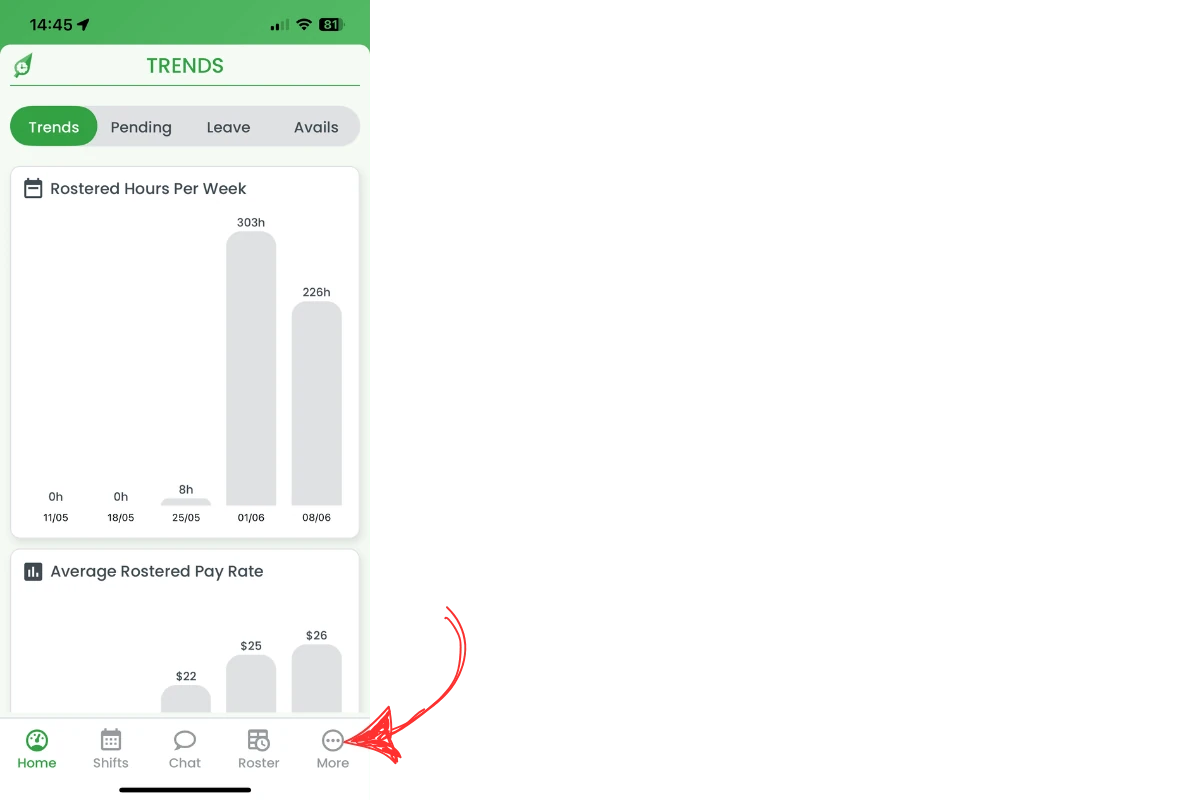
1.1.1 Tap the More icon in the bottom-right corner of the navigation bar.
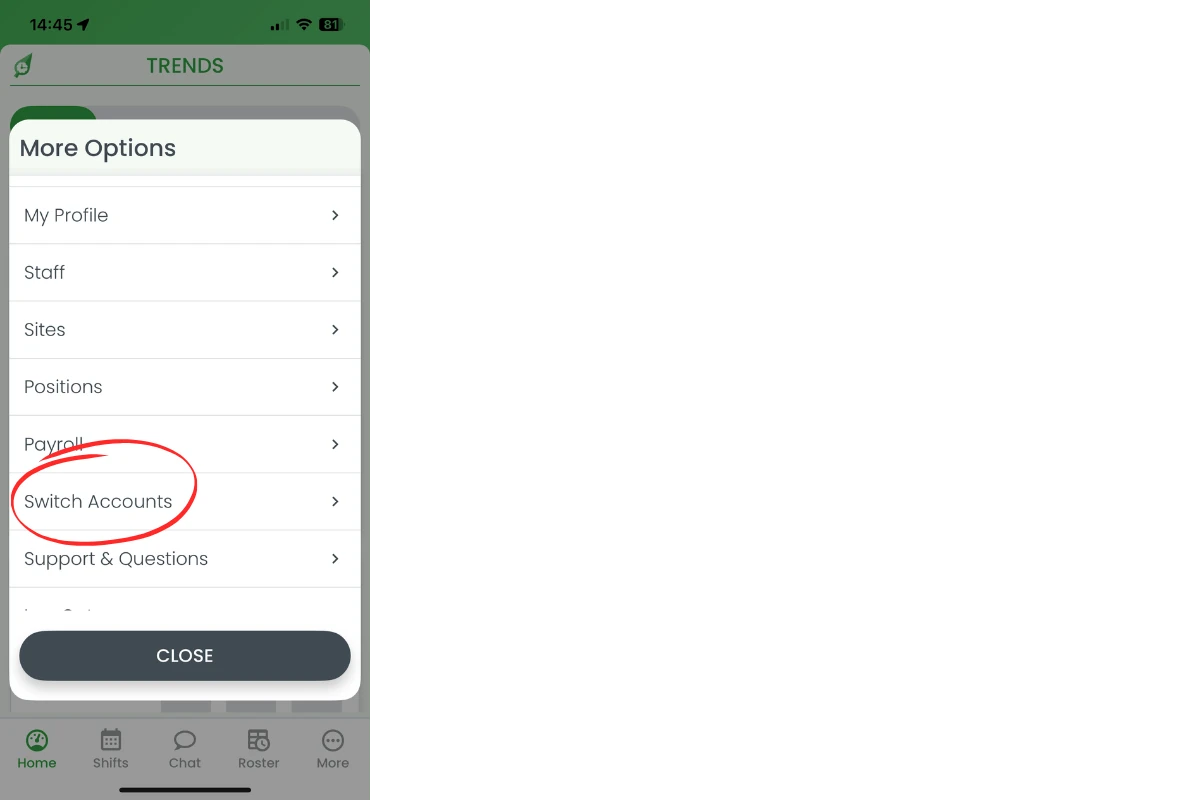
1.1.2 In the More menu, choose Switch Accounts to open the account list.
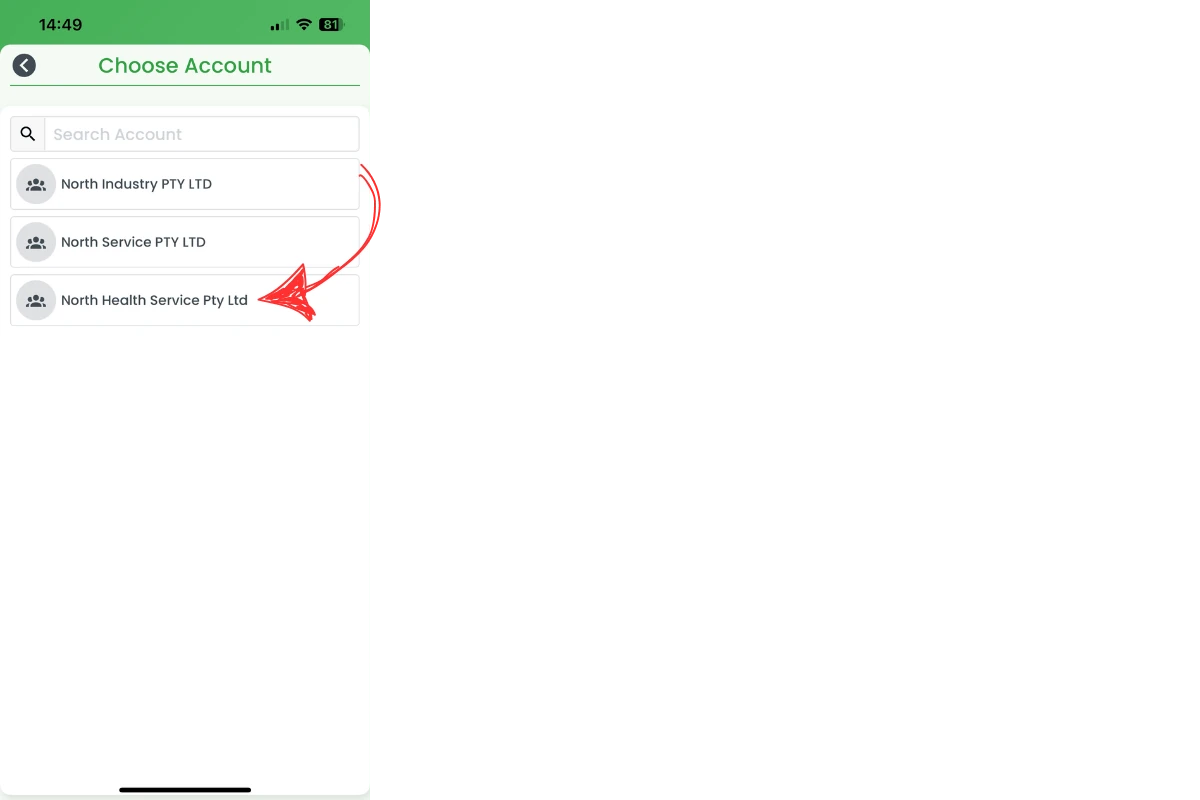
1.1.3 Tap the organisation you want to access. The app reloads with that company’s roster and data.
Frequently asked questions
1. How do I switch accounts on the RosterElf app?
Tap More, choose Switch Accounts, then select the required organisation from the list.
2. Do I need to log out before switching?
No. The Switch Accounts feature lets you move between organisations without signing out or entering credentials again.
3. Can I use one email for several RosterElf accounts?
Yes. A single email can manage multiple businesses. Simply pick the right account in Switch Accounts whenever you need it.
4. Why doesn't my account appear in the list?
Confirm the account is linked to your email. If it still fails to show, contact RosterElf support for assistance.
5. Is Switch Accounts available on web and mobile?
Yes. The option is in the mobile app’s More menu and in the web app’s profile dropdown. Use either platform to swap instantly.