

This guide explains how to view each staff member’s hours and labour costs in RosterElf over a specific date range. By switching between daily, weekly, and monthly views, you can customise your roster display to track work hours and costs accurately. With the correct date range and roster settings, you’ll gain insights into the labour distribution across your team. This helps you manage workforce expenses and ensures that shift scheduling aligns with your budget.
1. Select the roster view
To see staff hours over a specific period, start by choosing the roster view that best suits your needs: daily, weekly, or monthly.
1.1 How to change roster view
Follow these steps to adjust the roster view:
1.1.1 Open the roster and locate the Daily, Weekly and Monthly buttons at the top centre of the page.
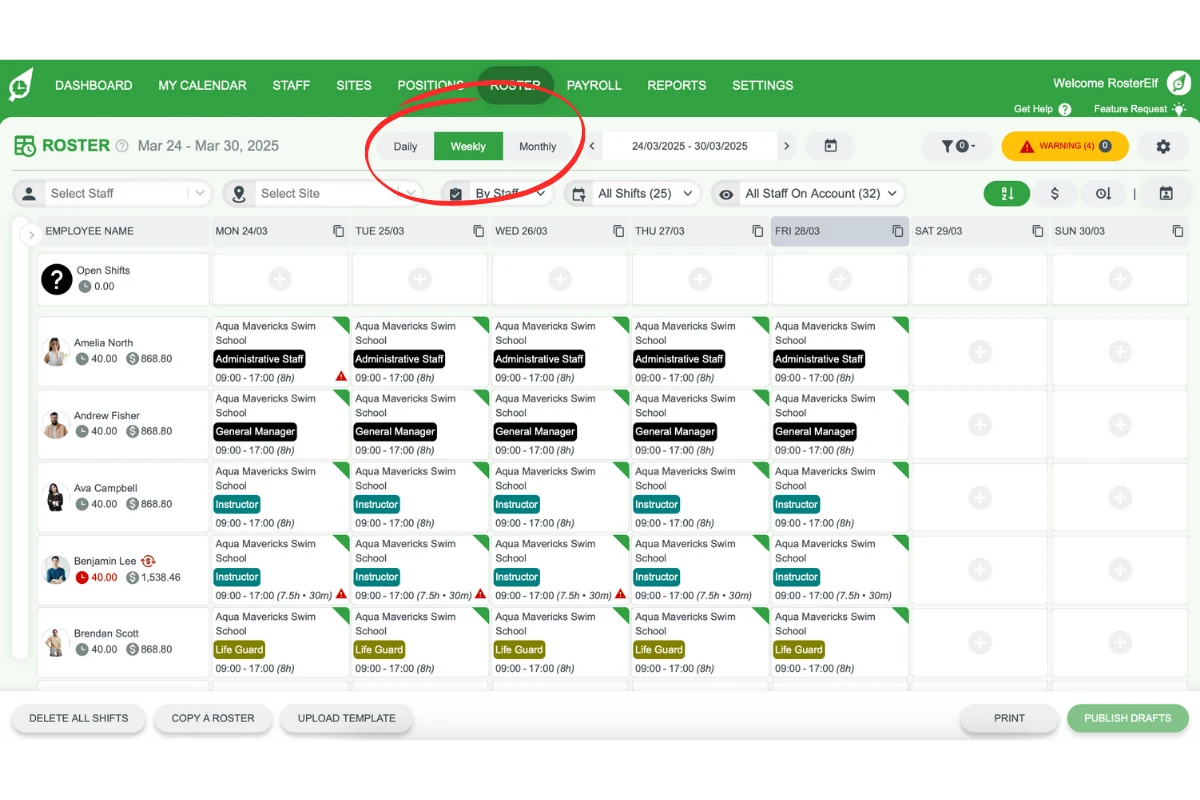
1.1.2 Select the desired view to display staff hours for that timeframe.
2. Set the date range
Choose the appropriate date range to match your required period.
2.1 How to adjust the date range
Follow these steps to set the date range:
2.1.1 Go to the date range selector.
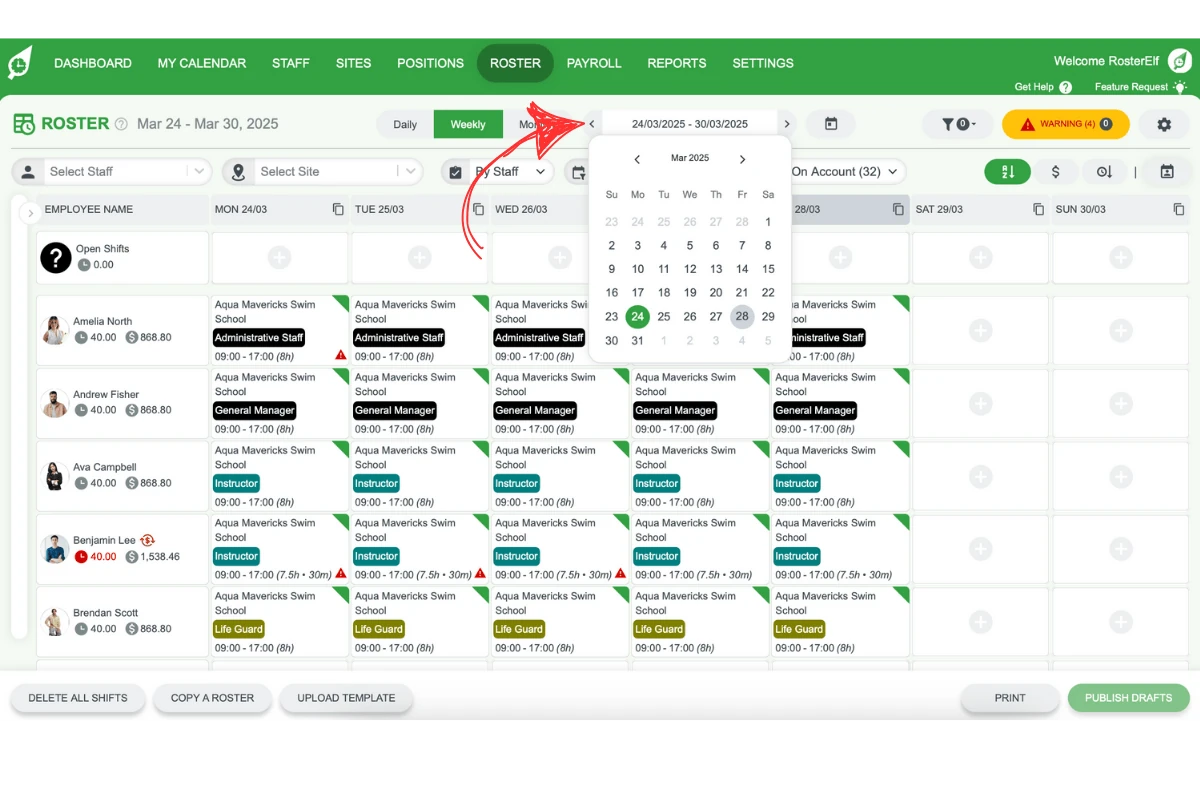
2.1.2 Click a day in the calendar. The roster shows the day, week or month that contains it, depending on the view you chose.
3. View roster by staff
Ensure you are viewing the roster organised by staff to see each individual’s hours and cost.
3.1 How to switch to staff view
Follow these steps to change the view:
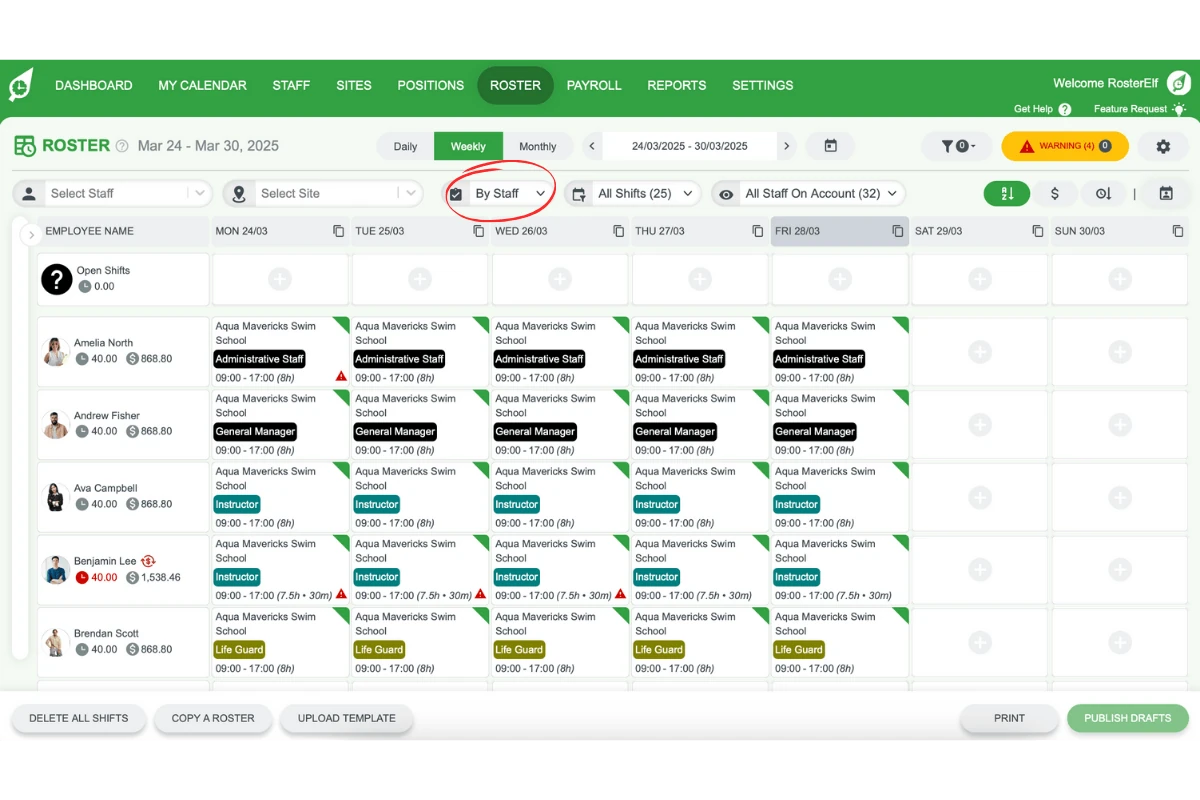
3.1.1 Locate the view type settings.
3.1.2 Select By Staff to display the roster details for each employee.
4. Apply filters (optional)
You can apply filters to focus on specific staff or shift types.
4.1 Using filters to refine results
4.1.1 Check for any pre-existing filters that might affect the view.
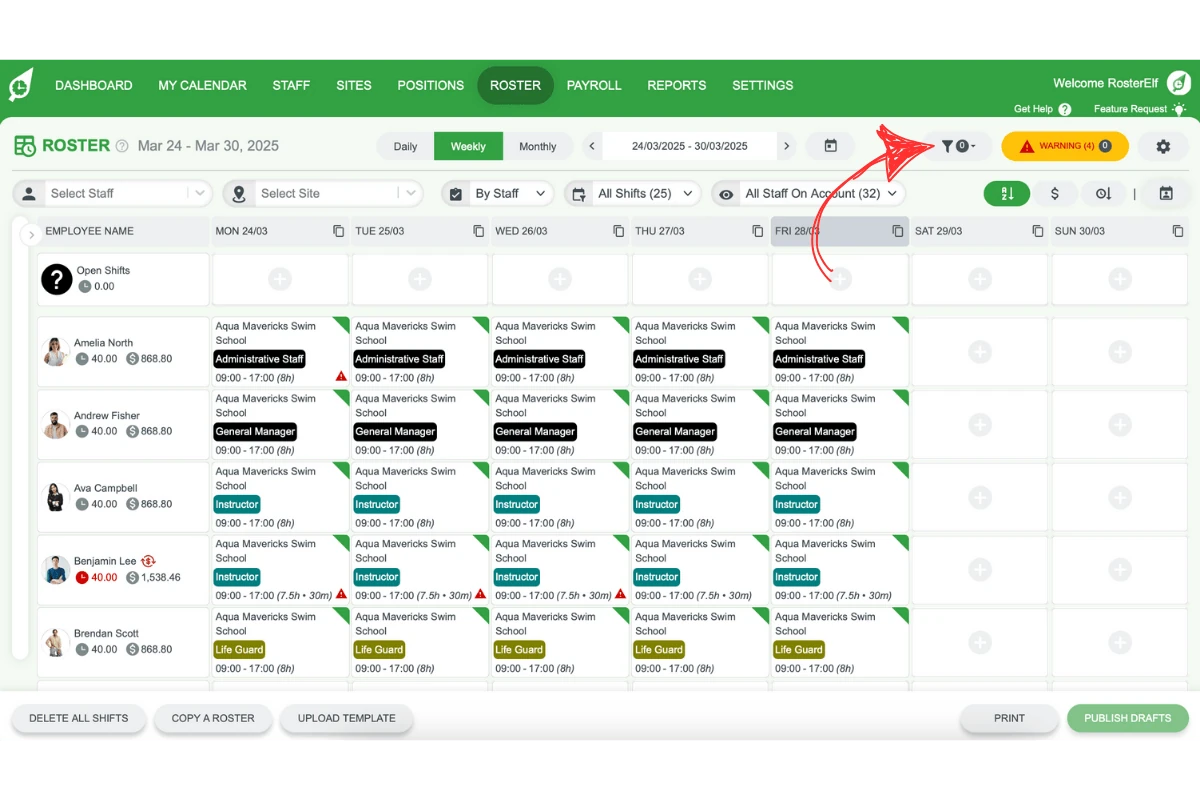
4.1.2 Add or adjust filters if you need to view hours or costs for certain shifts or staff only.
5. View staff hours and costs
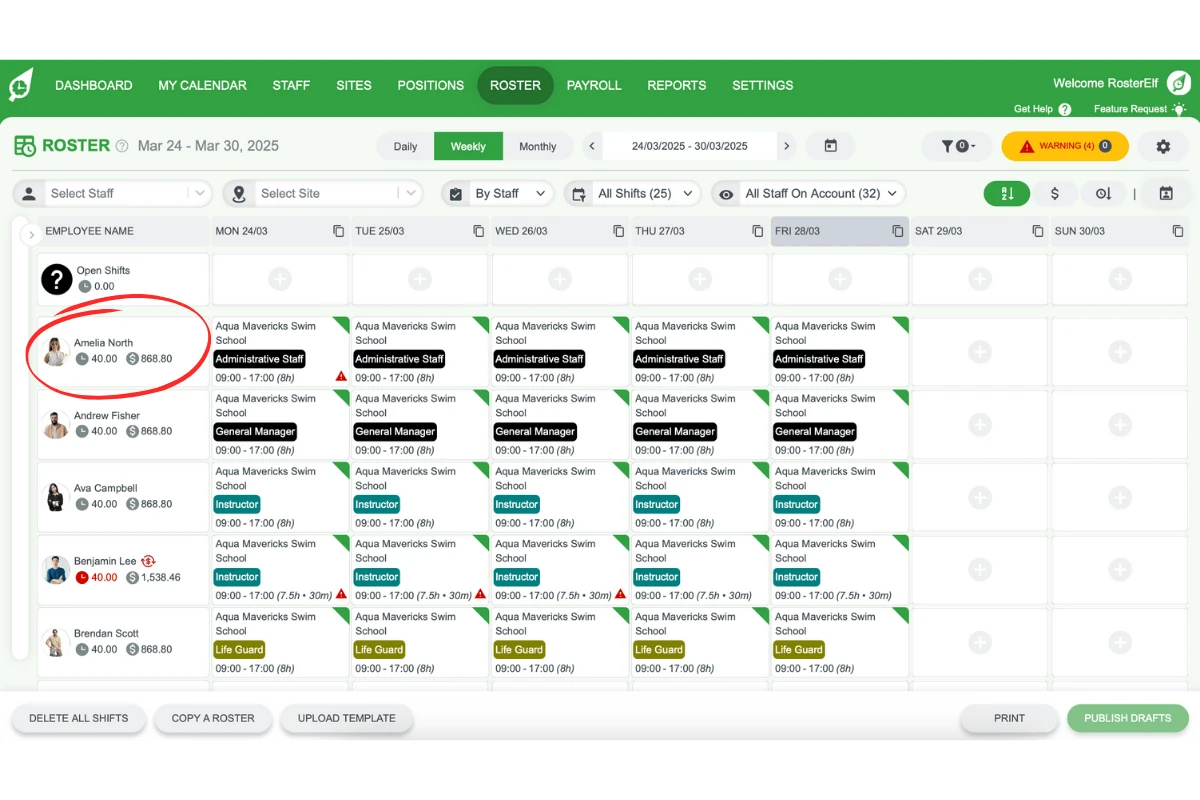
The staff list on the left side of the roster will show hours and costs based on your chosen view and filters.
5.1 Wage-earning staff
Wage earning staff display their hours and labour costs as you update shifts.
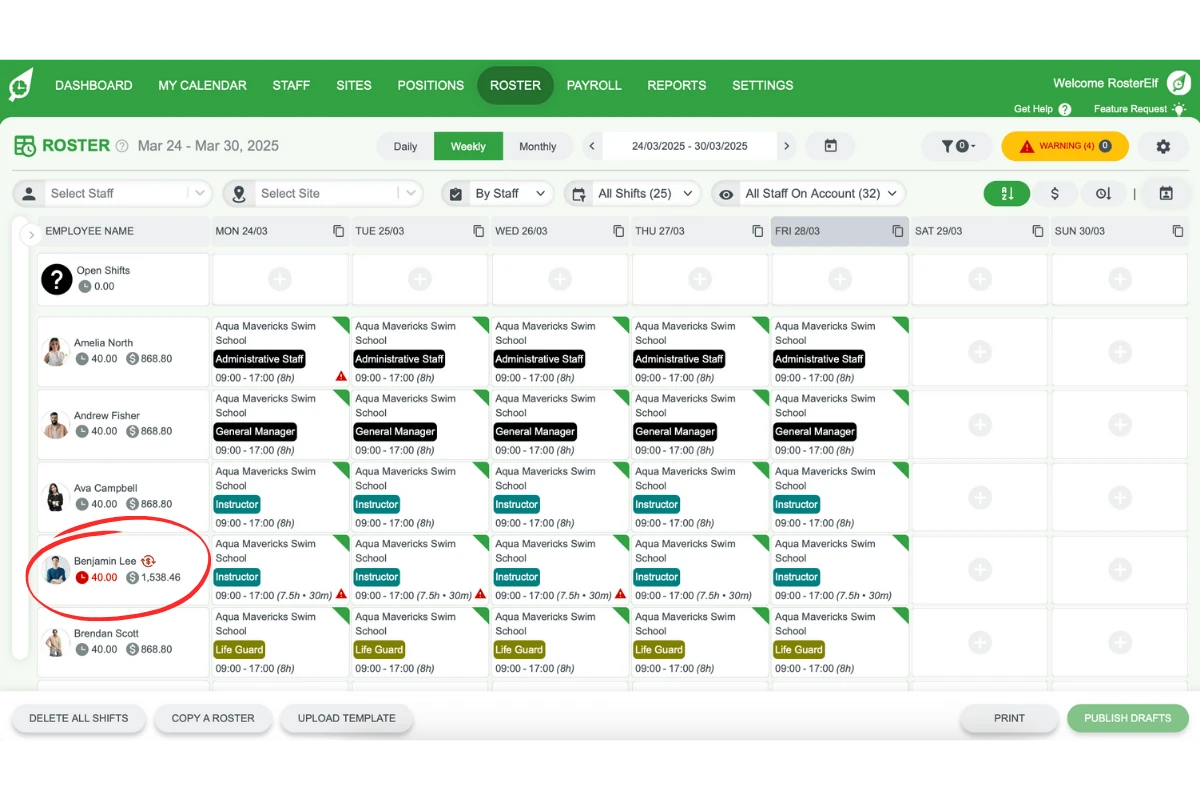
5.2 Fixed salary staff
For fixed salary staff, the roster shows expected hours and fixed labour costs.
Frequently asked questions
1. How can I view staff hours and costs over a specific date range in RosterElf?
To view staff hours and costs over a particular date range, select the desired roster view (daily, weekly, or monthly) and set the appropriate date range. This gives you insights into your team’s labour hours and expenses for the chosen period.
2. How do I change the roster view to daily, weekly, or monthly?
Click Daily, Weekly or Monthly at the top centre of the Roster page to see the staff hours for your preferred timeframe.
3. Can I filter staff hours and costs by individual employees or shift types?
Yes, you can use filters to refine the displayed data. This allows you to focus on specific employees or shift types by adding or adjusting filters.
4. How do I switch the roster view to show staff individually?
Select By Staff in the view type settings. This view shows hours and labour costs for each individual employee, helping you track costs on a per-person basis.
5. What information is shown for wage-earning vs. fixed salary staff?
Wage-earning staff display both hours and costs as shifts are updated. For fixed salary staff, the roster shows expected hours and fixed labour costs, with any extra hours highlighted.