

Introduction to shift swap cut-off times
A shift swap cut-off time is a deadline set before a scheduled shift begins, by which employees must submit their requests to swap shifts. This cut-off helps organisations manage shift swaps smoothly, allowing enough time to review and approve requests without disrupting operations. With RosterElf, you can easily customise the cut-off time to suit your organisation’s needs.
1. Access roster settings
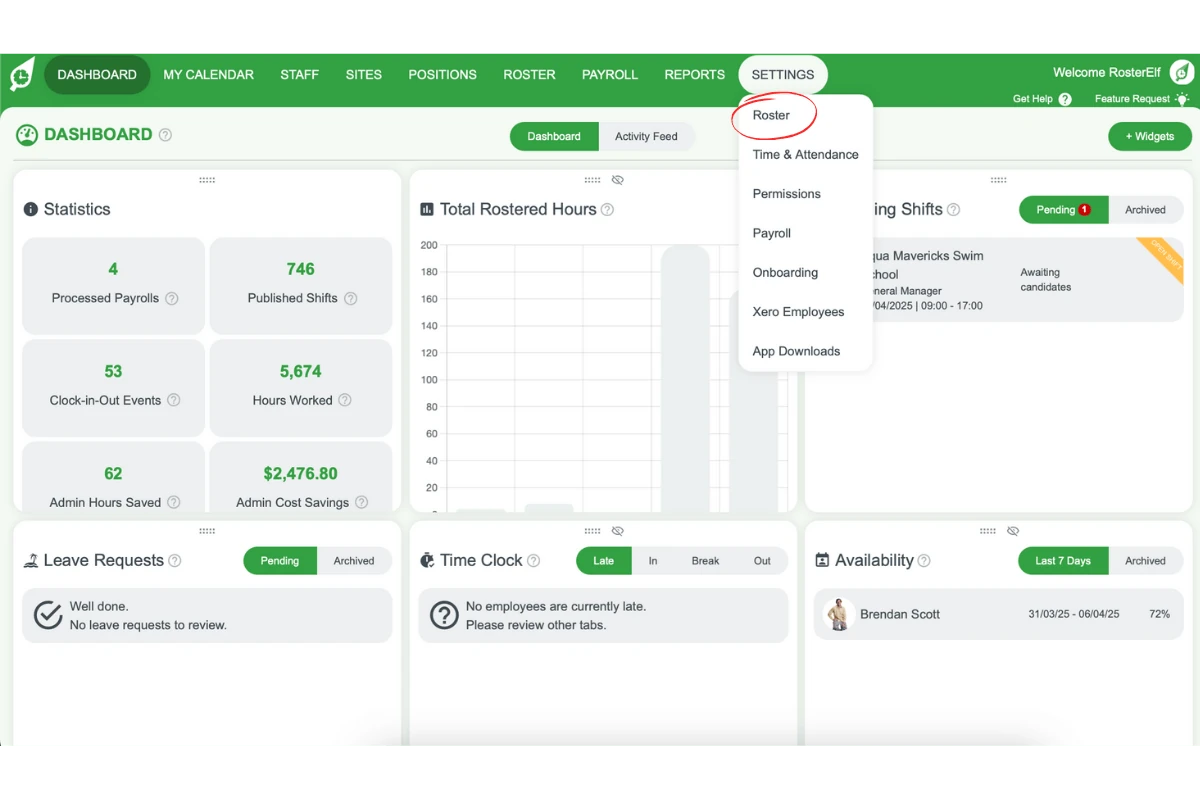
To adjust the shift swap cut-off time in RosterElf, start by navigating to the roster settings. This section will guide you to the correct location within the settings.
1.1 Go to roster settings tab
1.1.1 Navigate to the Settings tab in the top menu of RosterElf.
1.1.2 Select Roster from the dropdown options.
2. Set the shift swap cut-off time
This section explains how to set the shift swap cut-off time, providing flexibility with several preset options. Setting the appropriate cut-off time helps to streamline the shift swapping process.
2.1 choose cut-off time option
2.1.1 Select your preferred cut-off time from the dropdown options: 0, 12, 24, 36, or 48 hours.
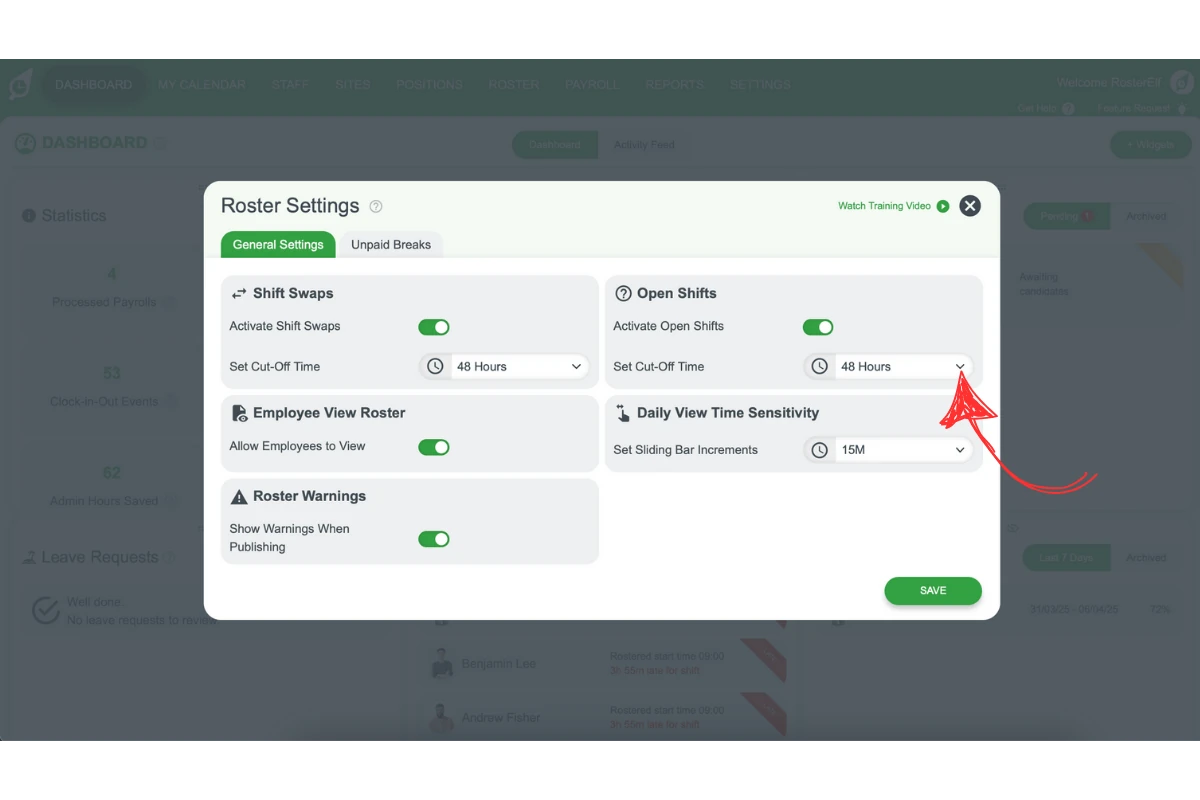
2.1.2 Click Save to ensure the chosen time limit is applied.
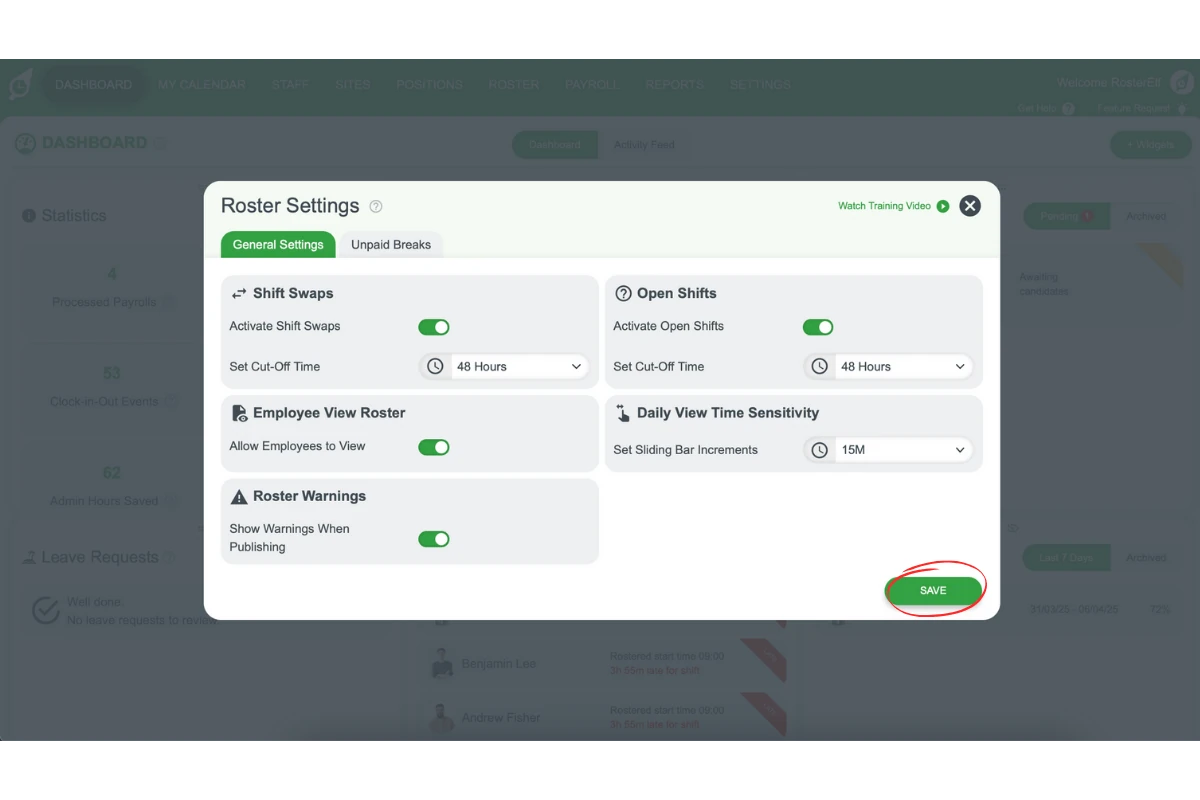
If you set the cut-off time to 24 hours, employees will need to submit shift swap requests at least 24 hours before the start of the shift they want to swap.
Tip
Consider your organisation’s operational needs when selecting the cut-off time. A longer cut-off period provides more time for approval and planning, while a shorter period offers greater flexibility for employees.
Frequently asked questions
1. What is a shift swap cut-off time?
A shift swap cut-off time is a preset deadline before a shift when employees must submit requests to swap shifts. Setting a cut-off time helps businesses manage swap requests efficiently, allowing enough time for review and approval.
2. How can I change the shift swap cut-off time in RosterElf?
To change the shift swap cut-off time, go to the RosterElf settings. Navigate to the Settings tab, select Roster from the dropdown options, and choose your preferred cut-off time.
3. What are the available cut-off time options in RosterElf?
RosterElf offers several cut-off time options, including 0, 12, 24, 36, and 48 hours. Choose the option that best fits your organisation’s scheduling needs.
4. Why is it important to set a shift swap cut-off time?
Setting a shift swap cut-off time ensures that all shift changes are managed smoothly, giving managers time to review requests and make necessary adjustments, which reduces last-minute disruptions.
5. Can employees submit shift swaps after the cut-off time?
No, employees must submit their shift swap requests before the chosen cut-off time. Any requests made after the set deadline will not be accepted.