
What is unscheduled shift tracking?
Rosters plan ahead, but reality demands flexibility. Unscheduled shift tracking lets staff clock in for impromptu work—last-minute coverage, emergency call-ins, or spontaneous shifts—without needing pre-rostered schedules. Capture all worked hours, even when plans change.
This article explains unscheduled shift tracking in RosterElf. You will learn why rigid roster-only clocking misses reality, how unscheduled tracking captures all worked hours, and when to enable it for your business. We also cover the simple setup process and answer common questions about payroll and permissions.
Unscheduled shift tracking is designed for Australian businesses needing flexibility in shift coverage. It works for any industry where staff sometimes work outside planned rosters—hospitality, retail, healthcare, and services. By the end of this article, you will understand how to use unscheduled tracking to ensure complete time capture and accurate payroll.
Why rosters miss reality
Rosters represent planned shifts, but business reality often differs. Staff call in sick, unexpected demand spikes require extra coverage, or employees voluntarily come in on days off. When your time clock only allows clocking for rostered shifts, this ad-hoc work goes untracked.
The consequences are serious—untracked hours mean unpaid work or manual payroll adjustments. Staff frustration increases when they work extra shifts but can't clock their time. Managers waste time manually adding unrostered shifts to timesheets before payroll runs.
Real scenario
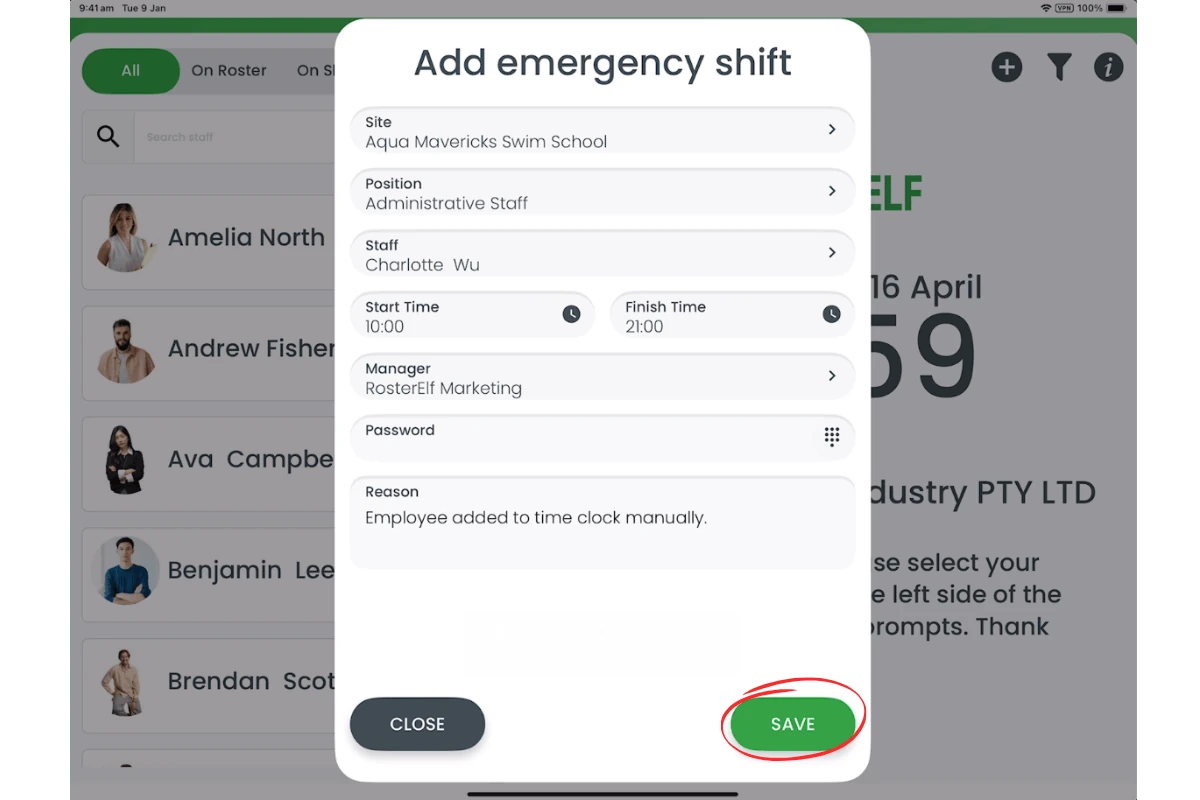
A hospitality venue has an unexpectedly busy Friday night. Two staff agree to come in for emergency coverage but aren't on the roster. They arrive, try to clock in at the tablet, and find they can't because they're not scheduled. The manager manually adds their hours later, wasting 15 minutes and risking errors. With unscheduled shift tracking, they clock in immediately and hours are automatically captured.
How unscheduled tracking works
Unscheduled shift tracking removes the roster requirement from time clocking. When enabled, staff can clock in and out regardless of whether they're scheduled. This gives you three key benefits:
Complete time capture
Track every hour worked, whether planned or spontaneous. Last-minute coverage, emergency shifts, and voluntary extra work are all captured automatically. No more missed hours or manual timesheet corrections.
Flexible coverage
Respond to business needs without roster changes. When unexpected demand hits or staff shortages occur, employees can clock in immediately without waiting for managers to update rosters. This speeds up coverage and reduces administrative friction.
Accurate payroll
All worked hours flow automatically to timesheets and payroll exports. Whether shifts were rostered or unscheduled, staff get paid accurately without manual intervention. This reduces payroll errors and ensures Fair Work compliance.
Best use cases
Unscheduled shift tracking works best when flexibility matters more than rigid roster control. Here are three situations where it delivers the most value:
Variable demand businesses
Hospitality, events, and retail businesses with unpredictable customer volumes need flexible staffing. When demand spikes unexpectedly, unscheduled tracking lets staff respond immediately without roster delays. This ensures service quality while capturing all labor costs.
Call-in and emergency coverage
Healthcare, aged care, and essential services often need last-minute coverage for absences or emergencies. Unscheduled tracking removes barriers to quick staff deployment—employees clock in when they arrive without needing pre-rostered shifts.
Voluntary overtime
When staff voluntarily pick up extra shifts or extend their hours, unscheduled tracking captures this work automatically. No roster updates required, no manual timesheet corrections, and staff get paid for all hours worked.
How to enable tracking
Enabling unscheduled shift tracking takes just a few clicks. Here's how it works:
1. Open time clock settings
Navigate to time and attendance settings in RosterElf.
2. Enable unscheduled clocking
Toggle the option to allow staff to clock in without being rostered. Choose whether to enable for all staff or specific roles.
3. Staff can clock in anytime
Staff can now clock in on tablet kiosks or mobile apps regardless of roster status. Their hours are captured automatically and flow to timesheets.
Ready to enable unscheduled tracking?
Follow our step-by-step guide to set up unscheduled shift clocking on tablet and mobile.
View setup guide