

Disclaimer
This guide provides general information only and should not be relied upon as professional advice. Payroll and accounting requirements can vary depending on your business circumstances. Always check with your accountant or contact Xero directly to confirm the best approach for your situation.
This article explains how to set a staff member’s superannuation in Xero. Adding superannuation directly to the employee’s pay template ensures it is included automatically in every pay run. This saves time, reduces manual errors, and helps you support your compliance efforts with superannuation obligations.
Once superannuation is set, you no longer need to adjust it each pay run. Xero applies it to the employee’s wages every time, creating consistency and accuracy in payroll. Following this guide will help you manage superannuation contributions correctly, so your staff are paid the right entitlements and your records stay accurate for reporting.
1. Add superannuation in Xero pay template
This section explains how to add superannuation directly into an employee’s pay template in Xero. By doing this, superannuation will apply automatically when generating pay runs. This removes the need for manual updates and supports compliance with superannuation obligations.
1.1 open employee pay template in Xero
1.1.1 Log in to Xero.
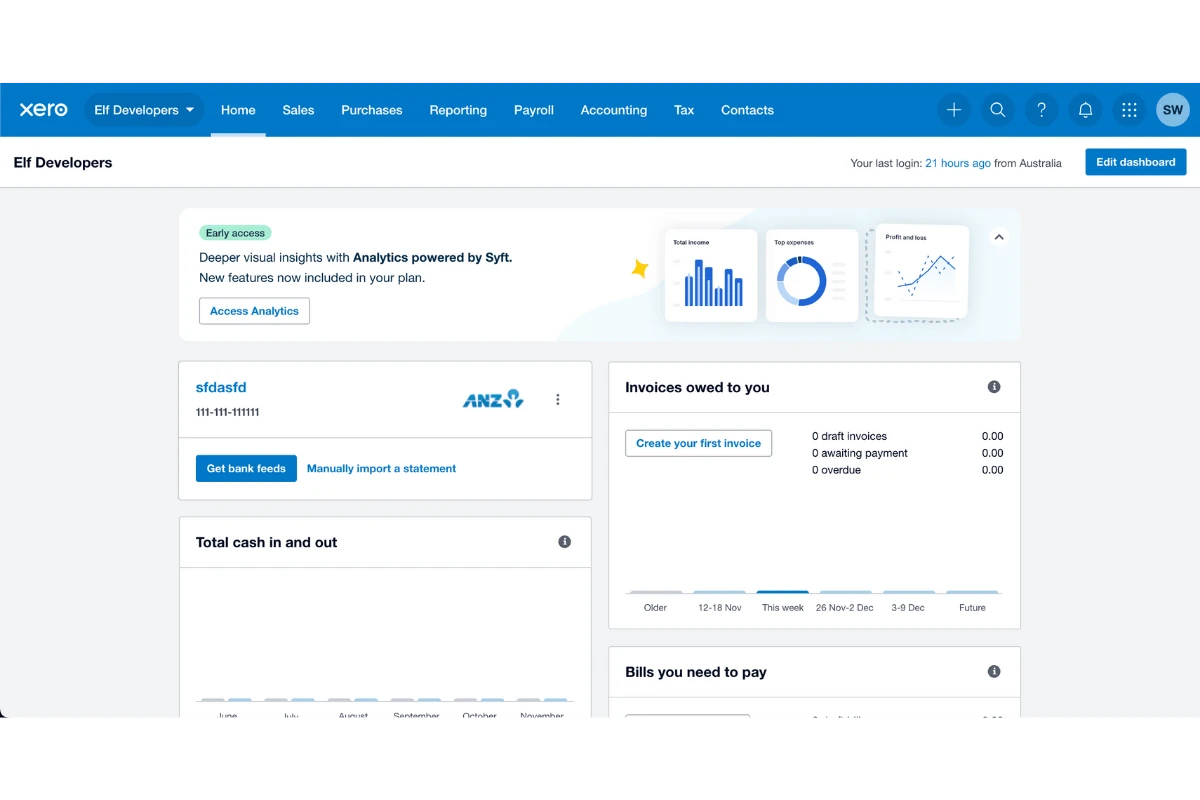
1.1.2 Press Payroll > Employees.
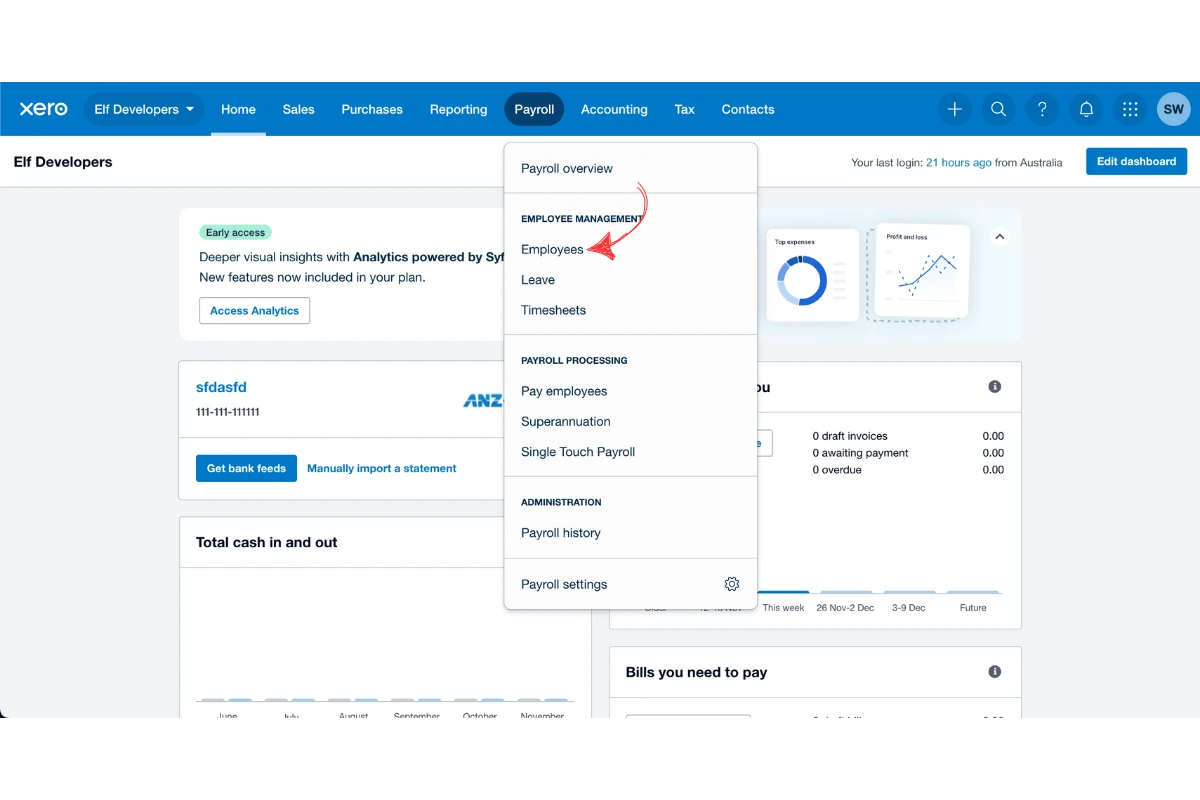
1.1.3 Click on the employee you want to update.
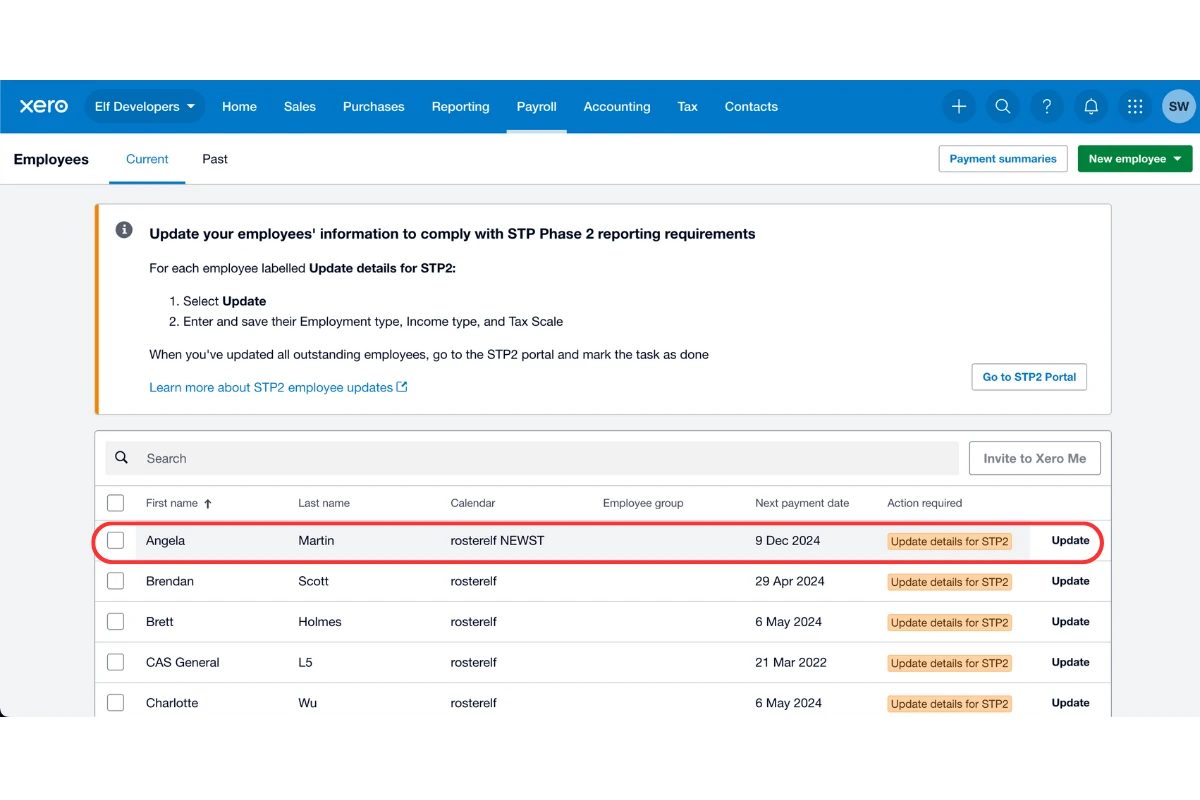
1.1.4 Select Pay Template.
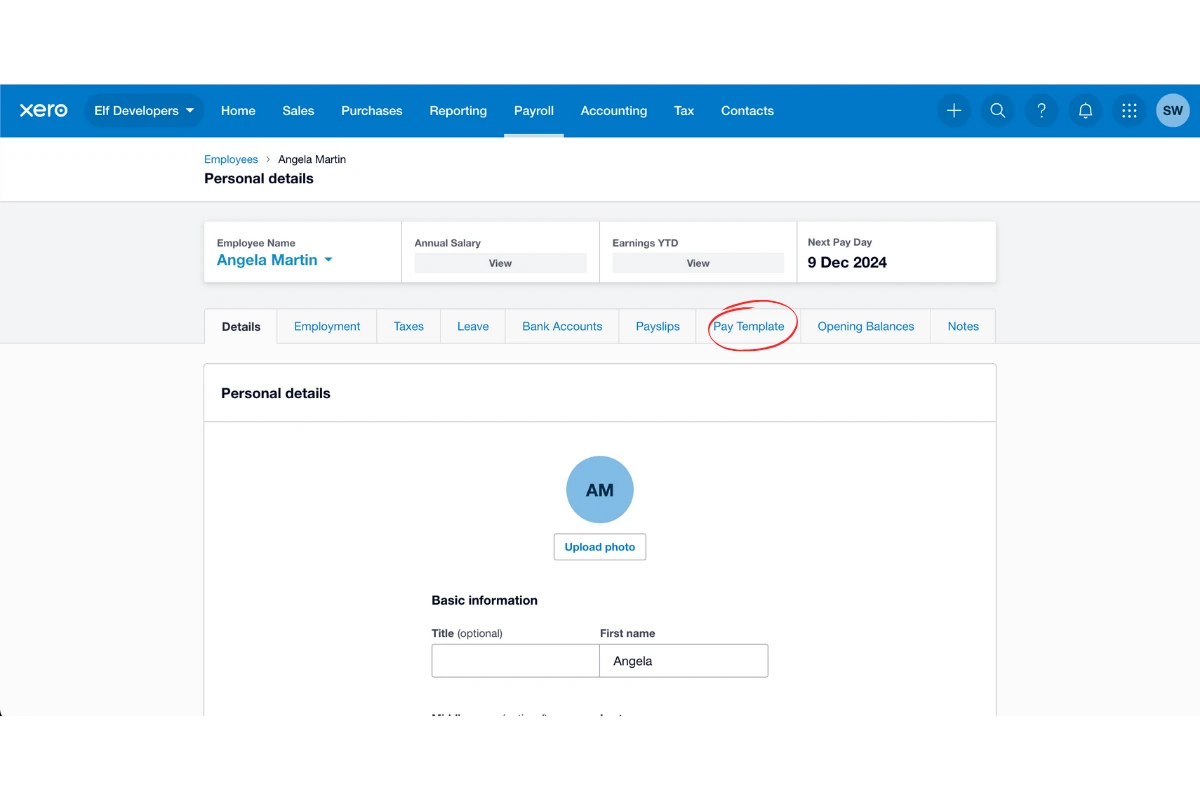
1.2 add and save superannuation
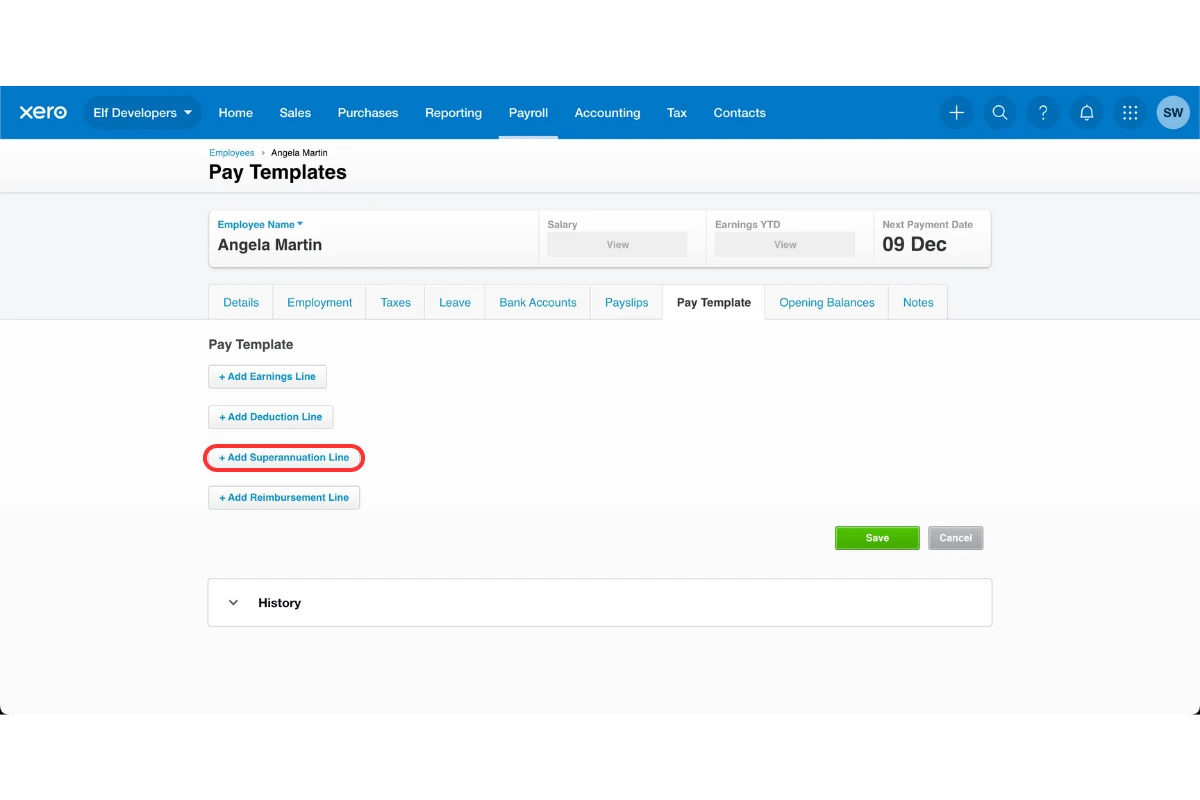
1.2.1 Click Add superannuation line.
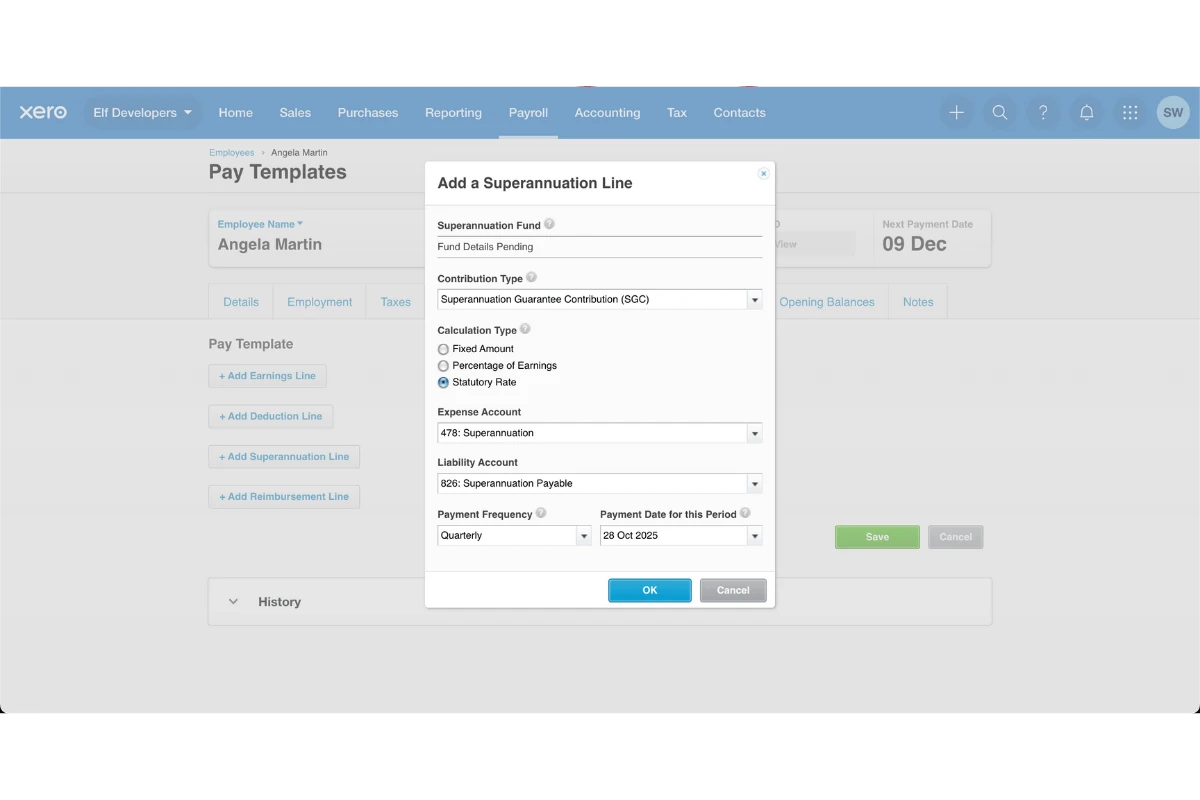
1.2.2 Enter the superannuation details.
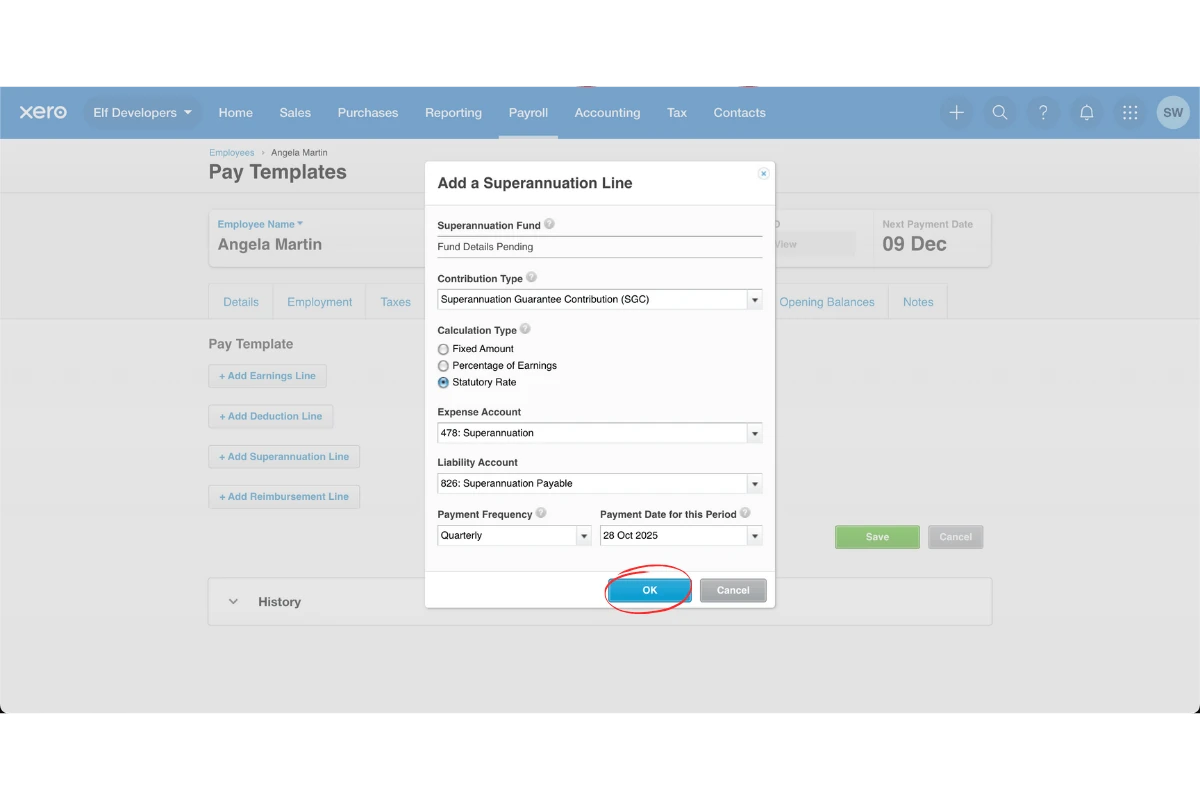
1.2.3 Press Ok.
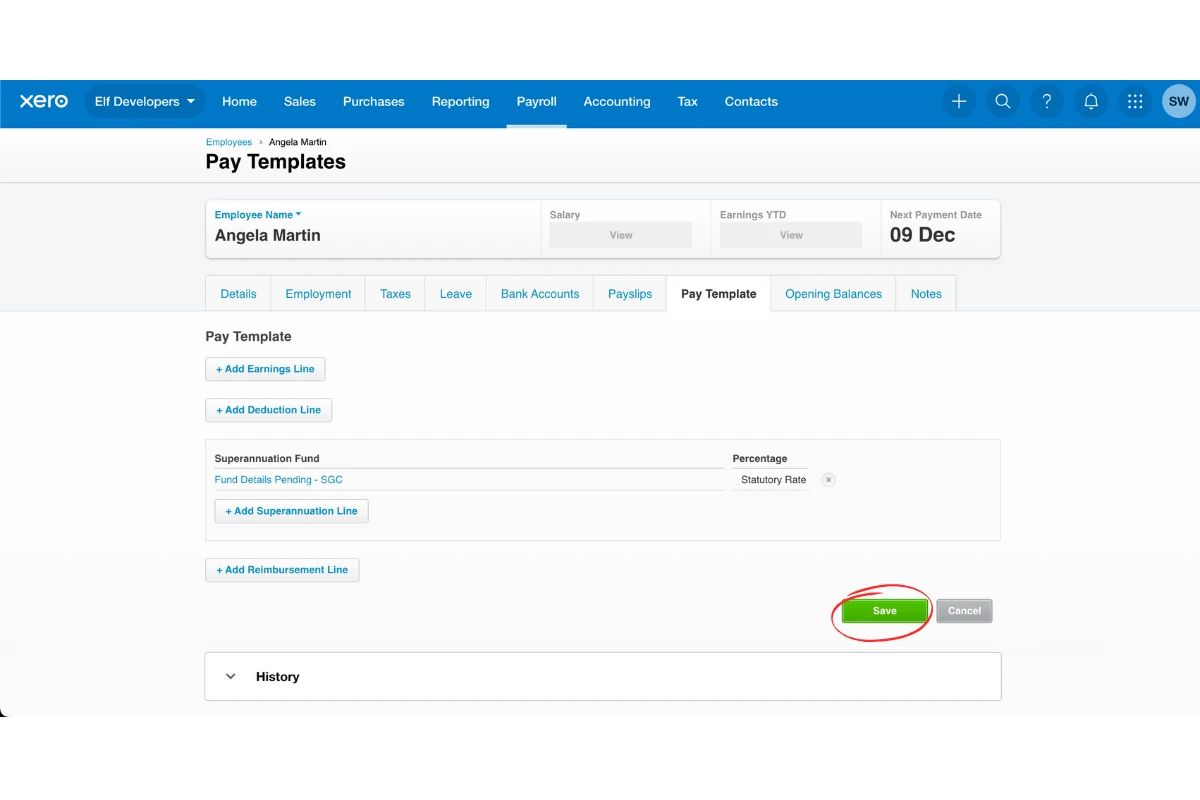
1.2.4 Press Save.
Frequently asked questions
1. Why should I add superannuation to the pay template in Xero?
Adding superannuation to the pay template ensures it is automatically included in every pay run using Xero payroll integration. This saves time, reduces manual errors, and keeps your business compliant with superannuation obligations.
2. Do I need to update superannuation in Xero every pay run?
No. Once you set up superannuation in the employee’s pay template, Xero automatically applies it to every pay run. You only need to update it if the employee’s superannuation details change.
3. What happens if I don't set superannuation in Xero?
If superannuation is not added to the employee’s pay template, you must enter it manually each pay run. This increases the risk of errors, missed payments, and compliance issues.
4. Can I edit or remove superannuation from an employee's pay template in Xero?
Yes. You can return to the employee’s pay template at any time in Xero. From there, you can edit, update, or remove the superannuation details as needed.