

Introduction
Recurring staff hours for payroll is a new feature in RosterElf. Learn why we built this feature and how it saves Australian businesses hours every month on repetitive roster entry.
This article explains how to set recurring staff hours in RosterElf. Recurring staff hours allow you to define a consistent working pattern for an employee. This is useful when staff work the same hours each week and their schedule does not change often. Setting recurring hours reduces the need to manually enter the same shifts each roster cycle and helps keep payroll data accurate. These hours act as a baseline for rostering and payroll, support availability rules, and improve workforce planning. They are one of several tools RosterElf provides for recurring shifts — alongside roster templates and copy last week.
In this guide, you will learn how to open a staff profile, access payroll settings, and enter recurring hours for an individual staff member. You will also learn how to apply hours based on availability if required. Each step is clear and easy to follow. Completing this process helps save time, reduce errors, and ensure staff hours remain consistent across your account.
1. Set recurring staff hours in RosterElf
This section explains how to set recurring staff hours for an individual staff member. Recurring hours are managed from the staff profile and stored within payroll settings. Adding these hours ensures the system understands the staff member’s regular working pattern. Following these steps ensures the recurring hours are saved correctly and applied as expected. Use this process whenever a staff member has fixed or regular hours that repeat over time.
1.1 open the staff payroll settings
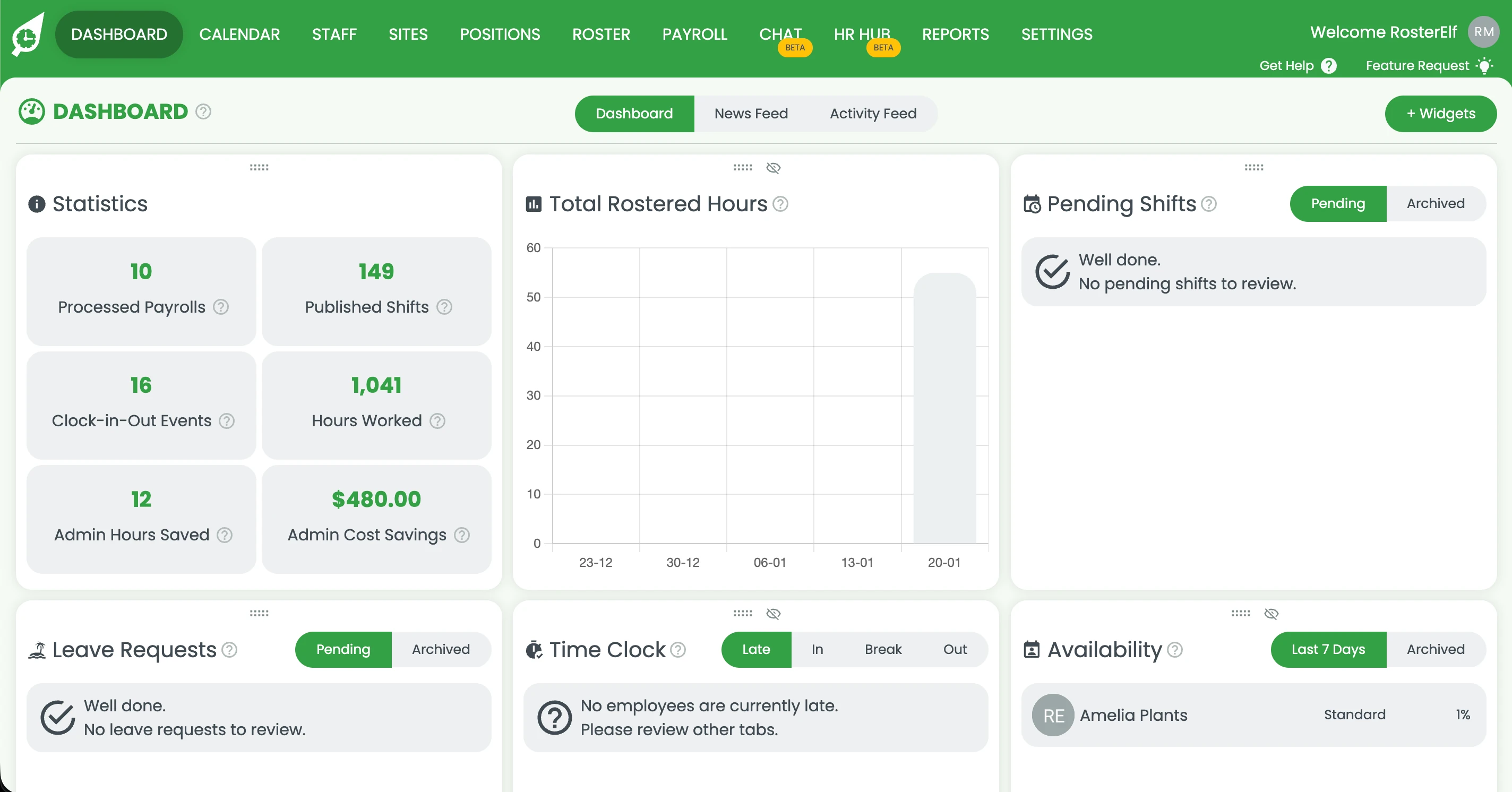
1.1.1 Log in to your RosterElf account.
1.1.2 Click the Staff tab from the main menu.
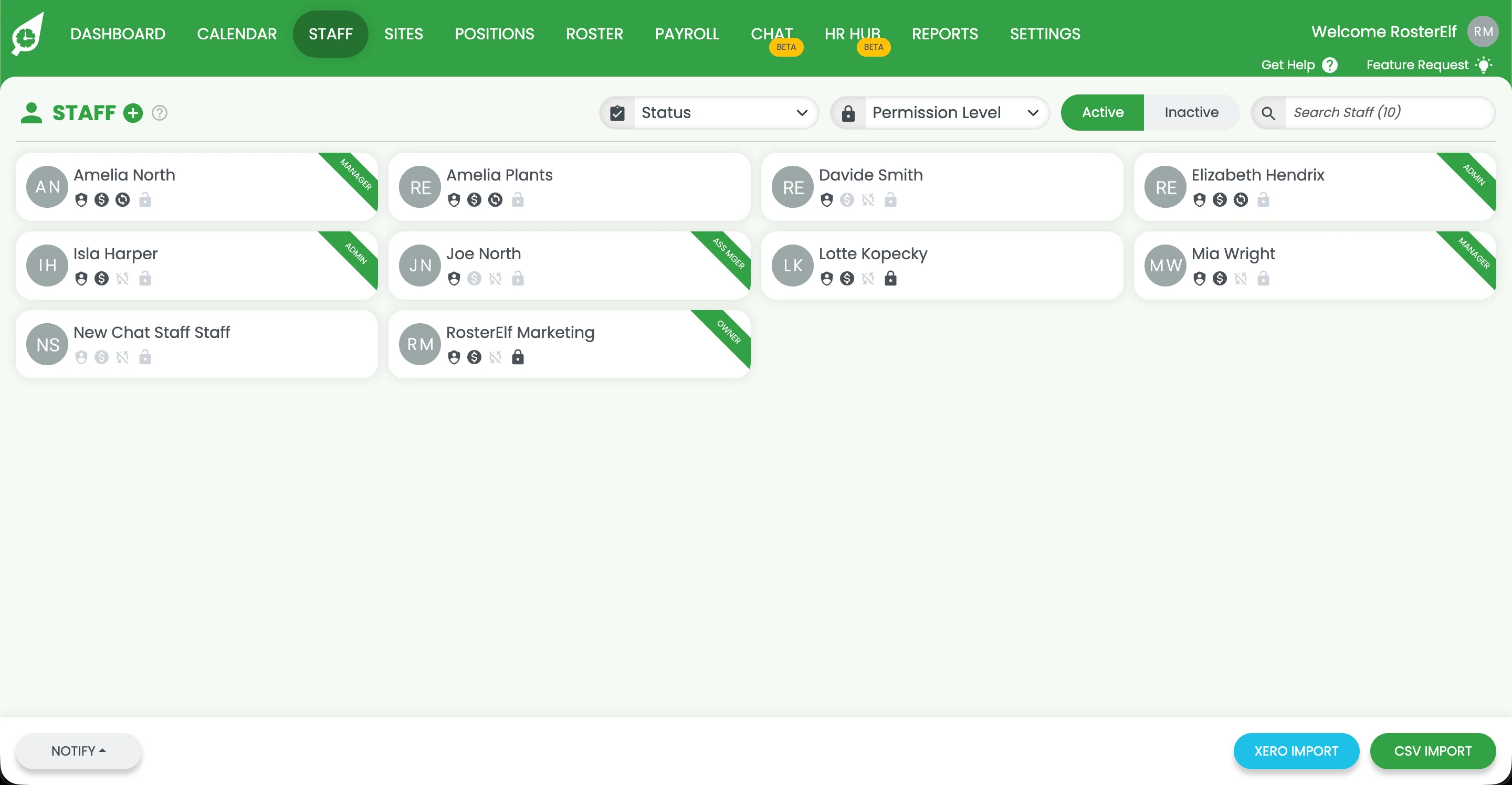
1.1.3 Select the staff member you want to update from the staff list.
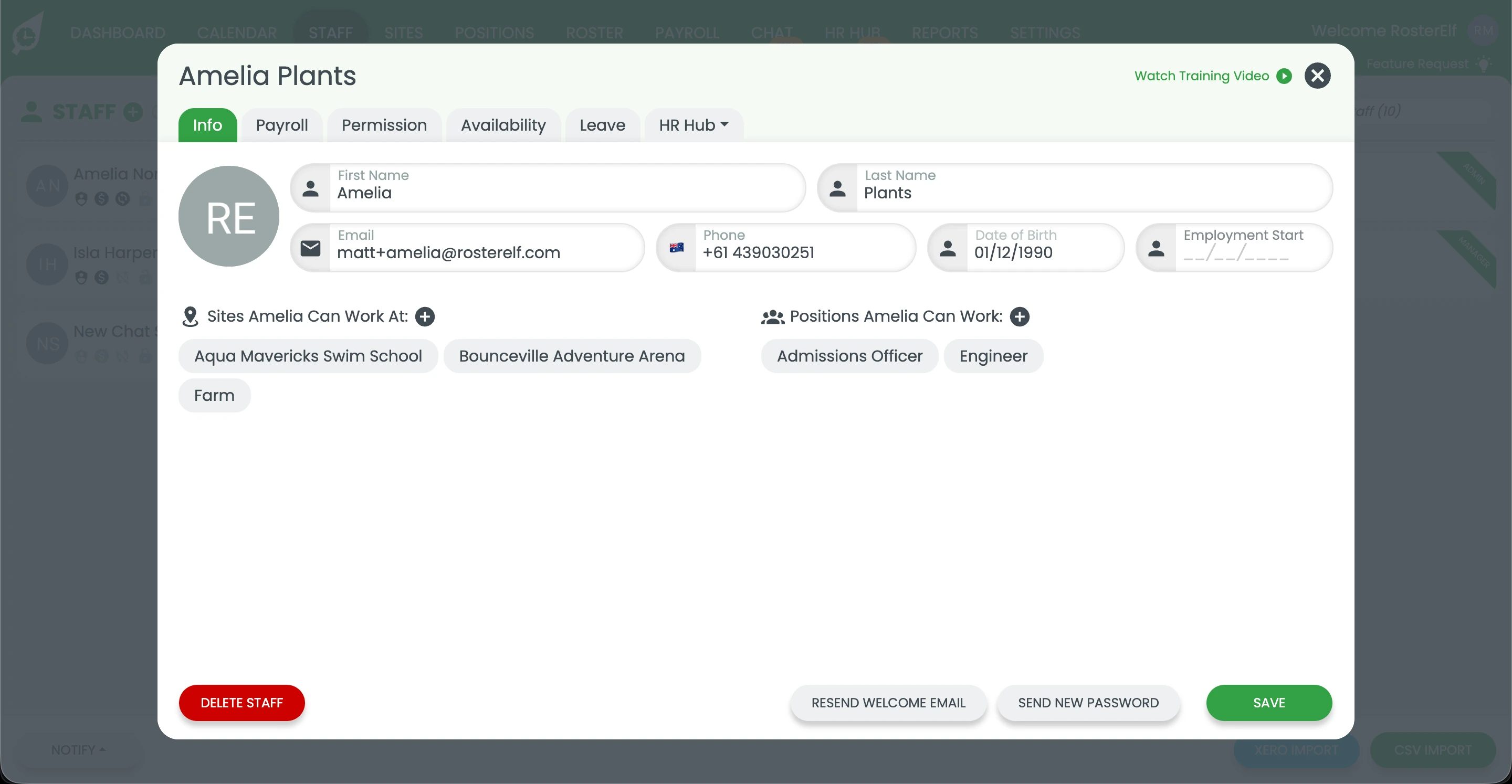
1.1.4 Click Payroll to open the payroll settings for this staff member.
1.2 set recurring staff hours
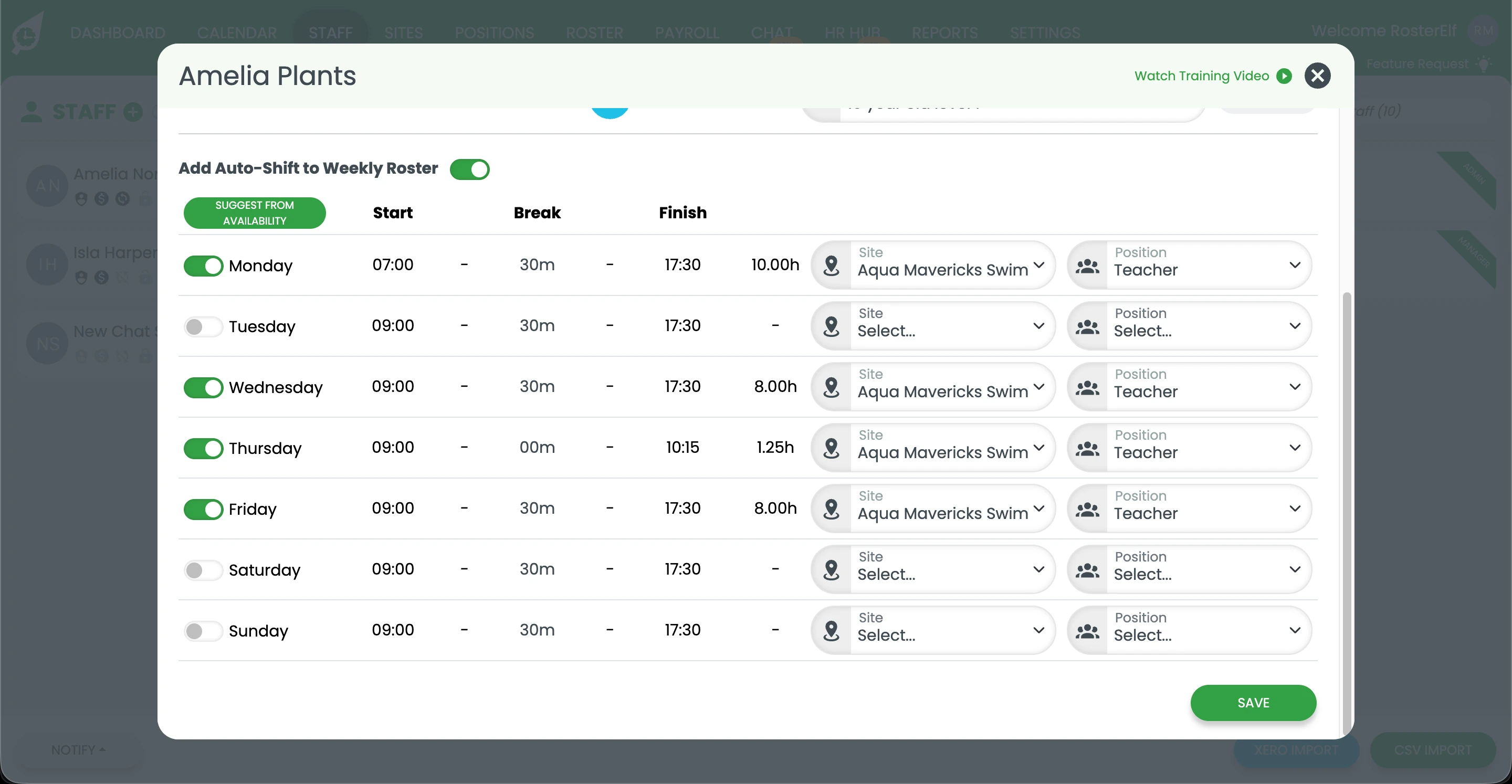
1.2.1 Enter the staff member’s recurring hours for each day of the week. Set the start time and end time for their regular shifts.
1.2.2 Turn on Add Auto-Shift to Weekly Roster, then press SUGGEST FROM AVAILABILITY if you want recurring hours to follow the days the staff member is available. This prevents scheduling conflicts and ensures hours align with their availability settings.
1.2.3 Enable Add Auto-Shift to Weekly Roster if you want these recurring hours automatically added to the weekly roster as shifts, rather than just appearing as a reference pattern.
1.2.4 Click Save to apply the recurring staff hours.
Frequently asked questions
1. What are recurring staff hours in RosterElf?
Recurring staff hours in RosterElf are fixed hours that repeat on a regular schedule for a staff member. They define a consistent working pattern and act as a baseline for rostering and payroll. These hours are useful for casual, part-time and full-time employees who work the same days and times each week. Setting recurring hours reduces manual shift entry and helps keep payroll data accurate.
2. Why should I set recurring staff hours in RosterElf?
Setting recurring staff hours in RosterElf saves time and reduces errors when creating rosters. It ensures the system understands a staff member’s regular work pattern. These hours help streamline payroll, support availability rules, and improve roster consistency. They are especially helpful for staff with fixed schedules that do not change often.
3. Where do I set recurring staff hours in RosterElf?
You set recurring staff hours in RosterElf from the staff member’s payroll settings. Open the Staff tab, select the staff member, then click Payroll. The recurring hours fields are located within these payroll settings. Any hours saved here apply as the staff member’s regular working pattern.
4. Can recurring staff hours follow staff availability in RosterElf?
Yes, recurring staff hours in RosterElf can follow availability rules. When entering hours, you can turn on Add Auto-Shift to Weekly Roster and press SUGGEST FROM AVAILABILITY. This ensures recurring hours align with the staff member’s availability settings. It helps prevent scheduling conflicts and improves roster accuracy.
5. Do recurring staff hours automatically create shifts in RosterElf?
Entering recurring hours alone doesn’t automatically create rostered shifts — by default they act as a reference pattern you use to quickly fill shifts when building a roster manually. However, if you enable Add Auto-Shift to Weekly Roster in the same payroll section, the staff member’s recurring shifts are automatically added to the weekly roster for you.
6. How can I delete recurring shifts in the roster?
Recurring shifts will need to be deleted individually.