

Reset all staff passwords in RosterElf
This article explains how to reset all staff passwords in RosterElf. Resetting passwords ensures every employee can securely access their account if login issues occur or if you need to enforce a security update. With this guide, you’ll learn how to open the staff tab, locate the reset option, and confirm the action.
1. Reset all passwords for staff
This section explains how to reset all staff passwords in the RosterElf web app. This action sends a password reset email to every employee listed in your staff tab.
1.1 open the staff tab
1.1.1 Log in to your RosterElf account.
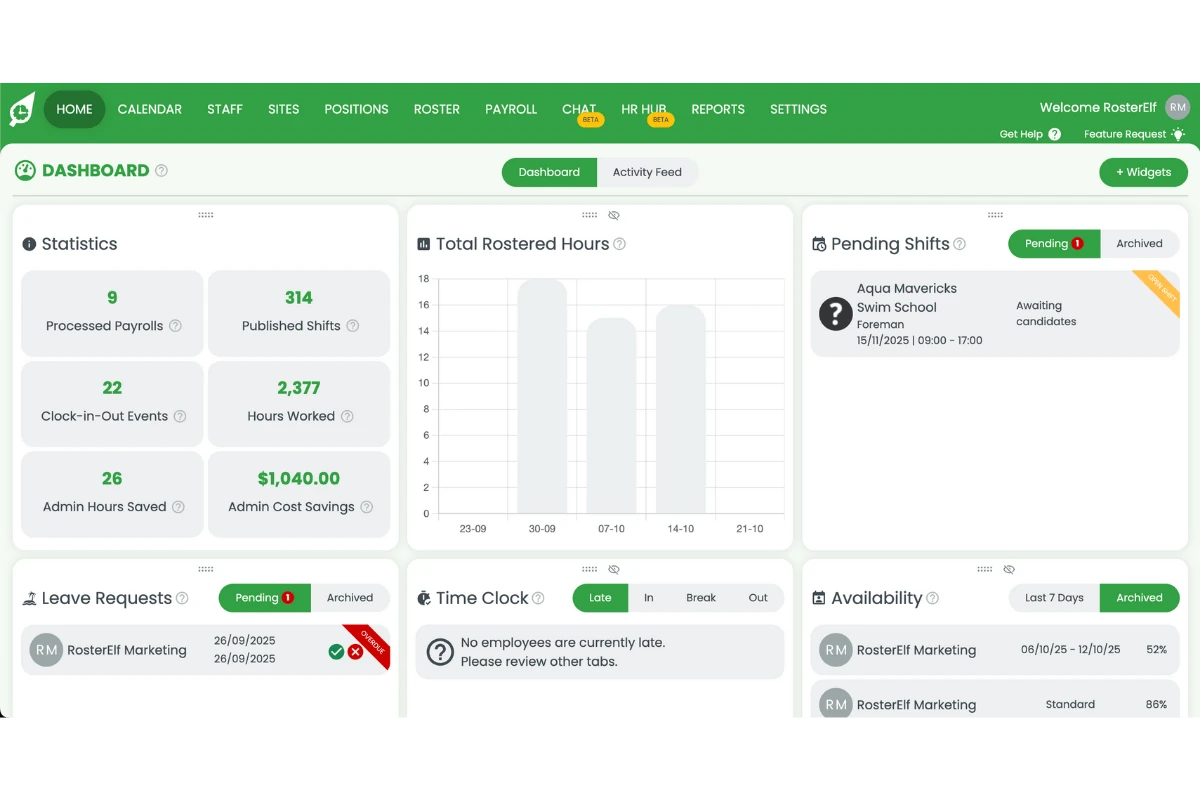
1.1.2 Click the Staff tab on the top menu.
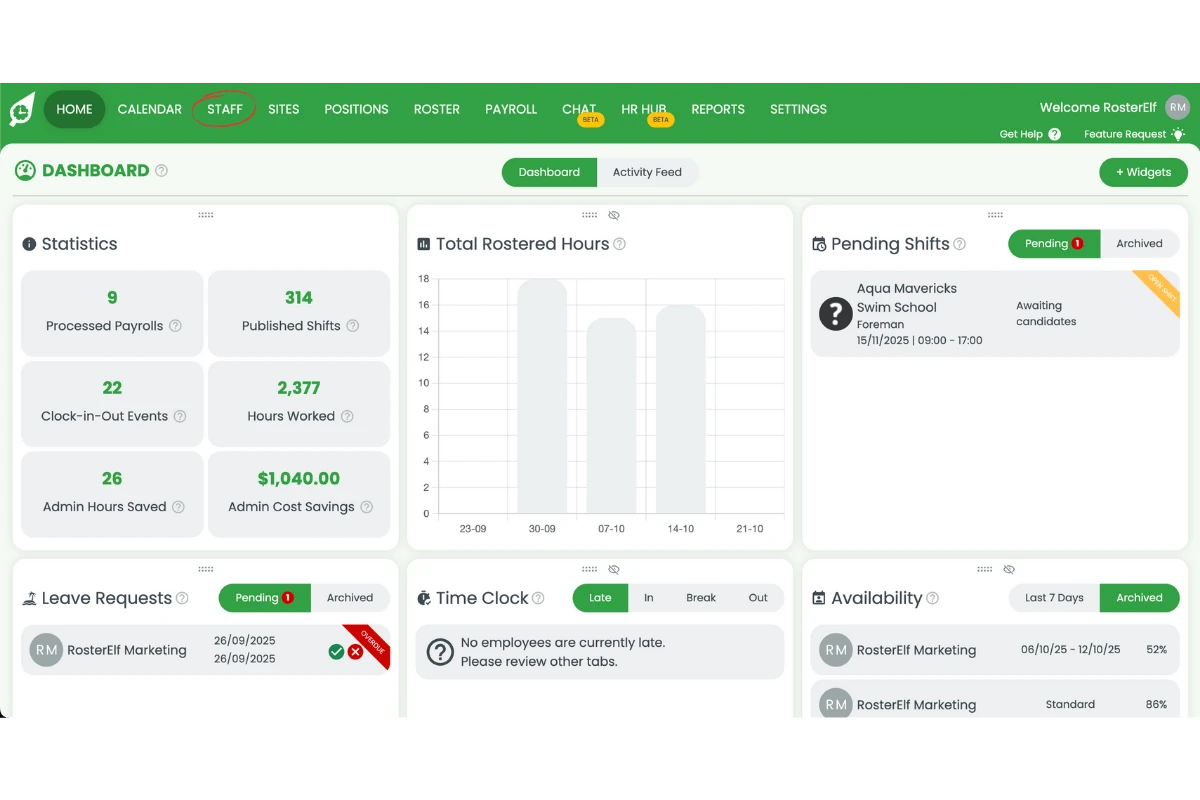
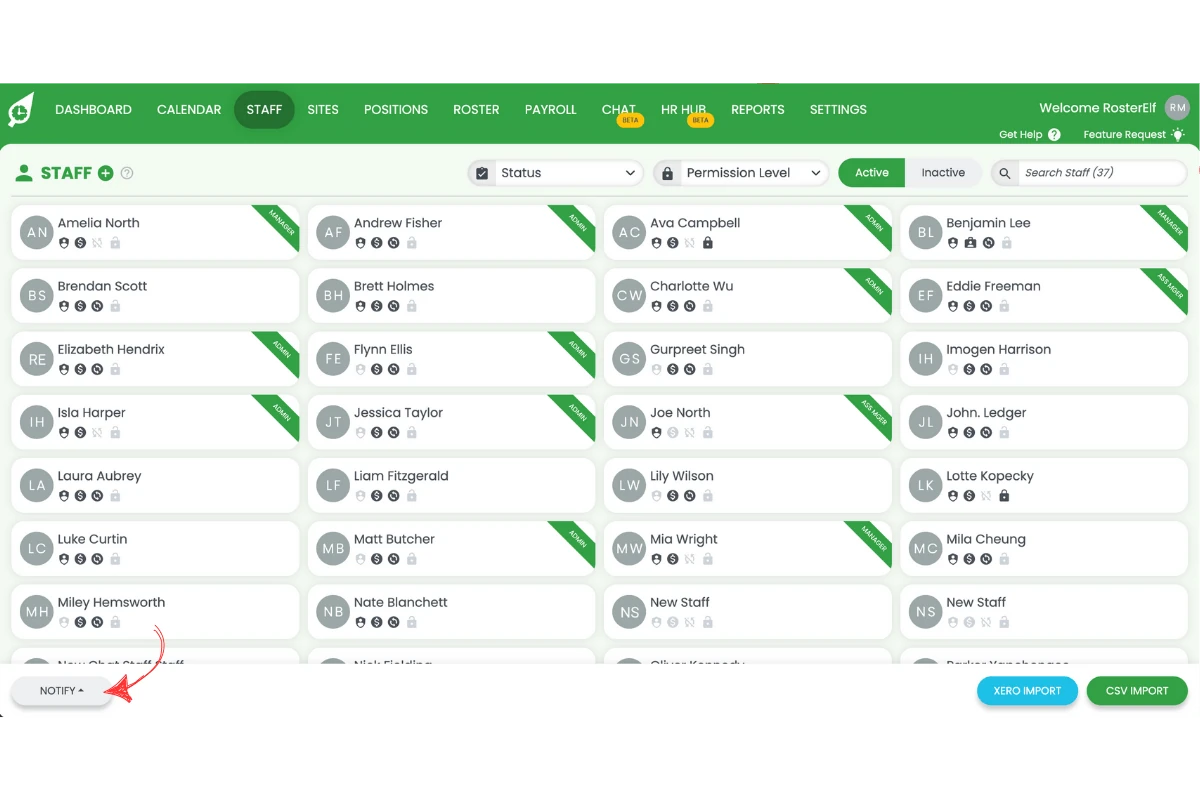
1.2 reset all passwords
1.2.1 Press Notify.
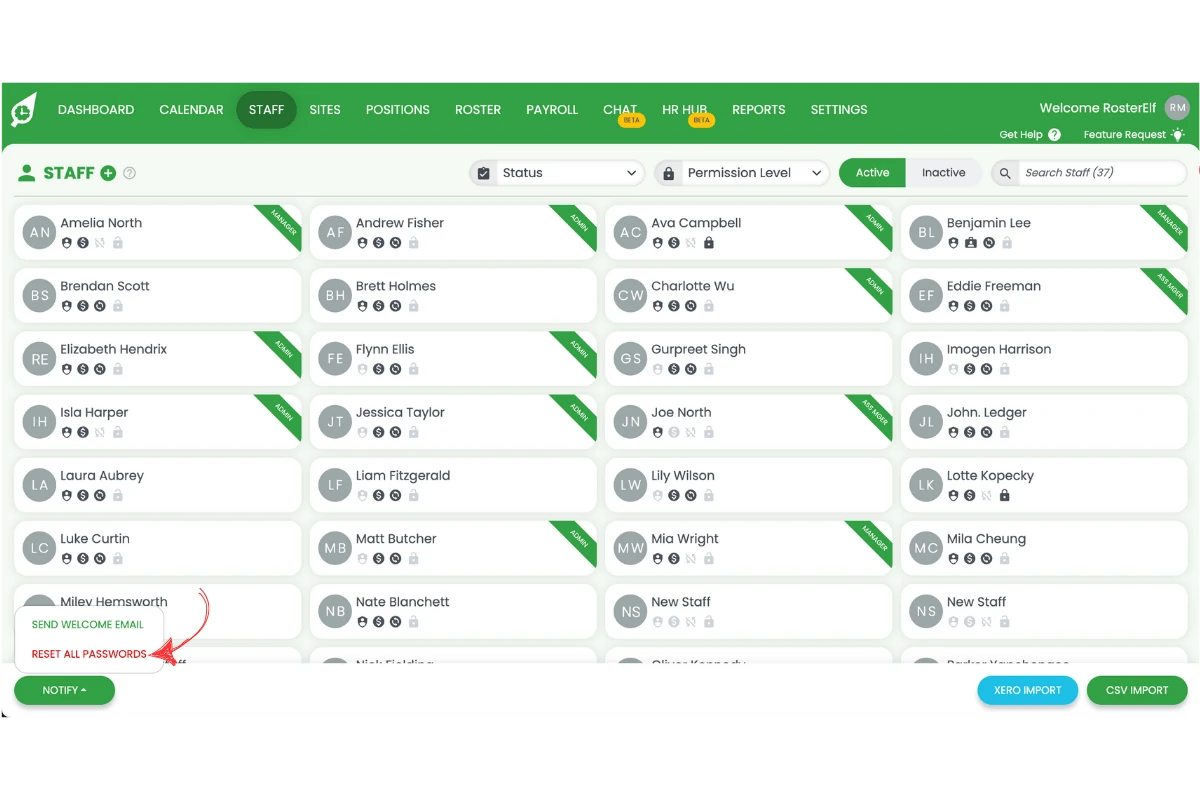
1.2.2 Press Reset All Passwords.
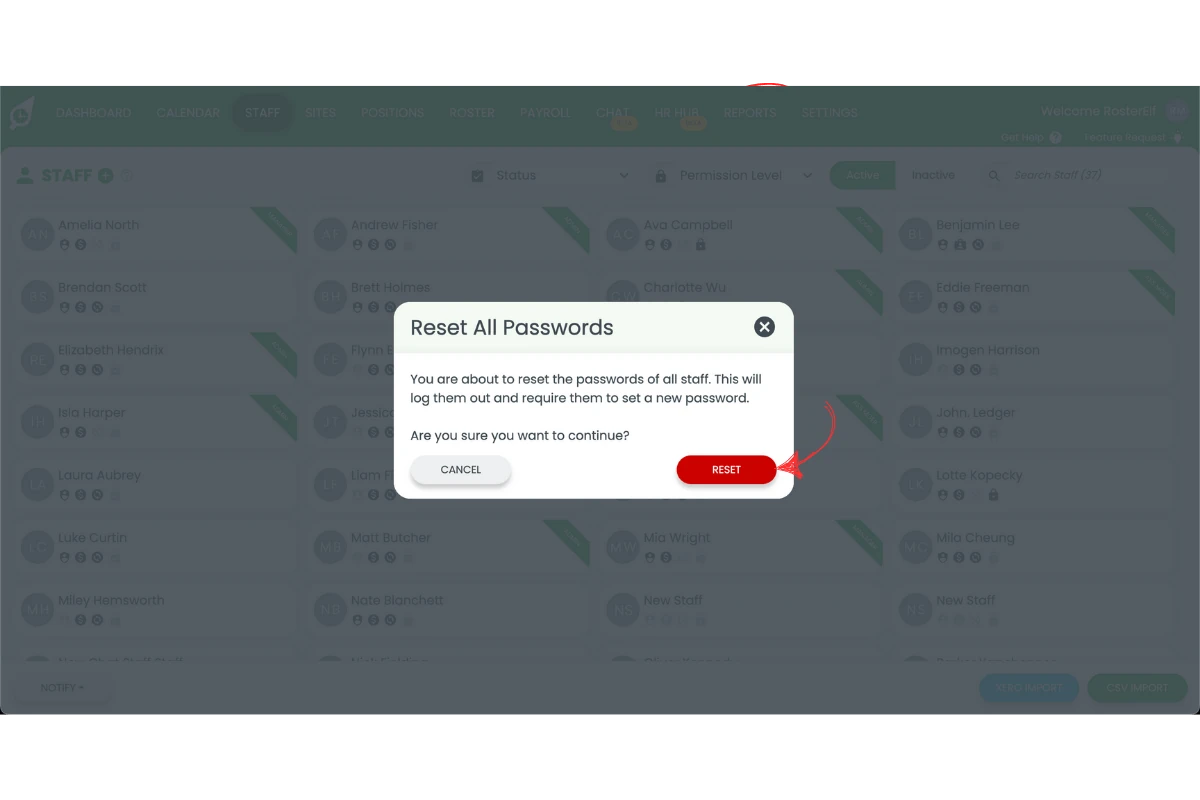
1.2.3 Press Reset to confirm.
Note
Once passwords are reset, staff cannot log in until they use the reset email link to create a new password. They will regain full access after updating their password.
Frequently asked questions
1. How do I reset all staff passwords in RosterElf?
Log in to your RosterElf account, open the Staff tab, click Notify, select Reset All Passwords, then confirm the action. Each employee will receive an email with a link to create a new password.
2. What happens when I reset all staff passwords in RosterElf?
RosterElf automatically sends a password reset email to every employee in your staff list. Staff must follow the link in the email to create a new password before logging in again.
3. Can I reset passwords for specific staff instead of everyone?
The Reset All Passwords option resets passwords for all staff members. To reset an individual password, open that staff member’s profile and select the individual reset option.
4. Will staff lose access to their accounts after a password reset?
Yes, temporarily. Once passwords are reset, staff cannot log in until they use the reset email link to create a new password.
5. Why should I reset staff passwords in RosterElf?
Resetting staff passwords improves account security and helps resolve login issues. It’s useful after staff changes, security updates, or when you need to ensure everyone has verified access.