

Check if a staff member hasn't completed onboarding
This article explains how to check if a staff member hasn’t completed onboarding in RosterElf. This report helps managers track staff who still need to submit information or acknowledge documents during setup.
With this guide, you’ll learn how to open the Reports tab, locate the General Overview Report, and view the onboarding status of each employee. Following these steps ensures your onboarding process stays on track and all staff complete their requirements before starting work.
1. Check staff onboarding completion
This section explains how to use the General Overview Report in RosterElf to check if a staff member hasn’t completed onboarding. The report provides an overview of all staff members’ HR and onboarding details. You can also export the data for recordkeeping or auditing purposes.
1.1 open reports tab
1.1.1 Log in to your RosterElf account.
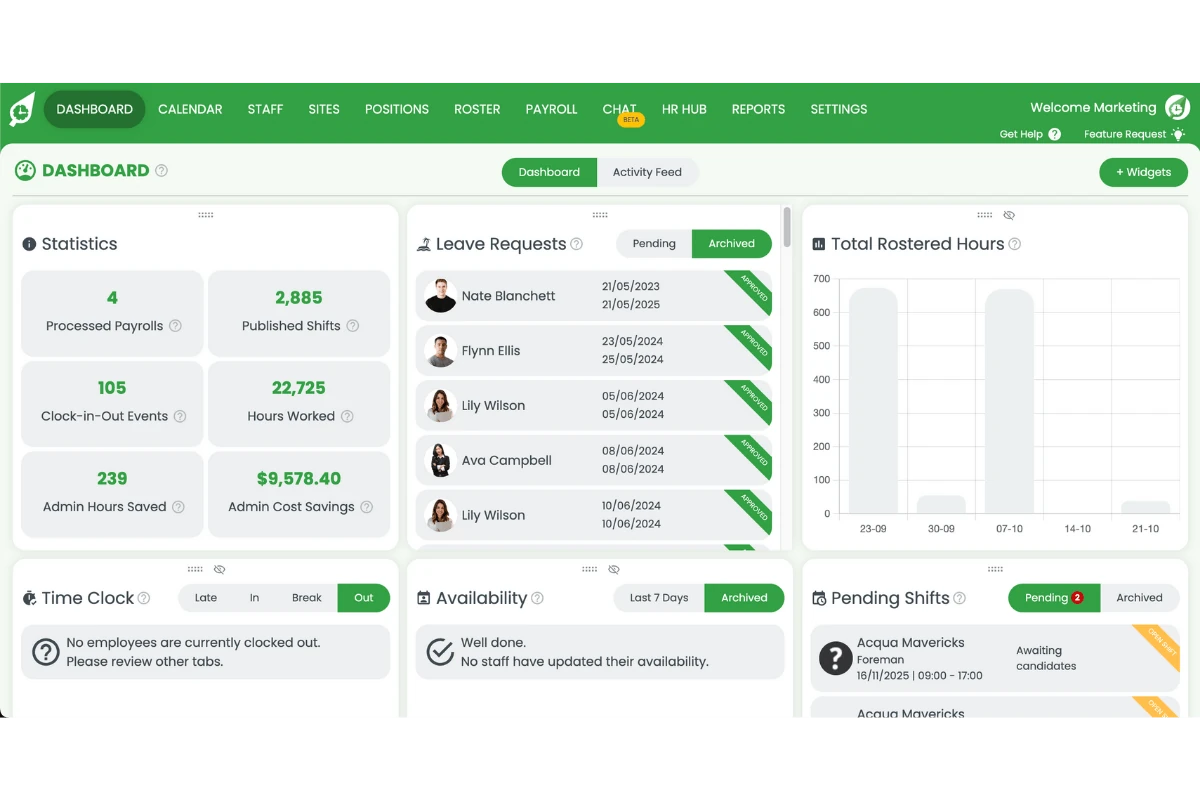
1.1.2 Click the Reports tab from the top menu.
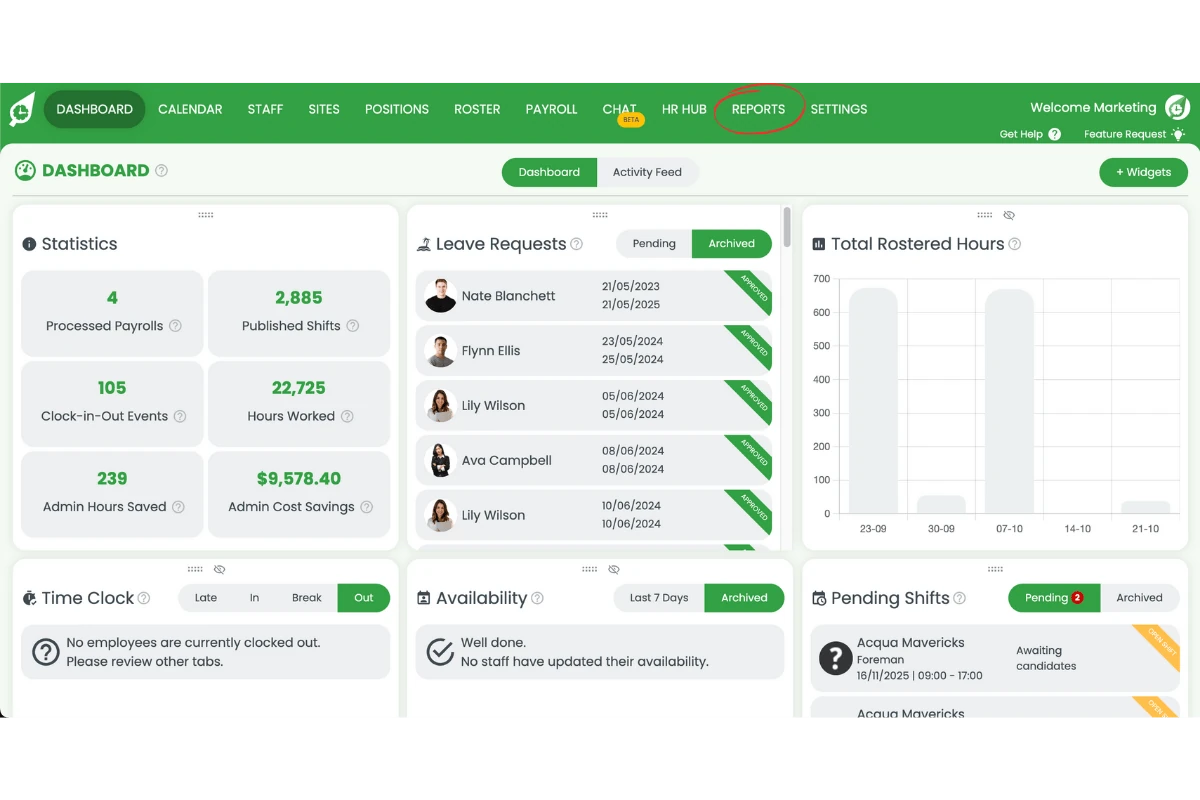
1.2 access HR & staff information reports
1.2.1 Scroll down to the HR & Staff Information Reports section.
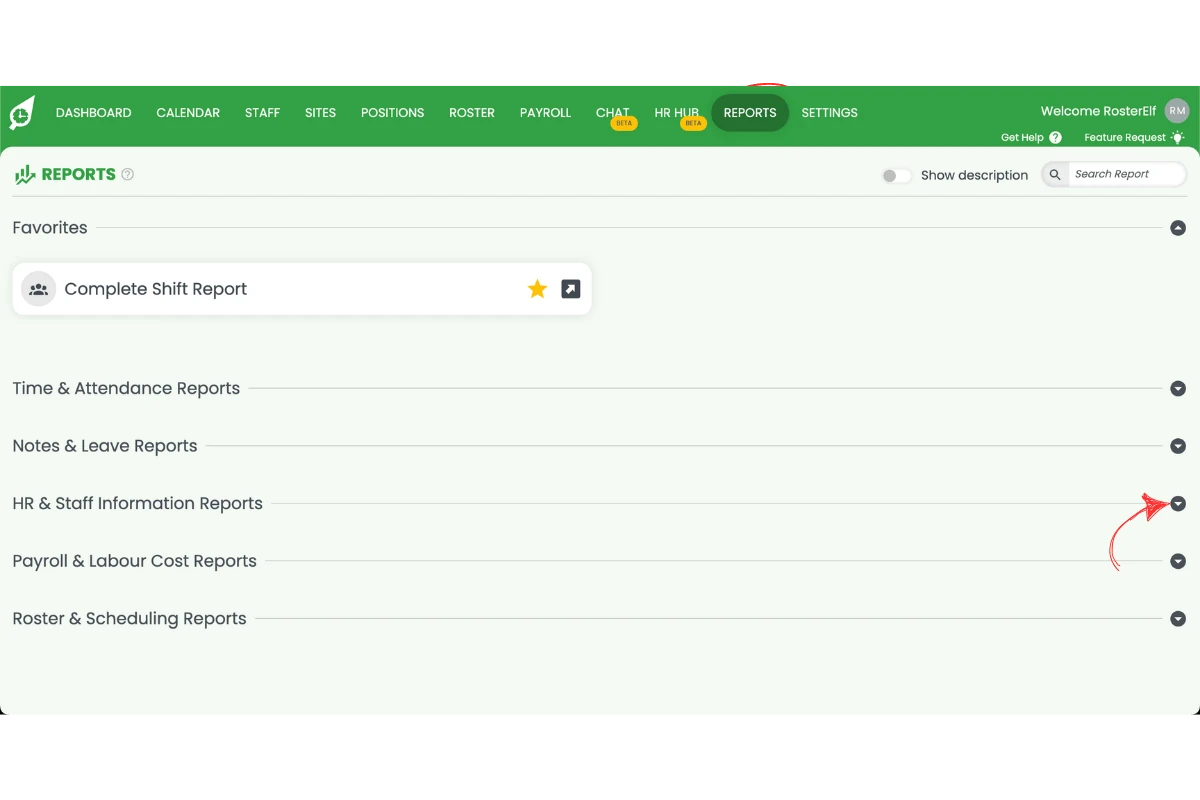
1.2.2 Select General Overview Report.
1.3 review onboarding completion
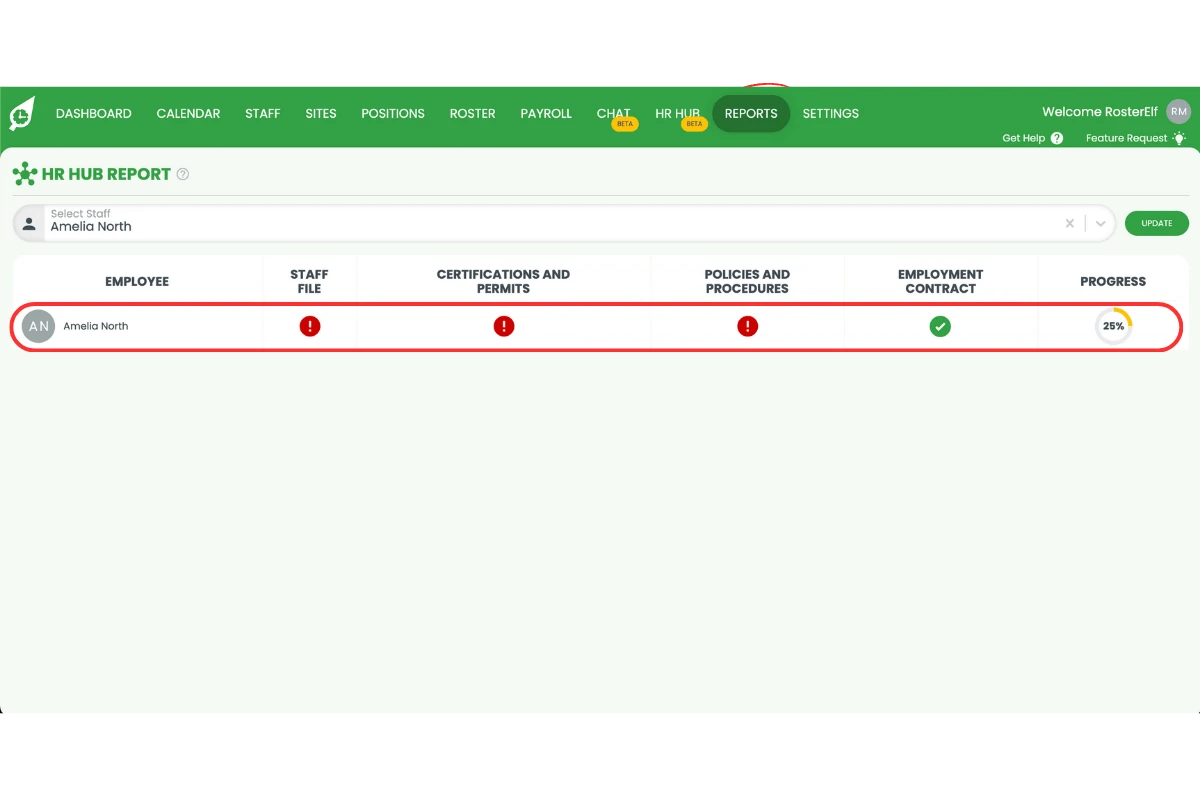
1.3.1 Select the staff member you want to review.
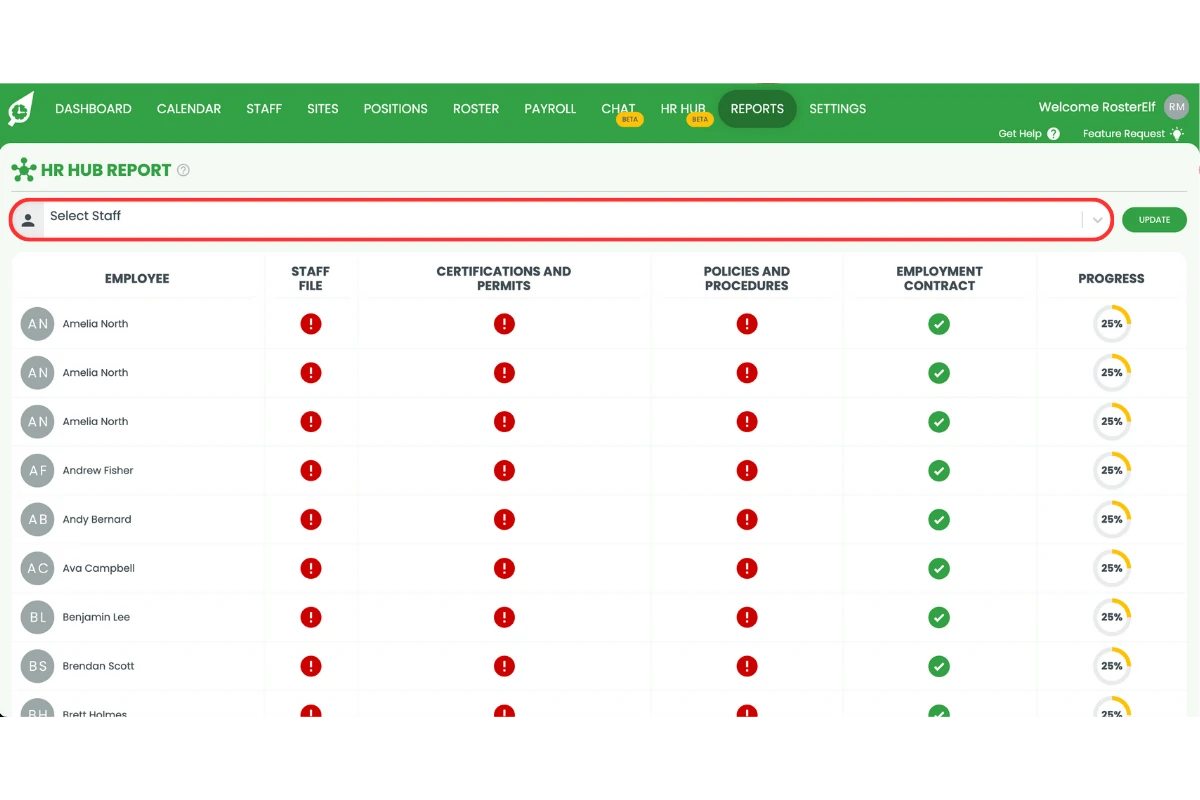
1.3.2 Check their onboarding status in the report.
Frequently asked questions
1. How do I know if a staff member hasn't completed onboarding in RosterElf?
You can check onboarding completion in RosterElf by opening the Reports tab, selecting HR & Staff Information Reports, and viewing the General Overview Report. This report shows which staff members still have pending onboarding tasks or incomplete information.
2. Where can I find the General Overview Report in RosterElf?
To locate the General Overview Report, log in to your RosterElf account, click the Reports tab, and scroll down to the HR & Staff Information Reports section. Select General Overview Report to access staff onboarding details.
3. Can I export the onboarding completion report for recordkeeping?
Yes. Once you open the General Overview Report, you can export it as a file for auditing, compliance, or recordkeeping purposes. This ensures you maintain accurate onboarding records for all staff.
4. What information does the General Overview Report include?
The General Overview Report in RosterElf displays staff details such as onboarding progress, HR documentation, and submitted forms. It helps you identify who has or hasn’t completed required steps before starting work.
5. Why is checking onboarding completion important?
Reviewing onboarding completion ensures all employees have submitted essential documents and acknowledged company policies. It helps maintain compliance, improves workplace readiness, and streamlines the hiring process.