

Access the contracts report in RosterElf
This guide explains how to access and run the contracts report in RosterElf. The contracts report allows you to review and manage all staff contracts in one place. It helps you confirm that every employee has a valid and current contract on file, supporting compliance and HR best practices.
By following this guide, you’ll learn how to locate the contracts report, apply filters to narrow your results, and export your data for recordkeeping or management review. This ensures your organisation’s employment records are accurate, complete, and easy to access when needed.
1. Open the contracts report
This section explains how to open the contracts report in RosterElf. You’ll start by navigating to the Reports tab, searching for the correct report, and applying filters to refine your results. Accessing this report ensures you can quickly verify which staff members have completed or outstanding contracts.
1.1 locate the contracts report
1.1.1 Open your RosterElf account.
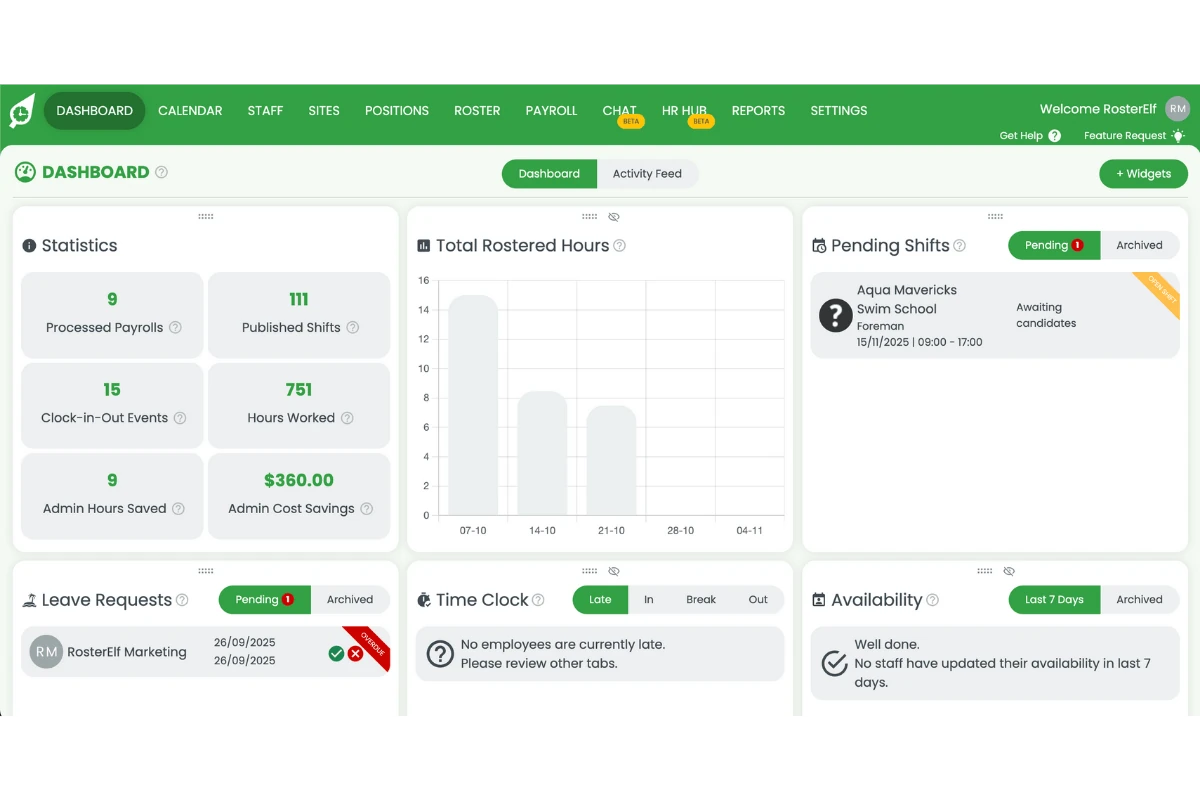
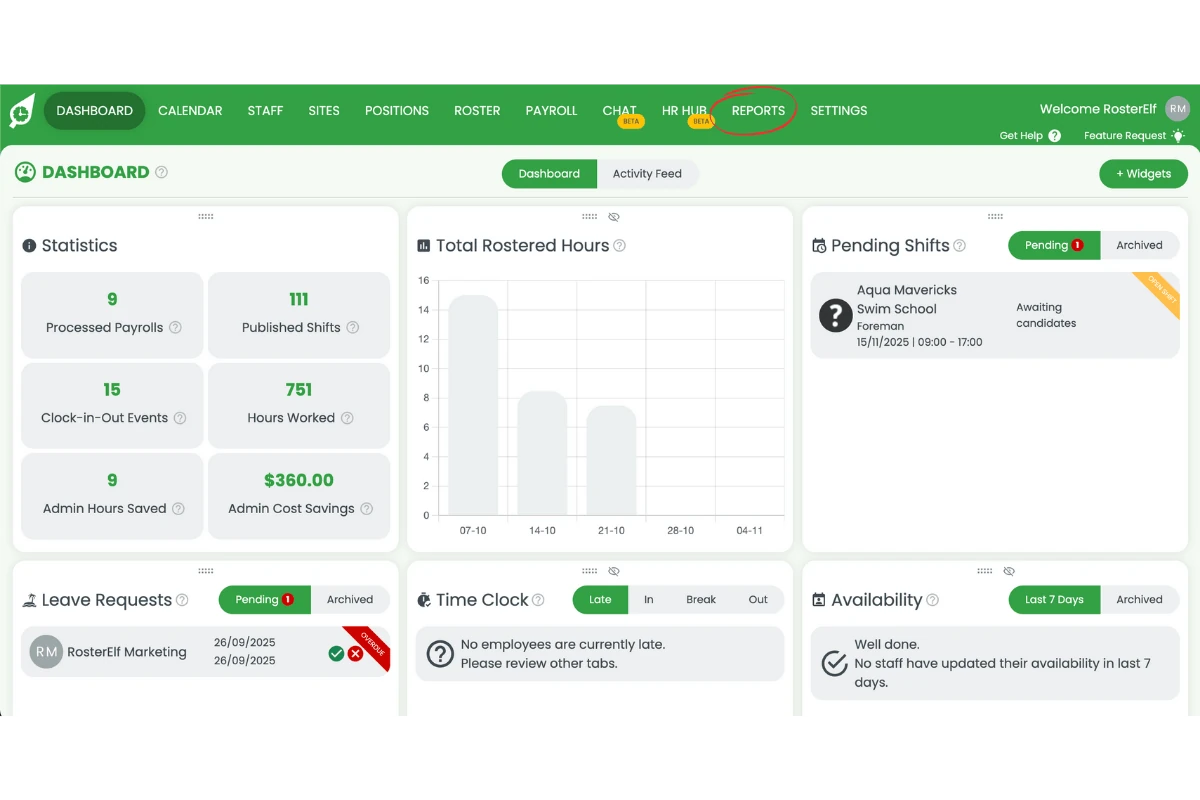
1.1.2 Click Reports from the main menu.
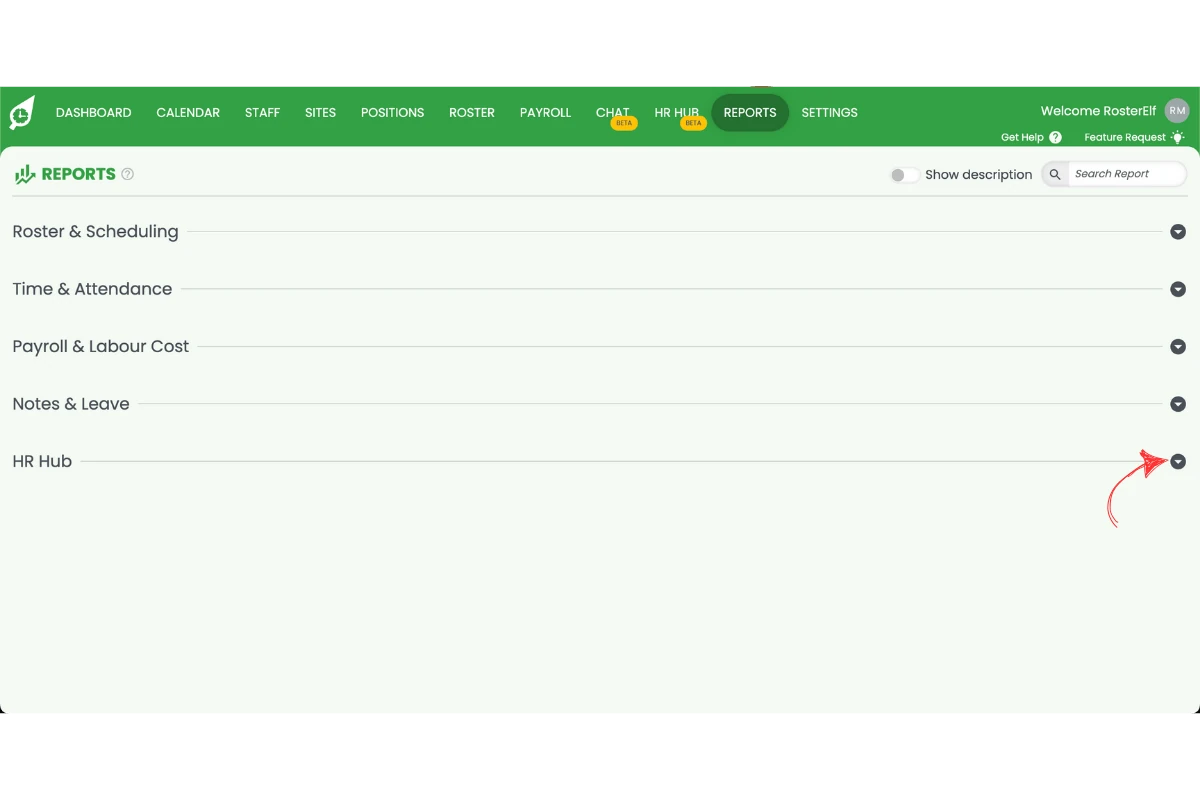
1.1.3 Search for the HR Hub category.
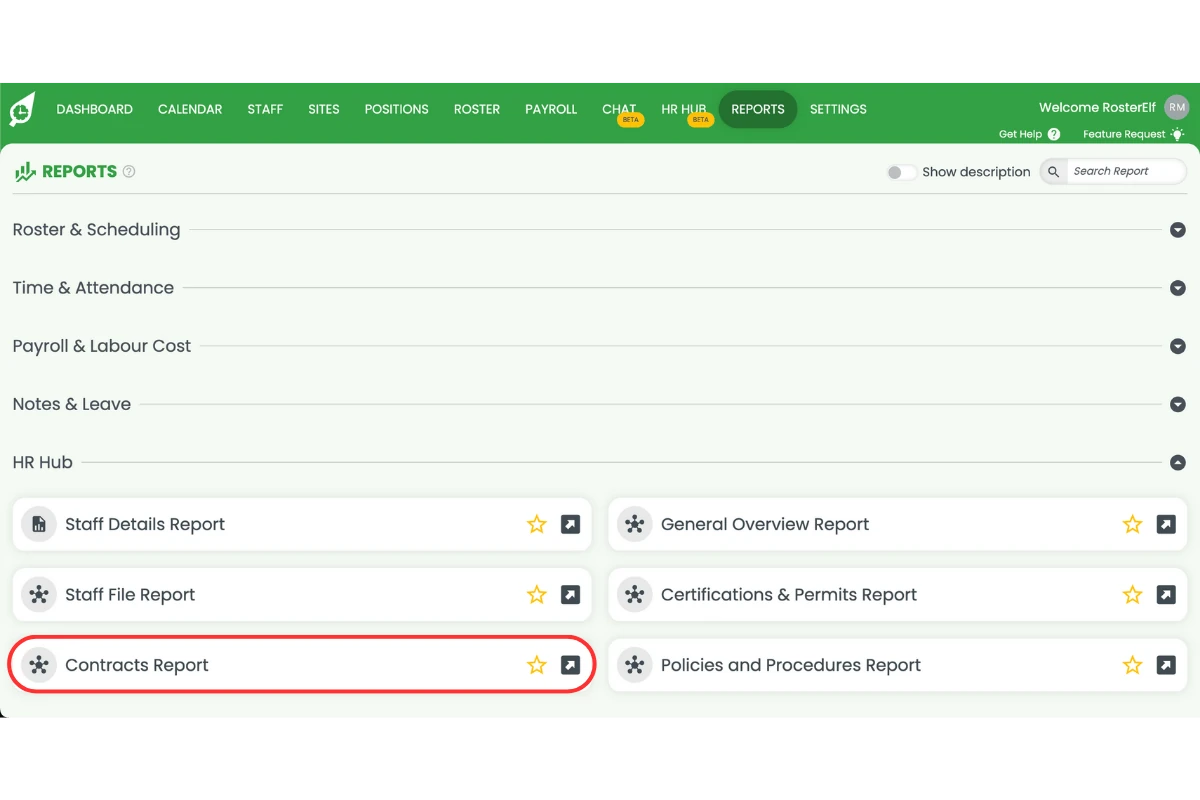
1.1.4 Select Contracts report from the list.
1.1.5 Set your desired filters.
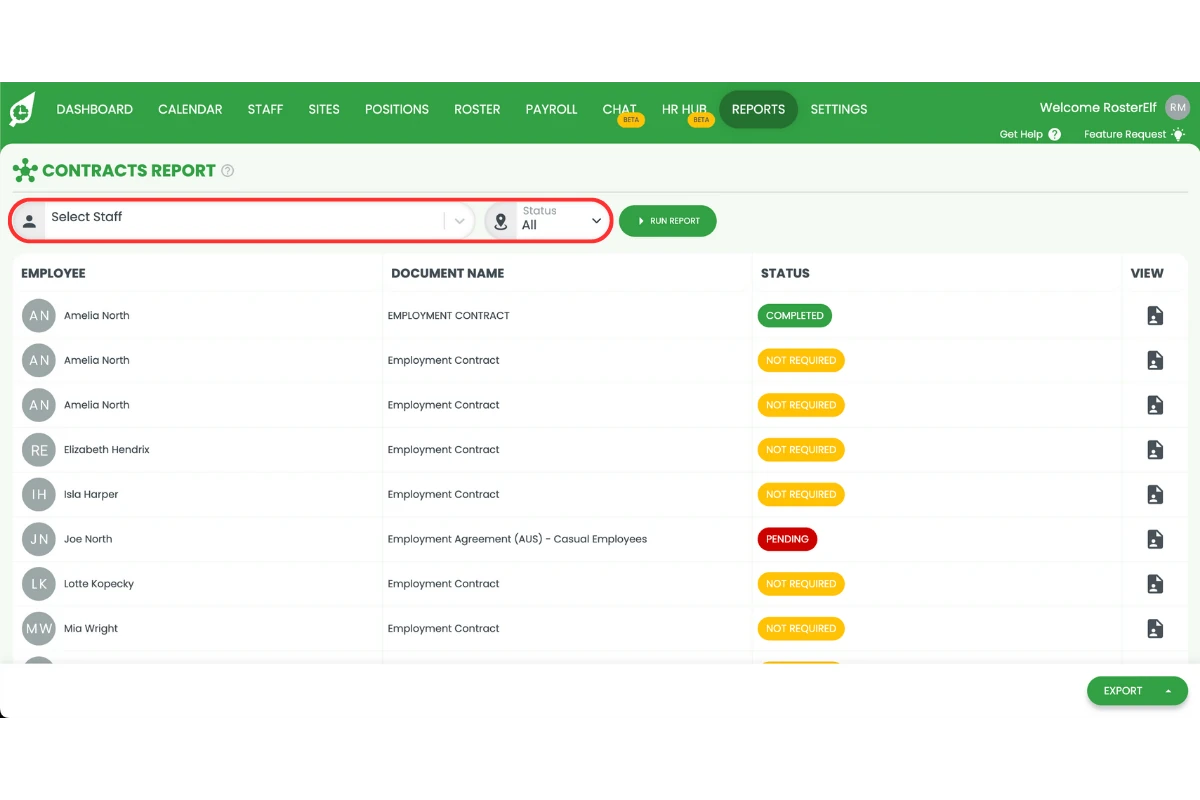
1.1.6 Click Run report to generate results.
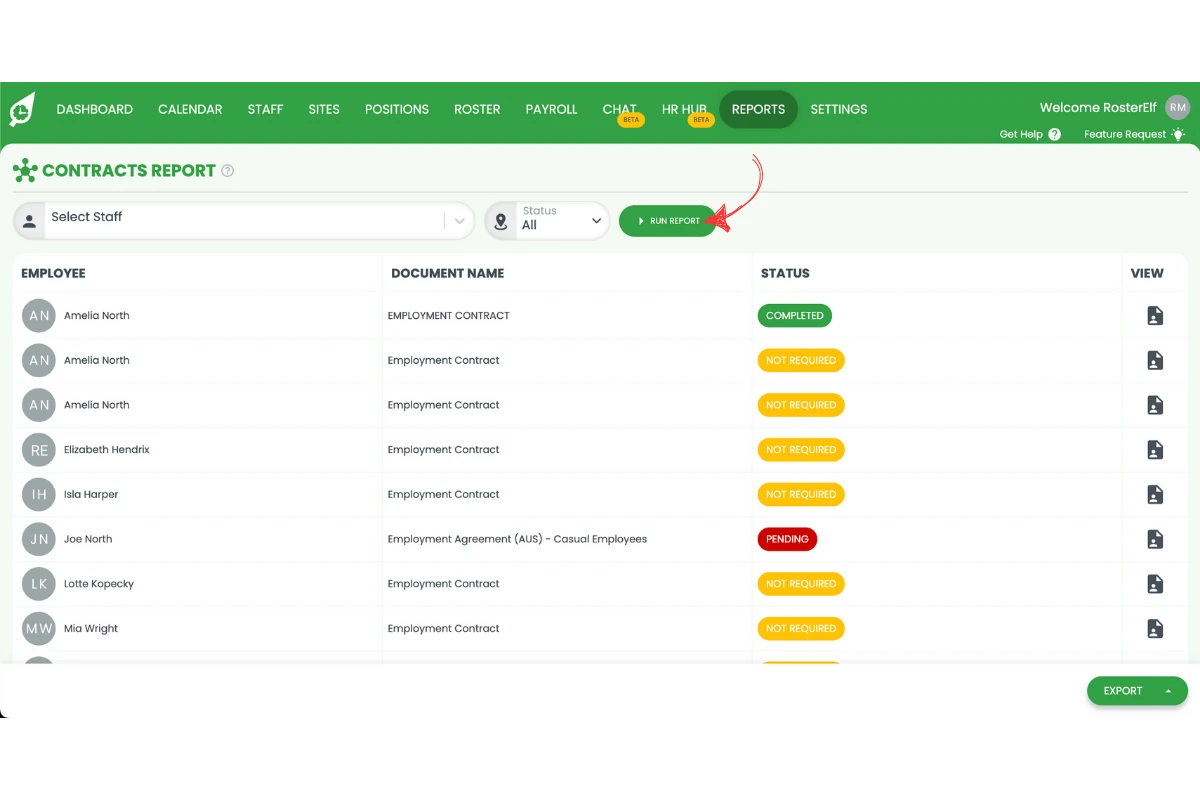
1.1.7 Export the report if needed for records or sharing.
Frequently asked questions
1. What is the contracts report in RosterElf?
The contracts report in RosterElf is a tool that lets you view, manage, and export all staff contracts in one place. It helps you confirm that every employee has a valid, up-to-date contract on file, ensuring compliance with HR policies and legal requirements.
2. How do I access the contracts report in RosterElf?
To access the contracts report, log in to your RosterElf account, click Reports in the main menu, and type Contracts in the search bar. Select Contracts report, set your filters, and click Run report to view your data.
3. Can I export the contracts report for recordkeeping?
Yes. Once the report is generated, you can export it directly from RosterElf. This makes it easy to save, print, or share the report with HR, management, or auditors for compliance and recordkeeping purposes.
4. Why should I use the contracts report in RosterElf?
Using the contracts report ensures that all employment contracts in your business are valid, signed, and current. It helps prevent compliance risks, supports internal audits, and makes managing staff documentation simpler and more transparent.
5. Can I filter the contracts report by employee or site?
Yes. The contracts report allows you to apply filters to narrow your view by employee name, site, or other criteria. This helps you focus on specific teams, departments, or locations when reviewing contract compliance.