

Troubleshooting RosterElf email delivery issues
This article explains common reasons why employees may not receive email notifications from RosterElf and offers solutions. Ensuring that your employees receive timely email notifications from RosterElf is essential for smooth communication, especially for updates on rosters, shifts, and other important notifications. This guide will help you identify and resolve potential issues, such as incorrect email addresses or emails directed to spam folders. By following these steps, you can improve email delivery and ensure your team stays informed.
1. Confirm the Employee's email address
This section covers verifying the email address entered for each employee in RosterElf. Even small errors in the email address can prevent successful delivery, so it's essential to double-check this information.
1.1 check the Employee's email in RosterElf
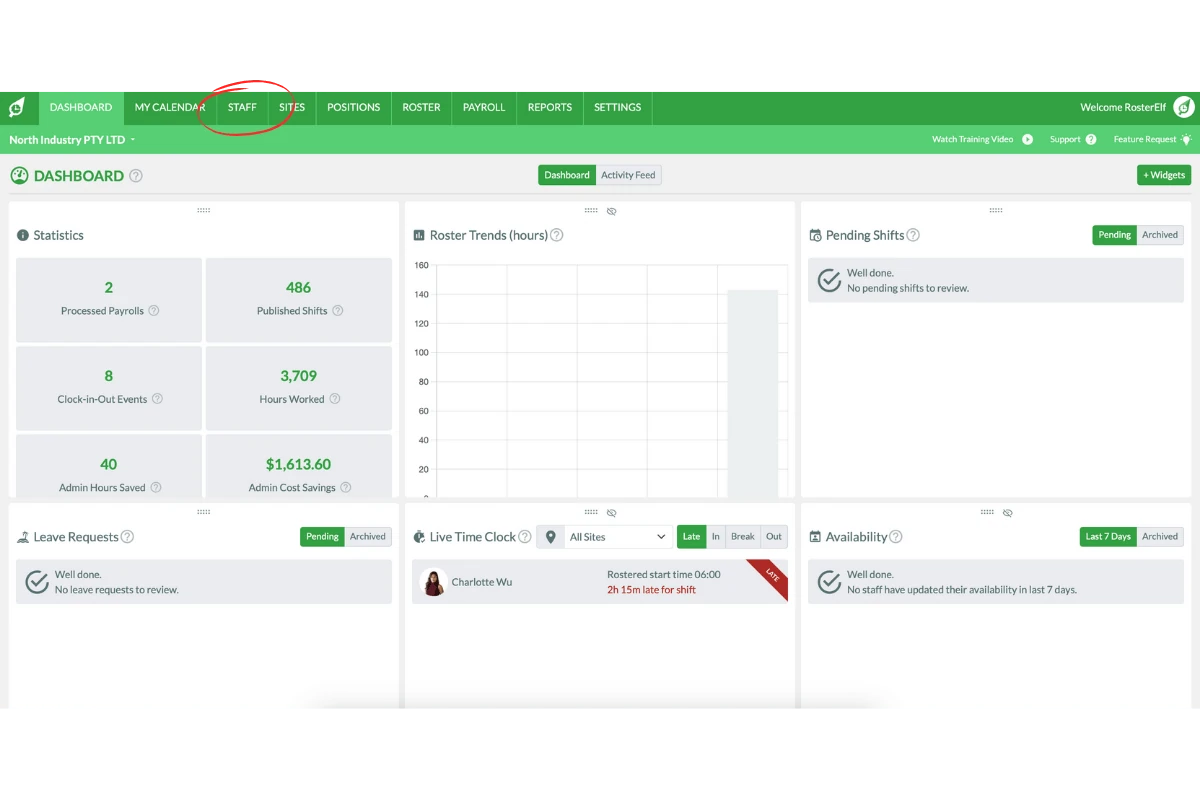
1.1.1 Go to the Staff tab in the top menu of RosterElf.
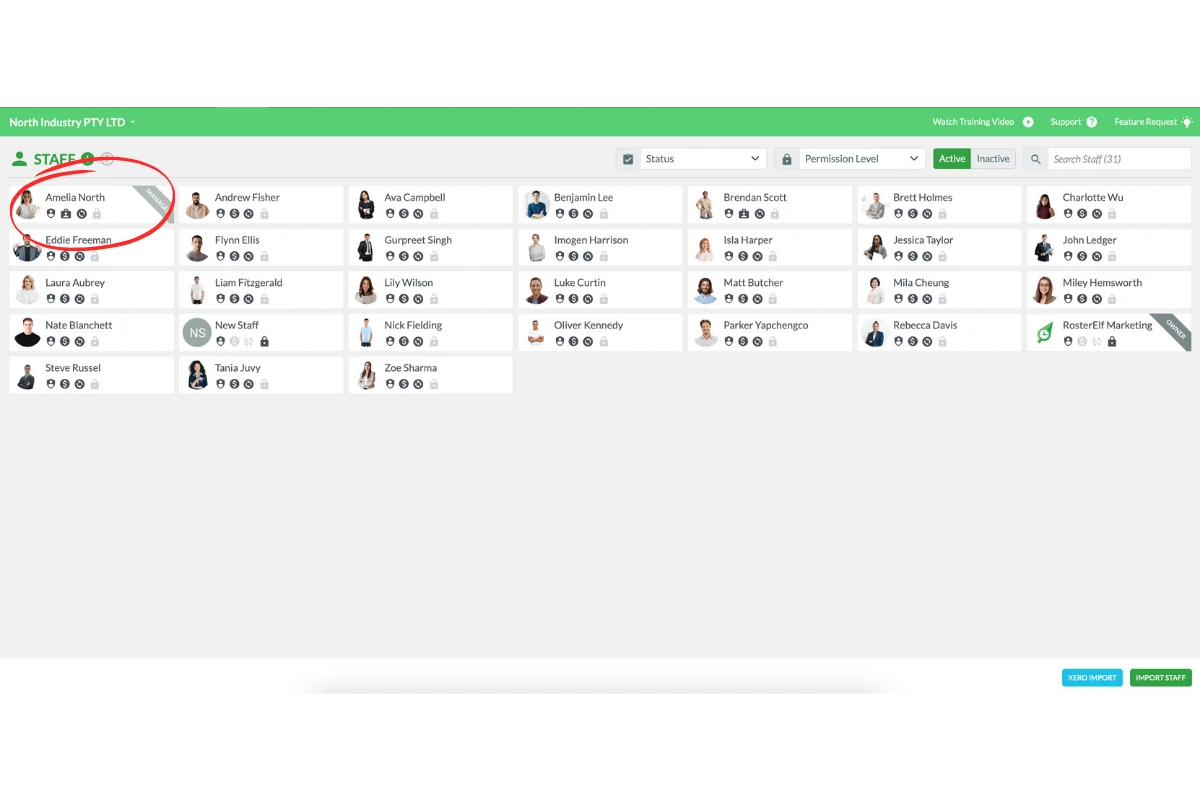
1.1.2 Find the employee whose email notifications are not being received.
1.1.3 Select the Profile tab for the employee.
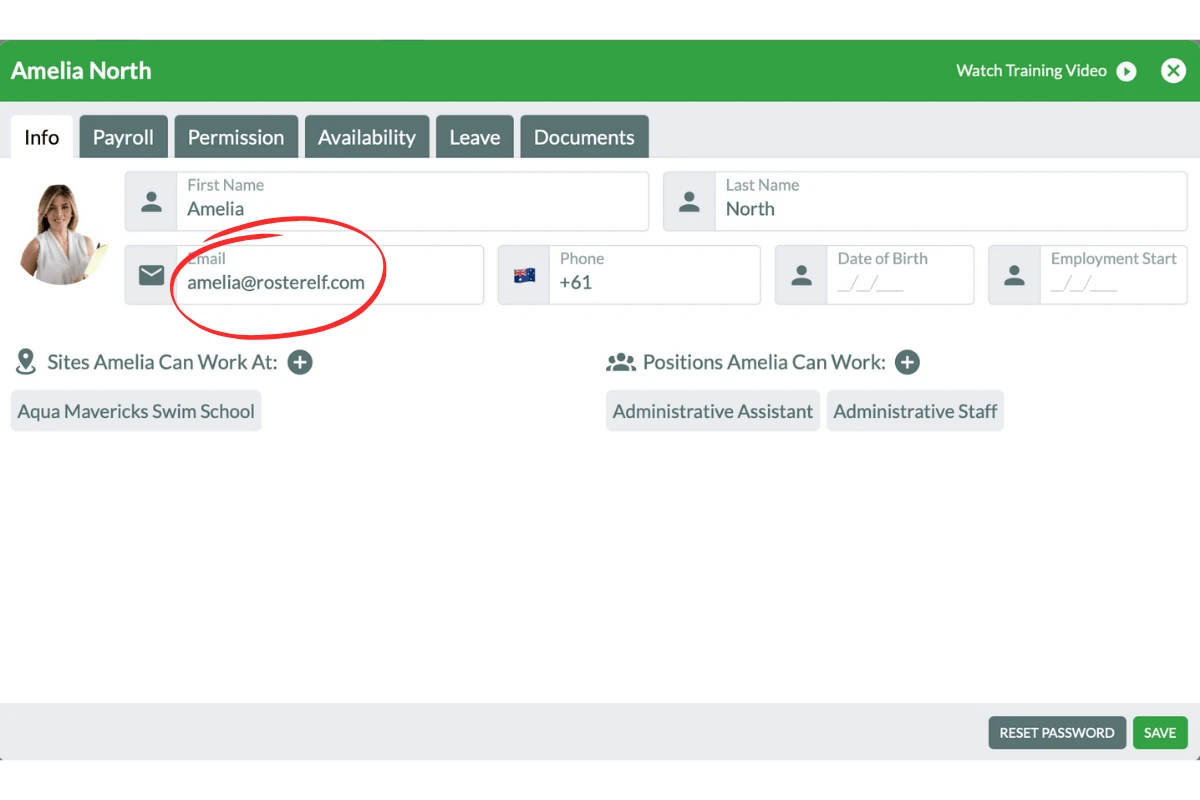
1.1.4 Confirm that the email address is entered correctly.
2. Check for emails in the spam folder
This section explains how to address situations where emails from RosterElf are marked as spam. Sometimes, email providers may miscategorise notifications, placing them in the Spam or Junk folder. Ensuring emails are moved to the inbox signals to email providers that RosterElf is a trusted sender.
2.1 check the spam or junk folder
2.1.1 Ask the employee to open their email account.
2.1.2 Navigate to the Spam or Junk folder.
2.1.3 If emails from RosterElf are present, move them to the Inbox.
2.1.4 This action indicates to the email provider that emails from RosterElf are safe.
2.2 mark RosterElf as a safe sender
2.2.1 Each email provider has a different method to mark a sender as safe.
2.2.2 To ensure RosterElf emails reach the inbox, search for instructions based on the provider.
For example: search how to mark an email sender as safe for Hotmail or replace Hotmail with the provider used.
By following these steps, you can help ensure that employees receive important communications from RosterElf without interruption.
Still need help? get in touch
Email us
customersupport@rosterelf.com
Book a video call
Free 30-minute call with our Customer Success Team
Ask Elf AI
Click Questions? Let's Chat! at the bottom right of any RosterElf page — Elf AI answers 24/7
Book a support call
A free 30-minute session with the team, at a time that suits you