

Time tolerance in RosterElf controls when employees are prompted to provide a reason for their clock-in or clock-out. Setting it to 0 means the system asks for a reason on every single clock-in and clock-out — no buffer at all. This is useful for businesses that rely on shift notes for accurate record keeping. Setting it to a positive value (e.g. 5 or 15 minutes) creates a buffer, so employees are only prompted if they clock outside that window.
Time tolerance can't be left blank
0 and a positive number of minutes are the only two settings — there’s no blank or “off” state. 0 asks for a reason on every clock-in and clock-out; a positive number creates a buffer, and a reason is only asked once someone clocks outside it. New sites default to 5 minutes.
1. Understanding time tolerance
Time tolerance controls when RosterElf prompts an employee for a reason during clock-in or clock-out. It’s always set to a number — new sites default to 5 minutes — and there are two ways to configure it depending on your business.
1.1 What is time tolerance?
1.1.1. Set to 0: The system prompts for a reason on every clock-in and clock-out, immediately. Ideal for businesses using shift notes for accurate record keeping. Employees who don’t need detailed notes can enter a short generic message.
1.1.2. Set to a positive value: Employees can clock in or out within that window without a prompt. A reason is only required if they exceed the buffer (e.g. more than 5 minutes early or late). New sites start with this set to 5 minutes by default.
1.1.3. Helps identify attendance trends, such as habitual lateness or early departures, when a buffer is set.
2. How to adjust time tolerance
Setting time tolerance in RosterElf is simple. Follow these steps to customise the acceptable buffer period for your business.
2.1 access the time & attendance settings
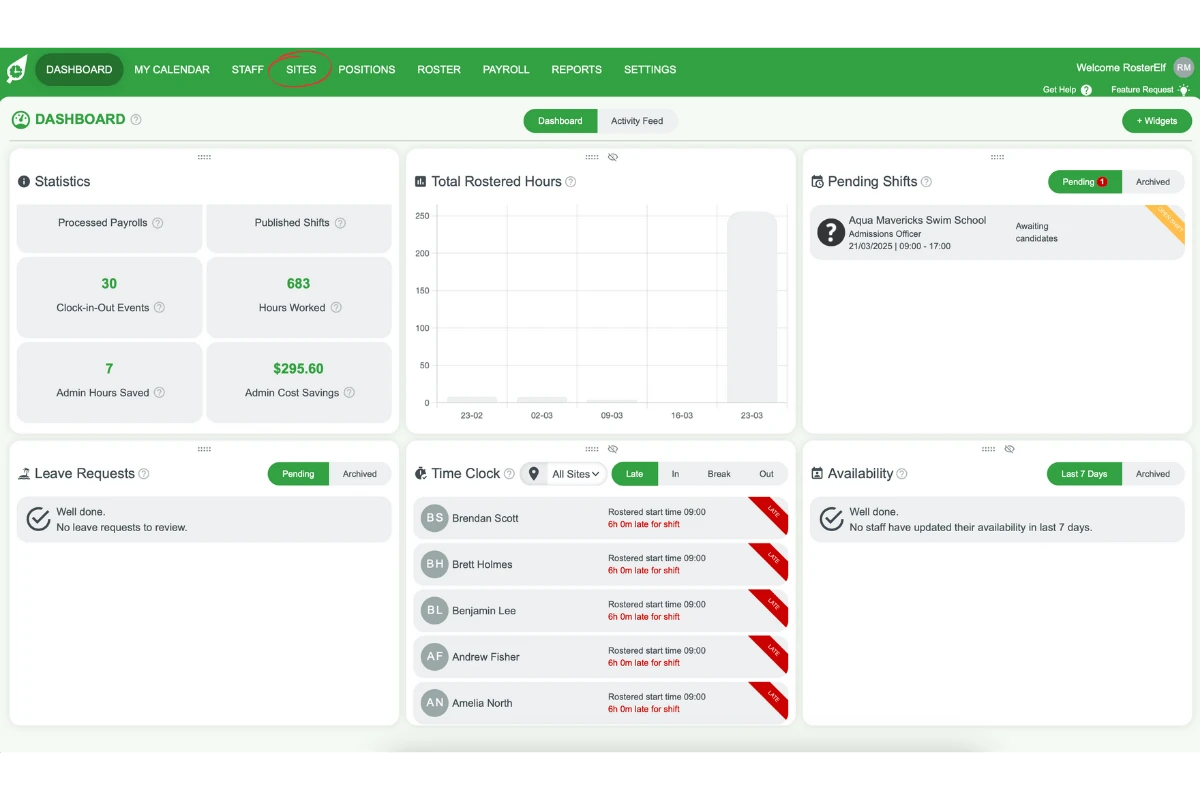
2.1.1 Navigate to the Sites tab in the main menu.
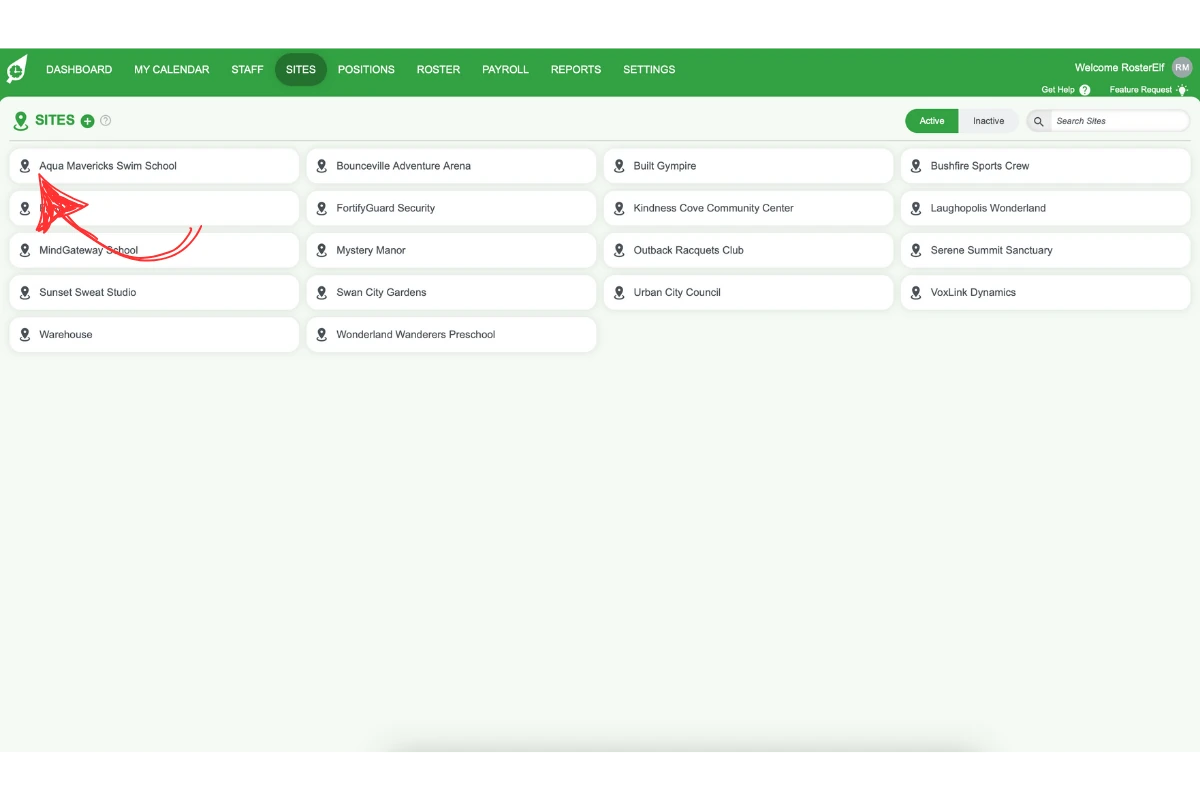
2.1.2 Select the desired site.
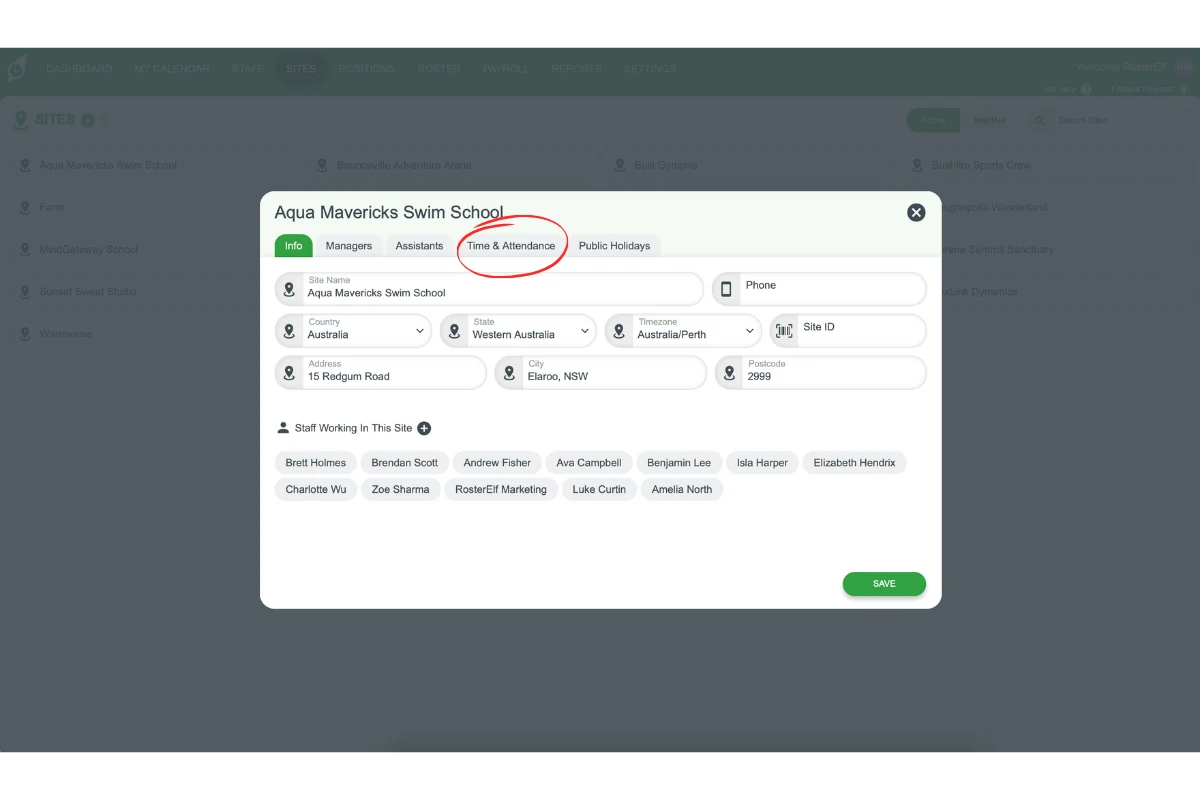
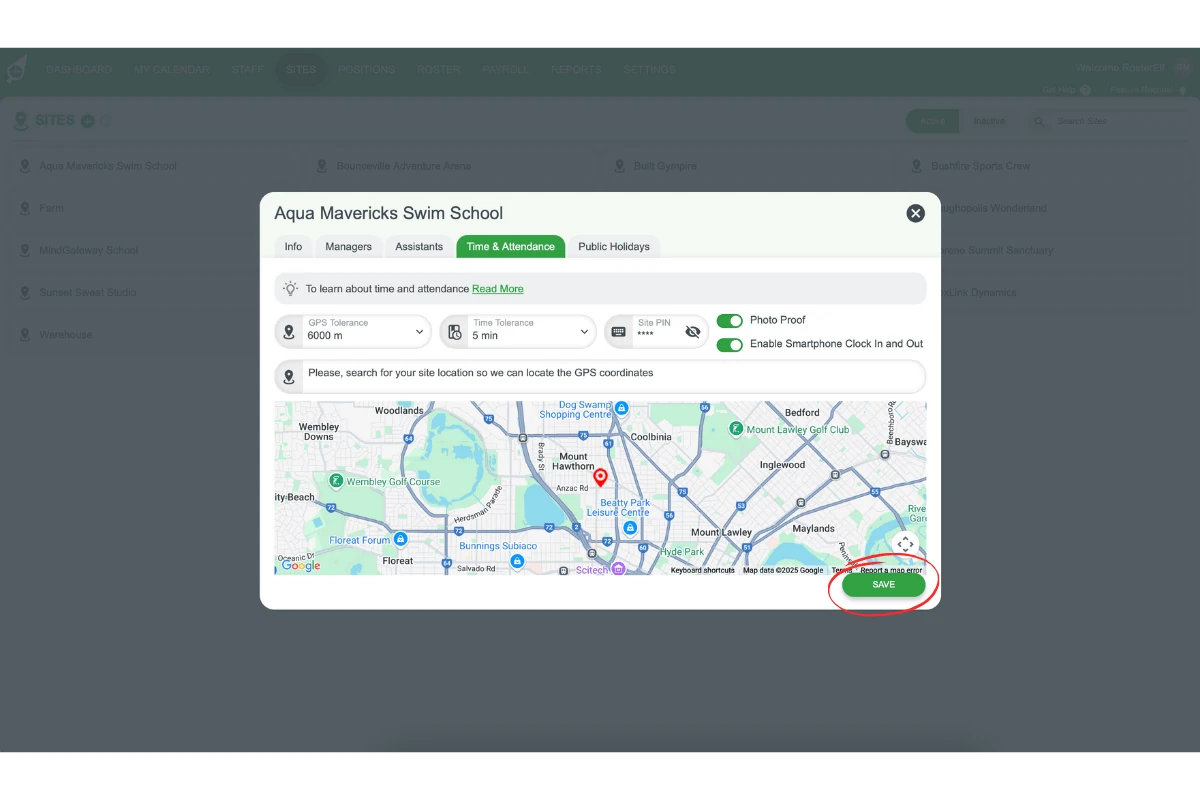
2.1.3 Click on the Time & Attendance tab.
2.1.4 Locate the Time Tolerance field.
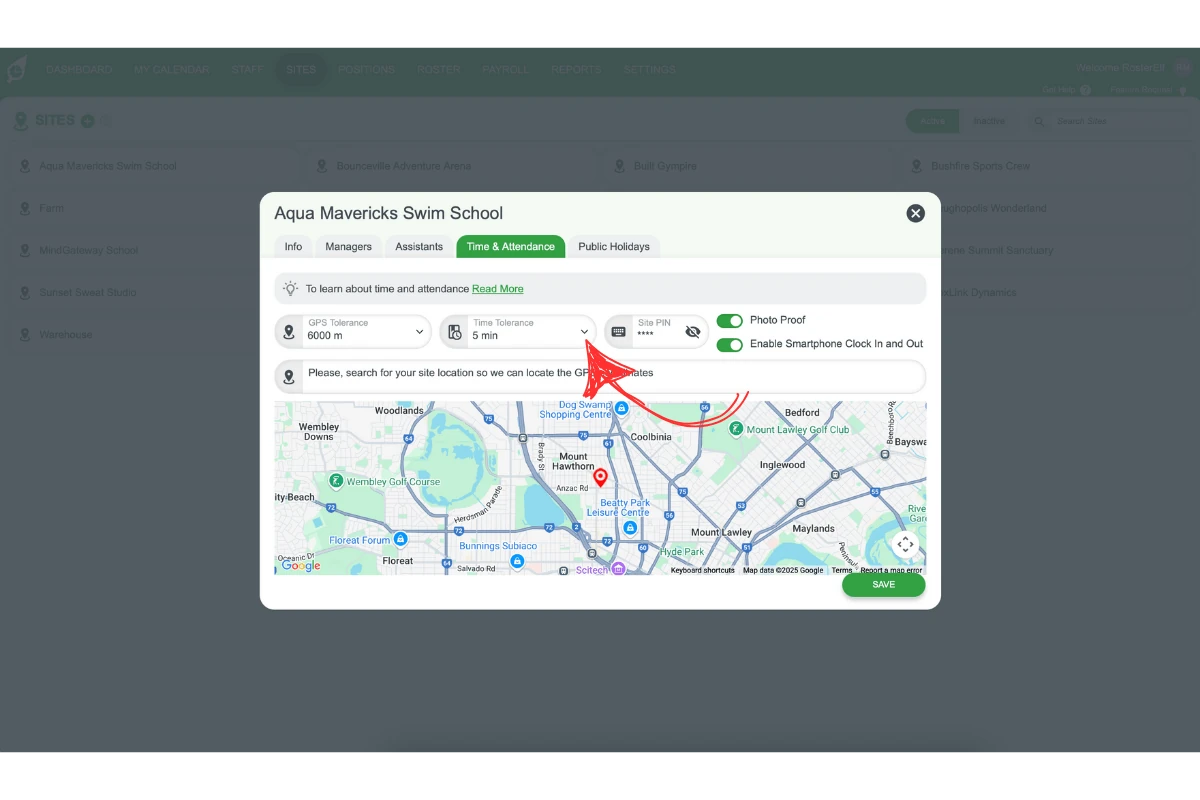
2.1.5 Set the tolerance value. Enter 0 to prompt for a reason on every clock-in and clock-out, or enter a buffer in minutes (e.g. 5, 10, 15) to only prompt when employees clock outside that window.
2.1.6 Save your changes to enforce the new tolerance period.
3. Benefits of time tolerance
Time tolerance helps businesses strike a balance between flexibility and accountability. It encourages punctuality and provides insights into attendance behaviour.
3.1 key benefits
3.1.1. Flexibility: Supports a forgiving clock-in/out process within reasonable limits.
3.1.2. Transparency: Prompts employees for reasons, ensuring accountability.
3.1.3. Insights: Identifies patterns for informed management decisions.
3.1.4. Accurate shift records: Setting tolerance to 0 ensures a reason is captured on every attendance event, supporting businesses that use shift notes for compliance or operational record keeping.
Related guide: for creating and editing sites themselves, see Add and manage sites.
Frequently asked questions
1. Can employees clock in or out outside the time tolerance?
Yes, employees can clock in or out at any time, but they will be required to provide a reason for exceeding the set tolerance.
2. What does setting time tolerance to 0 mean?
Setting time tolerance to 0 means the system prompts the employee for a reason on every single clock-in and clock-out, with no buffer at all. This is ideal for businesses that use shift notes for accurate record keeping, as it ensures every attendance event is documented. Employees who do not need to leave detailed notes can simply enter a short generic message.
3. Can I turn off time tolerance so employees are never asked for a reason?
No — Time Tolerance is a required field and can’t be left blank or turned off. When a site is created, RosterElf sets it to 5 minutes by default. If you want it stricter, set it to 0 so every clock-in and clock-out asks for a reason; if you want a wider buffer, increase the number of minutes instead.
4. Can different sites have different time tolerance settings?
Yes, time tolerance can be customised for each site in RosterElf.
5. How does time tolerance affect payroll calculations?
Time tolerance does not directly affect payroll calculations. It ensures accurate attendance records by prompting employees for reasons, but payroll is calculated based on actual clock-in and clock-out times.
6. Can managers override time tolerance settings?
Not retroactively — once a clock-in or clock-out has already prompted (or not prompted) for a reason based on the tolerance in place at that moment, that outcome can’t be undone. What managers can do is change the Time Tolerance value itself, which applies going forward to future clock-ins and clock-outs.