

Create pay category in MYOB My business
Disclaimer
This guide provides general information only and should not be relied upon as professional advice. Payroll and accounting requirements can vary depending on your business circumstances. Always check with your accountant or contact MYOB directly to confirm the best approach for your situation.
This article explains how to create a pay category in MYOB My Business. Pay categories define how different types of earnings are calculated and processed in payroll. Setting up the right category ensures staff are paid correctly, with the right tax and superannuation applied.
By following this guide, you will learn how to create a new pay category, review its settings, and assign it to employees. This process helps you maintain accurate payroll records and ensures compliance with Australian workplace requirements. Clear and accurate pay categories also make it easier to manage allowances, overtime, and other pay variations.
1. Start creating a pay category
To create a pay category, you first need to access payroll settings in MYOB My Business. From here, you can create a new pay item, name it clearly, and adjust the settings to suit your business needs.
1.1 open payroll settings
1.1.1 Log in to MYOB My Business.
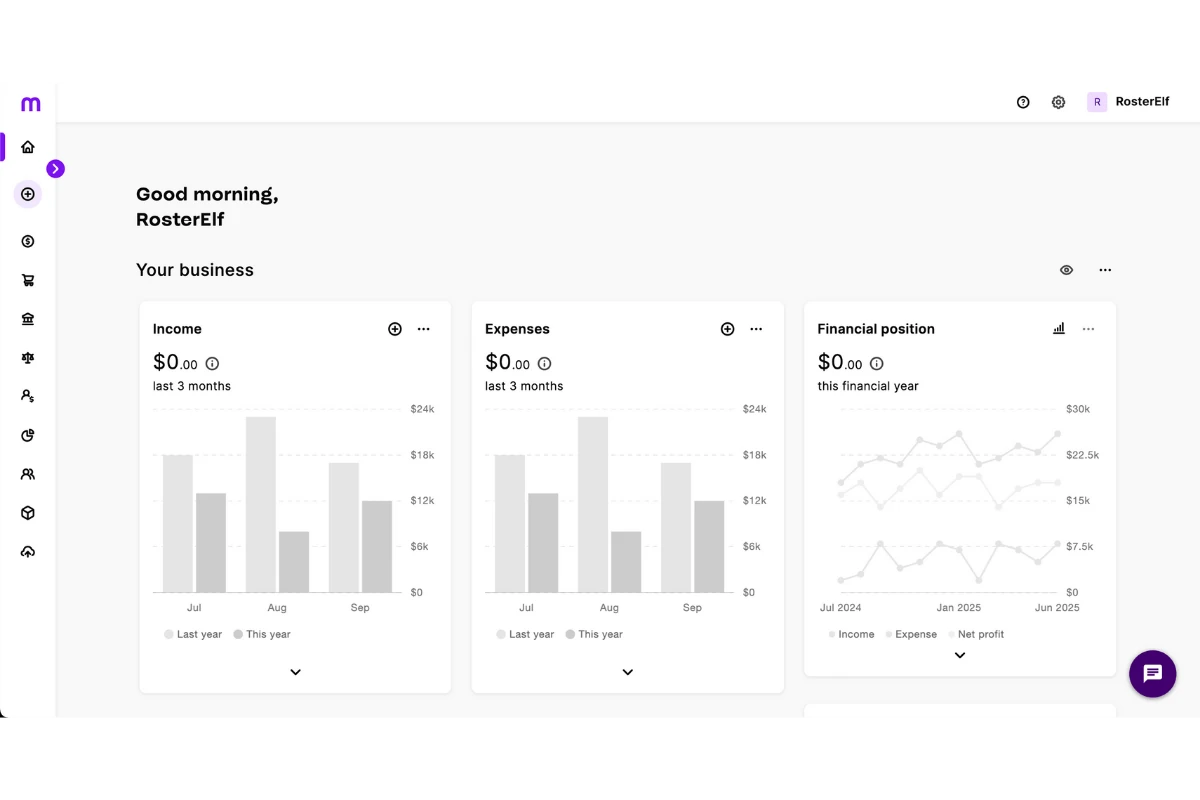
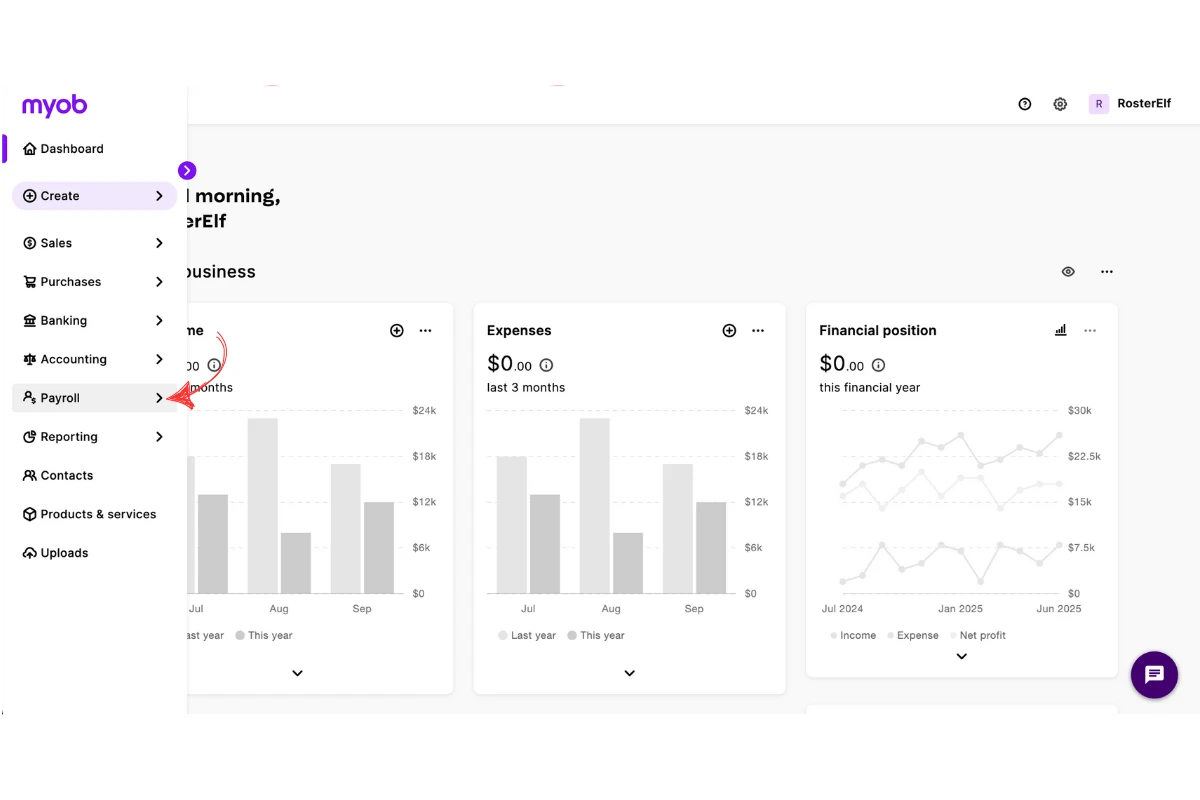
1.1.2 Click Payroll.
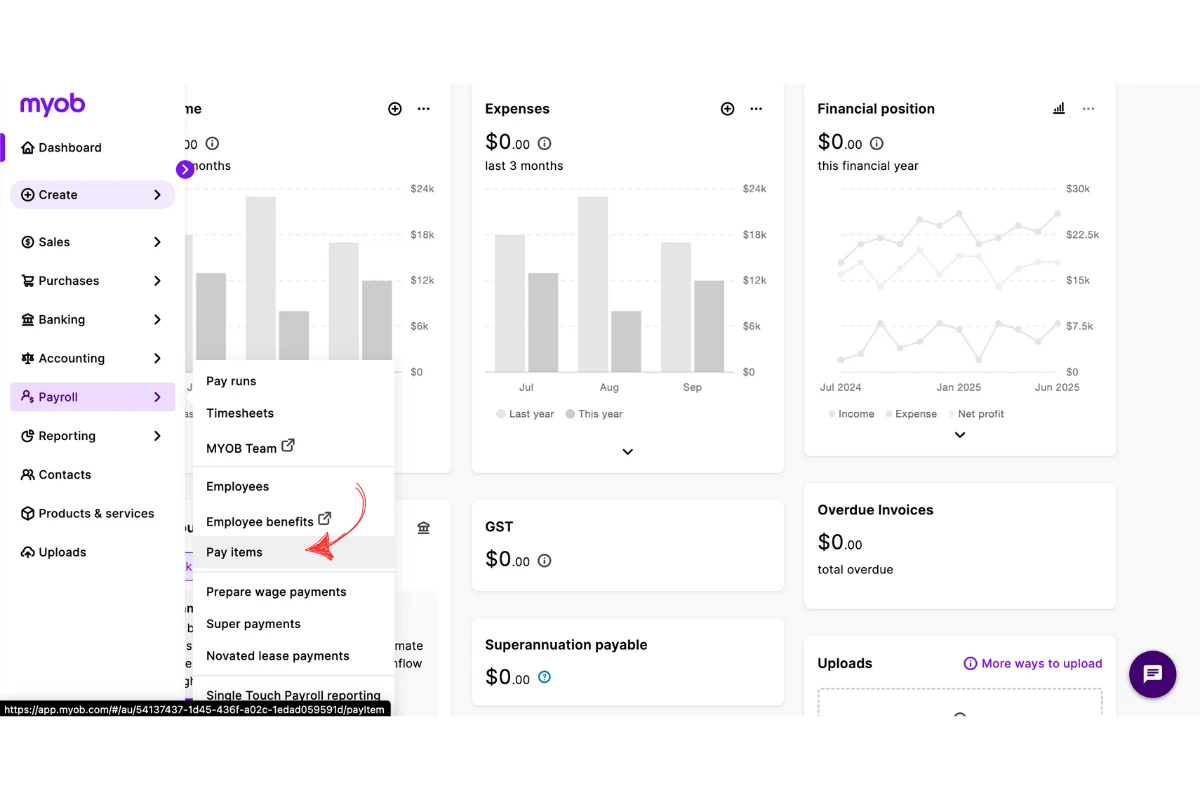
1.1.3 Click Pay items.
1.2 create a new pay item
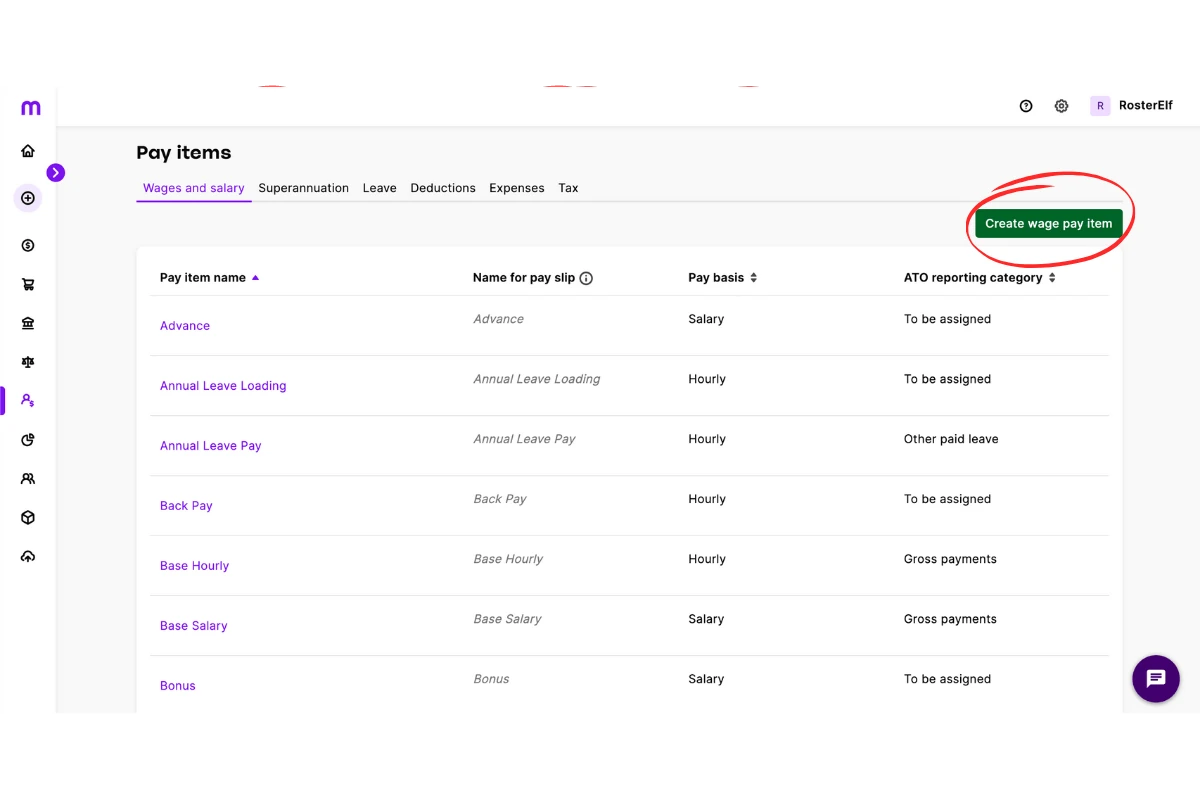
1.2.1 Press Create Wage Pay Item.
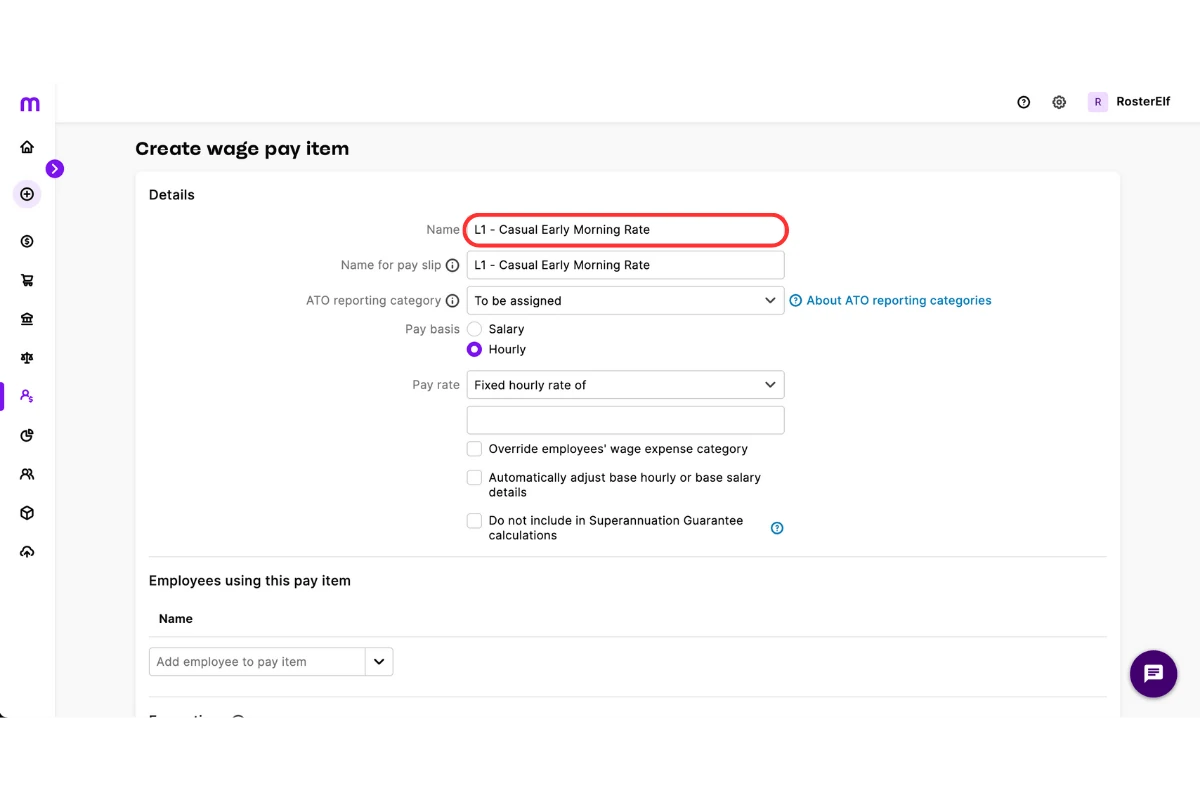
1.2.2 Enter the name of the pay item.
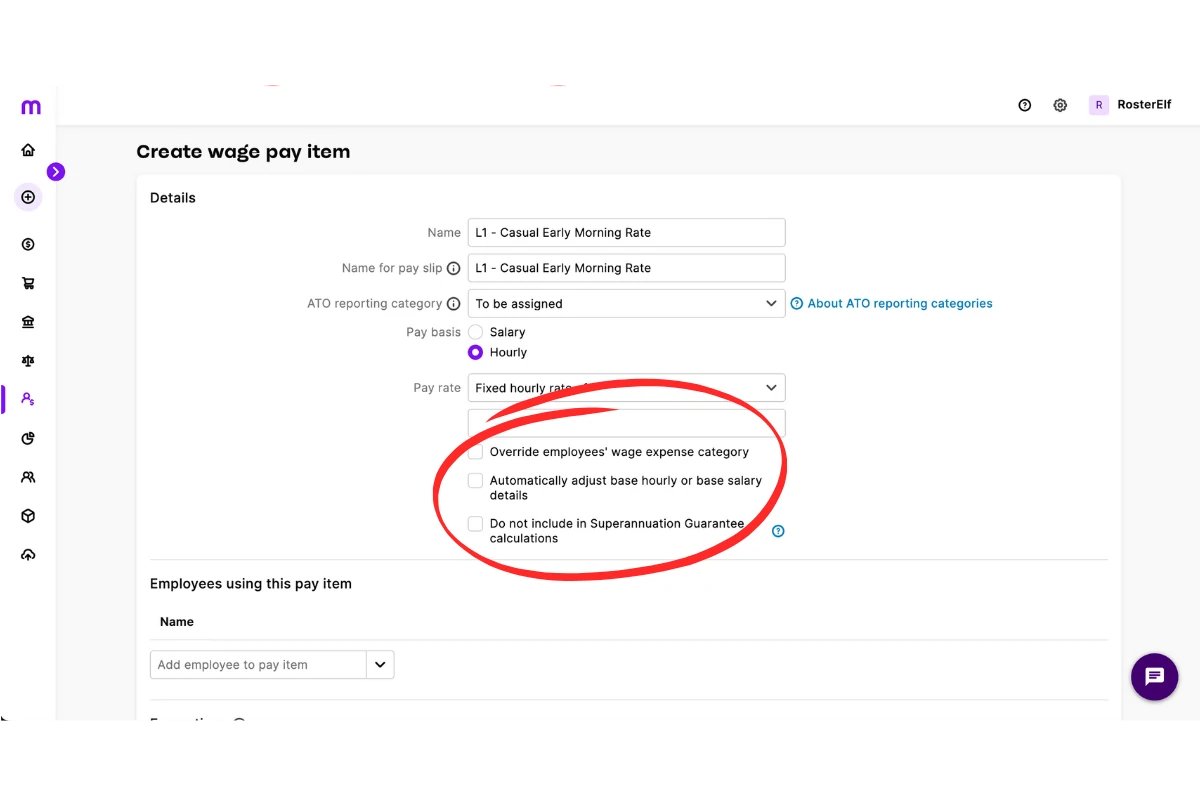
1.2.3 Review and check the pay item settings.
1.3 assign and save
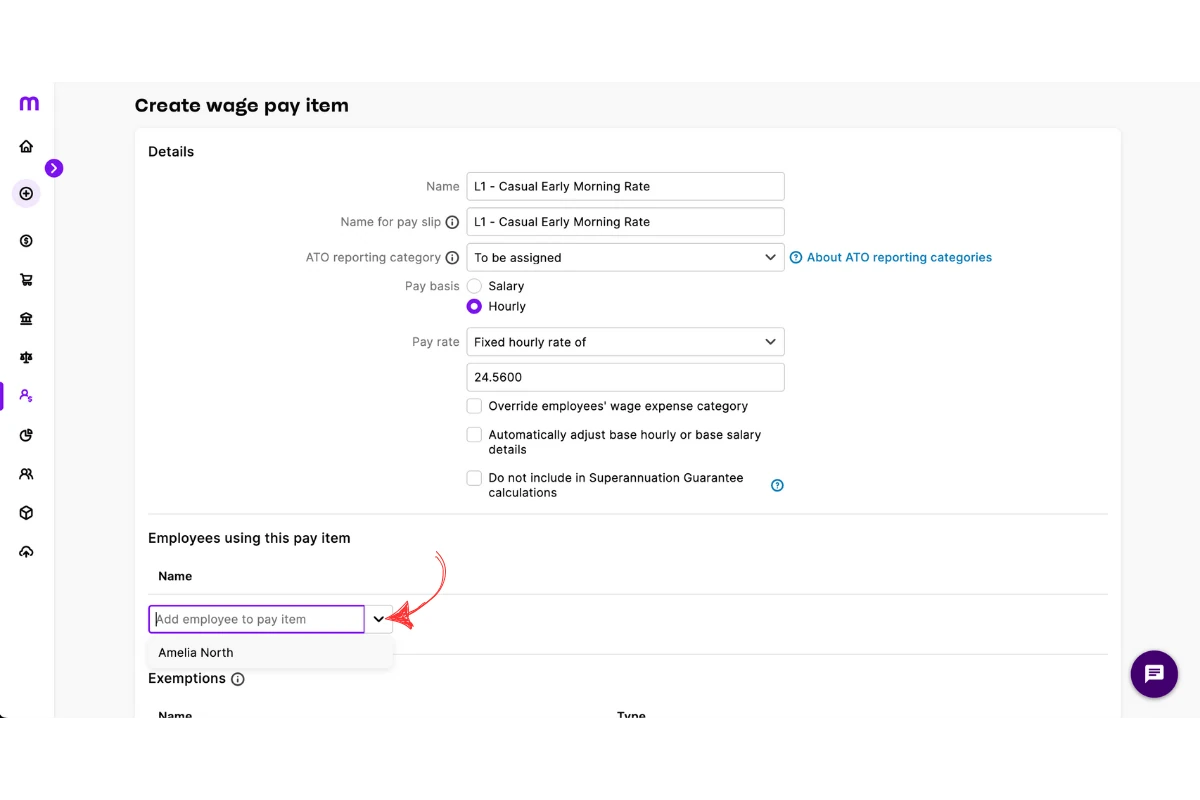
1.3.1 Assign the pay category to the correct employee.
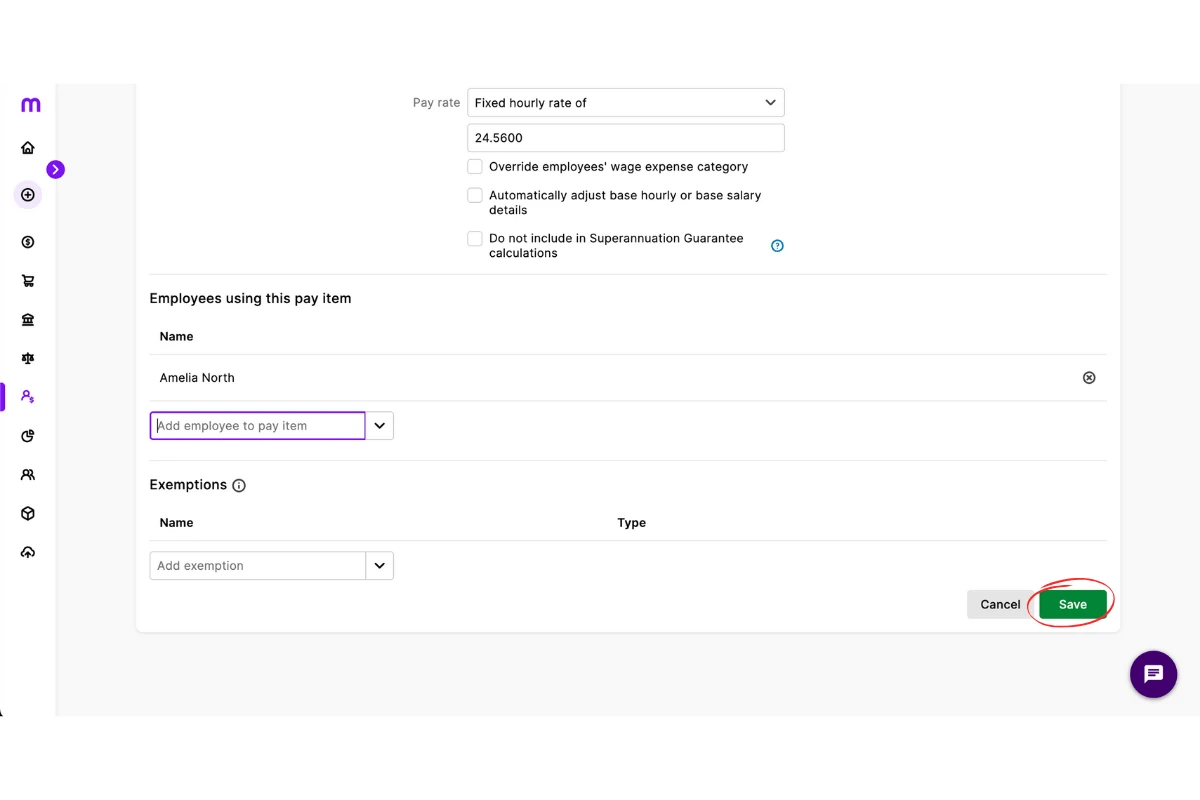
1.3.2 Press Save to complete the setup.
Frequently asked questions
1. What is a pay category in MYOB My Business?
A pay category in MYOB My Business defines how staff earnings are calculated and processed. It ensures correct application of tax, superannuation, and other entitlements.
2. How do I create a pay category in MYOB My Business?
To create a pay category, log in to MYOB My Business, go to Payroll > Pay items, select Create new pay item, enter a name, check the settings, assign it to an employee, and save.
3. Why is it important to set up pay categories correctly in MYOB?
Correct pay categories ensure staff are paid accurately, with the right tax and superannuation applied. They also support compliance with Australian workplace laws.
4. Can I assign a pay category to multiple employees in MYOB?
Yes. Once you create a pay category, you can assign it to one or more employees in MYOB My Business, making payroll management more efficient.
5. What types of payments can I manage with pay categories in MYOB?
Pay categories can manage regular wages, allowances, overtime, and other pay variations. This makes it easier to keep payroll records accurate and compliant.