RosterElf Logo
Start trial

View HR Hub training reports | Stats & summary

Sean Wyse By Sean Wyse Updated 2 July 2026 3 min read
Permission level: Admins Device: Web Browser

View HR Hub training reports and statistics

This guide explains how to view HR Hub training reports and statistics in RosterElf. Training reports help managers monitor employee progress, track course completion, and identify outstanding training requirements across the business. Reviewing training statistics lets you quickly see completion rates and ensure employees remain up to date with mandatory training and compliance requirements.

HR Hub training statistics give you a high-level overview of your organisation's training activity, making it easier to understand how employees are progressing through assigned courses. You can also run the HR Hub Training Summary report to generate more detailed information for recordkeeping or auditing purposes. Regularly reviewing these reports helps you identify overdue training, monitor compliance, and support employee development.

This guide explains how to access both HR Hub training statistics and the HR Hub Training Summary report.

HR Hub add-on required:

Training statistics and reports rely on the HR Hub training add-on. If you haven't set up training courses yet, see set up HR Hub training first.

1. View HR Hub training statistics

The HR Hub training statistics dashboard provides a quick overview of employee training activity. It displays key progress information that helps managers understand course completion across the organisation without running a full report. Reviewing these statistics lets you identify outstanding training, monitor completion rates, and check employees are supporting compliance efforts with required learning. This view is ideal for a fast check on one course before generating a detailed report.

1.1 View HR Hub training statistics

1.1.1 Open RosterElf.
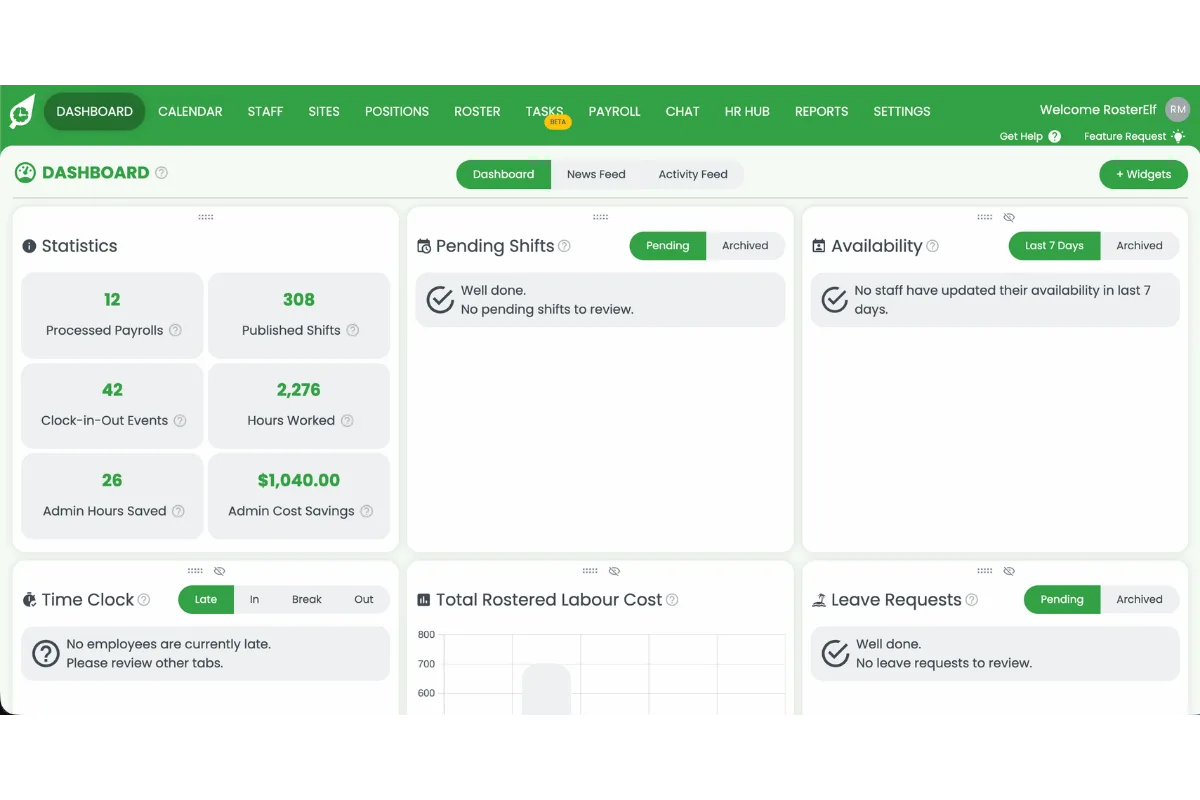
RosterElf dashboard home screen with the main navigation menu

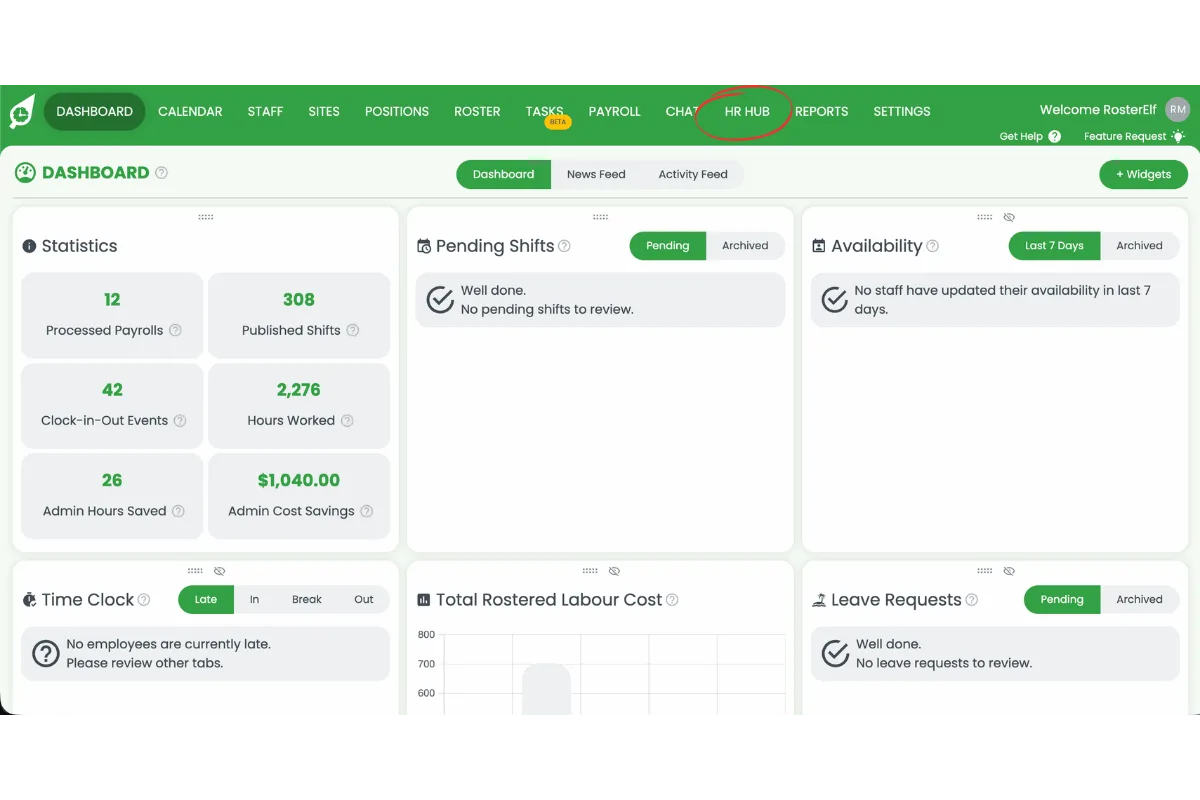
1.1.2 Select HR Hub.

RosterElf dashboard with HR Hub circled in red in the top navigation bar

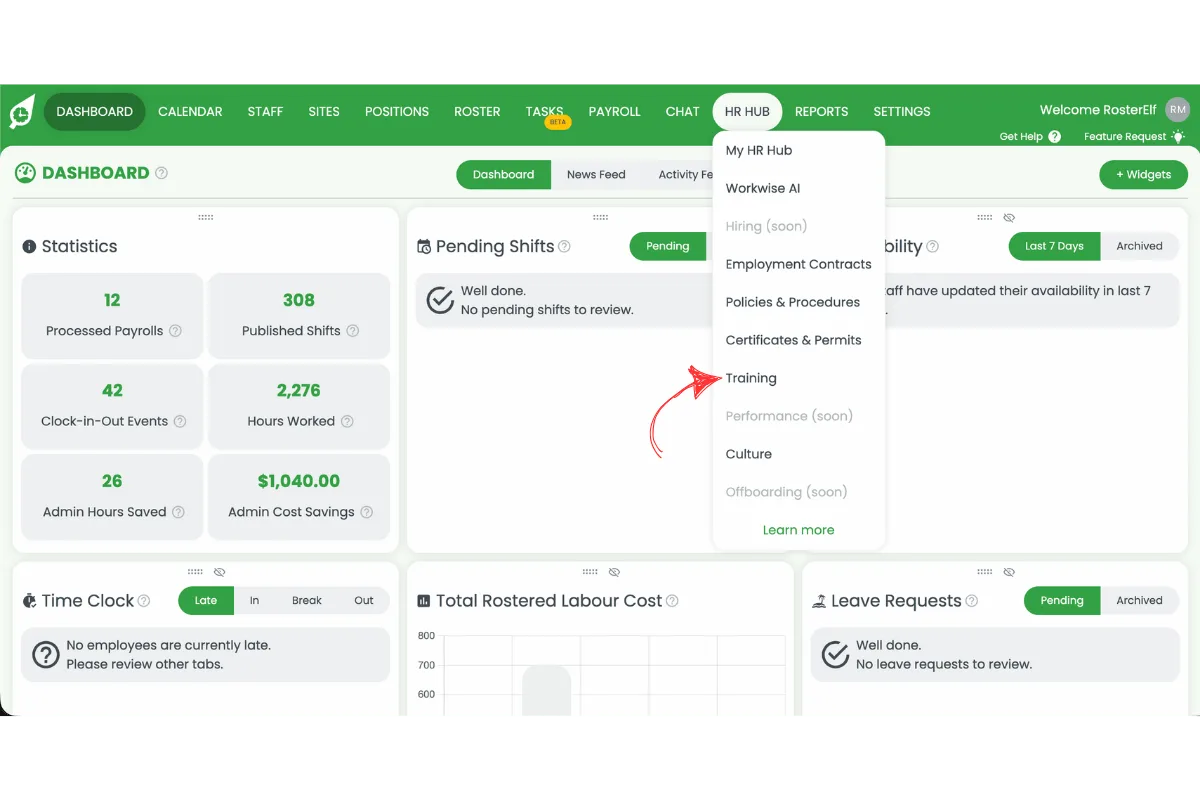
1.1.3 Select Training.

RosterElf HR Hub dropdown menu with Training circled in red

1.1.4 Press the Stats icon on a course to view its progress.
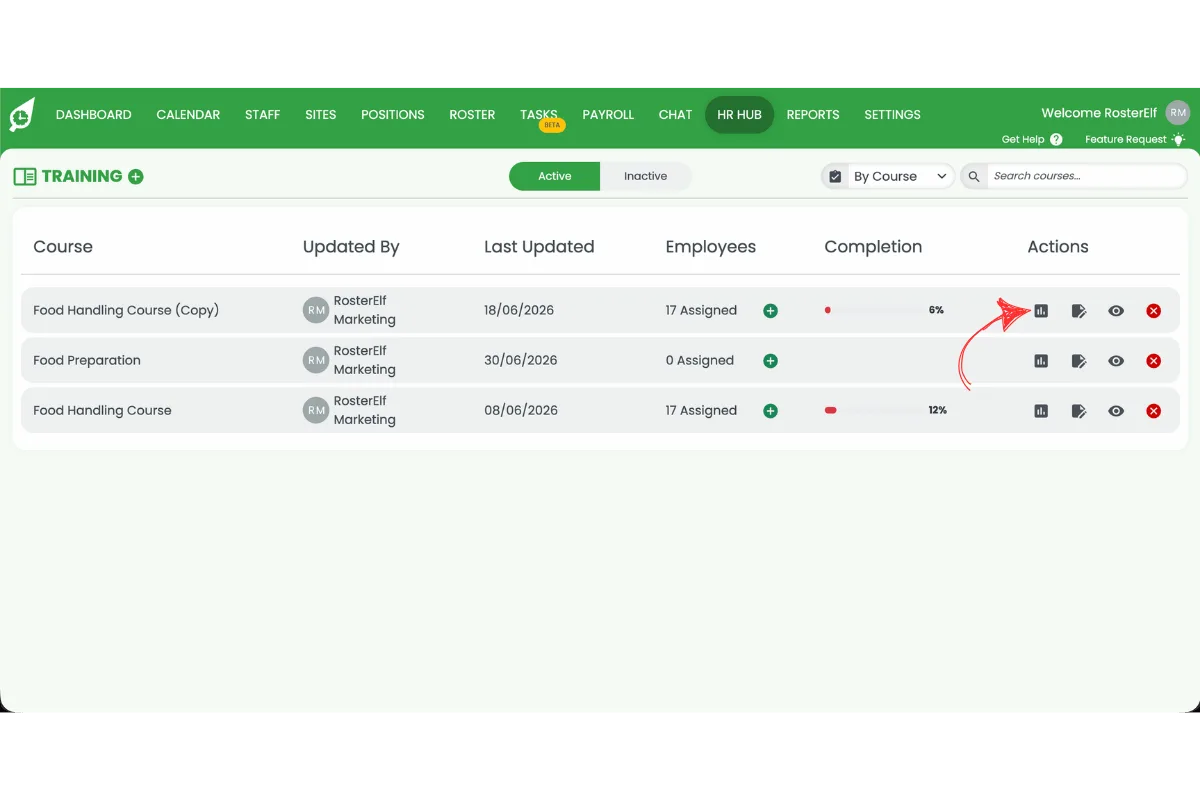
RosterElf Training course list with the Stats icon circled in red in the Actions column

1.1.5 Review the training statistics.
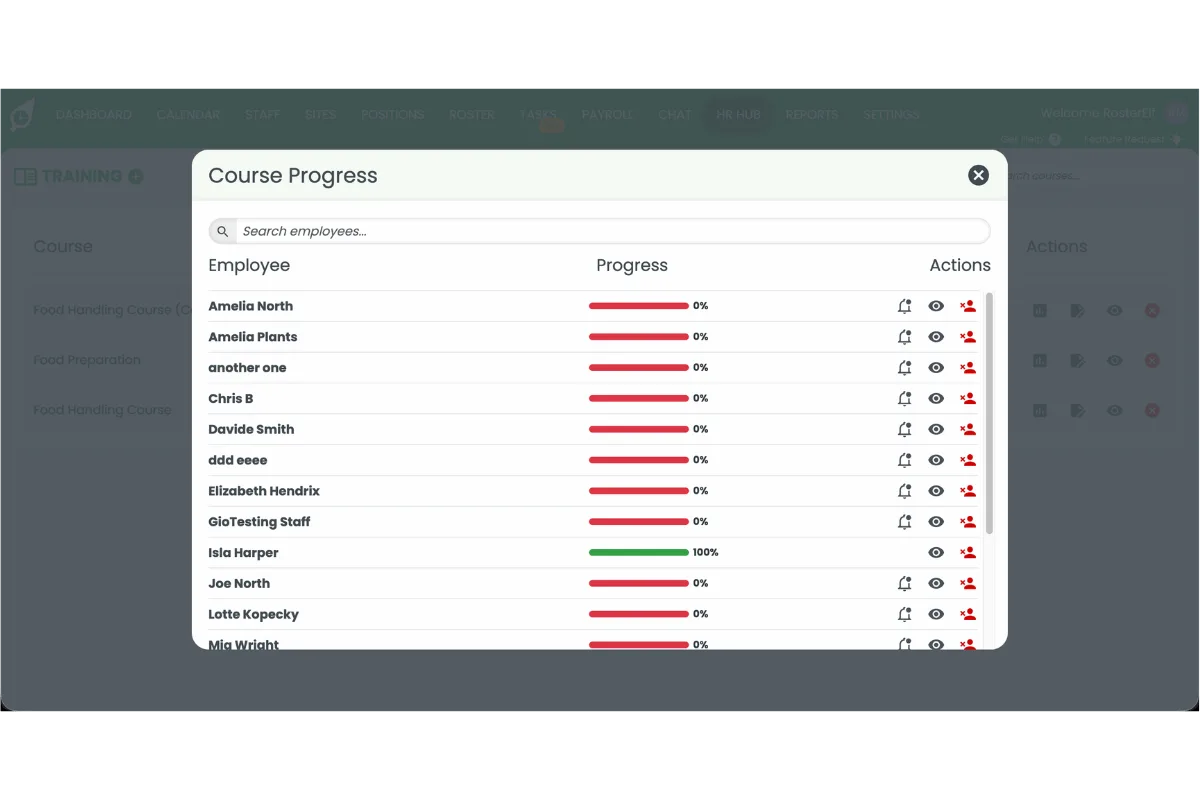
Course Progress popup in RosterElf showing employee training completion percentages

2. Run HR Hub training reports

The HR Hub Training Summary report provides detailed information about employee training completion. Use this report to review assigned courses, completion status, and other training data across your workforce. Reports can be generated whenever required, making them useful for compliance audits, manager reviews, and tracking employee development. Accessing this report lets you analyse training records beyond the dashboard statistics in section 1.

2.1 Run a HR Hub training report

2.1.1 Open RosterElf.
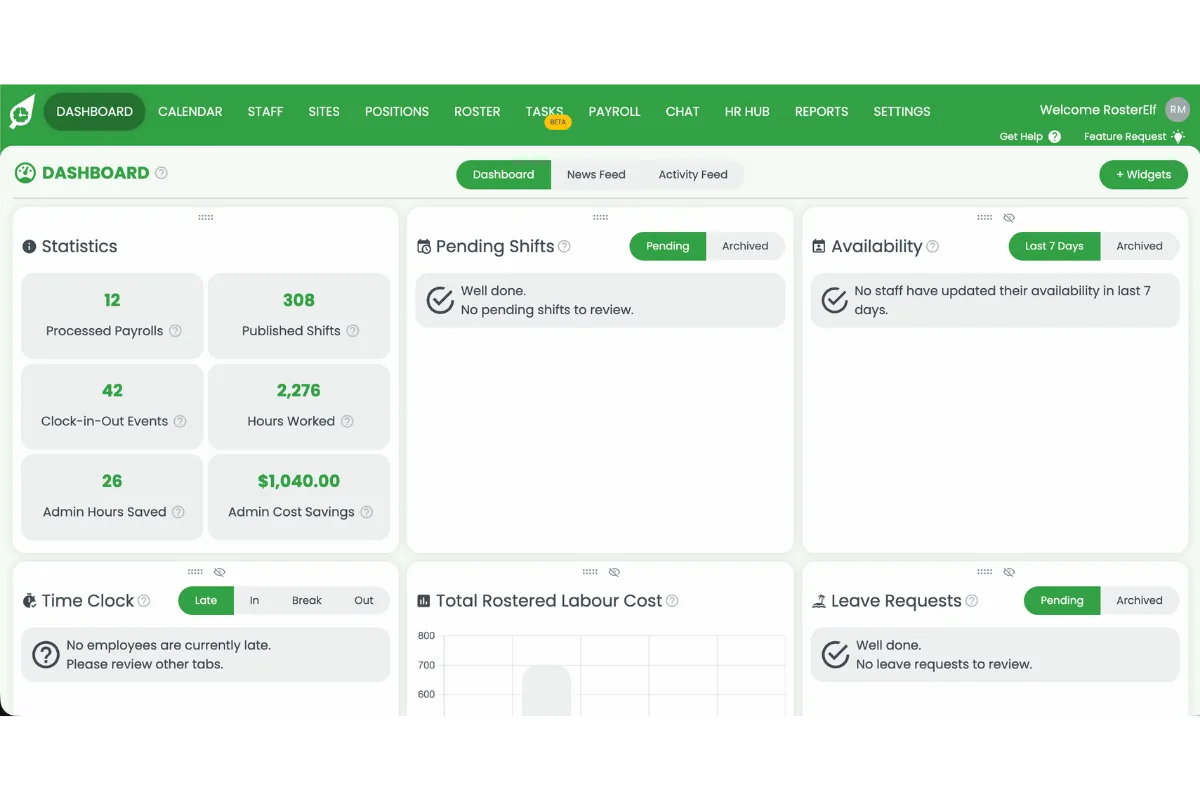
RosterElf dashboard home screen with the main navigation menu

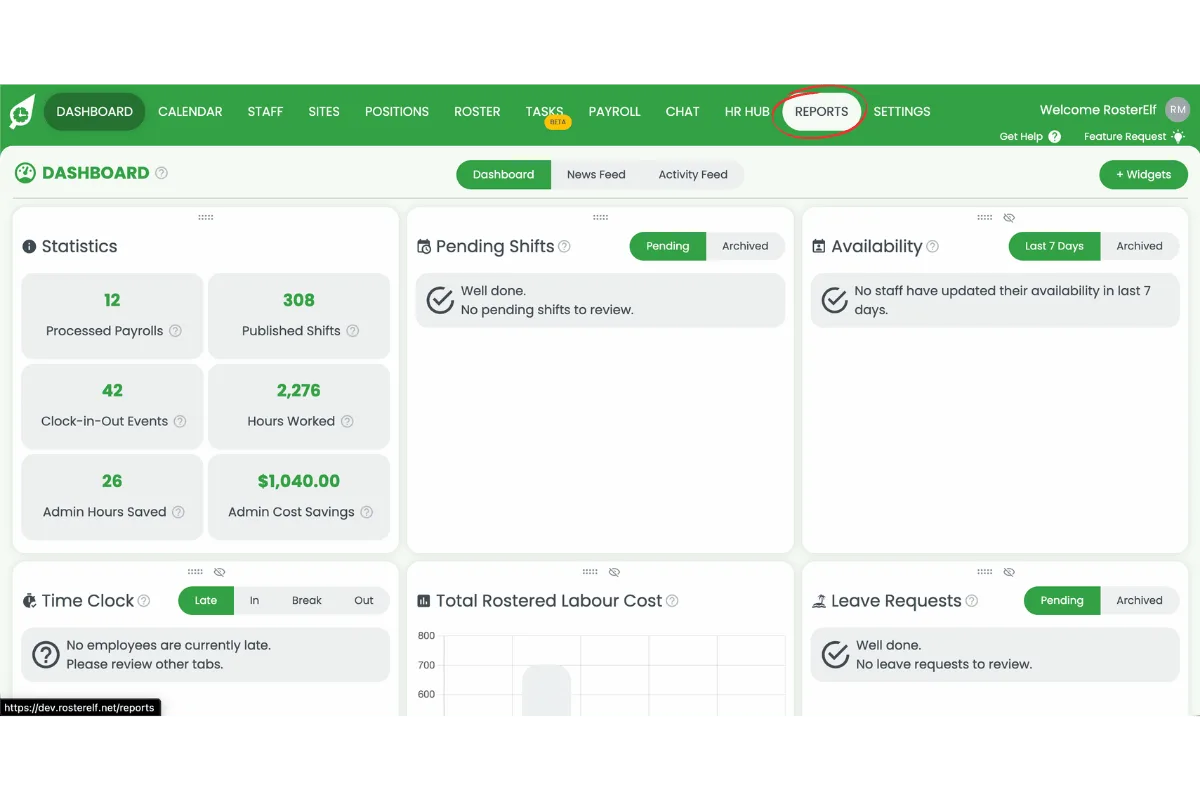
2.1.2 Select Reports.

RosterElf dashboard with Reports circled in red in the top navigation bar

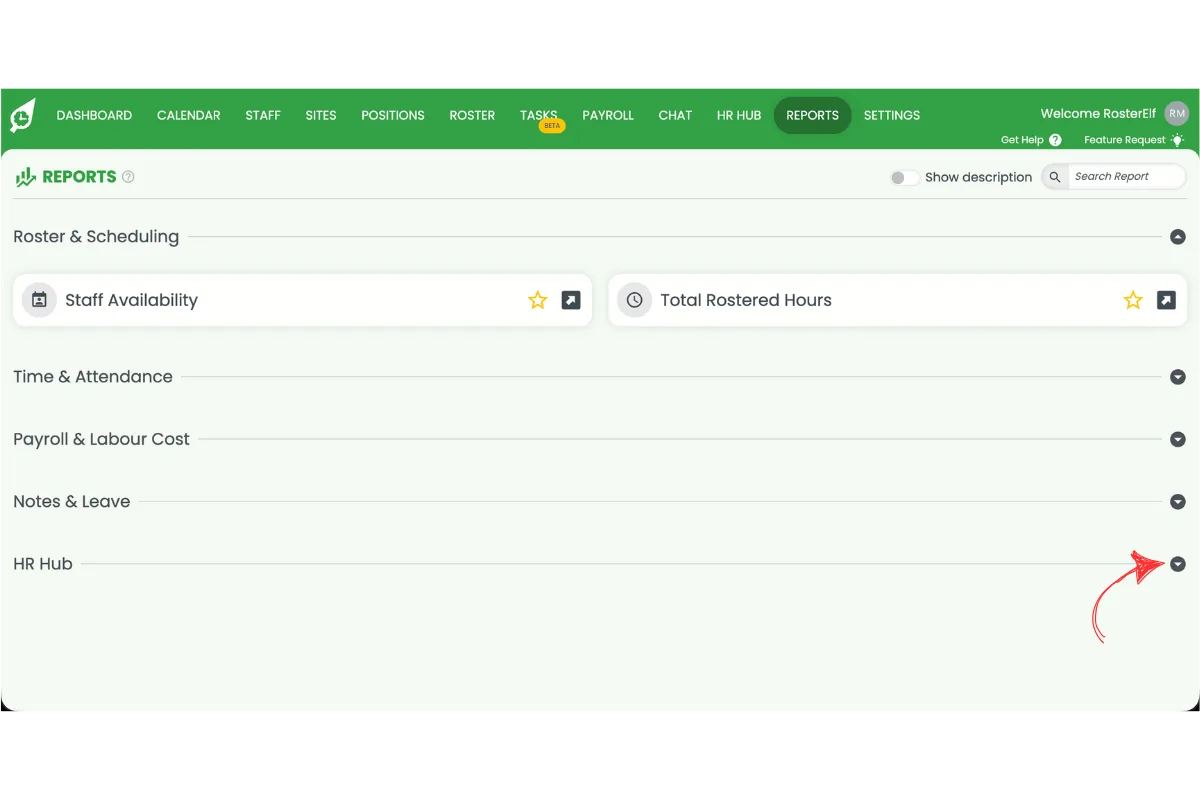
2.1.3 Select HR Hub.

RosterElf Reports page with the HR Hub category circled in red

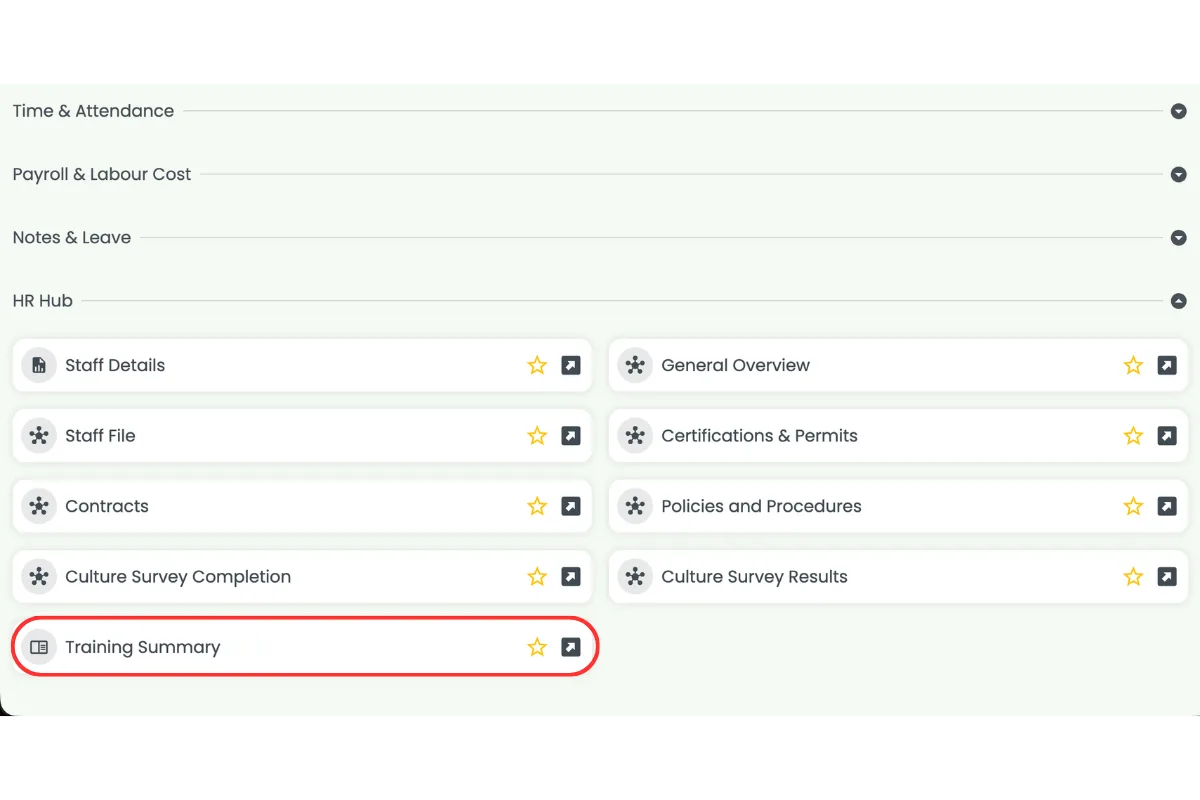
2.1.4 Select Training Summary.

RosterElf Reports HR Hub category expanded with the Training Summary report circled in red

Frequently asked questions

1. How do I view HR Hub training statistics in RosterElf?

Open RosterElf, select HR Hub, then select Training. The Training list displays every course, and pressing the Stats icon on a course opens a dashboard-style overview of employee progress, including completion rates and outstanding training.

2. What information does the HR Hub Training Summary report include?

The HR Hub Training Summary report provides detailed training information, including assigned courses, employee completion status, and other training records. It helps managers monitor compliance and track employee learning across the business.

3. What is the difference between HR Hub training statistics and the Training Summary report?

HR Hub training statistics give you a quick, course-by-course view of progress from the Training list. The HR Hub Training Summary report, found under Reports, is built for reviewing training data across your whole workforce and is better suited to audits or recordkeeping.

4. Why should I review HR Hub training reports regularly?

Regularly reviewing HR Hub training reports helps you identify overdue training, monitor compliance, track employee progress, and ensure mandatory learning requirements are completed on time.

5. Where do I find the HR Hub Training Summary report?

Open RosterElf, select Reports, select HR Hub, then select Training Summary. This report provides detailed information about employee training across your organisation.

6. Why can't I see Training under HR Hub or Reports?

If Training is missing from HR Hub or the Reports list, your account may not have the HR Hub training add-on enabled. See manage and enable HR Hub access for instructions.

Still need help?

Our Australian-based support team is here to assist you.