
Free award compliance checklist (Excel)
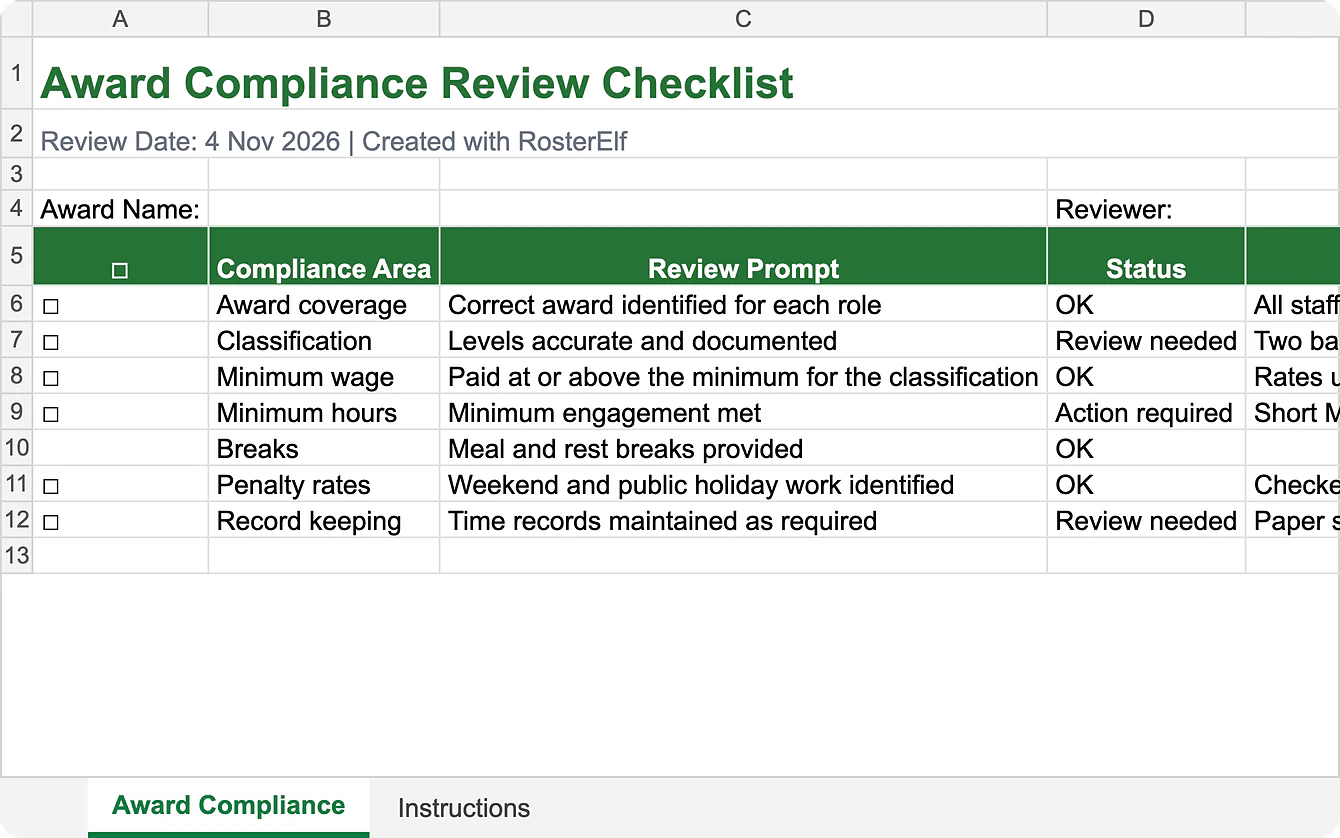
An award compliance checklist walks you through the obligations a modern award places on you, one area at a time: the right award and classification, minimum rates, minimum engagement, breaks, overtime, penalty rates, allowances, leave, super and records. Mark each area OK, review needed or action required, and note who fixes it.
Checking the award after pay day, every time?
In RosterElf the pay rates you set apply to every shift as you roster it. Award packs are pre-built for the Hospitality, Restaurant, Clubs and Fast Food awards; any other award you set up once in the pay rate builder, and RosterElf applies it.
Your download has started.
How to run an award compliance review
The checklist prompts; it does not show rates. Work through it in this order so each finding has a source.
Identify the award for each role
Use Fair Work’s Find my award tool. One business can have several awards; write the award in the checklist header. See which award applies.Confirm each employee’s classification
Match duties and qualifications to the award’s classification levels, and record how you decided.Check rates against the current pay guide
Rates change each 1 July. Compare base rates, penalty rates, overtime and allowances with Fair Work’s pay guide for the award.Test a sample of real timesheets
Pick a weekend, a public holiday and a long shift, and check minimum engagement, breaks and penalties were applied.Record the result and the fix
Set the Status, add who fixes what by when in Notes, and keep the completed checklist as evidence. For a deeper review, conduct a payroll audit.What’s in the file
- 12 compliance areas, from award coverage to record keeping
- A review prompt for each area, and 5 blank rows for your own
- A Status dropdown (OK, Review or Action) and a Notes column
- Review date, award name and reviewer fields at the top
Every shift costed while you build the roster
The same sum, done for the whole week before you publish.

Wage cost shown as you add each shift
- Wage cost updates as you add, move or delete a shift
- Award packs for Hospitality, Restaurant, Clubs and Fast Food
- For any other award, you enter the rates once
- Budget against actual, by week
More payroll templates and guides
The checklist prompts you to review obligations; it does not show or calculate rates. General information only. Check pay rates and entitlements on fairwork.gov.au and tax and super rules on ato.gov.au. Disclaimer.
Award compliance checklist FAQ
-
Identify the correct award for each role, classify employees accurately, pay at or above award rates (including penalties, overtime and allowances), and keep compliant records under the National Employment Standards. This checklist walks you through each of those areas. For help matching roles to awards, see how to find which award applies.
-
The correct award and employee classification, base pay at or above the award minimum, applicable penalty and overtime rates, any allowances, superannuation on ordinary time earnings, and record-keeping and payslip obligations. These areas reflect the core requirements under Australian modern awards.
-
No. The checklist deliberately leaves out pay rates; it prompts you to confirm obligations rather than calculate them. Check current rates on the Fair Work website or manage them with a pay rate builder.
-
Once you have worked through the checklist, summarise the status of each area (OK, review needed or action required) and note who is responsible and by when. Keep the completed checklist on file as evidence of your review. For a deeper review, follow our guide on how to conduct a payroll audit.
-
Under the Fair Work Act you must keep employee payroll records for seven years. They must be readily accessible, legible and in English, covering pay, hours, leave and superannuation. Failing to keep adequate records can attract penalties.