


Payroll integration with Xero UK, payroll in minutes

-
Approved hours to Xero Payroll UK in one click
-
A CSV for other UK payroll systems
-
Payroll in minutes, nothing retyped
Trusted by UK businesses
From independent cafés to national retail chains, UK businesses rota, pay and manage their teams with RosterElf.


Payroll with built-in rotas and timesheets
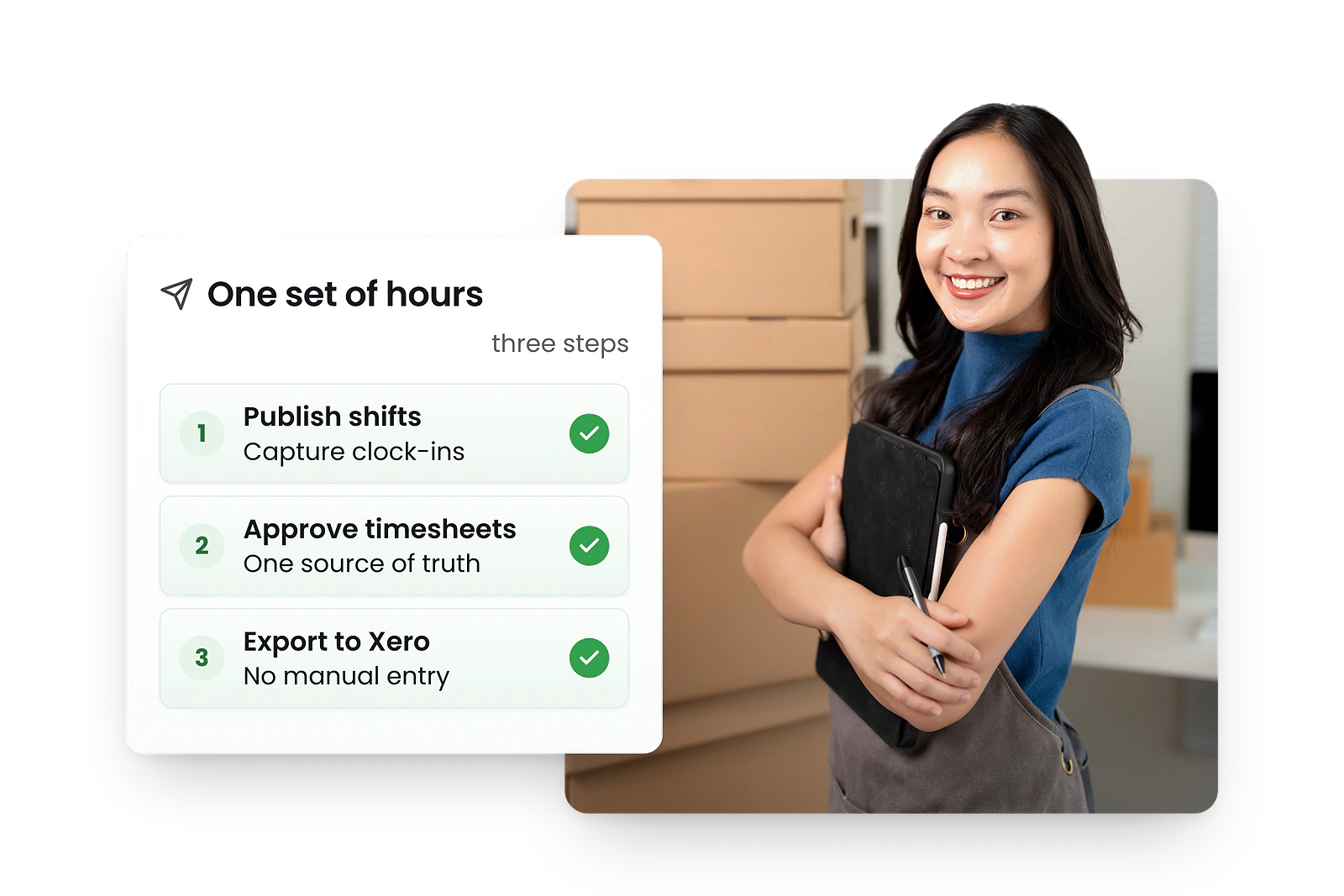
Send approved timesheets to Xero in one click: the rota, the timesheet and the pay run share one set of hours, so the hours you approve are the hours that get paid.
-
Rota and clock in
Build the week from availability with every shift costed at its pay rate. Staff clock in with the clocking in app on their phone, with GPS and an optional photo, or on a tablet kiosk.
-
Approve the hours
Clock-in times sit beside the rota times on the payroll screen, your pay rules split each shift into pay items, and a manager approves the week.
-
Run payroll
Send to Xero in one click, or export a CSV for another payroll system. Run the pay as usual: Xero Payroll works out PAYE, National Insurance and pension and makes the RTI submission to HMRC.
Choose your payroll software
Xero UK payroll integration is direct, and any other UK payroll takes a CSV. Pick yours to see exactly how hours get there.
UK pay rules applied before payroll
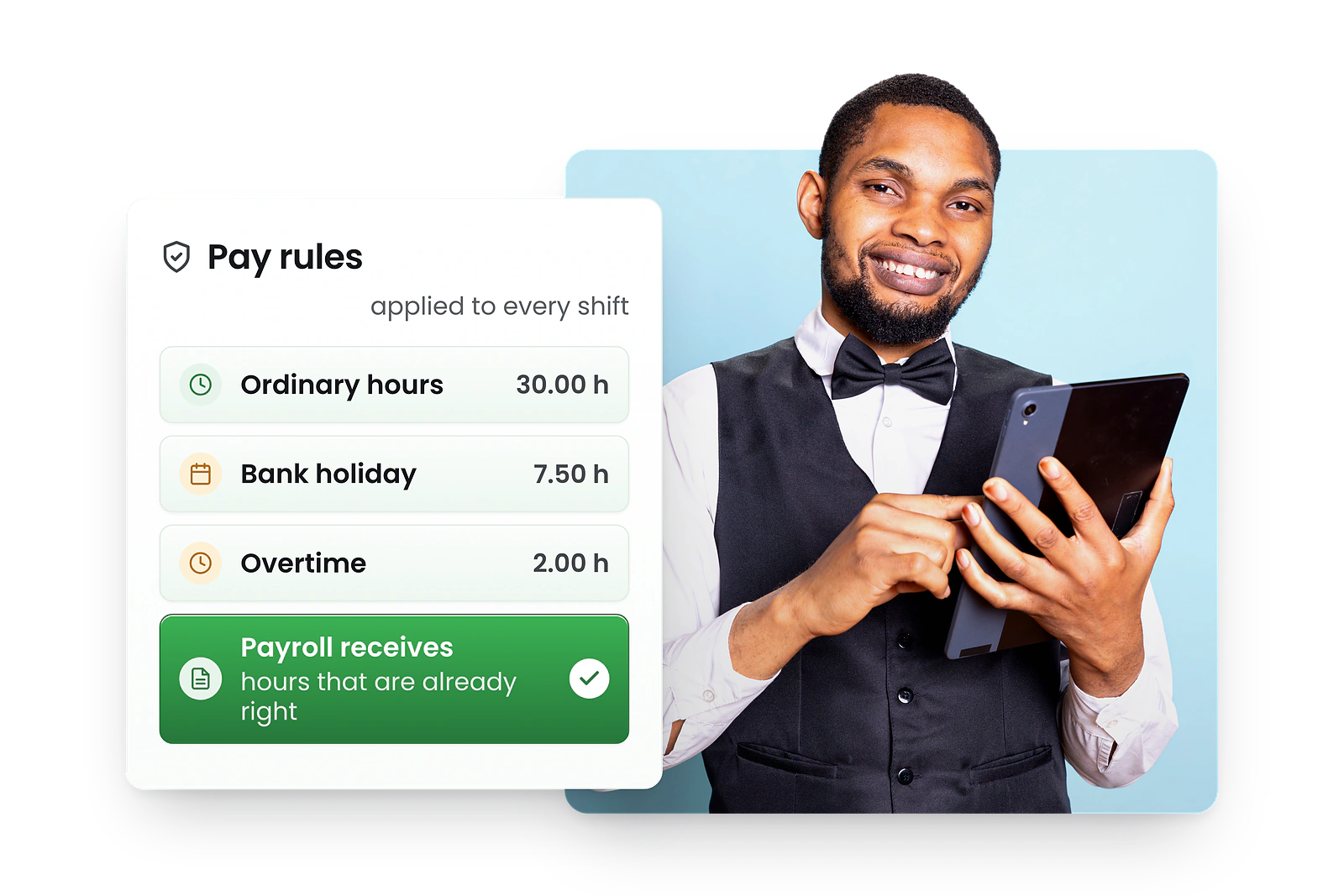
UK pay rules applied automatically: overtime, bank holidays, allowances.
RosterElf applies your configured pay rules as staff clock in, automatically calculating overtime, bank holiday pay, and unsociable hours allowances. Timesheets inherit the right pay rates and rules, so exports to Xero align with UK employment obligations.
Read more
Use the pay rate builder to configure your NMW tiers, contracted hours, and overtime thresholds once — RosterElf applies them automatically to every shift.
Pay templates are a starting point. You remain responsible for checking the rules against each contract and the National Minimum Wage.
RosterElf sends the hours; Xero does RTI
The split is deliberate: one system works out the tax and reports it to HMRC.
PAYE, NI and pensions stay in Xero
RosterElf sends approved hours, pay items and leave taken. Xero Payroll calculates PAYE, National Insurance and pension contributions from there, so tax is worked out in one system, not two.
RTI needs approved hours by payday
Your payroll software sends HMRC a Full Payment Submission on or before each payday. The step that usually slips is approving the hours in time, and that is the step RosterElf speeds up.
The records you keep, as a by-product
Approved timesheets show the hours actually worked, with the rota beside them, which is the evidence National Minimum Wage and working time records rely on.
Why businesses choose RosterElf for payroll
A security company in Bedford and a family-run decorating business in East Lothian, both running their staff rotas on RosterElf.

Akita Security Systems
Switched from PARIM: "Fewer errors on rosters."

Hamill Decorating Services
"Holidays and scheduling time has been halved."
Payroll integration guides for UK businesses
Learn more about payroll workflows, Xero integration, and employment law compliance for UK shift-based businesses.

Payroll cut-off best practice for accurate pay runs
How payroll cut-off timing affects accuracy and staff trust: timesheet deadlines, approval windows and pay run scheduling.
Read article
Payroll processing bottlenecks explained
Identify payroll processing bottlenecks and speed up your pay cycles. Practical solutions for businesses simplifying payroll.
Read article
Why payroll errors usually start with bad timesheets
Learn how inaccurate timesheets cause payroll errors and disputes, and how time tracking integrations prevent costly mistakes.
Read articlePayroll integration FAQ
- Payroll integration connects your rota and time and attendance software to your payroll system, so approved hours reach the pay run without retyping. In RosterElf, your pay rules are applied to each shift first; approved timesheets then go to Xero Payroll UK in one click as draft timesheets, or out as a CSV for another payroll system.
- Your payroll software. RosterElf sends approved hours to Xero Payroll UK, or to the payroll you use; that system calculates PAYE and National Insurance and sends the Full Payment Submission to HMRC on or before payday. RosterElf's part is getting the approved hours there before the pay run.
- Xero Payroll UK, directly: approved hours go to Xero in one click. For any other UK payroll, RosterElf exports approved hours as a CSV that payroll systems which accept CSV can import. See supported payroll systems, or tell us which payroll you use.
- Connect Xero in Settings, Payroll and map your pay items once. Most businesses are set up in an afternoon, and our Australian-based team will do it with you on a free set-up call you book at a time that suits you. Approved hours land in Xero as draft timesheets, already split into your pay items, so the pay run becomes a quick review instead of data entry.
- Approve the timesheets for the pay period, then open Payroll and press Send to Xero. Hours, pay rates and overtime go across as itemised timesheet lines, with no re-keying. For everything RosterElf connects to, see rota software integrations.
- In payroll integration settings, map RosterElf pay categories (ordinary hours, overtime, unsociable hours allowances) to your Xero pay items. Different roles or pay structures can have different mappings. Once configured, timesheets export with the correct pay item codes for accurate payroll processing.
- Most payroll messages come from a name or pay item that doesn't match between the two systems. Check the employee exists in both with matching details and that each pay item is mapped, and our help guides cover each Xero message with the fix. Our support team can look at it with you too.
- Yes, you can use RosterElf for rota management and time tracking without connecting to payroll. Approved timesheets can be exported as a CSV file to import into a payroll system that accepts CSV.
Start your free 15-day RosterElf trial today
Join 30,000+ workplaces using RosterElf to simplify rotas, payroll and HR.
No credit card 4.7 stars from 324 reviews on Google, Xero and G2 30,000+ workplaces