

Mobile rota app that puts your rota in everyone's pocket
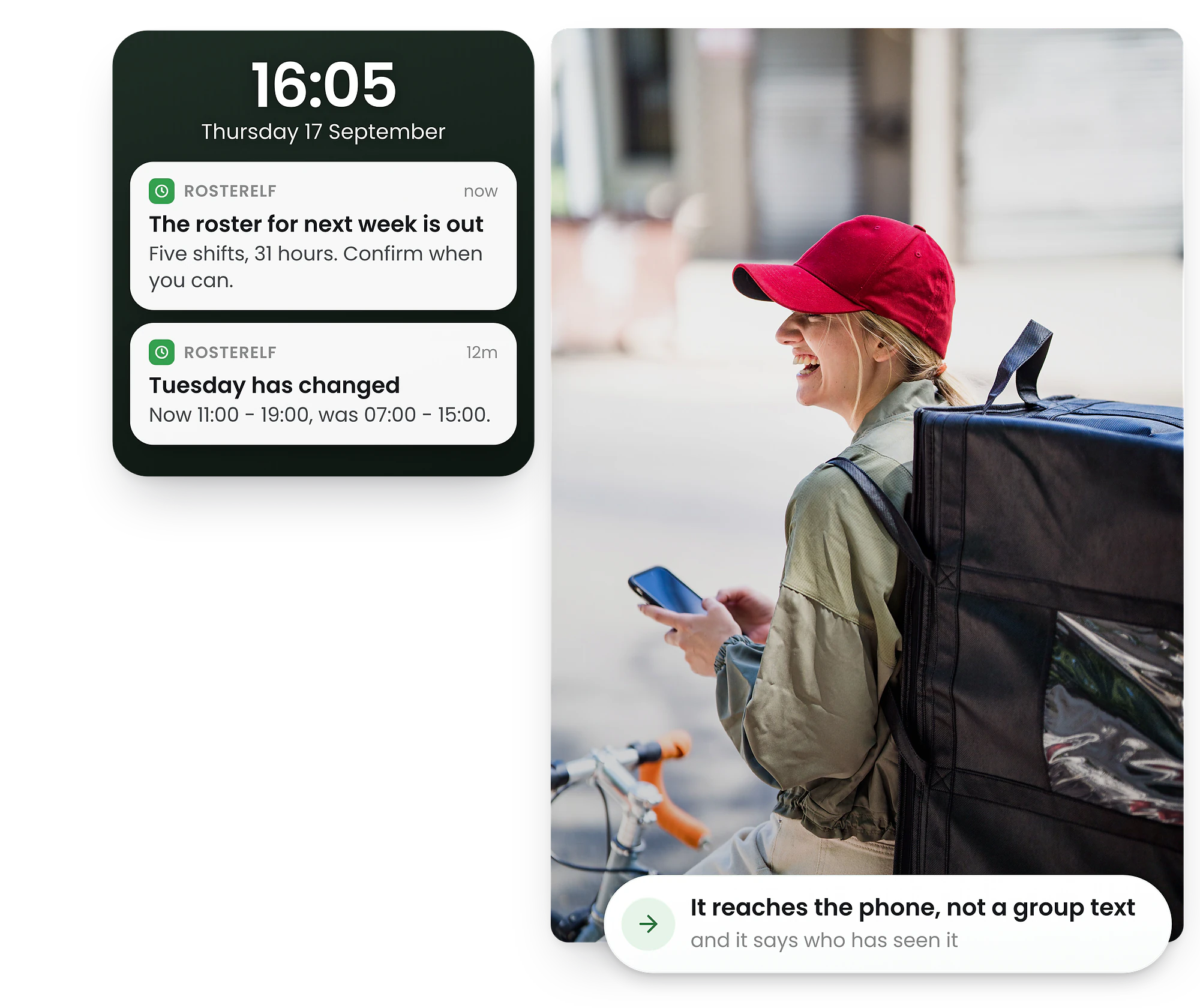
Build and adjust rotas from your phone. Our staff scheduling app sends instant push notifications to your team. Make last-minute changes on the go and notify staff instantly—keeping your team on track even when you're offsite.
-
Full rota management on iPhone & Android
-
Push notifications to staff
-
GPS clock-in & out




How the mobile rota app works
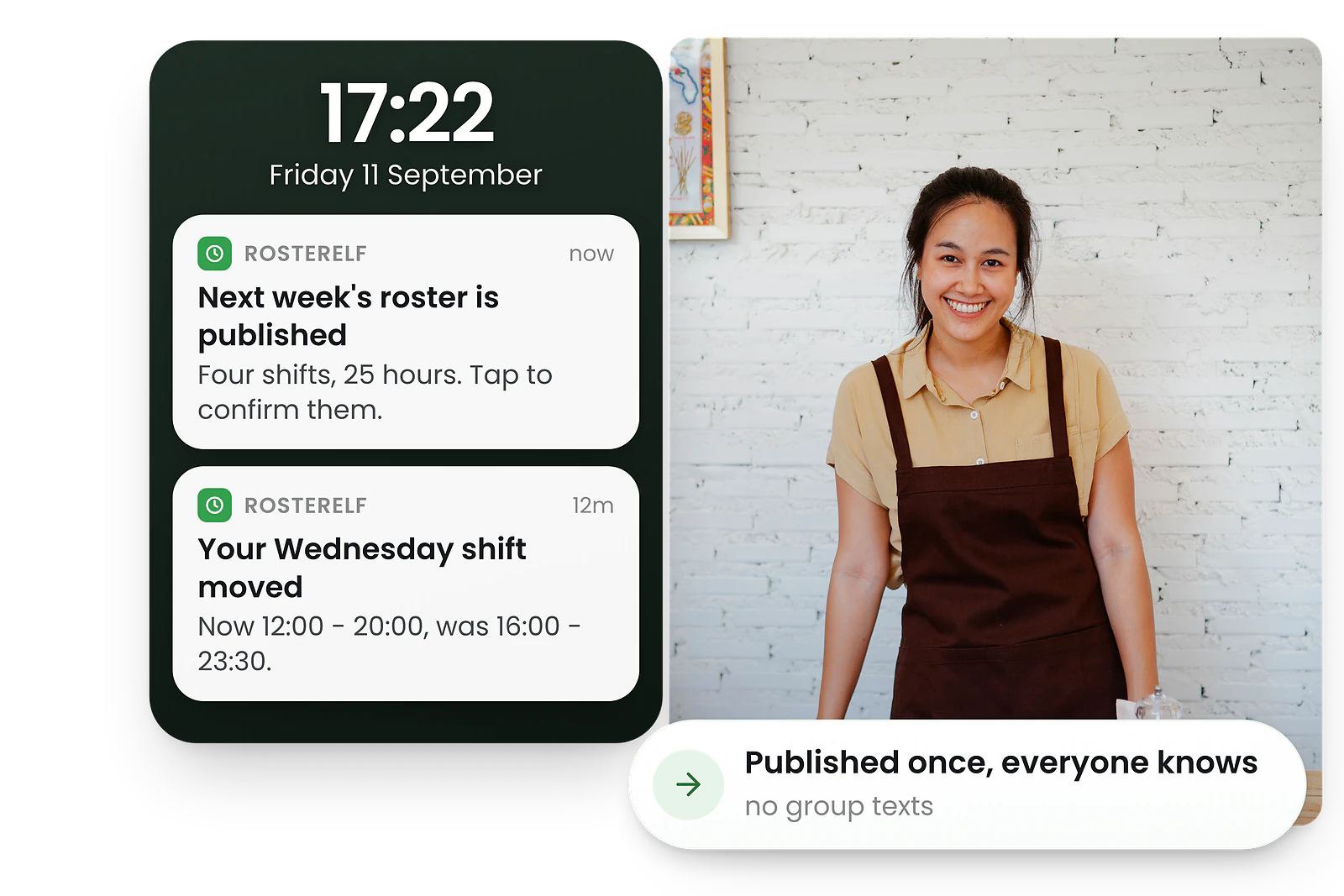
From download to fully synced team in minutes
1. Download the app — Free on iPhone and Android. Staff and managers use the same app with role-based access
2. Managers build rotas — Create, edit, and publish rotas from anywhere. No computer needed
3. Staff get notified — Push notifications alert staff to new shifts, changes, and open shift opportunities
4. Everyone stays synced — Changes sync instantly. Availability, swaps, and timesheets all in one place
What is a rota app?
A rota app is a staff scheduling app that puts shift planning in everyone's pocket. Managers create and publish schedules remotely while staff check shifts, update availability, and respond to changes instantly.
Manage on the go
Build, edit, and publish rotas from your phone. No need to be at a computer—full rota management capability in your pocket.
Instant notifications
Staff receive push notifications for new shifts, changes, and open shifts. No more chasing people with texts or phone calls.
Real-time sync
Changes sync instantly across all devices. What managers publish is what staff see—no delays, no version confusion.
GPS clock-in
Staff clock in and out from their smartphones with GPS verification. Accurate timesheets without manual entry.
Shift management app for managers on the go
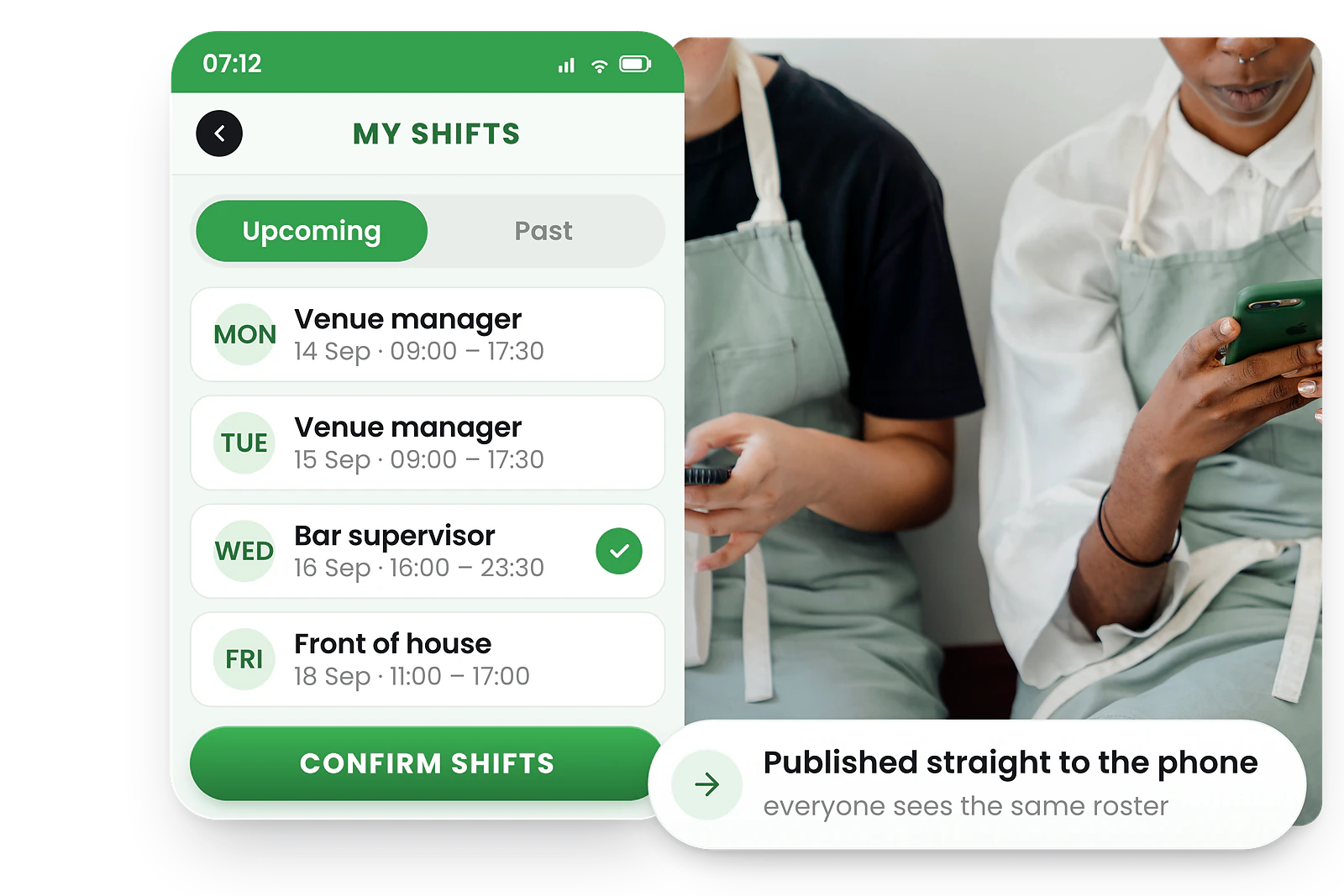
Managers schedule from anywhere—no laptop required
Whether you're on site, at home, or between locations, the RosterElf app gives you full control. Make last-minute updates, fill gaps, or approve shift swaps instantly from your phone.
Run auto-scheduling from your phone, review AI suggestions with tap-and-drag, and publish to your team in seconds. Get real-time notifications when staff accept shifts or request changes.
Need to adjust a shift at 6am before the morning rush? Open the app, make the change, and staff are notified before they leave home.
Employee rota app for viewing shifts and updating availability
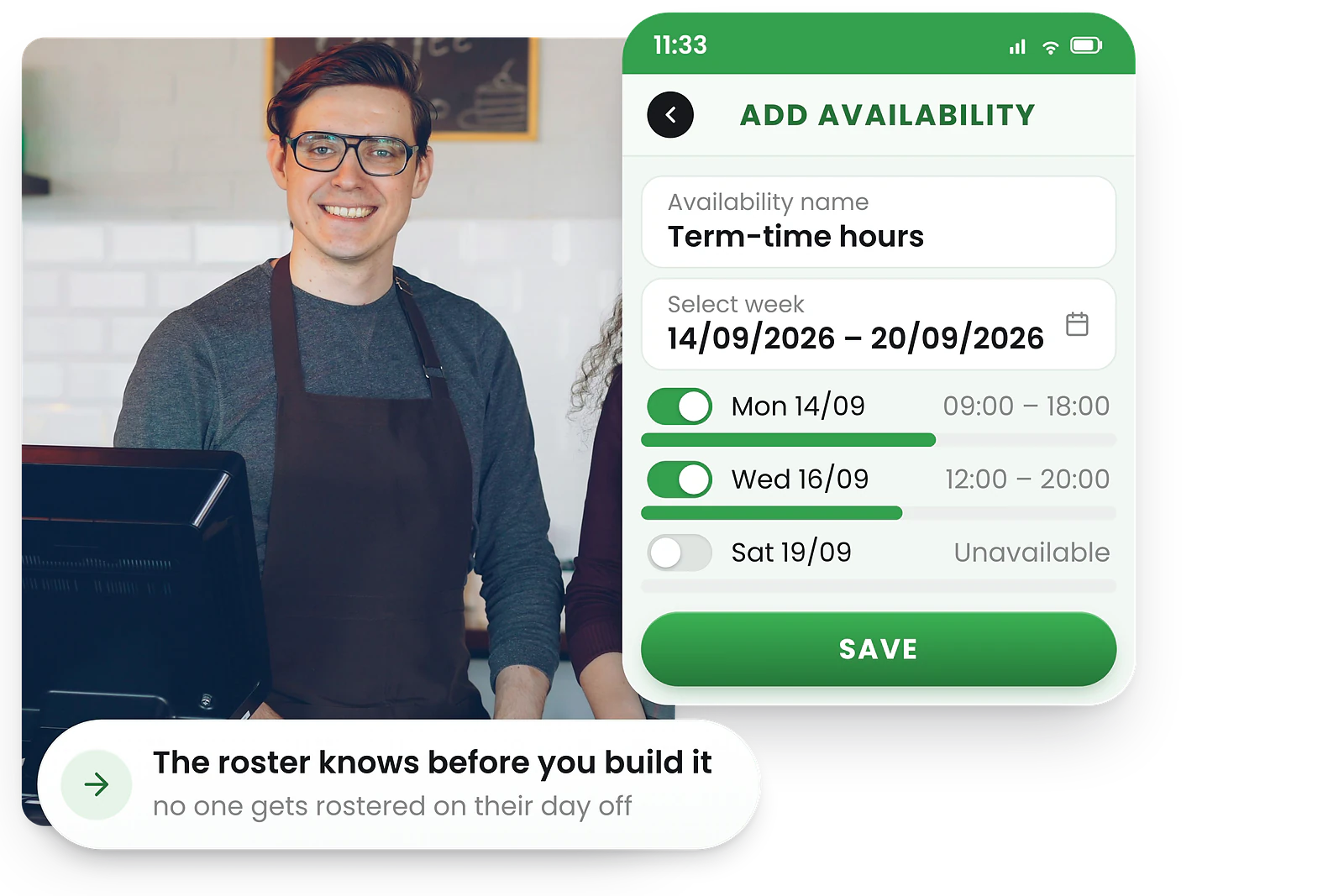
Everything staff need in one app
Staff see their upcoming shifts at a glance, with clear start times, locations, and role details. No more checking group chats or pinboards for the latest rota.
From the app, employees can update their availability, accept or reject shifts, request leave, swap shifts with colleagues, and clock in with GPS verification—all without contacting their manager.
Push notifications keep everyone in the loop. When the rota changes, staff know immediately.
Benefits of a mobile rota app
Full rota management on iPhone & Android
Build complete rotas from your phone—create shifts, assign staff, run auto-scheduling, and publish. The same features you get on desktop, optimised for mobile.
Push notifications
Staff receive instant alerts for new rotas, shift changes, open shifts, and swap requests. No more missed shifts because someone didn't check their email.
Clock in and out
Employees clock in from their smartphones with GPS verification. Timesheets are captured automatically and sync to time and attendance.
Real-time sync
Every change syncs instantly across all devices. When a manager publishes a rota or approves a swap, staff see the update immediately—no refresh needed.
Multi-site access
Managers with multiple locations switch between sites within the app. View rotas, approve requests, and make changes across all sites from one place.
Offline-friendly
The app caches the most recent rota data so staff can view their upcoming shifts even without internet. Once back online, everything syncs automatically.
Labour cost visibility
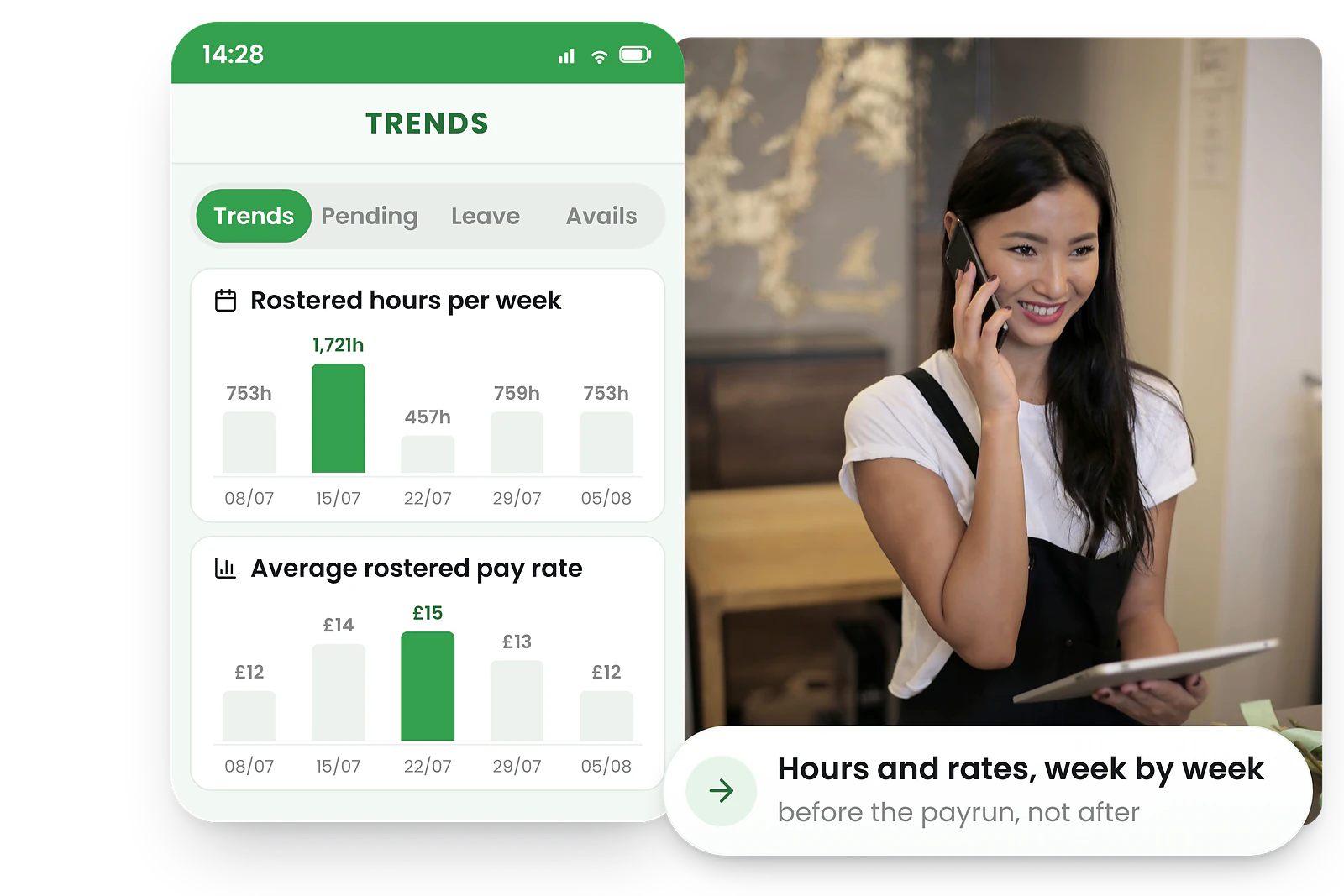
See live wage costs as you build rotas on mobile—no surprises at payroll time. Track labour budgets in real time and stay on target without switching to a desktop.
Shift reminders
Customisable push notification reminders before each shift reduce no-shows and late arrivals. Staff get a heads-up so they're ready on time. Learn more about shift notifications that reduce no-shows.
Leave requests on mobile
Staff submit leave requests from the app. Managers approve with one tap, balances update instantly, and the rota adjusts automatically—no paperwork or back-and-forth.
Real-time compliance alerts on your phone
Catch compliance issues before they cost you
The RosterElf mobile app flags potential compliance problems as you build rotas—so you can fix issues on the spot instead of discovering them at payroll time.
More than just rota scheduling
The RosterElf app goes beyond scheduling. Your team gets a complete mobile workforce platform—HR, leave, communication, and time tracking all in one place.
HR hub on mobile
Onboarding, contracts, and policy acknowledgements—all from the app. New starters get set up before their first shift.
See HR features →Leave management
Request, approve, and track leave balances from your phone. The rota adjusts automatically when leave is approved.
See leave management →Team communication
In-app chat and newsfeed keep your team connected. Share updates, announcements, and messages without leaving the platform.
See communication →Time & attendance
Clock in, view timesheets, and verify GPS location—all from your phone. Accurate attendance data flows straight to payroll.
See time & attendance →Scheduling app vs no scheduling app
See how a mobile rota app changes the day-to-day experience for managers and staff compared to desktop-only or paper-based scheduling.
Without a mobile app
With a mobile rota app
Why UK teams rely on the mobile rota app
UK businesses managing shift workers across hospitality, retail, care homes, and logistics need rota visibility on the go. RosterElf's mobile app keeps managers and staff connected with real-time rota updates, WTR compliance checks, and Xero-ready timesheets.
WTR compliance on mobile
Managers see WTR warnings (48-hour limit, rest breaks) directly in the app when approving shifts or availability changes.
Zero-hours flexibility
Variable-hours and zero-hours staff can view available shifts, submit availability, and accept shifts from their phone.
Bank holiday management
Push notifications alert staff to bank holiday shifts. Premium rates are applied automatically when shifts are approved.
Xero UK payroll
Approved timesheets from mobile clock-ins export directly to Xero for fast, accurate UK payroll runs.
Track hours and attendance from any device with time and attendance, then export approved timesheets directly to Xero UK payroll for seamless, accurate pay runs.
Trusted by UK businesses
From independent cafés to national retail chains, thousands of businesses rely on RosterElf for rotas, HR and payroll.








Explore related features
Discover other RosterElf features that work great together
How-to guides for mobile app
Step-by-step guides to help you master these workflows
Start your free 15-day RosterElf trial today
Join 30,000+ workplaces using RosterElf to simplify rotas, payroll and HR.
Mobile rota app guides for UK businesses
Learn why teams switch to a dedicated rota app, how to drive staff adoption, and why casual teams need mobile rota apps most.

Why staff ignore WhatsApp rotas
WhatsApp rotas get buried, muted, and missed. Learn why personal messaging apps fail for shift communication and what works better.
Read article
How to get staff to use your rota app
Practical strategies for driving adoption when rolling out a mobile rota app. From first download to daily habit.
Read article Why casual and part-time staff need a rota app most
Casual workers have the most unpredictable schedules. A mobile rota app gives them instant shift access and self-service tools.
Read articleRelated support articles
Step-by-step guides to help you get started
Accept or reject shifts in mobile rota app
Learn how to accept or reject shifts in the mobile rota app. Quick guide for staff to confirm or decline scheduled shifts.
Mobile Apps View guideHow to install the RosterElf mobile app on iOS
Step-by-step guide to installing the RosterElf PWA app on your iPhone or iPad using Safari.
Mobile Apps View guideHow to install the RosterElf mobile app on Android
Install the RosterElf PWA app on your Android smartphone for easy access to your rota.
Mobile Apps View guideMobile rota app questions
- A mobile rota app lets managers build, edit and publish staff rotas from their phone or tablet. Staff use the same app to view shifts, update availability, request swaps, and clock in and out—all in real time without needing a desktop computer.
- Yes. The RosterElf mobile app is included free with all plans. Both managers and staff can download and use it on iPhone or Android at no additional charge.
- Yes. Managers can create, edit, and publish complete rotas from the mobile app. You can add shifts, assign staff, run auto-scheduling, approve swaps, and publish—all without a computer.
- Staff can view shifts through the mobile app or by logging into the web version. The mobile app is recommended for instant push notifications and easier access to shift details, availability updates, and leave requests.
- Yes. RosterElf is available as a free download on both the Apple App Store and Google Play Store. The experience is the same on both platforms.