

Xero rota software, timesheets straight to Xero Payroll UK

The Xero rota add-on for UK businesses: rota, clock in and pay with nothing retyped.
-
Rota the team and capture clock-ins
-
Your pay rules applied to every shift
-
Approved hours straight to Xero Payroll UK
Trusted by 30,000+ workplaces
From independent cafés to national retail chains, UK businesses rota, pay and manage their teams with RosterElf.



Xero rota software made easy
Rota to payroll in three steps.
Connect once, approve the week, click send. No CSV, no retyping, and you run payroll in Xero as usual.
Connect Xero
Choose Xero as your payroll format and authorise it. Your Xero employees appear in RosterElf, and a new starter's file can be sent to Xero from their record.
Approve the hours
Clock-ins from the tablet or the phone app land against the rota. The rounding and tolerance you set tidy the minutes, and a manager approves the week.
-
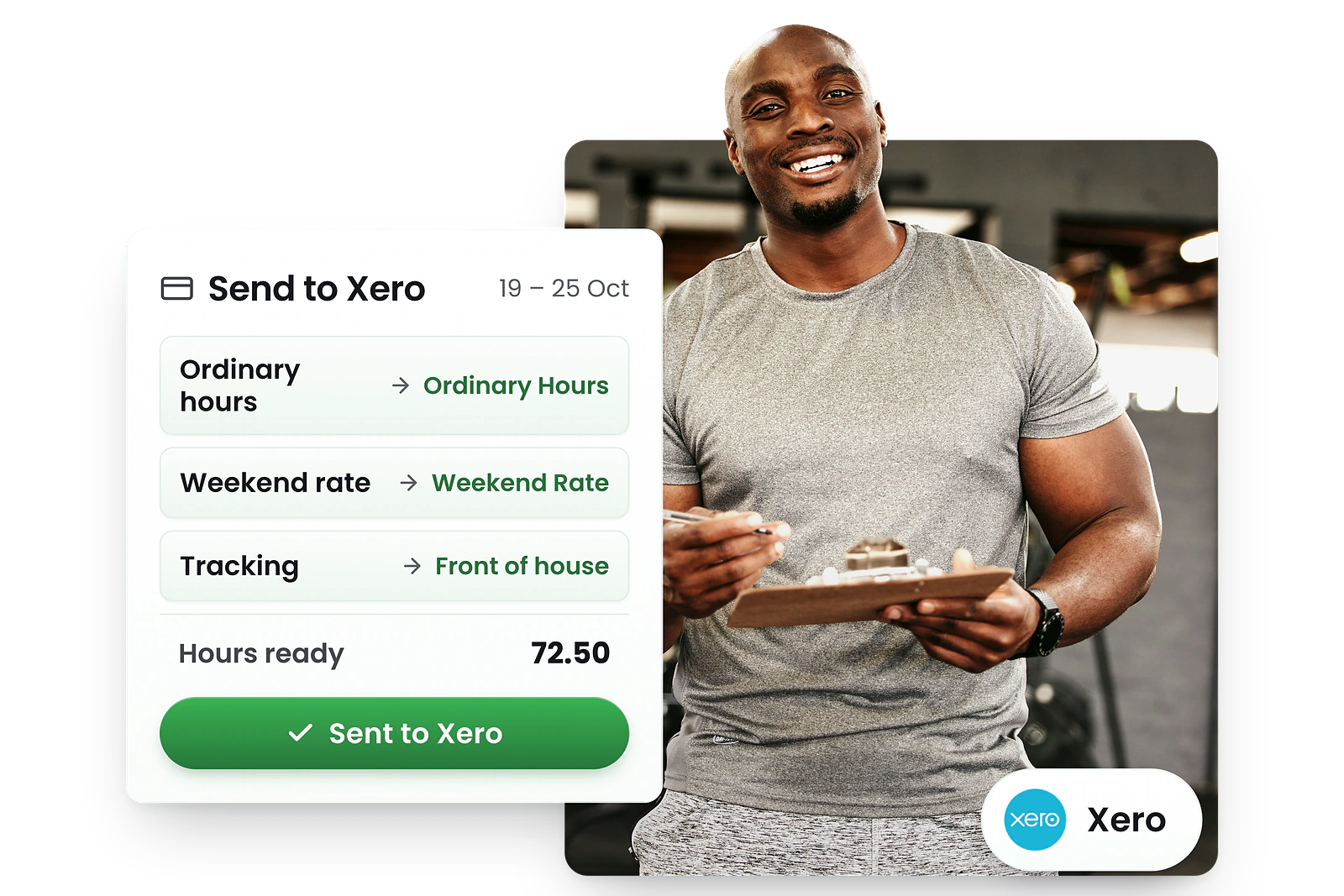
Send to Xero
Approved hours go to Xero as timesheet lines against your pay items, with leave taken and tracking categories. Open Xero and run payroll as usual.
Xero timesheets for UK payroll, synced in one click
RosterElf is the Xero timesheet app your staff carry: they clock in on the phone app or the tablet, a manager approves the week, and the approved timesheets sync to Xero Payroll in one click. No spreadsheet, no CSV, nothing retyped.
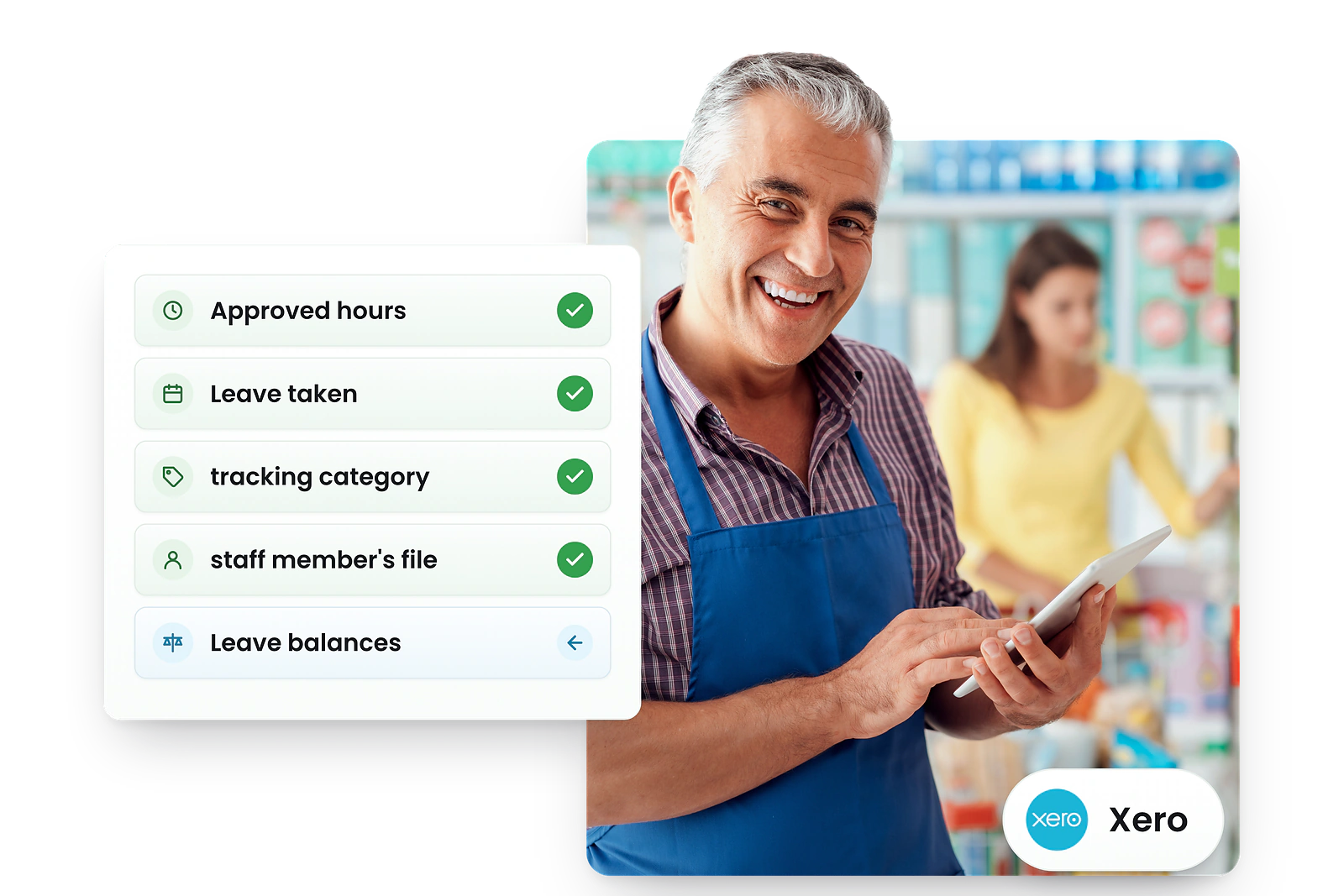
What moves between RosterElf and Xero
RosterElf sends to Xero
- Approved hours, as timesheet lines against your Xero pay items
- Leave taken, so the pay run shows it
- The tracking category for each line, set on the position
- A staff member's file, with name and address, when you choose to send it
RosterElf reads from Xero
- Your employees, so nobody is added twice
- Your pay items, so a pay template maps to them
- Leave balances after each pay run, shown to staff and to the manager approving leave
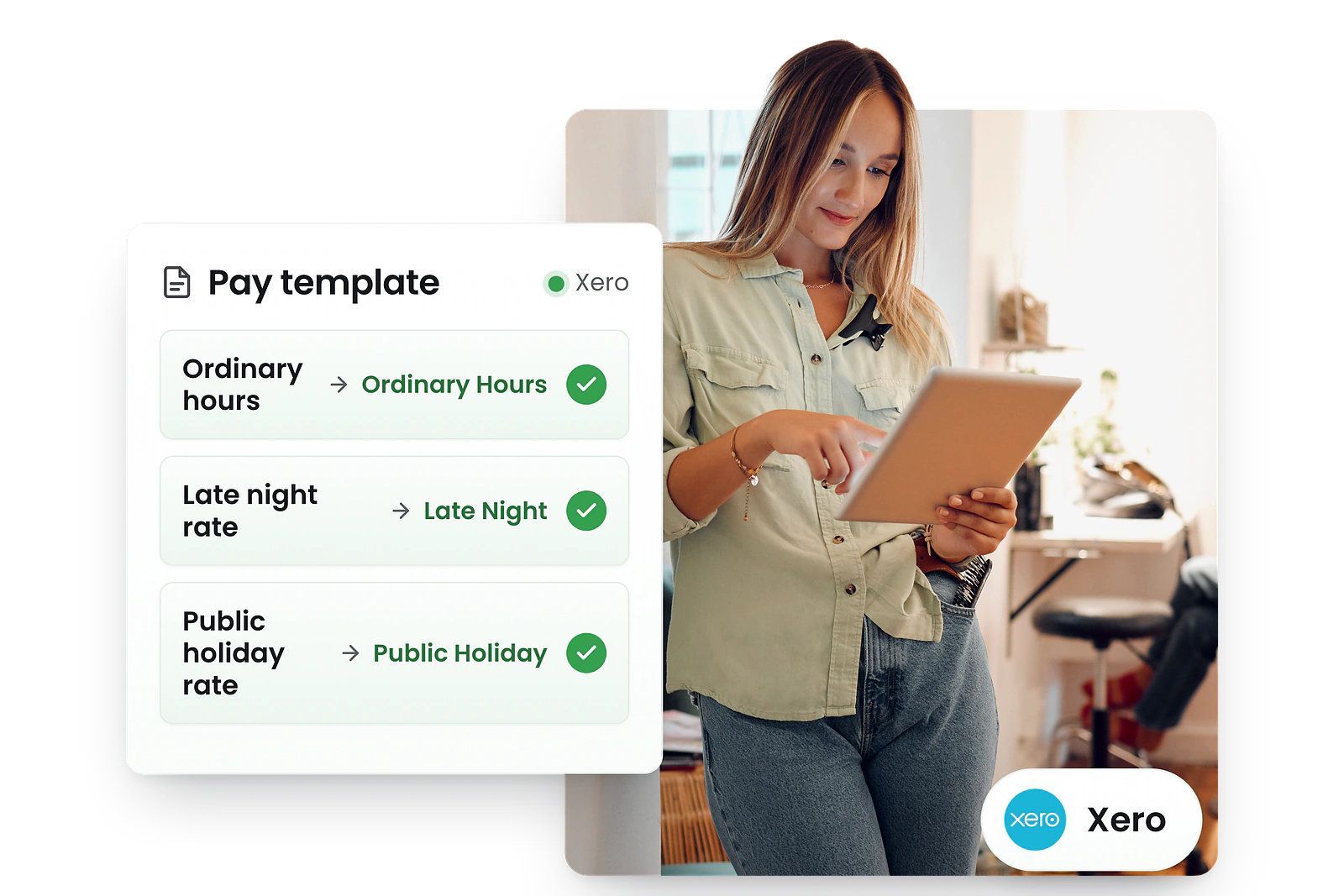
Pay rates live in RosterElf's pay templates, mapped to your Xero pay items. A rate is set once, in one place.
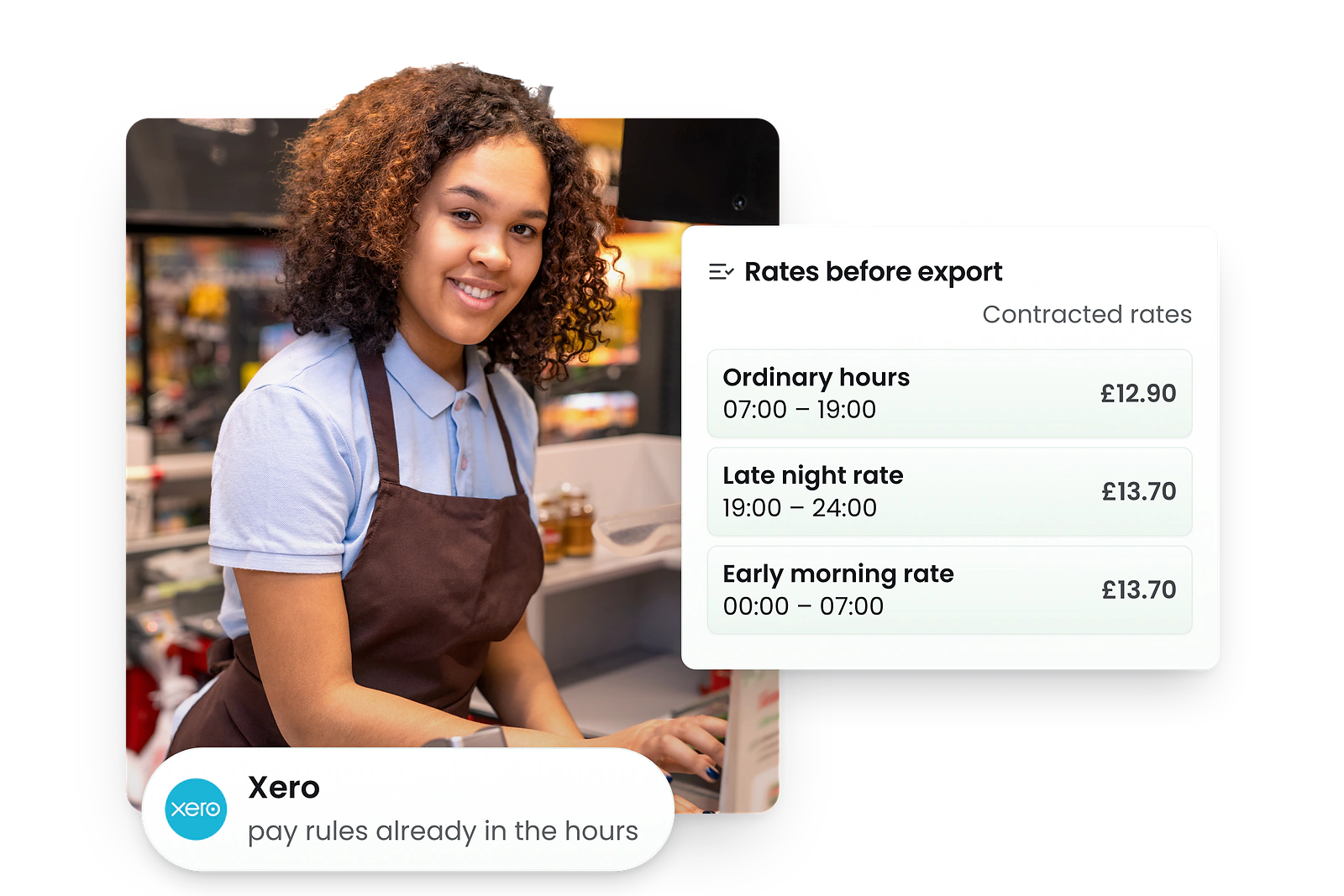
Pay rules are applied before Xero sees the hours
Set each role's pay rules once in a pay template.
- Basic rate, overtime, and night and weekend rates
- Bank holidays and allowances
- Every approved shift split into the right pay items automatically
- Xero Payroll UK receives the hours already itemised
Pay rule compliance in RosterElf
Pay templates are a starting point. You remain responsible for checking the rules against each contract and the National Living Wage.

Hours arrive already coded
Give a position its Xero tracking code once.
- Every shift rostered to it exports categorised by site, department or cost centre
- Nobody codes lines by hand after the fact
- It stops the one export Xero refuses: a timesheet line with no tracking category
Xero's top-rated rota add-on: 4.9 stars
Ian Corney
Xero App Store, October 2023
"We switched to RosterElf and are so pleased we did. Their integration with Xero is faultless. Rostering and payroll consistently runs smoothly now."
Braden Whelpdale
Xero App Store, July 2024
"As an accounting firm we have been using RosterElf for our small business clients and cannot speak highly enough of it. Our clients love how easy it is to use and the integration with Xero is a winner."
Does Xero have a rota app?
What Xero gives you on its own, what Xero Me leaves out, and where a rostering app fits.
Xero's own rota tools: Planday in the UK, Deputy elsewhere
Not inside Xero Payroll itself. In the UK, Xero's own answer is Planday from Xero, a separate workforce management product owned by Xero, with its own free trial and subscription. Rostering powered by Deputy is sold through Xero in Australia and New Zealand, and Xero holds a minority stake in Deputy.
Shift employers still add a Xero rota app to build and publish rotas, capture hours and apply pay rules before payroll.
We are RosterElf, so we have an interest here: compare the options and read the Xero App Store ratings yourself.
Does Xero do timesheets?
Yes, through Xero Me, included with Xero Payroll. Employees type hours against a pay period, a manager approves them and the approved timesheet feeds the next pay run. For salaried staff on flat rates that is often the whole job.
It does not apply pay rules, verify attendance or build rotas, which is what the table below is about.
Xero Me compared with RosterElf
| What you need | Xero Me timesheets | RosterElf with Xero |
|---|---|---|
| Hours from clock-ins, not typed | Typed by the employee | Tablet, phone, PIN, photo, GPS |
| Overtime and premium rates worked out | Entered as pay items by hand | Applied to every shift |
| Shift scheduling, swaps and notifying staff | Not in Xero Me | Published to the app, swaps approved by a manager |
| Staff availability | Not in Xero Me | Set by staff in the app, checked as you build the rota |
| Real-time labour cost forecasting | Known after the pay run | Costed as the rota is built, against a budget |
That right-hand column is what searches for Xero rota software are after: the rota, availability and cost tools Xero Payroll leaves to an add-on. Workforce analytics has the cost reports.
Other Xero rota add-ons include Deputy and Planday. Our buying guide compares them with RosterElf, feature by feature.
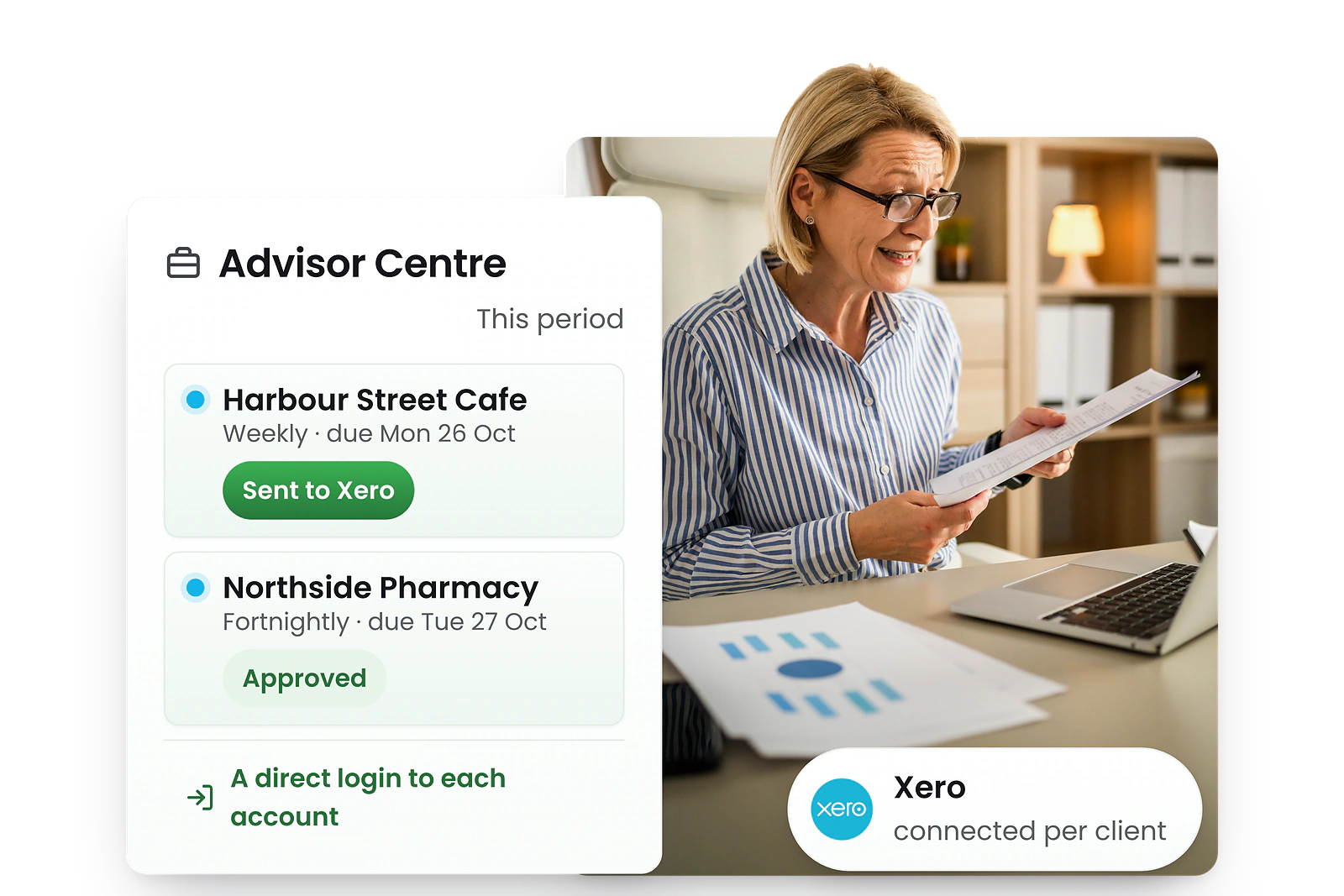
For accountants and bookkeepers running payroll for clients
The Advisor Centre gives one login over every client: timesheet deadlines, the pay runs due, and a direct login to each account, with Xero connected per client.
Set up in an afternoon, supported during UK business hours
-
Connect and map
Connect Xero, create your pay items in Xero, then map them in a RosterElf pay template. The help centre walks through each screen.
Setting up Xero for integration -
Try it on real hours first
Run a week in the 15-day trial beside your current process. Book a free support call and we set it up with you.
Book a free Xero set-up call -
Every Xero message explained
35 help articles cover the Xero integration, including each error Xero can return on export and what fixes it.
Xero integration help articles
Explore related features
Discover other RosterElf features that work great together
How-to guides for Xero integration
Step-by-step guides to help you master these workflows
Start your free 15-day RosterElf trial today
Join thousands of UK businesses using RosterElf with Xero for seamless rota scheduling and payroll.
No credit card 4.7 stars from 329 reviews on Google, Xero, G2 and Capterra 30,000+ workplaces
Xero and payroll guides for UK businesses
Learn more about Xero integration, payroll data preparation, and timesheet accuracy.

Xero payroll integration: data best practice
Learn what timesheet data to send to Xero payroll and what causes errors. Best practices for businesses using Xero integration.
Read article
Payroll processing bottlenecks explained
Identify payroll processing bottlenecks and speed up your pay cycles. Practical solutions for businesses simplifying payroll.
Read article
Why payroll errors usually start with bad timesheets
Learn how inaccurate timesheets cause payroll errors and disputes, and how time tracking integrations prevent costly mistakes.
Read articleXero integration FAQs
- Not inside Xero Payroll. In the UK, Xero sells Planday from Xero, a separate workforce management product it owns, and Rostering powered by Deputy is offered in Australia and New Zealand rather than the UK. Most UK businesses on Xero Payroll build rotas in a third-party Xero rota app like RosterElf that creates rotas, tracks time and syncs timesheets to Xero Payroll UK.
- RosterElf is one of the highest-rated Xero rota apps (4.9/5 on the Xero App Store), offering rota scheduling with overtime and maximum-hours warnings, time tracking, and direct payroll sync. Timesheets export with pay rates already calculated, reducing manual corrections in Xero. Compare rota software →
- Rota apps connect via the Xero API, syncing employees, pay items, and approved timesheets directly into Xero Payroll. RosterElf is listed on the Xero App Store, rated 4.9 from 93 reviews.
- No. Rotas are built outside Xero Payroll, in Planday from Xero or a Xero rota app such as RosterElf. Xero Me lets employees see payslips, submit timesheets and request leave, but it does not build rotas.