

Recurring shifts and roster templates for New Zealand teams — stop rebuilding from scratch
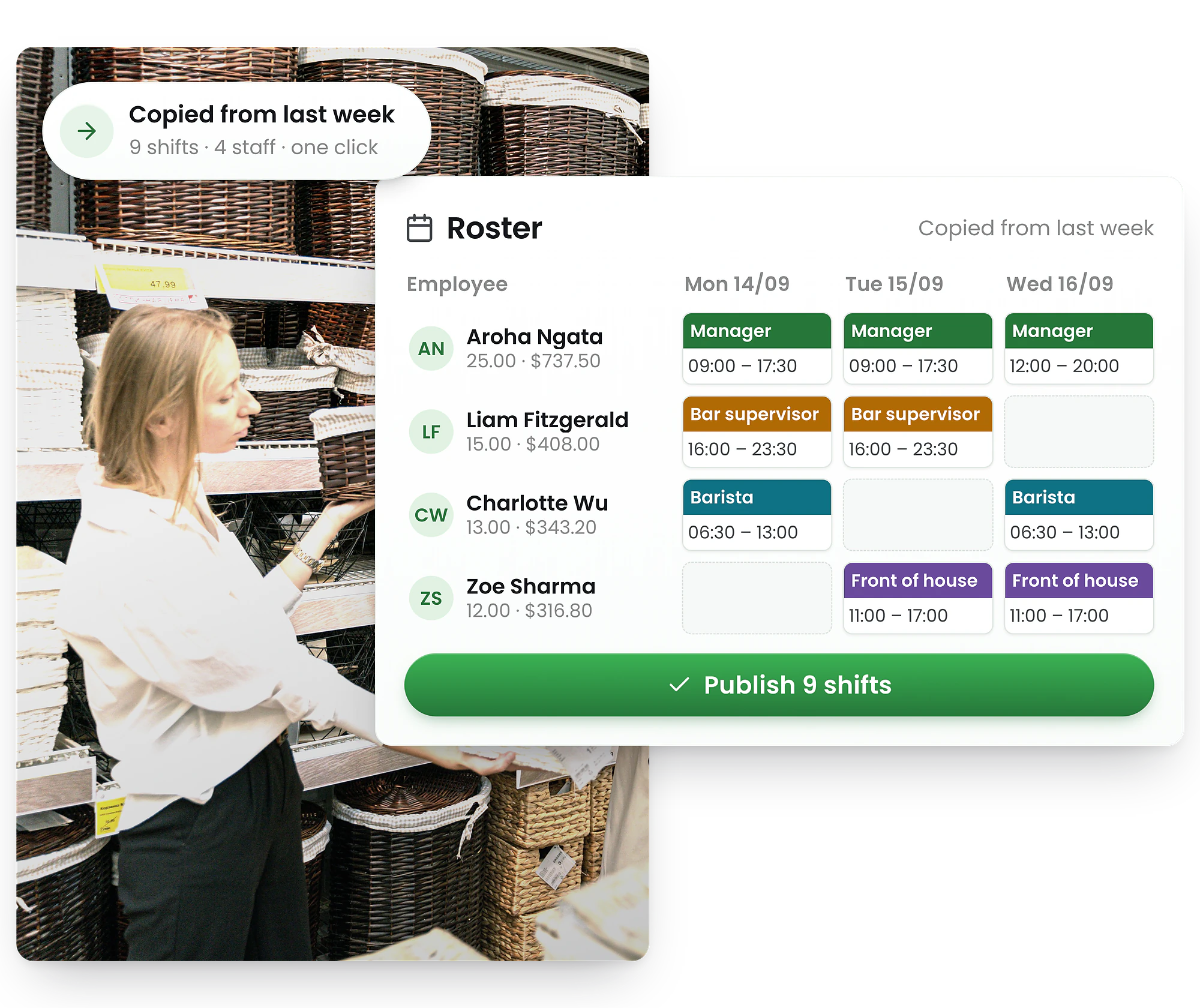
Most roster tools lock you into shift series that break the moment plans change. RosterElf lets New Zealand managers build once, reuse every week, and handle exceptions in seconds — no rigid series, no re-entry, no wasted time.
-
One-click roster templates — apply any week, any site
-
Copy last week and publish in minutes
-
Set each employee's hours once — feeds into the roster and Xero payroll automatically




Three ways to use recurring shifts and roster templates
Most roster software locks you into a rigid per-shift repeat series. RosterElf gives you three smarter approaches — more flexible, less admin, and nothing to break when plans change.
Roster templates
Save a full week's roster as a named template. Select it from Upload Template and apply it to any future period — all shifts, roles, and breaks carry over as drafts, ready to review and publish.
See roster templates →Copy last week
Duplicate last week's published shifts in seconds using Copy a Roster. Adjust for leave, events, or extra shifts — then publish. Turns hours of work into minutes.
How to copy a roster →Recurring staff hours
Set each employee's standard weekly hours once. Used as a repeating reference pattern for roster planning and payroll — no manual re-entry week to week.
Set recurring hours →Build your roster once — reuse it any week
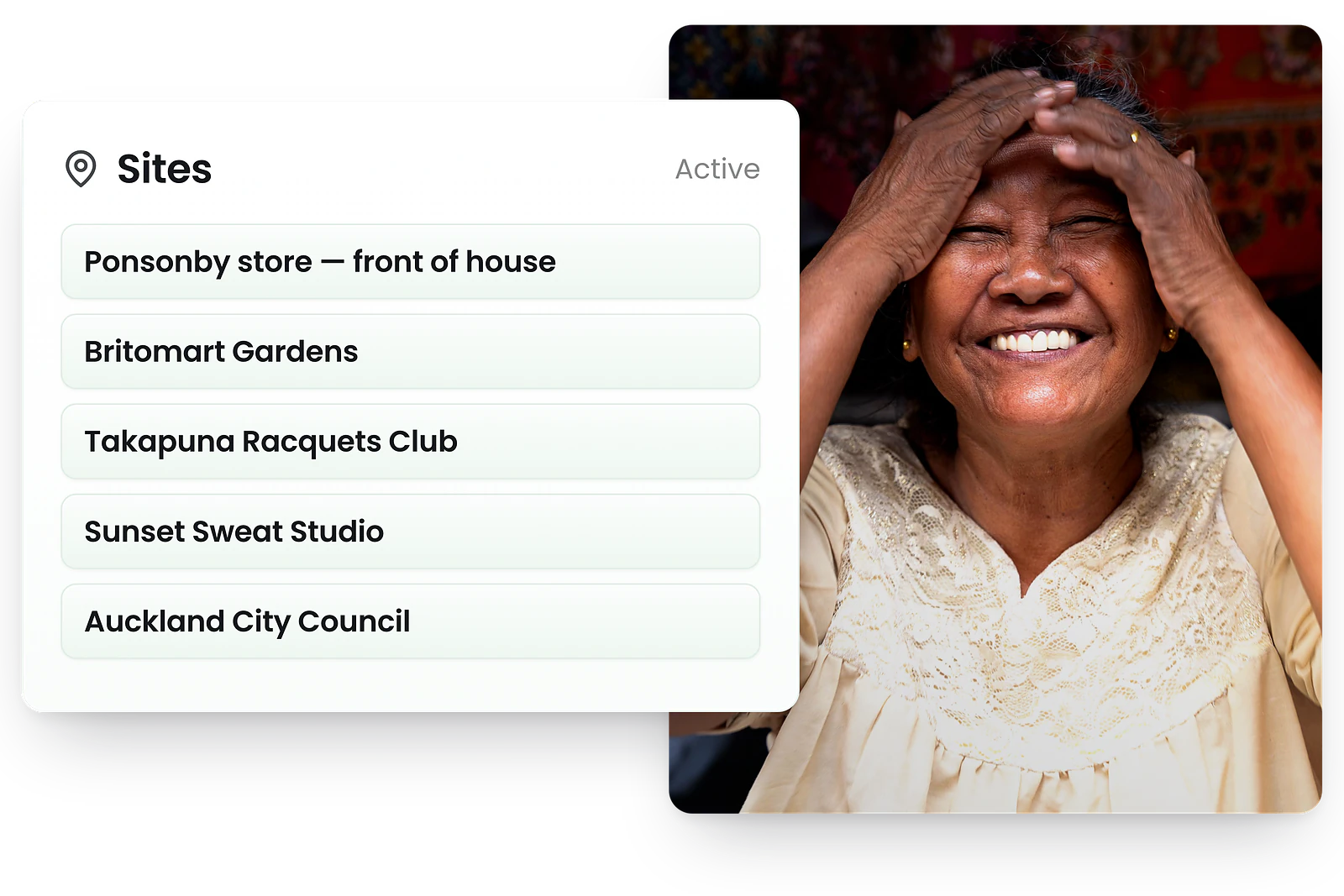
Reusable roster patterns without the rigid series
With other tools, a recurring shift series breaks the moment you need to make an exception. Edit one shift and you're manually overriding every occurrence. RosterElf's roster templates work differently: save a full week's schedule as a named template, then upload it to any future period — all shifts, roles, and breaks carried over instantly as draft shifts, ready to review and publish.
Name templates by season, event type, or location — "Weekend hospitality", "School term roster", "Christmas trading hours". Upload to any week, adjust for leave and demand changes, then publish. No series to maintain. No cascading edits when something changes.
The result: managers spend minutes on a recurring roster instead of hours. And when your schedule changes — seasonal demand, a public holiday, a new site — templates flex with you.
Copy your roster in seconds — no rebuilding, no re-entry
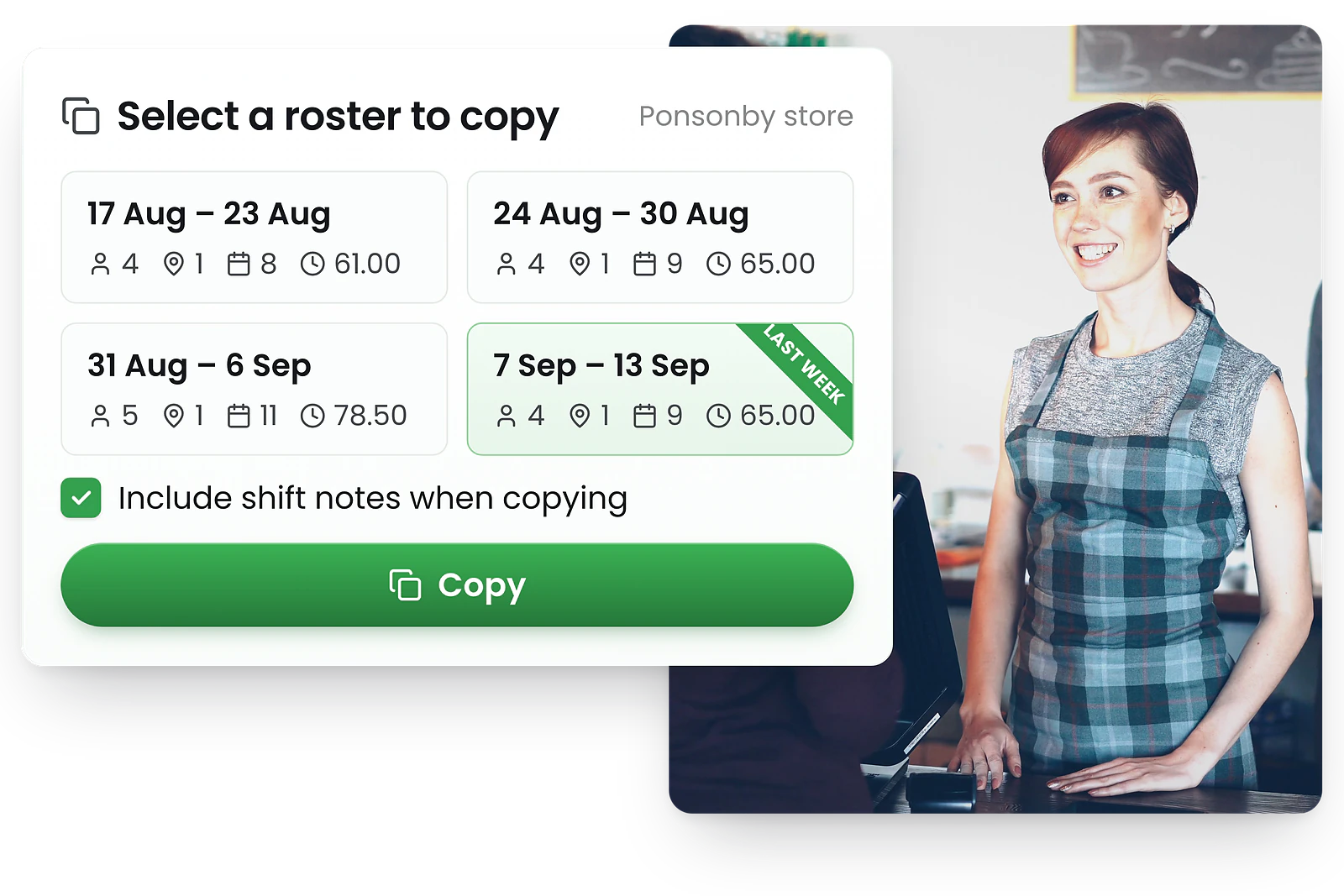
Last week's roster becomes this week's starting point
If your recurring schedule changes week-to-week but follows the same general pattern, Copy a Roster is your fastest path to a published roster. One click duplicates every published shift, assignment, and break from the previous week into the new one — no manual re-entry. Note: this replaces all existing shifts in the target week, so copy before making manual additions.
From there, handle your exceptions: swap a staff member on leave, add a shift for a busy Saturday, fill a gap with an open shift. You're editing a copy — not locked into a series — so there's nothing to break and nothing to unpublish if plans change.
What used to take managers 2–3 hours of manual shift entry becomes under 10 minutes of exceptions management each week — every week, without fail.
Set recurring hours per employee — once, not weekly
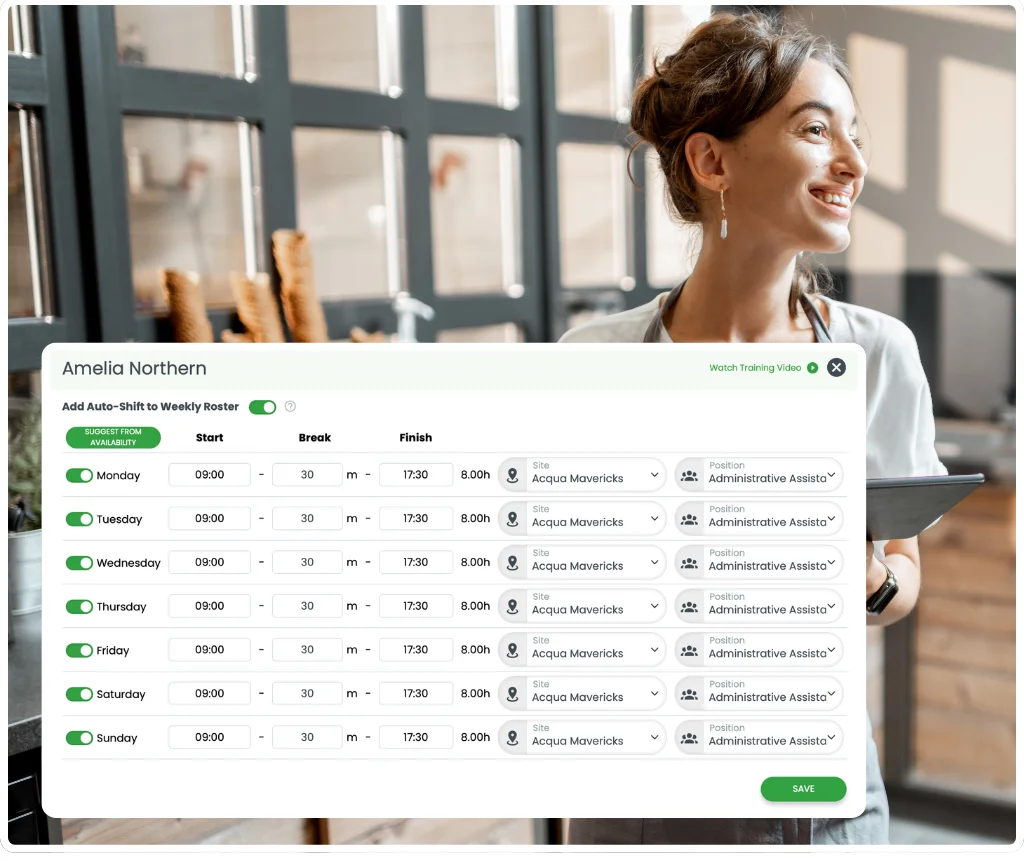
Your team's regular hours, set once and done
For employees on fixed contracts — Mon–Fri 9am–5pm, or any regular repeating pattern — set their standard recurring hours once in RosterElf. These become a reference pattern for both roster planning and Xero NZ payroll — no manual re-entry, no weekly guesswork.
Use the "by availability" toggle to ensure hours only apply on days the employee has marked themselves available. If they update their availability, the recurring pattern adjusts automatically — keeping hours realistic without manual correction.
Recurring hours don't auto-create shifts — they act as a per-employee reference you draw from when building rosters. You stay in full control of every published shift.
The roster template software New Zealand managers actually use
Rigid shift series look simple on paper. In practice, one exception breaks everything. New Zealand managers who've switched to RosterElf's roster templates get patterns that flex with their business — not against it.
Other roster software
- Locked to a fixed repeating pattern
- Editing one shift can break the whole series
- Leave requires manual overrides on every occurrence
- Hard to adjust for peak periods or public holidays
- Series must be recreated if business needs change
RosterElf recurring shifts
- Apply templates to any period — no fixed series to maintain
- Copy and adjust freely — editing one week never affects others
- Handle leave, public holidays, and demand changes without breaking patterns
- Combine with auto-scheduling for intelligent gap-filling
- Per-employee recurring hours flex with staff availability automatically
Why New Zealand businesses choose RosterElf for recurring shifts
From hospitality and retail to care homes and the NHS — any New Zealand team with a repeating roster pattern saves time with RosterElf.
Hours back each week
Apply a template or copy last week. Build a recurring roster in minutes, not hours — every single week.
Your roster stays intact, whatever changes
Templates are independent copies — editing one week never affects past or future rosters. Nothing to break.
Works for any shift pattern, any industry
Daily, weekly, fortnightly — combine templates, copy last week, and recurring hours to fit any repeating pattern.
Cleaner payroll every week
Recurring hours feed directly into payroll as a consistent baseline — fewer errors, less manual correction at month-end.
Recurring shifts built into your whole roster platform
Recurring patterns in RosterElf flow through to payroll, auto-scheduling, availability management, and the mobile app — one consistent system.
What are recurring shifts?
Every week, thousands of New Zealand managers rebuild essentially the same roster from scratch. Recurring shifts fix that — define your team's regular patterns once, and let RosterElf do the rest. Daily, weekly, or monthly: same employee, same time, same location, without the manual work.
Most roster tools implement recurring shifts as a per-shift "repeat series" — set a frequency, pick the days, add an end date, and the software auto-creates shifts in a locked series. The problem is rigidity: when leave, demand peaks, or last-minute changes hit, you're manually overriding individual occurrences or breaking the series entirely.
RosterElf takes a different approach. Roster templates apply a full week's pattern to any future period in one click. Copy Last Week duplicates your previous roster in seconds. And recurring staff hours give each employee a fixed per-day reference pattern for both roster planning and payroll. Same outcome — more control, and less to manage when things change.
See all roster software features →Common use cases — New Zealand
- Hospitality — fixed weekly pub, restaurant, or café rosters
- NHS & care homes — recurring shift patterns per ward or unit
- Retail — standard trading hour crew patterns
- Security — fixed site coverage patterns
- Cleaning services — scheduled recurring site visits
- Childcare — consistent staff-to-child ratios each week
How RosterElf handles it
Roster templates — save a full week, apply to any future period
Copy Last Week — duplicate and adjust in seconds
Recurring staff hours — per-employee fixed patterns for payroll
Recurring shifts and your hours obligations
Every recurring pattern you build is checked against the break rules you configure and the agreed hours in each employment agreement — so you are not re-checking the same pattern each week's hours.
Agreed hours
Recurring patterns that take an employee beyond their agreed hours are flagged automatically before you publish the roster.
Break entitlements
RosterElf checks that shifts in recurring patterns maintain the required rest and meal break entitlement between working days.
Break entitlements
Rest and meal breaks stay attached to the pattern, so they are not quietly dropped when a week is copied.
Break and hours checks work alongside the broader roster scheduling compliance tools in RosterElf. Every roster you build — whether from a template, copied, or built from scratch — is checked against your break and agreed-hours rules before you publish.
Explore related features
Discover other RosterElf features that work great together
Start your free 15-day RosterElf trial today
Join 30,000+ workplaces using RosterElf to simplify rosters, payroll and HR.
Roster guides for New Zealand businesses
Reduce scheduling admin, build better recurring rosters, and keep your team on the same page — guides from the RosterElf team.
Recurring shifts FAQ
- Recurring shifts are repeating roster patterns — daily, weekly, or monthly — where the same employee works the same time and location on a regular basis. Most roster tools implement this as a per-shift "repeat series" with frequency settings and an end date. RosterElf achieves the same outcome through roster templates (apply a full week's pattern to any future period), Copy Last Week (duplicate and adjust in seconds), and recurring staff hours (per-employee fixed patterns for roster planning and payroll).
- RosterElf does not have a per-shift repeat series toggle. Instead, it handles recurring schedules at the roster level — through roster templates and Copy Last Week — and at the employee level through recurring staff hours. This approach is more flexible: you're never locked into a rigid series that breaks when one shift changes. Apply a template to any week, adjust for exceptions, and publish. No cascading edits, no broken series.
- A roster template saves a full week's schedule — all shifts, roles, breaks, and assignments — and lets you apply it to any future period with one click. Recurring staff hours are a per-employee setting that defines an individual's standard weekly hours (e.g. Mon–Fri, 9am–5pm) as a reference pattern for roster planning and payroll. You can use both together: templates for the overall roster structure, recurring hours for individual employee baselines.
- No. Recurring staff hours act as a reference pattern — they define what hours an employee is expected to work each week, which feeds into payroll and helps managers plan rosters consistently. They do not auto-generate shifts. Managers remain in full control of every published shift. This keeps your roster software flexible rather than forcing automatic shift creation you then have to unpublish.
- Yes. When setting recurring staff hours, toggle on the "by availability" option. This means the recurring pattern only applies on days the employee has marked themselves as available in the app. If they update their availability, the pattern adjusts automatically — so your recurring hours always reflect realistic working patterns without manual correction.
- Recurring staff hours feed directly into payroll calculations, providing a consistent baseline for wages. When rosters are built using templates or Copy Last Week, those shift patterns carry through to timesheets and Xero NZ payroll integration automatically. This reduces payroll errors caused by inconsistent shift entry week to week.