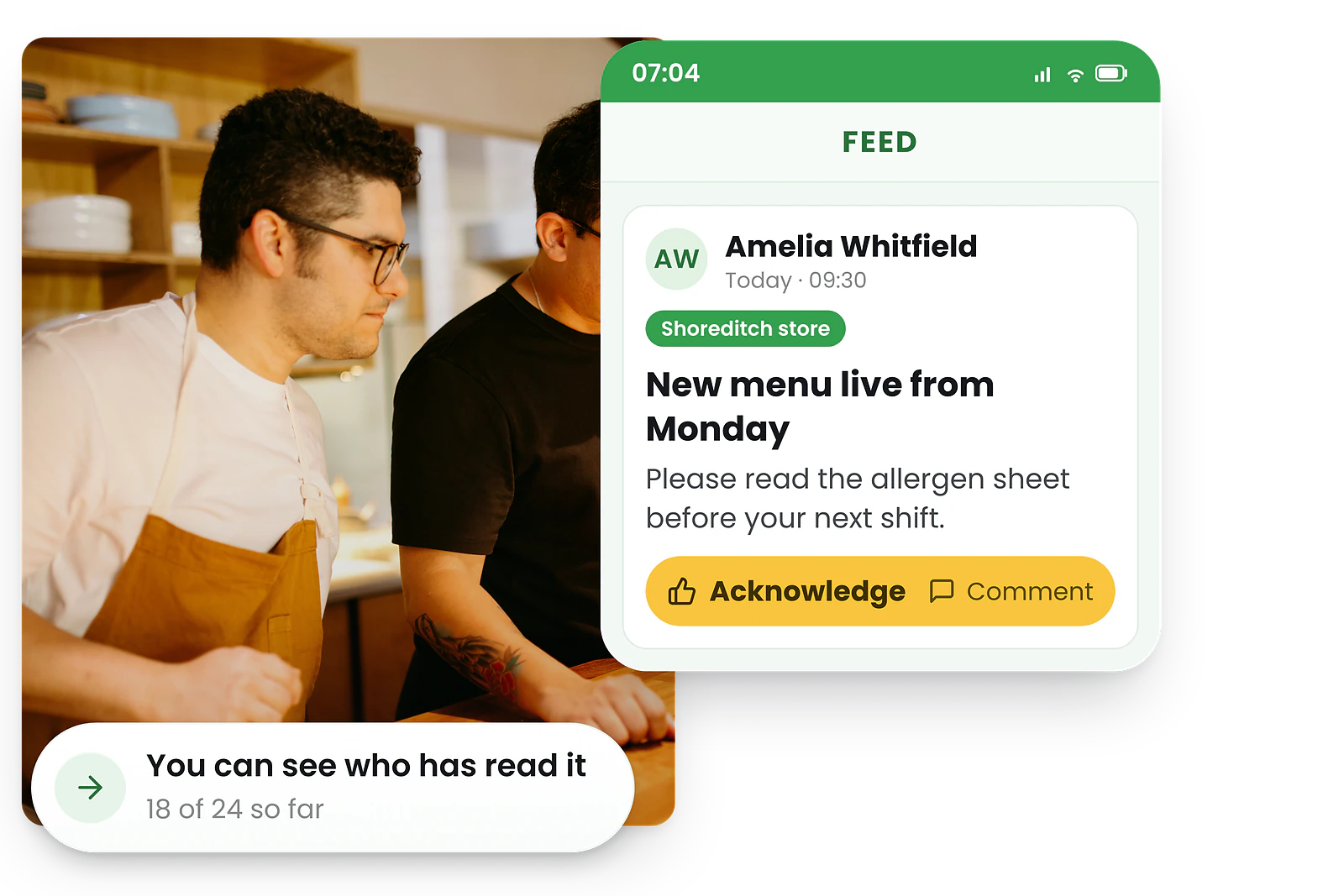
To get staff to actually use a rostering app, make the app the only place rosters are published, set up every account before launch day, and run a 5-minute group download session where staff log in and immediately see their own shifts. Lead your messaging with staff benefits — see only your shifts, get instant change alerts, swap shifts and request leave from your phone — turn on push notifications to build the habit, and give the handful of holdouts a supportive private conversation. Most teams reach strong adoption within 2-3 weeks.
You’ve set up the mobile rostering app. You’ve built the first roster. You’ve hit publish. And then… three staff members say they “didn’t get the notification,” two haven’t downloaded the app, and one asks if you can just text them their shifts.
The technology works. The problem is adoption. Getting staff to download, open, and actually use a rostering app is the single biggest challenge businesses face when moving away from WhatsApp groups, paper rosters, or spreadsheets. This guide covers why staff resist, how to run a smooth rollout, how to measure adoption, and what to do about the holdouts who refuse to make the switch.
Quick summary
- Make it the only channel:
Publish rosters only in the app — don’t also text or print them
- Run a group download session:
5 minutes at a team meeting, everyone installs and logs in together
- Lead with staff benefits:
See your shifts, get alerts, swap shifts and request leave from your phone
- Notifications build the habit:
Every push alert trains staff to open the app for their schedule
Why staff resist using a new app
Understanding resistance is the first step to overcoming it. Staff aren’t being difficult — they have real concerns.
Common objections and what's behind them
- "I don't want another app on my phone"
storage concerns, or feeling overwhelmed by workplace technology
- "Is it tracking me?"
privacy concerns about GPS, especially for clock-in verification
- "Just text me my shifts"
comfort with existing methods, even if they’re unreliable
- "The old way works fine"
change resistance, especially from long-tenure staff who’ve never used workforce software
None of these are deal-breakers. They’re all solvable with the right approach — but you need to address them directly rather than ignoring them and hoping staff come around on their own.
Before you launch: set yourself up for success
The biggest adoption mistakes happen before the app is even introduced. Get these foundations right first.
Make the app the only way to see the roster
This is the single most important decision. If you publish rosters in the app and text them and print them, staff will use whichever channel is easiest — and the app won’t be it. The roster lives in the app. That’s it. Staff who want to see their shifts open the app.
Set up accounts before the launch day
Create all staff accounts in advance so employees can log in immediately. If staff download the app and can’t get in, you’ve lost them. Pre-populate their details, assign them to sites, and have test shifts ready so they see something real when they first log in. Our employee self-service setup guide walks through account creation, invitation emails, and permission configuration step by step.
Choose a quiet period to launch
Don’t roll out a new app the week before Christmas or during your busiest trading period. Pick a calm week where you can give staff attention if they have questions. The launch week needs breathing room.
Rollout strategies that work
The team meeting download session
The most effective rollout method is a 5-minute group session. At a team meeting or shift handover, have everyone pull out their phones and download the app together. Walk through the login, show them their shifts, and demonstrate one key action (like setting availability). When staff see their own roster on their screen, the value clicks immediately.
Lead with staff benefits, not management benefits
Staff don’t care that the app saves you admin time. They care about what’s in it for them. Focus your messaging on:
- See only your shifts — no scrolling through the whole roster to find your name
- Get notified instantly when anything changes — no more surprises
- Swap shifts with a tap — no need to call around or ask the manager
- Request leave from your phone — no paper forms
- Set your availability so you’re never rostered when you can’t work

Onboard new hires into the app on day one
New starters are the easiest adopters — they have no existing habits to break. Include the app download in your employee self-service setup process. When the app is part of onboarding from day one, it becomes “how things work here” rather than a change being imposed.
Use champions on the floor
Identify 2-3 tech-comfortable staff members and get them set up a few days early. When they’re already using the app by launch day, they become peer advocates. A colleague saying “it’s actually really easy” carries more weight than management saying the same thing. This peer-support model matters most for staff who aren’t confident with technology — pair a floor champion with anyone who needs a hand rather than expecting them to work it out alone.
A two-week rollout timeline
If you’d rather follow a plan than improvise, this is the sequence high-adoption teams tend to use. Adjust the days to fit your roster cycle, but keep the order.
Sample two-week rostering app rollout
| When | What you do | Why it matters |
|---|---|---|
| Week -1 | Create every account, assign sites, load a real upcoming roster | Staff can log in and see something useful the moment they download |
| Week -1 | Brief 2-3 floor champions and get them using the app early | Peer advocates carry more weight than a manager’s pitch |
| Day 1 | Run the 5-minute group download session; announce the app is now the only place rosters live | Removes the “I didn’t know” excuse and the fallback channels |
| Days 1-5 | Publish the next roster in the app only; enable push notifications | Every alert reinforces the habit of opening the app |
| Week 2 | Turn on availability, leave requests, and shift swaps | Self-service makes the app genuinely useful, not just a viewer |
| End of week 2 | Check who hasn’t logged in and have quiet 1:1s with holdouts | Catches the small number of stragglers before habits harden |
Most teams reach strong adoption by the end of week 2 when the app is the single source of the roster from day one.
How to drive daily usage after launch
Getting the download is step one. Building the daily habit is where adoption succeeds or fails.
Publish rosters consistently
If staff open the app and there’s nothing new, they stop checking. Publish rosters on a consistent schedule (e.g. every Thursday for the following week) so staff develop a rhythm of checking the app at the same time each week.
Use push notifications strategically
Every push notification from the app reinforces the habit of opening it. Roster published? Notification. Shift changed? Notification. Shift reminder before tomorrow’s early start? Notification. Each one trains staff to associate the app with their work schedule.
Enable self-service features early
The more staff can do in the app, the more they’ll open it. Turn on availability management, leave requests, and shift swaps as soon as possible. When staff realise they can request next Friday off from their phone instead of filling out a paper form, the app becomes genuinely useful to them — not just a management tool.
How to measure whether adoption is working
Adoption isn’t a feeling — you can track it. Watching a few simple signals tells you whether the rollout is landing and shows you exactly who still needs help before small gaps turn into missed shifts.
Login rate
What share of active staff have logged in at least once? Aim for 100% within the first week — anyone missing is your holdout shortlist for a quiet chat.
Roster view rate
How many staff open the app after each roster is published? Consistently high views mean the habit is forming; a drop-off tells you notifications or publishing cadence need attention.
Self-service actions
Availability updates, leave requests, and shift swaps submitted in-app. Rising self-service is the clearest sign staff see the app as useful, not just something imposed on them.
Off-app requests
Track how often staff still text or call for their shifts. As this falls toward zero, you know the app has become the real source of truth.
You don’t need a dashboard to start — even a quick weekly headcount of who has logged in versus who hasn’t will surface the two or three people who need a hand. Fair, predictable rostering software makes these signals easy to see so you can act early rather than discover a problem when someone misses a shift.
How to handle holdouts
Every team has 1-2 people who resist longer than the rest. Here’s how to handle them without creating conflict.
Holdout scenarios and responses
- "I don't have a smartphone."
This is increasingly rare, but if genuine, offer the web login option. Staff can check rosters from any browser. RosterElf also offers a PWA version that works on any device.
- "I'm worried about my privacy."
Explain specifically what the app does and doesn’t track. GPS is only used during clock-in, not continuously. The app doesn’t access contacts, photos, or personal data. Being transparent about data use resolves most privacy concerns.
- "I don't want to download it."
Be clear that checking the roster is a workplace expectation, like checking your email. The app is a work tool. Offer to help with the download process — sometimes “don’t want to” actually means “don’t know how.”
- "I keep forgetting to check it."
Ensure push notifications are enabled on their device. Walk them through the notification settings if needed. See our notification troubleshooting guide for common fixes.
Give holdouts time — most come around within 2-3 weeks once they see the rest of the team using the app successfully. Avoid singling anyone out publicly, but do have a private, supportive conversation if someone is consistently not checking their shifts.
Ready to roll out mobile rostering? RosterElf’s mobile rostering app is free on iPhone and Android. Staff see their own shifts, get instant notifications, and manage availability, leave, and swaps from one app. Set up takes minutes, not days.
Frequently asked questions
How do I get staff to download a rostering app?
Set up a 5-minute download session during a team meeting or shift handover. Walk staff through the install, log them in, and show them their first roster. When staff see their own shifts immediately, they understand the value. Make it part of your onboarding process for all new hires so the mobile rostering app becomes how things work from day one.
What if staff refuse to use the rostering app?
First, understand the reason. If it’s a privacy concern, explain that the app only tracks work-related data. If it’s resistance to change, give them time but make the app the only place rosters are published. Most holdouts come around within 2-3 weeks once they see colleagues using it successfully.
Can I require staff to use a rostering app?
Yes, as an employer you can require staff to use workplace tools as part of their role. The rostering app is a work tool like email or a POS system. Be clear that checking the app for shifts is a workplace expectation, and ensure the app is free and works on all common devices.
How long does it take for staff to adopt a rostering app?
Most teams see strong adoption within 2-3 weeks. The key is making the app the only place to view rosters from day one. Staff who need their shifts will check the app. Pair this with good onboarding support and the transition is usually smooth.
How do I get older or less tech-savvy staff to use the app?
Pair each less-confident staff member with a floor champion who sits with them for the first login and shows them how to view their shifts. Keep the first ask small — just “open the app to see your roster” — before introducing swaps or leave requests. For anyone who genuinely struggles on a phone, offer the web login or PWA version, which works from any browser.
How do I measure staff adoption of a rostering app?
Track four simple signals: the share of staff who have logged in at least once, how many open the app after each roster is published, how many self-service actions (availability, leave, swaps) are submitted, and how many staff still ask for their shifts off-app. Rising logins and self-service with falling off-app requests means adoption is working. Rostering software surfaces these so you can spot stragglers early.
Should I keep texting rosters as a backup after launch?
No — this is the most common reason adoption stalls. If staff can still get their roster by text, print, or a WhatsApp group, they’ll use the easiest channel and the app won’t be it. Make the app the single source of the roster and rely on its push notifications to alert staff to changes, so opening the app becomes the only way to stay informed.