

Rostering and timesheets that export to Smartly
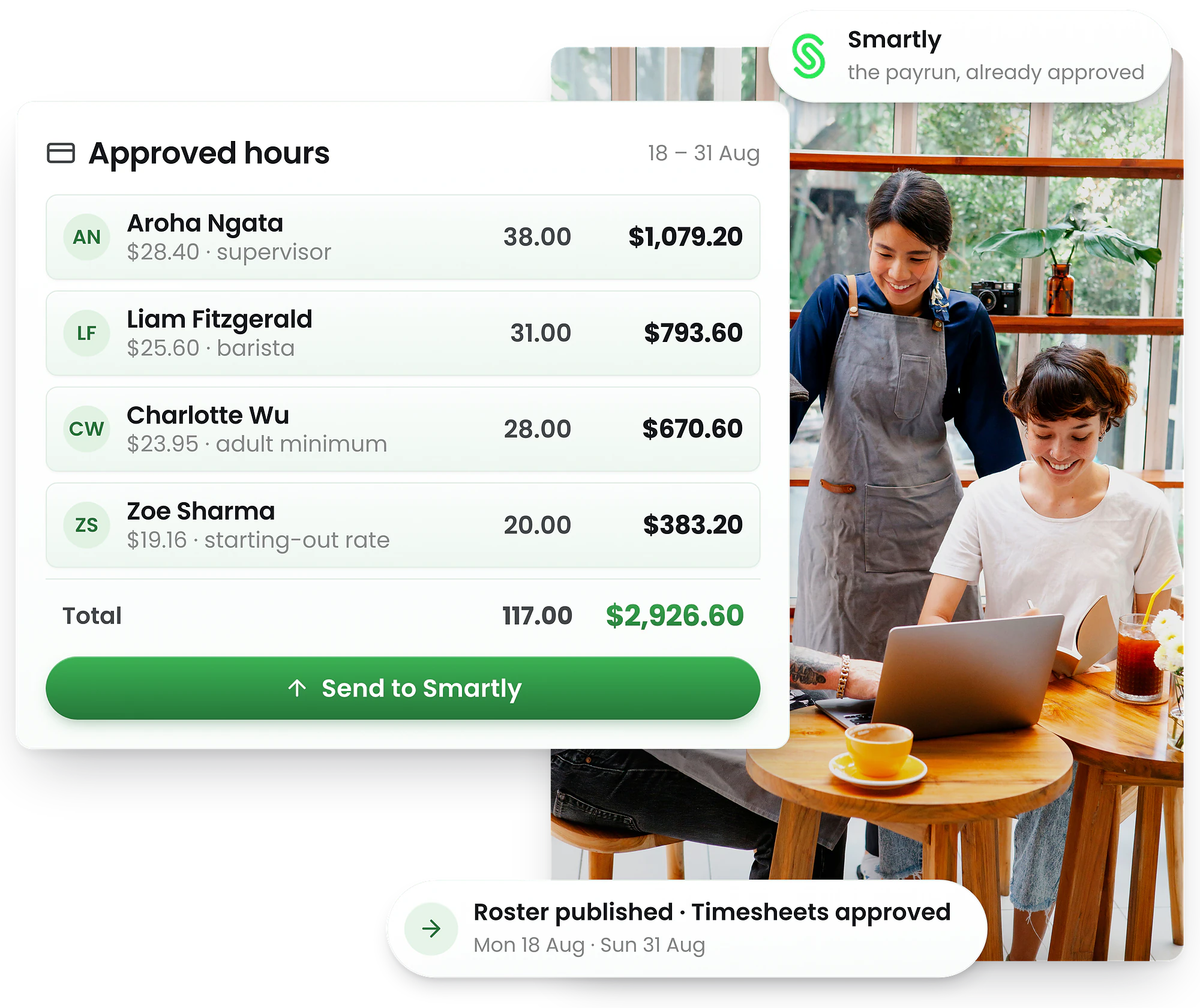
Build the roster, let staff clock in, approve the hours — then send them to Smartly. The mapping is done once, so every pay run after that is an export rather than a re-entry.
-
Approved hours only — nothing unreviewed reaches payroll
-
Rostered against actual, compared before the pay run
-
Public holidays and the alternative day they earn




From roster to Smartly in three steps
The hours Smartly pays are the hours your staff actually worked — checked against the roster before anyone exports anything.
Roster and clock in
Publish the roster, staff clock in from the app or a tablet kiosk, and each time is recorded against the shift it belongs to.
Approve the hours
Rostered and actual sit side by side with the variance between them. Approve what is right and fix what is not, while it is still cheap to fix.
Send to Smartly
Approved hours go to Smartly against the position, employee, payroll rule and department code you mapped once at setup.
Four fields, and then it is done
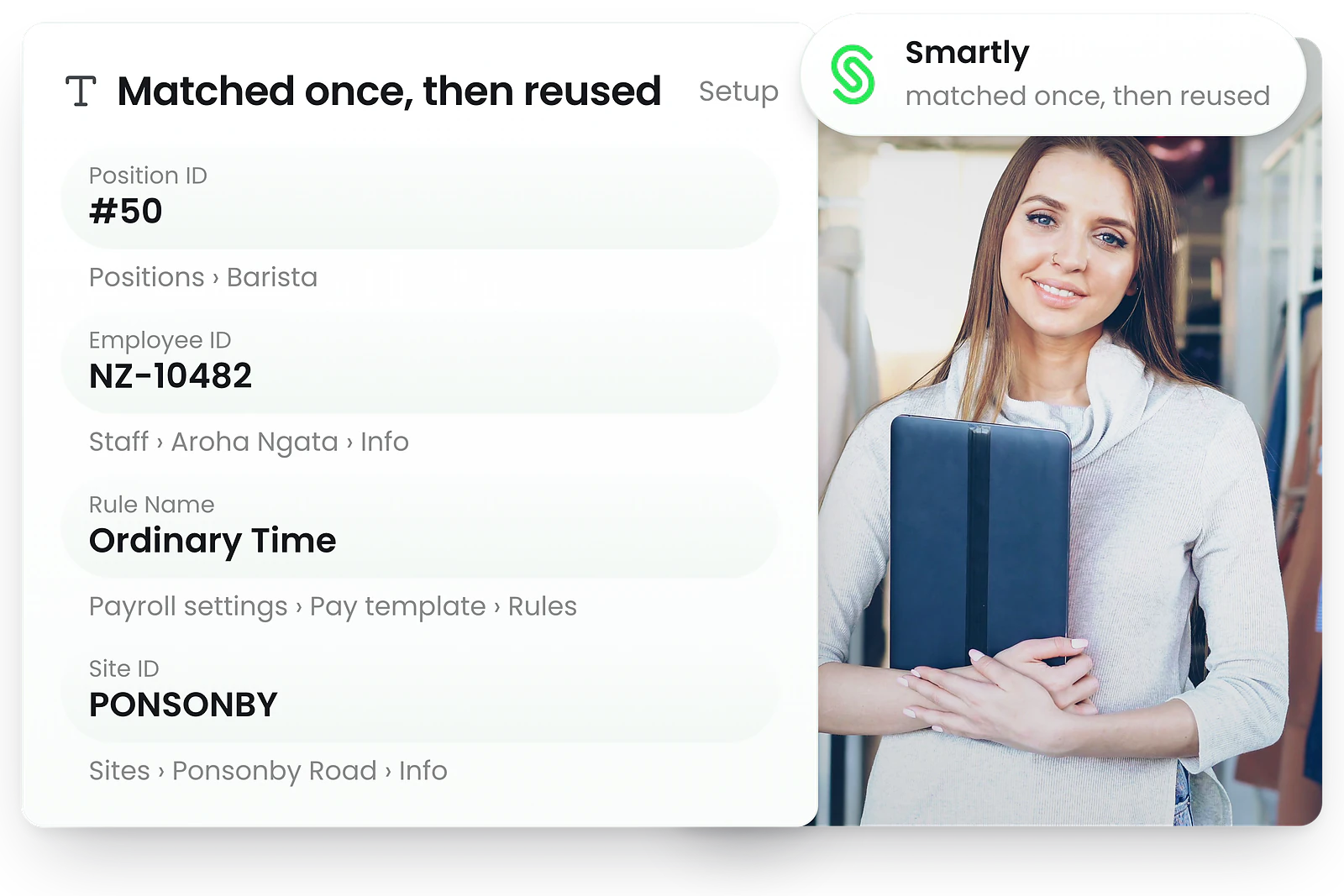
Smartly needs to know which rate, which employee, which rule and which cost centre. Each one is a field in RosterElf, set once and reused by every pay run after it.
Position ID · on each position
Carries the rate-type identifier Smartly expects, so the right rate is applied when the hours land.
Employee ID · on each employee
Matches a rostered person to their Smartly record, so hours post against the correct employee.
Rule Name · on each pay template rule
Names the matching Smartly payroll rule, so earnings arrive under the rule that pays them.
Site ID · on each site
Holds the Smartly department code, so hours reach the right cost centre with no reallocation afterwards.
The rules that decide what Smartly pays
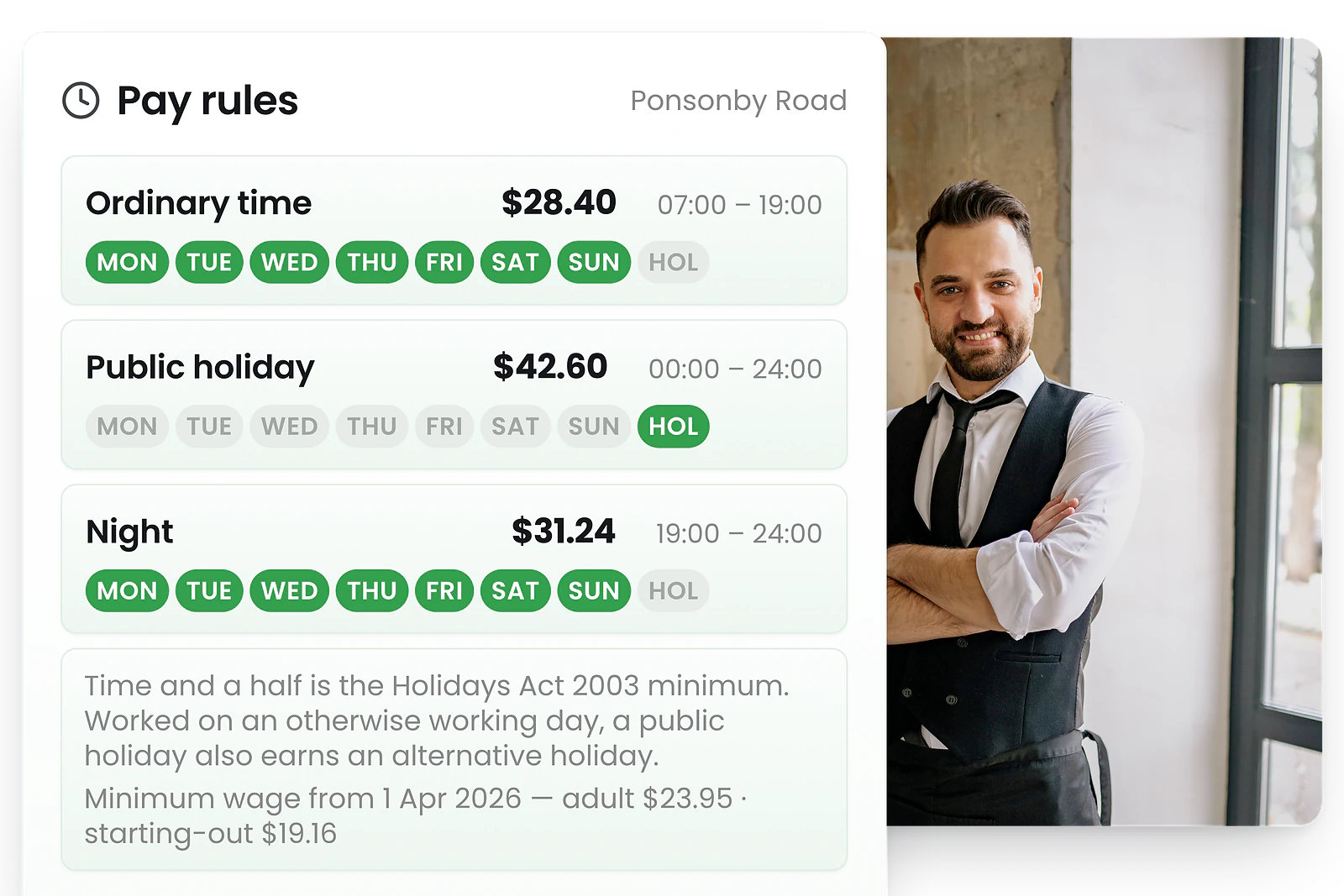
There is no award system in New Zealand — pay rules come from the employment agreement. What the law does set is what a public holiday earns, what a minimum rate is, and what records you keep.
Public holidays, and the day off they earn
Under the Holidays Act 2003 a public holiday worked is paid at no less than time and a half, and where it falls on an otherwise working day the employee also earns an alternative holiday. RosterElf records which is which before the hours reach payroll.
Minimum wage, checked as you roster
The adult minimum is $23.95 an hour and the starting-out and training rate $19.16 from 1 April 2026. A rate below the tier that applies shows on the roster, rather than in a correction after the pay run.
Agreed hours, and wage and time records
The Employment Relations Act 2000 requires wage and time records. Every clock-in, edit and approval is kept with a name and a timestamp — which is what a record has to carry to be worth keeping.
KiwiSaver and PAYE stay in Smartly
Deductions are Smartly’s job and stay there. RosterElf supplies the hours those calculations run on, so the deduction is right the first time.
Before your first Smartly pay run
Not sure you are ready? Run the free payroll export readiness checker.
Start free trialExplore related features
Discover other RosterElf features that work great together
Roster in RosterElf, pay in Smartly
Start free and connect Smartly when you are ready. No credit card, and nothing to uninstall if it turns out not to be for you.
Smartly and RosterElf questions
Setup, timesheet approval, and the New Zealand rules that decide what Smartly pays.
- Yes. Smartly sits alongside Xero and MYOB as a supported payroll destination — approved timesheets flow into Smartly the same way. The step-by-step setup is in our guide to setting up the Smartly payroll integration.
- Four mappings, each done once: a position ID on every position, the Smartly staff ID on every employee, the matching Smartly rule name on each pay template, and a department code on every site. After that, each pay run is an export rather than a re-entry.
- Yes, and it is the point. Hours are clocked, compared against the roster and approved in RosterElf, and only approved hours are sent. The variance between rostered and actual is visible before anything reaches payroll, which is the cheapest moment to fix it. See time and attendance.
- No, and it should not. Those are calculated in Smartly. RosterElf’s job is to get the hours, rates and leave right, so the calculation Smartly performs starts from correct numbers.
- Yes. Each site carries its own Smartly department code, so hours reach the right cost centre and a multi-site wage bill can be read per site without unpicking it afterwards. Rostering software covers multi-site rostering.
- Xero and MYOB are supported the same way, and any other provider can be handled with a processed-payroll CSV export. Our integrations page lists what connects.